
@javargasm/pi-usage-bars
v0.2.1
Published
Usage indicator for pi — footer status bars and /usage command for Codex, Claude, Z.AI, Gemini, Antigravity, OpenCode Go, and Kiro

Maintainers
 javargasm
Readme
pi-usage-bars
Usage indicator for pi.
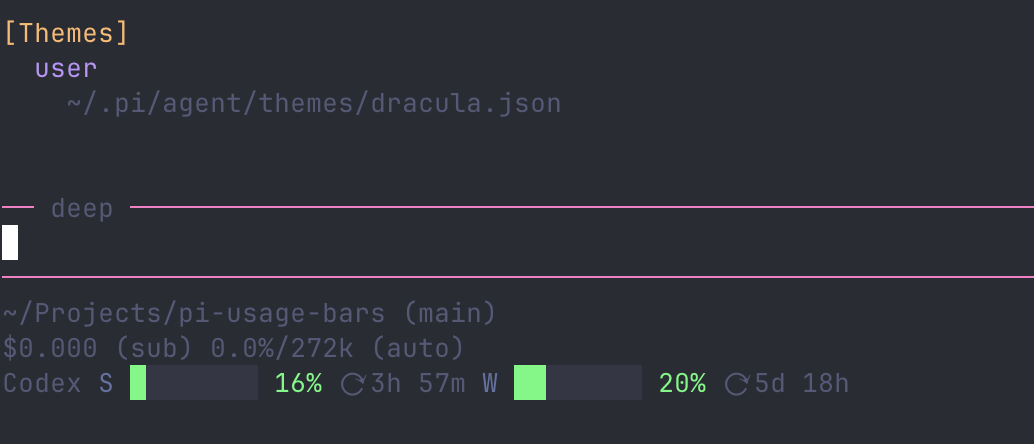
It adds:
- a footer status bar for the active provider
- a
/usagecommand with all connected providers
Supported providers:
- OpenAI Codex (multiple subscriptions)
- Anthropic Claude
- Z.AI
- Google Gemini CLI
- Google Antigravity
- OpenCode Go
- Kiro (AWS Q / Amazon CodeWhisperer)
Credits / Inspiration
This extension is based on and inspired by:
- https://github.com/steipete/CodexBar
- https://github.com/mikeyobrien/rho/tree/main/extensions/usage-bars
Install
pi install npm:@javargasm/pi-usage-barsUse
1) Footer usage bars
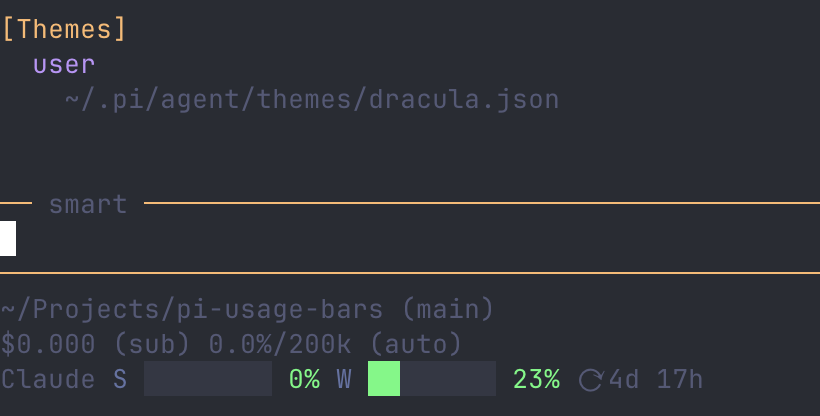
When your active model is supported, the footer shows color-coded bars for:
- Session usage (5-hour rolling window)
- Weekly usage (7-day rolling window)
- Monthly usage (when available)
- Reset countdowns
Bar colors: 🟢 green (<70%) → 🟡 yellow (70-89%) → 🔴 red (≥90%)
2) /usage command
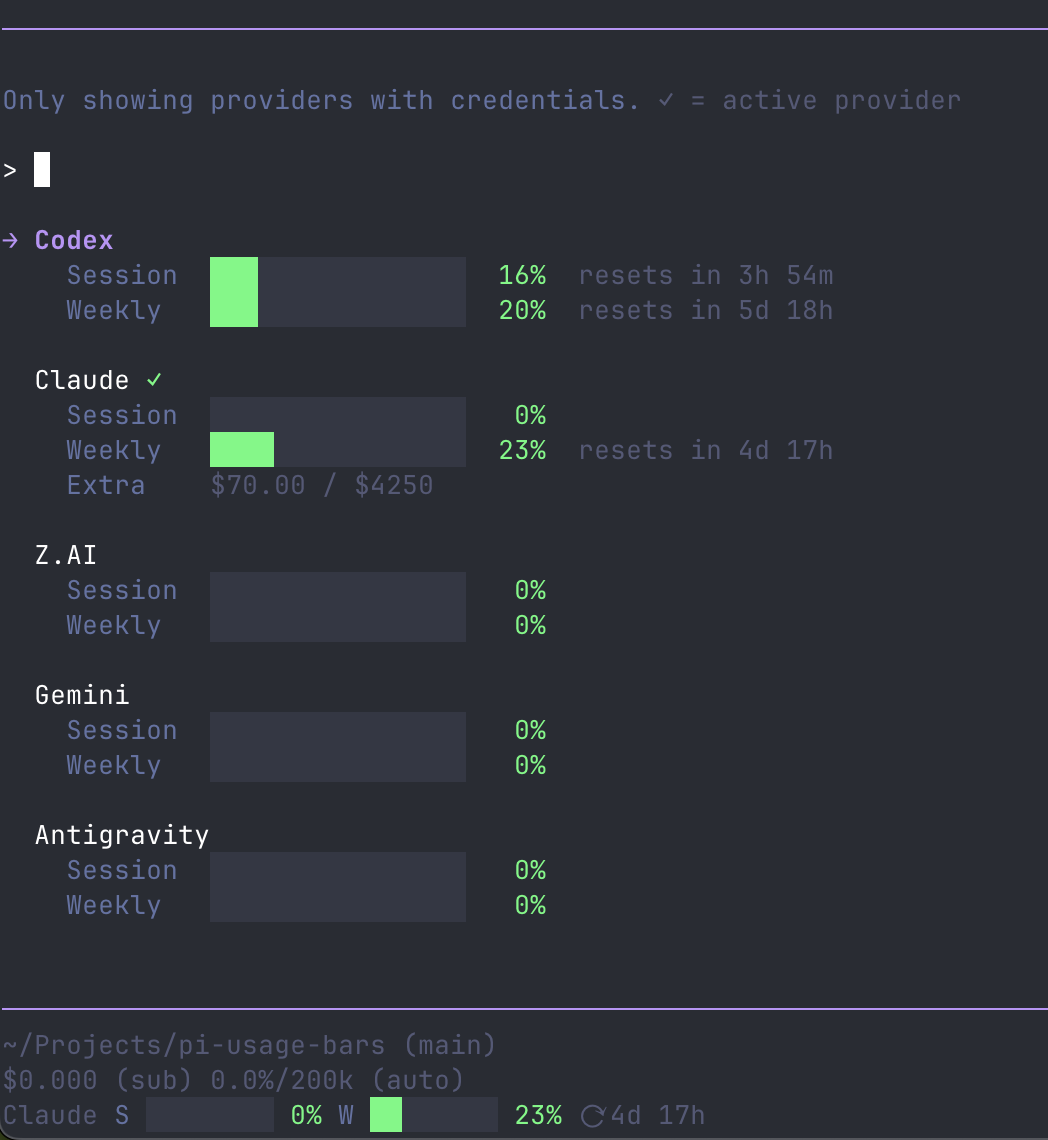
Opens an interactive list with all providers that have credentials. Supports search/filter and shows the active provider with a ✓ badge.
Provider details
OpenAI Codex
- Session and weekly usage via the ChatGPT WHAM endpoint
- Supports multiple subscriptions — each
openai-codex-*key inauth.jsonis displayed as a separate entry in/usage
Anthropic Claude
- Session (5-hour) and weekly (7-day) usage via the Anthropic OAuth usage API
- Extra spend tracking (
$used / $limit) when overages are enabled - 429 resilience: file-based cache with exponential backoff,
Retry-Afterheader support, file locking to prevent thundering herd, and stale data fallback when rate-limited
Z.AI
- Session and weekly usage with reset countdowns
- Dedicated parser for Z.AI's
TOKENS_LIMITresponse shape (unit 3 = session, unit 6 = weekly)
Google Gemini CLI / Antigravity
- Quota bucket parsing with automatic
projectIddiscovery - Selects the most relevant model bucket (Claude non-thinking → Gemini Pro → Flash)
OpenCode Go
- Scrapes the OpenCode Go dashboard for rolling, weekly, and monthly usage windows
- Credentials via environment variables (
OPENCODE_GO_WORKSPACE_ID,OPENCODE_GO_AUTH_COOKIE) or auto-discovered config file
Kiro
- Credit-based usage from the AWS CodeWhisperer
GetUsageLimitsendpoint - Profile ARN resolution via
ListAvailableProfiles - Token refresh for both OIDC (IdC / Builder ID) and Desktop auth methods
- Shows plan title, credit count (
used/total), monthly reset countdown, and a high-usage warning at ≥90% - Atomic
auth.jsonupdates with selective merging to avoid clobbering concurrent writes
Configuration
Environment variables
| Variable | Description |
|---|---|
| PI_ZAI_USAGE_ENDPOINT | Override the Z.AI usage endpoint |
| PI_GEMINI_USAGE_ENDPOINT | Override the Gemini quota endpoint |
| PI_ANTIGRAVITY_USAGE_ENDPOINT | Override the Antigravity quota endpoint |
| OPENCODE_GO_WORKSPACE_ID | OpenCode Go workspace ID |
| OPENCODE_GO_AUTH_COOKIE | OpenCode Go auth cookie |
| GOOGLE_CLOUD_PROJECT | Google Cloud project ID (skips auto-discovery) |
Auth
Credentials are read from ~/.pi/agent/auth.json. OAuth tokens are refreshed automatically when they expire.
Development
# Run core tests
bun test tests/usage-bars-core.test.ts

# Run all tests
bun run tests/run-all.ts
License
MIT