
@jinjos/vibe-mcp
v1.1.4
Published
MCP server for vibe-cli - Universal AI rules system

Maintainers
 jinjos
Readme
Vibe MCP Server
A Model Context Protocol (MCP) server that provides AI-integrated access to vibe-cli for unified AI coding rules management.
Features
- 📊 Deep Project Analysis - Comprehensive tech stack detection and AI configuration analysis
- 🚀 Rules Management - Initialize, sync, and manage AI coding standards across platforms
- 📈 Performance Monitoring - Real-time status and health checks for all AI platforms
- 🤖 AI-Optimized Output - Structured JSON responses designed for AI consumption
Demo
Repository Analysis with Vibe
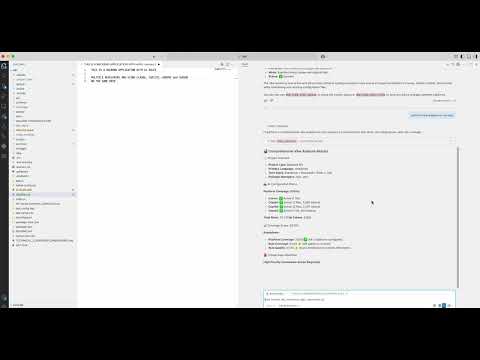
See how AI assistants analyze projects and manage unified coding standards
Installation
One-Click Install
VS Code

VS Code Insiders

Claude Desktop Configuration
Add to your Claude Desktop config:
macOS: ~/Library/Application Support/Claude/claude_desktop_config.json
Windows: %APPDATA%\Claude\claude_desktop_config.json
{
  "mcpServers": {
    "vibe": {
      "command": "npx",
      "args": ["-y", "@jinjos/vibe-mcp"],
      "cwd": "/path/to/your/project"
    }
  }
}
Cursor/VS Code with MCP
{
  "mcpServers": {
    "vibe": {
      "command": "npx",
      "args": ["-y", "@jinjos/vibe-mcp"]
    }
  }
}
Available Tools
repo_analysis
Performs deep analysis of project tech stack, AI configurations, and rule coverage.
{
  "projectPath": "/path/to/project",
  "options": {
    "verbose": true
  }
}
Returns AI-optimized JSON with:
- Project metadata and tech stack breakdown
- AI platform configuration status
- Coverage score with detailed analysis
- Gap analysis with actionable recommendations
- MCP server recommendations based on actual tech stack
init_rules
Sets up unified AI rules system with platform configurations.
{
  "projectPath": "/path/to/project",
  "options": {
    "platforms": "cursor,claude,copilot,gemini",
    "full": false
  }
}
sync_rules
Syncs rules from platform directories to unified vibe/ system.
{
  "projectPath": "/path/to/project",
  "options": {
    "platforms": "auto",
    "full": false,
    "dryRun": true
  }
}
vibe_status
Comprehensive status of vibe system including performance metrics.
{
  "projectPath": "/path/to/project",
  "options": {
    "verbose": true
  }
}
Requirements
- Node.js 18.0.0 or higher
- An MCP-compatible client (Claude Desktop, VS Code, Cursor, etc.)
Architecture
AI Agent ↔ MCP Protocol ↔ Vibe MCP Server ↔ vibe-cliThe MCP server provides:
- Clean JSON output without emojis or formatting
- Structured data optimized for AI consumption
- Direct integration with vibe-cli functionality
- Performance metrics and health monitoring
Configuration
Environment Variables
VIBE_LOG_LEVEL: Logging level (0=ERROR, 1=WARN, 2=INFO, 3=DEBUG)
Debugging
Enable debug logging:
VIBE_LOG_LEVEL=3 npx -y @jinjos/vibe-mcpTroubleshooting
Tool not found errors
npm run build # Ensure server is builtMCP connection issues
# Enable debug logging
VIBE_LOG_LEVEL=3 node dist/index.js
Performance monitoring
The server maintains:
- Memory usage <100MB baseline
- Response time <2 seconds for most operations
- No background processes
Related Projects
- vibe-cli - Universal AI rules CLI
- Model Context Protocol - MCP specification
- MCP Servers - Official MCP server registry
License
MIT - Same as vibe-cli
🤖 Bring your AI tools into perfect harmony 🤖