
@jnzlab/easy-ytdlp
v1.1.2
Published
A user-friendly interactive CLI wrapper for yt-dlp — no Python or flag memorization required
Downloads
1,083

Maintainers
 jameelahmad221b
Readme
easy-ytdlp
Interactive, user-friendly CLI wrapper around yt-dlp. Answer a few plain-English questions — quality, format, destination — and the tool builds and runs the correct yt-dlp command for you.
No Python install. No flag memorization. The yt-dlp binary is downloaded and cached automatically on first run.
Install
# one-shot (no install)
npx @jnzlab/easy-ytdlp <url>

# or install globally
npm install -g @jnzlab/easy-ytdlp
easy-ytdlp <url>
Requirements: Node.js 18+. For video merging, audio extraction, and embedding, install ffmpeg on your system.
Usage
easy-ytdlp                                 # prompts for URL
easy-ytdlp https://youtu.be/dQw4w9WgXcQ    # start with a URL
easy-ytdlp <url1> <url2>                  # download multiple URLs with shared settings
easy-ytdlp --batch-file urls.txt          # read URLs from a file, one per line
easy-ytdlp <url> --show-command            # preview the yt-dlp flags first
easy-ytdlp <url> --yes --mode audio --audio-format mp3
easy-ytdlp update-binary                   # force-refresh the cached yt-dlp binary
Batch files may include blank lines and comments that start with #.
When multiple URLs are provided, easy-ytdlp fetches metadata for each URL, then asks one set of questions using the first URL with valid metadata as the prompt context.
The default wizard keeps common downloads short. Choose advanced options to customize subtitles, playlists, filename presets, containers, and embeds.
Non-interactive options
Use --yes to skip prompts and run with defaults plus any flags you provide:
easy-ytdlp <url> --yes --mode video --quality 1080 --output ~/Videos
easy-ytdlp <url> --yes --mode audio --audio-format mp3 --audio-quality good
easy-ytdlp --batch-file urls.txt --yes --mode video --quality best
Useful flags:
--mode video|audio|video-only|subs-only|thumbnail-only--quality best|1080|720|480|<height>--container best|mp4|mkv|webm--audio-format best|mp3|m4a|opus|flac|wav--subs none|embed|write|both --sub-langs en,es--playlist single|all|range --playlist-range 2:5--filename title|title-channel|title-date--embed-thumbnail --embed-metadata --sponsorblock
Example session
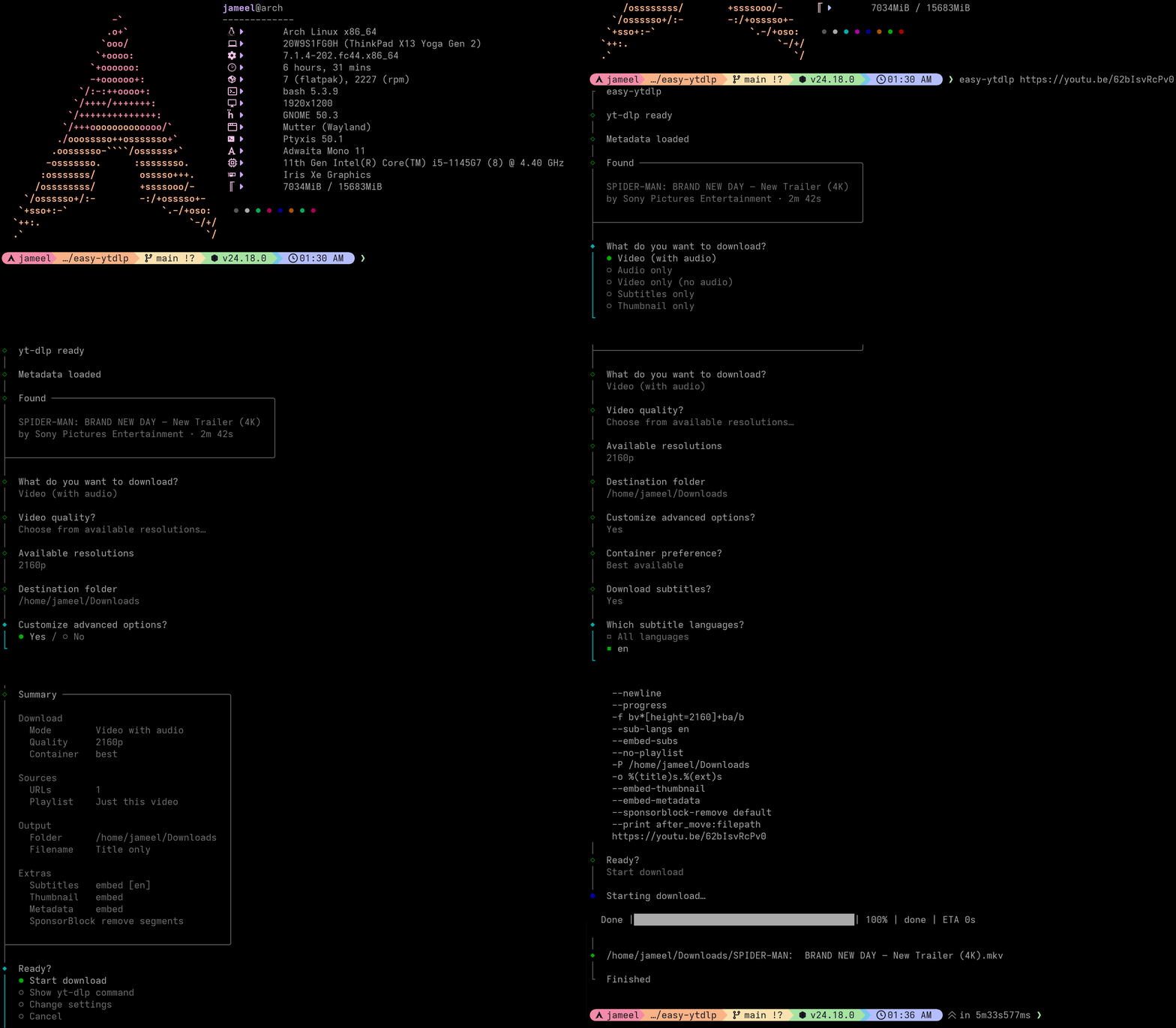
Audio-only example
npx @jnzlab/easy-ytdlp "https://www.youtube.com/watch?v=…"
# → choose "Audio only" → mp3 → Best → confirm
What it covers
Guided choices for:
- Video (+ audio), audio-only, video-only, subtitles-only, thumbnail-only
- Quality caps (
-S res:…) and available resolutions from metadata - Containers, audio formats, subtitle languages / embed vs file
- Playlist: this video, whole playlist, or index range
- Output folder + plain-English filename templates
- Embed thumbnail / metadata, SponsorBlock remove
Out of scope (v1)
These need the raw yt-dlp CLI directly:
- Login / cookies-based extraction
- DRM content
- Live streams from the start
See the yt-dlp authentication and related docs, or the local reference copy in docs/yt-dlp-README.md.
License
MIT