
@joachimhskeie/docsmd
v0.2.5
Published
Git-native documentation system with web UI and AI agent support

Maintainers
 joachimhskeie
Readme
docs.md
A documentation system that lives in your Git repo. Write ADRs, specs, guides, runbooks, and more as Markdown files with YAML frontmatter. Browse, edit, search, and manage them through a web UI or CLI.
No database. No hosting required. Just Markdown files and Git.
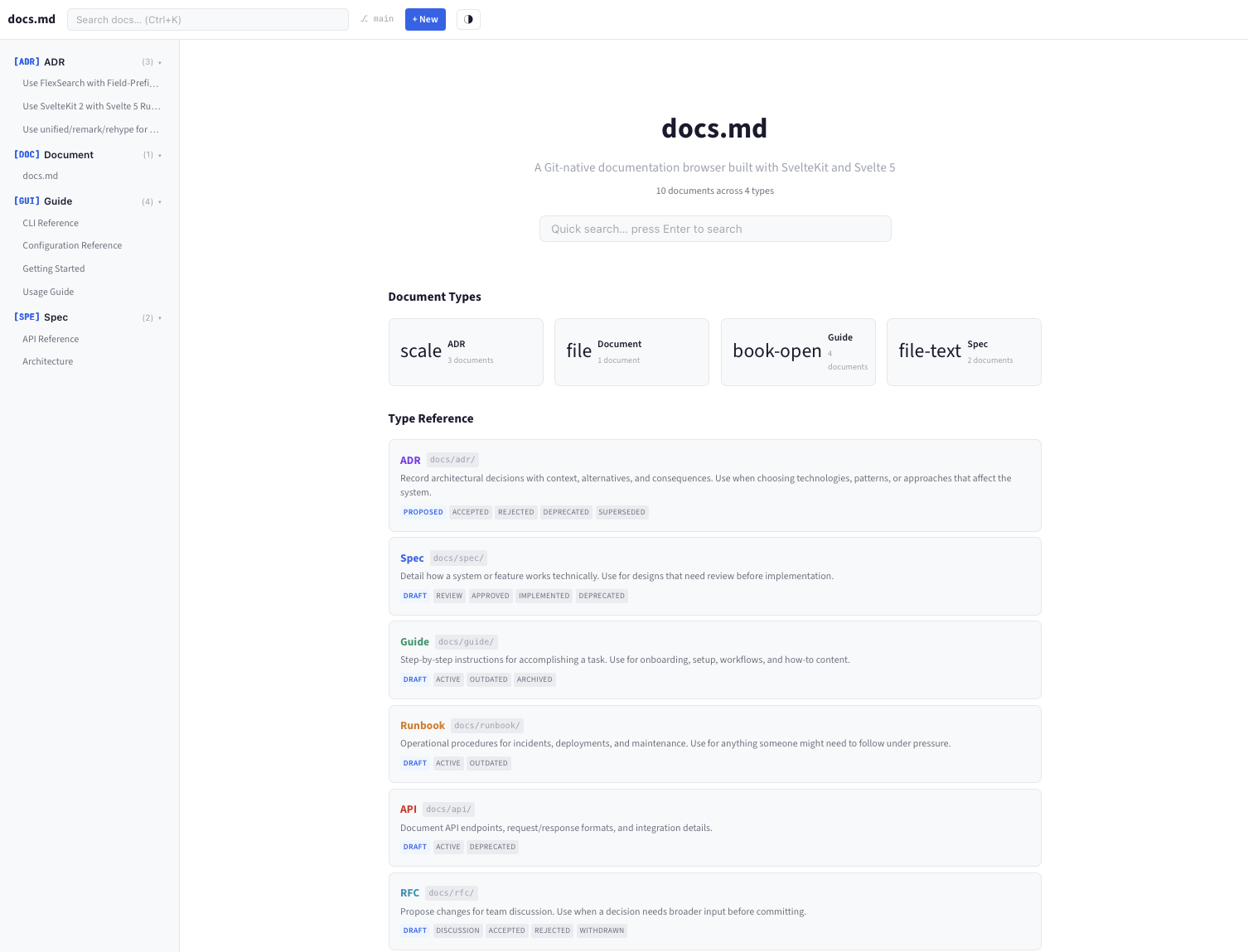
Why docs.md?
Most project documentation ends up scattered across Notion, Confluence, Google Docs, and random wiki pages — disconnected from the code it describes.
docs.md keeps documentation in your repo, versioned with Git, editable by anyone who can write Markdown, and browsable through a proper UI.
- Write in a WYSIWYG editor or raw Markdown — your choice
- Search across all docs instantly, with field-specific queries like
type:adrortag:security - Track history with Git diffs and commit timelines per document
- Let AI agents read and write documentation through a simple file convention and REST API
- No vendor lock-in — it's just
.mdfiles in a folder
Quick Start
# Install globally
npm i -g @joachimhskeie/docsmd

# In any Git repository
docsmd init "My Project"
docsmd browse
That's it. Your browser opens with a fully functional documentation site.
What You Get
Structured Document Types
docs.md ships with 8 document types, each with its own lifecycle:
| Type | Purpose | Statuses | |------|---------|----------| | ADR | Architectural Decision Records | proposed, accepted, rejected, deprecated, superseded | | Spec | Technical Specifications | draft, review, approved, implemented, deprecated | | Guide | How-to Guides | draft, active, outdated, archived | | Runbook | Operational Runbooks | draft, active, outdated | | API | API Documentation | draft, active, deprecated | | RFC | Requests for Comments | draft, discussion, accepted, rejected, withdrawn | | Meeting | Meeting Notes | draft, final | | Doc | General Documents | draft, active, archived |
Each type has a pre-filled template with section headings and writing guidance. Custom types can be added via .docsmd.yml.
Browse Documents
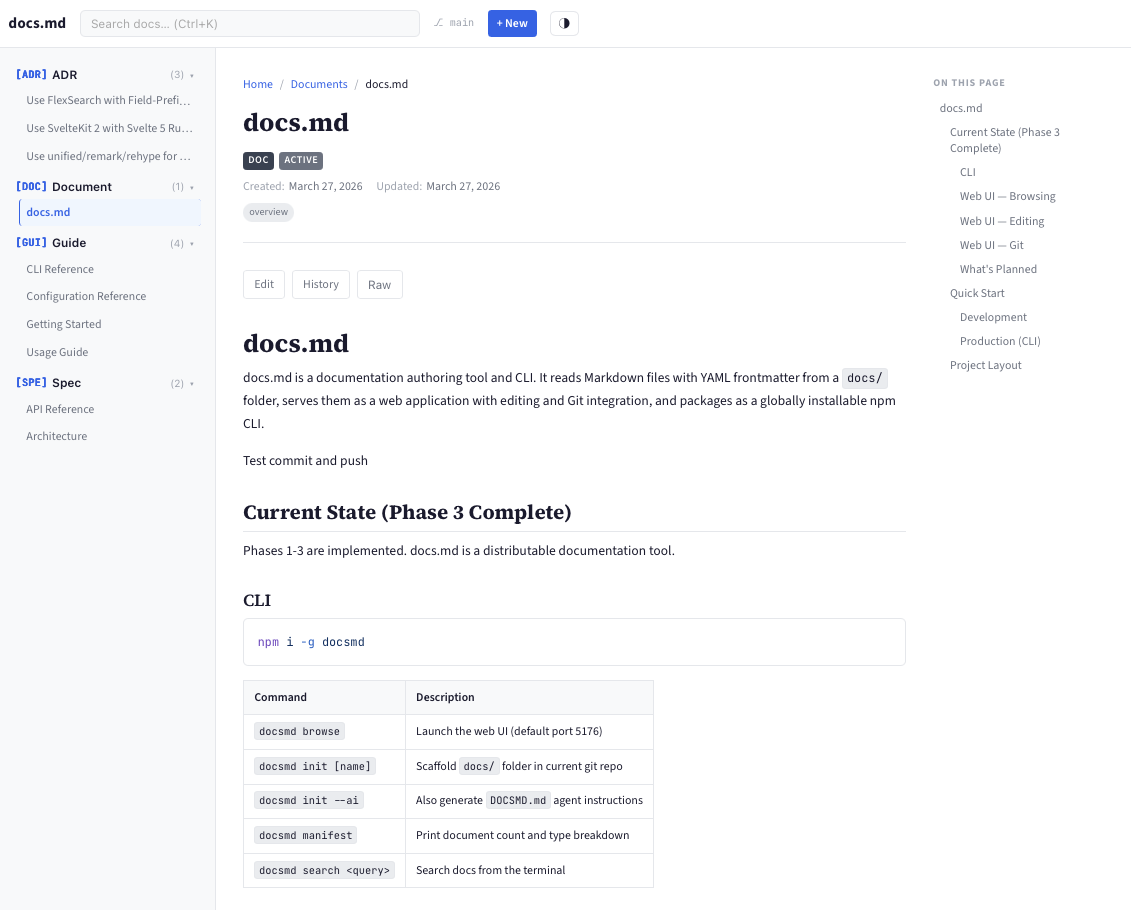
Click any document in the sidebar to view it with rendered Markdown, syntax-highlighted code blocks, metadata badges, and a table of contents.
Dual-Mode Editor
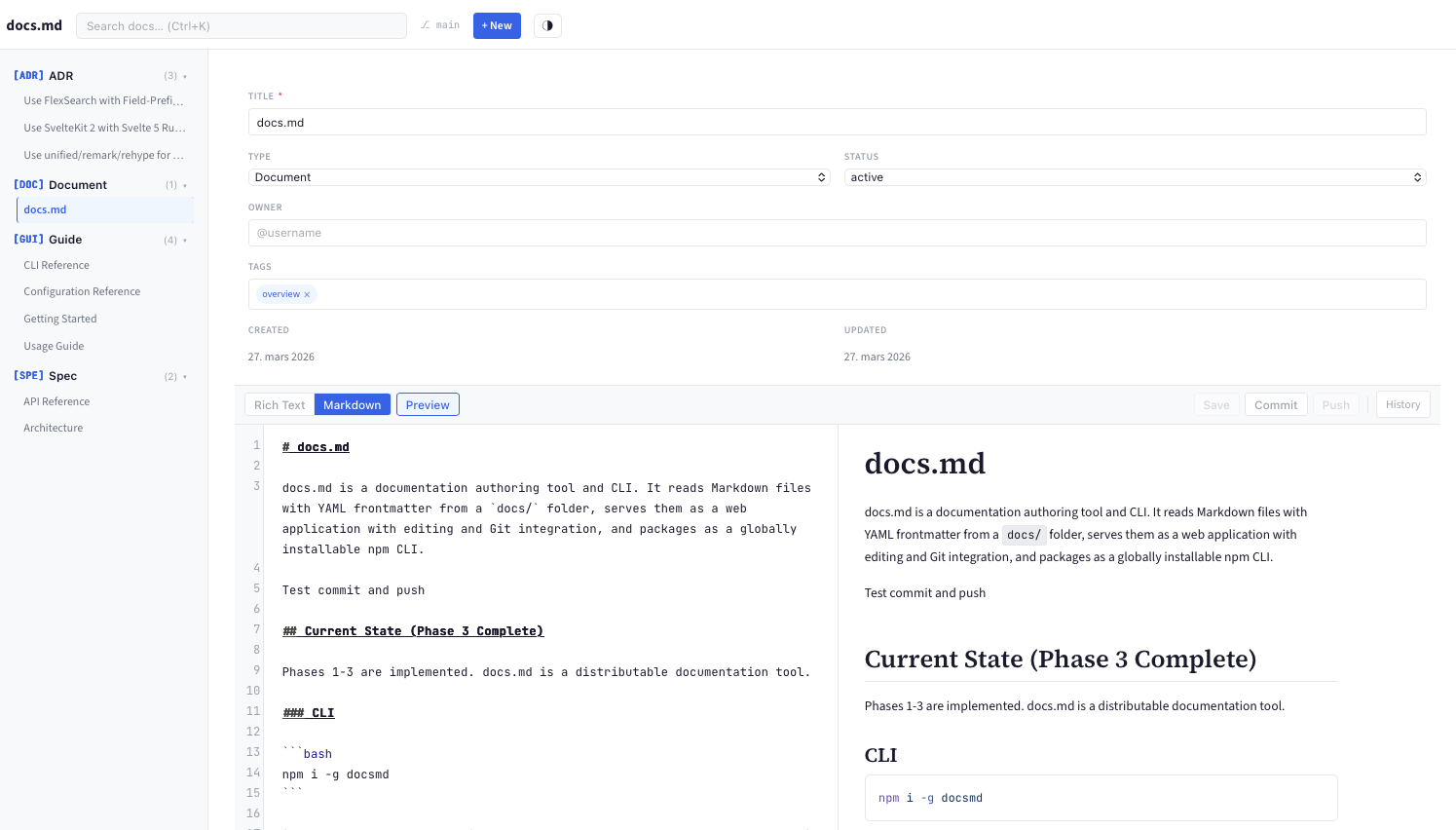
Edit in Rich Text (WYSIWYG powered by Milkdown) or Markdown (CodeMirror with syntax highlighting and live preview). Switch between modes without losing content. Save, commit, and push directly from the toolbar.
The structured frontmatter form handles metadata (title, type, status, owner, tags) without exposing raw YAML.
Full-Text Search
Instant search across titles, body text, tags, headings, and owners. Use field prefixes for precise filtering:
type:adr                    # All ADRs
tag:security                # Docs tagged "security"
type:spec PostgreSQL        # Specs mentioning PostgreSQL
status:draft owner:alice    # Alice's drafts
Works in the web UI search bar (Ctrl+K) and from the terminal (docsmd search).
Git Integration
Save, commit, and push from the editor toolbar. The header shows your branch, uncommitted changes, and commits ahead of remote. A global Push button appears when there are unpushed commits.
View the full commit history for any document:
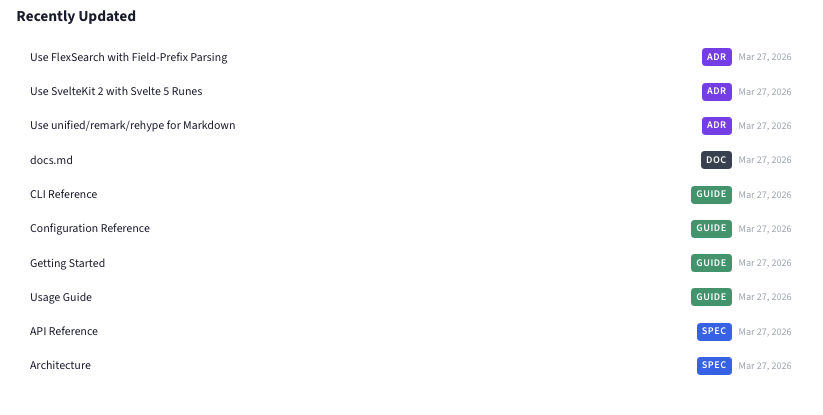
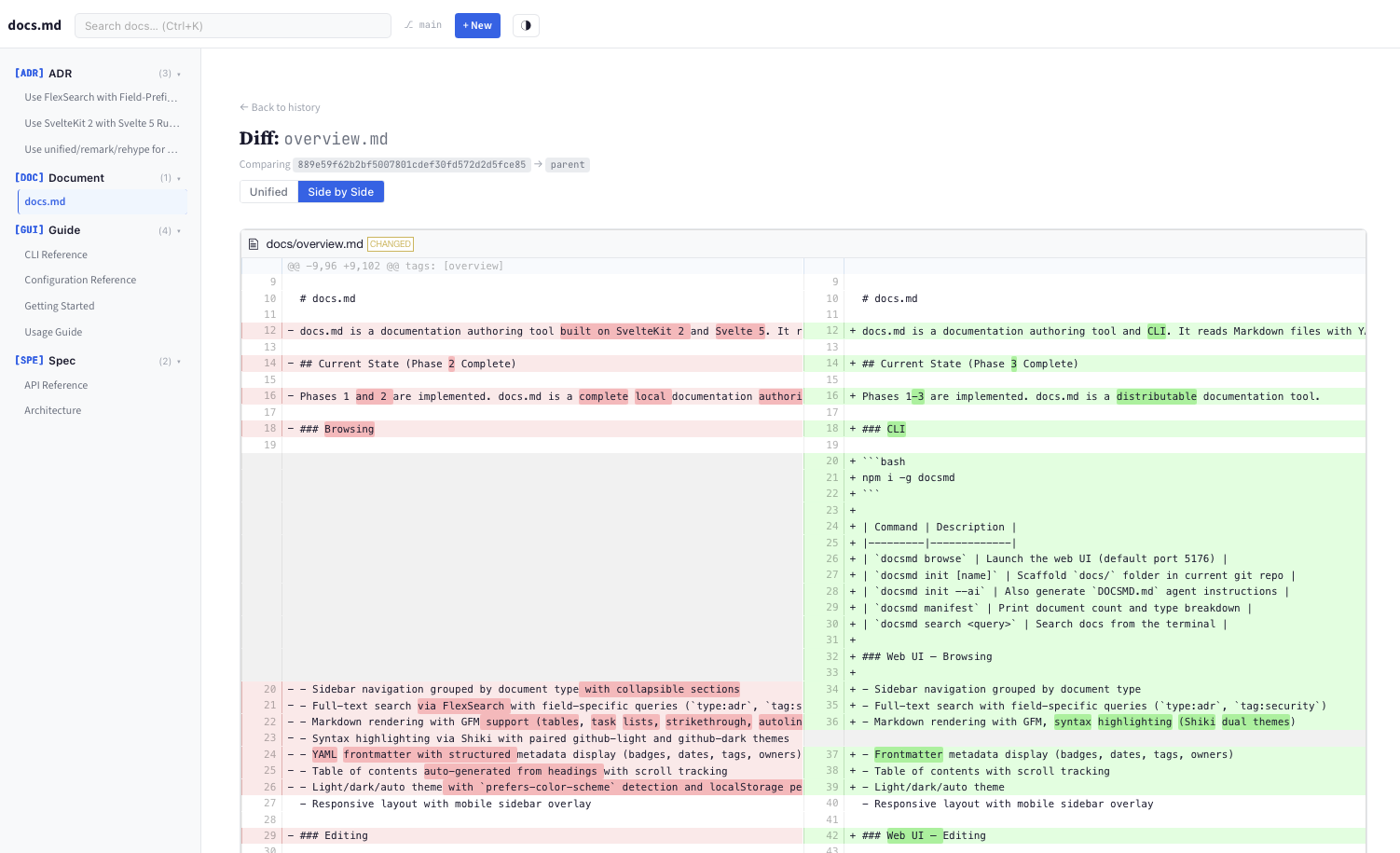
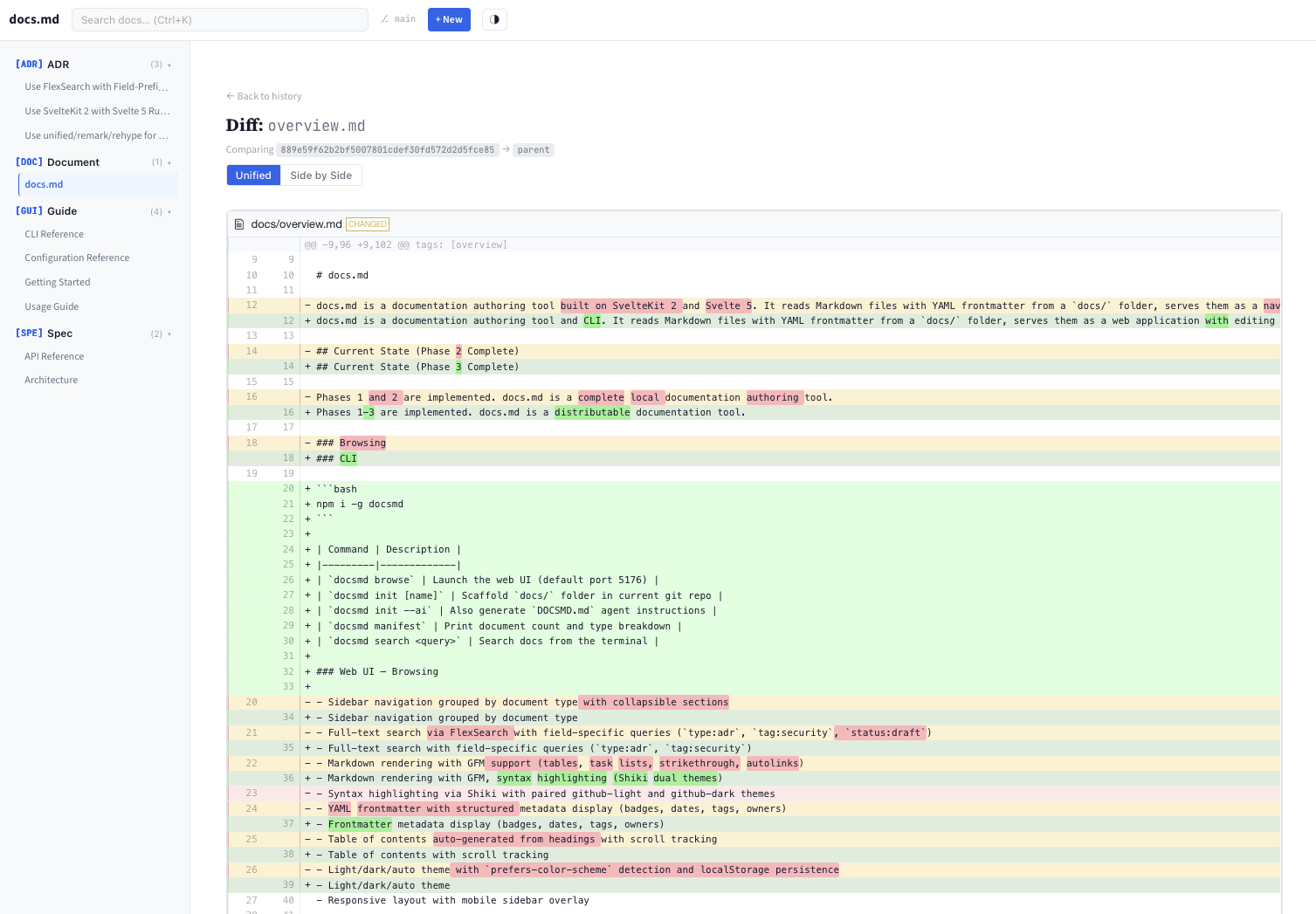
Compare changes with unified or side-by-side diffs:
AI Agent Ready
Run docsmd init --ai to generate a DOCSMD.md instruction file for AI coding agents. The web UI's landing page also has a copy-to-clipboard section with agent instructions.
AI agents can read, create, and update docs through:
- Direct filesystem access (they're just Markdown files)
- REST API (
GET/POST/PUT/DELETE /api/docs,GET /api/search)
Mermaid Diagrams
Fenced code blocks with the mermaid language are rendered as interactive diagrams — flowcharts, sequence diagrams, class diagrams, and more. Adapts to light/dark theme.
Backlinks
Each document page shows a "Referenced by" section listing all documents that link to it, making it easy to trace ADR chains, spec dependencies, and cross-references.
Status Workflow
Change a document's status directly from the viewer — no need to open the editor. "Move to: accepted" buttons appear for each valid status transition.
Keyboard Shortcuts
| Shortcut | Action |
|----------|--------|
| Ctrl+K | Focus search |
| Ctrl+E | Edit document |
| Ctrl+S | Save (in editor) |
| Ctrl+Enter | Commit (in editor) |
| Ctrl+P | Print / export PDF |
Live File Watching
External changes to .md files (from your editor, AI agents, git pull, etc.) are detected automatically. The sidebar and search update on the next page load — no restart needed.
CLI Commands
| Command | Description |
|---------|-------------|
| docsmd browse | Start web UI (default port 5176) |
| docsmd init [name] | Scaffold docs/ folder with templates |
| docsmd init --ai | Also generate agent instruction file |
| docsmd manifest | Print document count and type breakdown |
| docsmd search <query> | Search from the terminal |
docsmd browse --port 8080 --no-open    # Custom port, no browser
docsmd search "auth" --type adr        # Search ADRs
docsmd search "deploy" --plain         # Machine-readable output
Document Format
Every document is a Markdown file with YAML frontmatter:
---
title: "Use PostgreSQL as Primary Database"
type: adr
status: accepted
owner: "@alice"
created: "2026-03-27"
updated: "2026-03-27"
tags: [database, infrastructure]
decision_date: "2026-03-15"
---

# Use PostgreSQL as Primary Database

## Context

We need a primary database for the platform...

## Decision

We will use PostgreSQL 16...

## Consequences

### Positive
- Strong ecosystem and tooling
- Excellent JSON support

### Negative
- More complex than SQLite for small deployments
Files live in docs/{type}/{type}-{NNN}-{slug}.md. The title field is required; everything else is optional.
Project Structure
After running docsmd init, your repo looks like:
my-project/
  docs/
    .docsmd.yml              # Configuration
    overview.md              # Welcome page
    adr/                     # Architectural Decision Records
    spec/                    # Technical Specifications
    guide/                   # How-to Guides
    runbook/                 # Operational Runbooks
    api/                     # API Documentation
    rfc/                     # Requests for Comments
    meeting/                 # Meeting Notes
    _templates/              # Pre-filled templates
    _assets/                 # Uploaded images
REST API
When the server is running, these endpoints are available:
| Method | Endpoint | Purpose |
|--------|----------|---------|
| GET | /api/docs | List documents (filterable by type, status, tag) |
| POST | /api/docs | Create document |
| GET | /api/docs/{id} | Read document |
| PUT | /api/docs/{id} | Update document |
| DELETE | /api/docs/{id} | Archive document |
| GET | /api/search?q=... | Full-text search |
| GET | /api/git/status | Git status |
| GET | /api/git/history?path=... | Commit history |
| POST | /api/git/commit | Commit changes |
| POST | /api/git/push | Push to remote |
Tech Stack
- SvelteKit 2 + Svelte 5 (runes API)
- Milkdown/Crepe (WYSIWYG editor)
- CodeMirror 6 (Markdown editor)
- Shiki (syntax highlighting)
- FlexSearch (full-text search)
- simple-git (Git operations)
- diff2html (diff rendering)
- Commander.js (CLI)
Development
git clone https://github.com/joachimhs/docs-md.git
cd docs-md/specmd
npm install
DOCSMD_DOCS_DIR=docs npm run dev
npm test # 72 tests
npm run check # Type checking
npm run build # Build web + CLIRequirements
- Node.js 20+
- Git
Authentication
docsmd supports two authentication modes: simple (password-based) and OAuth (GitHub, GitLab, Google).
Enabling Simple Auth
Add users via the CLI:
docsmd user add [email protected] --name "Alice" --role admin
docsmd user add [email protected] --name "Bob" --role editor
Enable auth in
docs/.docsmd.yml:auth: enabled: true mode: simpleRestart the server. Users will see a login page.
Enabling OAuth
- Create an OAuth app with your provider (GitHub, GitLab, or Google)
- Configure in
docs/.docsmd.yml:auth: enabled: true mode: oauth oauth: provider: github roles: admin: ["[email protected]"] editor: ["[email protected]"] - Set environment variables:
export DOCSMD_OAUTH_CLIENT_ID=your_client_id export DOCSMD_OAUTH_CLIENT_SECRET=your_client_secret
Roles
| Role | Read | Edit | Commit | Push | Admin | |------|------|------|--------|------|-------| | viewer | Yes | — | — | — | — | | editor | Yes | Yes | Yes | — | — | | admin | Yes | Yes | Yes | Yes | Yes |
Static Site Export
Build a static version of your documentation (no server required):
docsmd build --staticOutput is written to build-static/. Serve with any HTTP server:
npx serve build-staticThe static build pre-renders all document pages. Search works client-side. Edit/commit/push features are hidden.
Auto-Pull
Keep a hosted deployment in sync with the remote repository automatically:
# docs/.docsmd.yml
hosting:
auto_pull: true
auto_pull_interval: 60 # secondsWhen enabled, docsmd pulls from the remote periodically. Uncommitted changes are stashed and restored automatically. If there are unpushed local commits, auto-pull pauses and a banner prompts the user to push or reset.
See the Hosted Deployment Guide for full details.
Docker Deployment
Quick Start
# In the docsmd directory
npm run build
docker compose up --build -dThis builds the app, creates a Docker image, and starts the container. Open http://localhost:5176.
Edit the docker-compose.yml to change the port or mount a different repository:
services:
docsmd:
build: .
ports:
- "5176:5173"
volumes:
- /path/to/your/repo:/repo:rw
environment:
- ORIGIN=http://localhost:5176Adding Users
To enable authentication, first add users:
# From your repo directory
npx docsmd user add [email protected] --name "Alice" --role admin
npx docsmd user add [email protected] --name "Bob" --role editor
npx docsmd user add [email protected] --name "Carol" --role viewerEach command prompts for a password. Users are stored in docs/.docsmd-users.yml.
Then enable auth in docs/.docsmd.yml:
auth:
  enabled: true
  mode: simple
simple:
session_secret: "your-secret-at-least-32-characters-long"Rebuild and restart:
docker compose up --build -dUsers will now see a login page. Viewers can read but not edit, editors can edit and commit, admins can also push.
Roles
| Role | Read | Edit | Commit | Push | |------|------|------|--------|------| | viewer | Yes | — | — | — | | editor | Yes | Yes | Yes | — | | admin | Yes | Yes | Yes | Yes |
For OAuth setup and full configuration, see the Hosted Deployment Guide.
Environment Variables
| Variable | Description |
|----------|-------------|
| DOCSMD_REPO_ROOT | Path to the documentation repository |
| DOCSMD_ADAPTER | node or static |
| DOCSMD_OAUTH_CLIENT_ID | OAuth client ID |
| DOCSMD_OAUTH_CLIENT_SECRET | OAuth client secret |
| DOCSMD_SESSION_SECRET | Session signing secret |
| DOCSMD_BASE_PATH | Base path for subdirectory deployments |
| ORIGIN | Full origin URL (required for OAuth callbacks) |
Health Check
curl http://localhost:5173/api/healthReturns:
{
  "status": "healthy",
  "docs_root": "/repo/docs",
  "docs_found": true,
  "timestamp": "2026-03-28T12:00:00.000Z"
}
Live Reload (SSE)
External tools can subscribe to file change events:
curl -N http://localhost:5173/api/eventsEvents are sent when markdown files in docs/ are modified, added, or deleted.
License
MIT