
@joshjohanning/hsa-expense-analyzer-cli
v1.1.2
Published
A Node.js CLI tool that analyzes HSA expenses and reimbursements by year from a folder of receipt files.

Maintainers
 joshjohanning
Readme
hsa-expense-analyzer-cli





🩺 🧾 📊 A Node.js CLI tool that analyzes HSA expenses and reimbursements by year from a folder of receipt files
Installation
The easiest way is to install as a global package from npm:
npm install -g @joshjohanning/hsa-expense-analyzer-cliUsage
$ hsa-expense-analyzer --help
A Node.js CLI tool that analyzes HSA expenses and reimbursements by year from receipt files. 📊

Usage: hsa-expense-analyzer --dirPath <path>

Options:
  -d, --dirPath       The directory path containing receipt files                [string] [required]
      --no-color      Disable colored output                              [boolean] [default: false]
      --summary-only  Show only summary statistics                        [boolean] [default: false]
      --by-category   Show expenses grouped by category (e.g., person)    [boolean] [default: false]
  -h, --help          Show help                                                            [boolean]
  -v, --version       Show version number                                                  [boolean]

Expected file format:
  <yyyy-mm-dd> - <description> - $<amount>.<ext>
  <yyyy-mm-dd> - <description> - $<amount>.reimbursed.<ext>
Usage Examples
hsa-expense-analyzer --dirPath="/path/to/your/receipts"

# Show only summary statistics (no tables or charts)
hsa-expense-analyzer --dirPath="/path/to/your/receipts" --summary-only

# Show expenses grouped by category (first word of description)
hsa-expense-analyzer --dirPath="/path/to/your/receipts" --by-category

# Disable colored output for plain text
hsa-expense-analyzer --dirPath="/path/to/your/receipts" --no-color
Local Development
If you want to clone the repository locally and run from source:
git clone https://github.com/joshjohanning/hsa-expense-analyzer-cli.git
cd hsa-expense-analyzer-cli
npm install
Then run with:
npm run start -- --dirPath="/path/to/receipts"

# Or with options
npm run start -- --dirPath="/path/to/receipts" --summary-only
npm run start -- --dirPath="/path/to/receipts" --no-color
Run with sample data:
npm run start:test-dataRun tests:
npm testFile Structure
Expects receipts to be in single folder with the following naming convention:
- Expenses:
<yyyy-mm-dd> - <description> - $<amount>.pdf|png|jpg|whatever - Reimbursed expenses:
<yyyy-mm-dd> - <description> - $<amount>.reimbursed.pdf|png|jpg|whatever
[!TIP] When you receive a reimbursement from your HSA provider, rename the receipt to include
.reimbursed.before the extension. This will help track which expenses have been reimbursed and which expenses can still be submitted.
Example file structure:
<dirPath>/
├── 2021-01-01 - bob doctor - $45.00.pdf                # Expense
├── 2021-02-15 - jane pharmacy - $30.00.reimbursed.pdf  # Reimbursed expense
├── 2022-02-01 - bob doctor - $50.00.reimbursed.pdf     # Reimbursed expense
├── 2022-03-15 - household walgreens - $150.00.png      # Expense
├── 2022-11-01 - jane glasses - $50.00.reimbursed.jpg   # Reimbursed expense
├── 2023-05-01 - bob doctor - $45.00.pdf                # Expense
├── 2023-06-01 - jane doctor - $55.00.reimbursed.pdf    # Reimbursed expense
├── 2024-07-15 - bob dentist - $50.00.pdf               # Expense
└── 2025-01-15 - household amazon otc - $125.00.pdf     # Expense
[!NOTE]
- The tool is expecting the date to be in
yyyy-mm-ddformat and be a valid date- The
" - "dashes after the date before the amount must have spaces around them- The amount must start with a
$and be in format$XX.XX(e.g., $50.00, not $50,00 or $50)- Any common file extension for receipts is fine (
.jpg,.heic, etc.); only the date and $ amount are used for calculations- The tool detects reimbursements by looking for
.reimbursed.anywhere in the filename- The first word in the description is used as the category when using
--by-category(e.g.,Bob dentist→bob,household walgreens→household). Categories can be names, care types (e.g., doctor, dentist, vision), or any other grouping you prefer
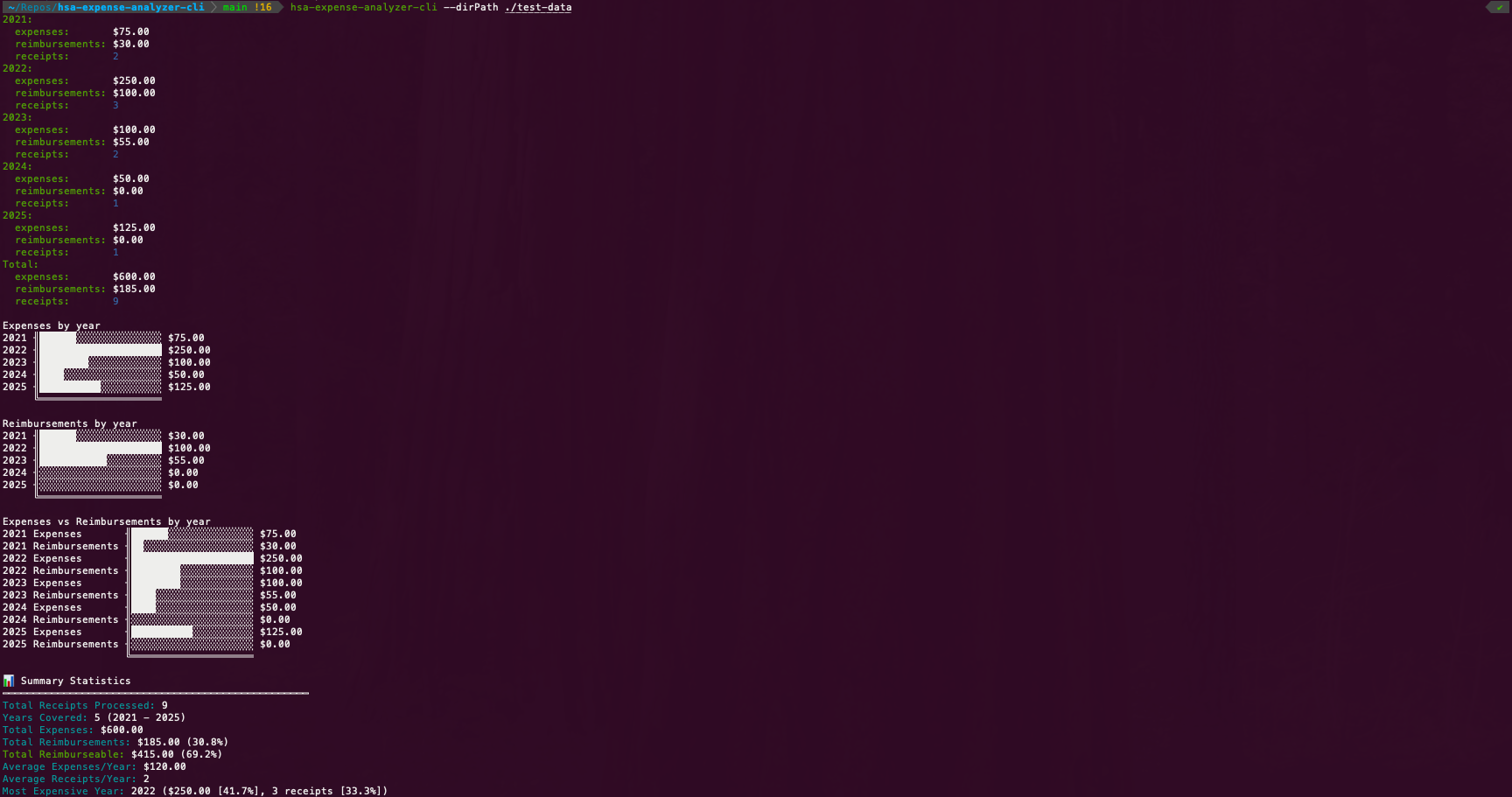
Example Output
2021:
  expenses:       $75.00
  reimbursements: $30.00
  receipts:       2
2022:
  expenses:       $250.00
  reimbursements: $100.00
  receipts:       3
2023:
  expenses:       $100.00
  reimbursements: $55.00
  receipts:       2
2024:
  expenses:       $50.00
  reimbursements: $0.00
  receipts:       1
2025:
  expenses:       $125.00
  reimbursements: $0.00
  receipts:       1
Total:
  expenses:       $600.00
  reimbursements: $185.00
  receipts:       9

Expenses by year
2021 ╢██████░░░░░░░░░░░░░░ $75.00
2022 ╢████████████████████ $250.00
2023 ╢████████░░░░░░░░░░░░ $100.00
2024 ╢████░░░░░░░░░░░░░░░░ $50.00
2025 ╢██████████░░░░░░░░░░ $125.00
     ╚════════════════════

Reimbursements by year
2021 ╢██████░░░░░░░░░░░░░░ $30.00
2022 ╢████████████████████ $100.00
2023 ╢███████████░░░░░░░░░ $55.00
2024 ╢░░░░░░░░░░░░░░░░░░░░ $0.00
2025 ╢░░░░░░░░░░░░░░░░░░░░ $0.00
     ╚════════════════════

Expenses vs Reimbursements by year
2021 Expenses       ╢██████░░░░░░░░░░░░░░ $75.00
2021 Reimbursements ╢██░░░░░░░░░░░░░░░░░░ $30.00
2022 Expenses       ╢████████████████████ $250.00
2022 Reimbursements ╢████████░░░░░░░░░░░░ $100.00
2023 Expenses       ╢████████░░░░░░░░░░░░ $100.00
2023 Reimbursements ╢████░░░░░░░░░░░░░░░░ $55.00
2024 Expenses       ╢████░░░░░░░░░░░░░░░░ $50.00
2024 Reimbursements ╢░░░░░░░░░░░░░░░░░░░░ $0.00
2025 Expenses       ╢██████████░░░░░░░░░░ $125.00
2025 Reimbursements ╢░░░░░░░░░░░░░░░░░░░░ $0.00
                    ╚════════════════════

📊 Summary Statistics
━━━━━━━━━━━━━━━━━━━━━━━━━━━━━━━━━━━━━━━━━━━━━━━━━━
Total Receipts Processed: 9
Years Covered: 5 (2021 - 2025)
Total Expenses: $600.00
Total Reimbursements: $185.00 (30.8%)
Total Reimburseable: $415.00 (69.2%)
Average Expenses/Year: $120.00
Average Receipts/Year: 2
Most Expensive Year: 2022 ($250.00 [41.7%], 3 receipts [33.3%])
If you have files that don't match the expected naming pattern, you'll see a warning at the top of the output (and an "Invalid Receipts" count in the summary statistics):
⚠️  WARNING: The following files do not match the expected pattern:
Expected pattern: <yyyy-mm-dd> - <description> - $<amount>.<ext>

Filename                                                     Error
--------                                                     -----
2021-01-10 - doctor-incorrect-amount - $50,00.pdf            Amount "$50,00.pdf" should be a valid format like $50.00
2021-01-10 - doctor-incorrect-amount - $50.pdf               Amount "$50.pdf" should be a valid format like $50.00
2021-01-15 - doctor-missing-dollar-sign - 50.00.pdf          Amount "50.00.pdf" should start with $
2021-01-25 - doctor-no-extension - $50.00                    File is missing extension (should end with .pdf, .jpg, etc.)
2021-01-30 - doctor-missing-amount.pdf                       File name should have format "yyyy-mm-dd - description - $amount.ext"
2021-01-30- doctor-missing-space-before-dash - $50.00.pdf    File name should have format "yyyy-mm-dd - description - $amount.ext"
2021-1-25 - doctor-wrong-date-format - $50.00.pdf            Date "2021-1-25" should be yyyy-mm-dd format
2021-25-01 - doctor-wrong-date-format - $50.00.pdf           Date "2021-25-01" should be yyyy-mm-dd format
doctor-missing-date - $120.00.pdf                            File name should have format "yyyy-mm-dd - description - $amount.ext"

...

📊 Summary Statistics
━━━━━━━━━━━━━━━━━━━━━━━━━━━━━━━━━━━━━━━━━━━━━━━━━━
Total Receipts Processed: 25
Invalid Receipts: 16 (64.0%)
...