
@json-to-office/jto
v7.6.4
Published
JSON to Office CLI - Unified document and presentation generation

Maintainers
 pbwise
Readme
@json-to-office/jto
CLI and visual playground for json-to-office. Describe .docx and .pptx files as JSON, preview them live, generate them from the command line.


Quick start
pnpm add -g @json-to-office/jto

# Open the visual playground with live preview
jto docx dev
jto pptx dev
Lightweight install (CI / scripts, no playground)
If you only need the generation/validation CLI (no React/Monaco/Vite stack), install the lean package instead — it ships the same commands except dev, with a fraction of the dependency footprint:
pnpm add -g @json-to-office/jto-cli
jto-cli docx generate doc.json
jto-cli pptx validate slides.json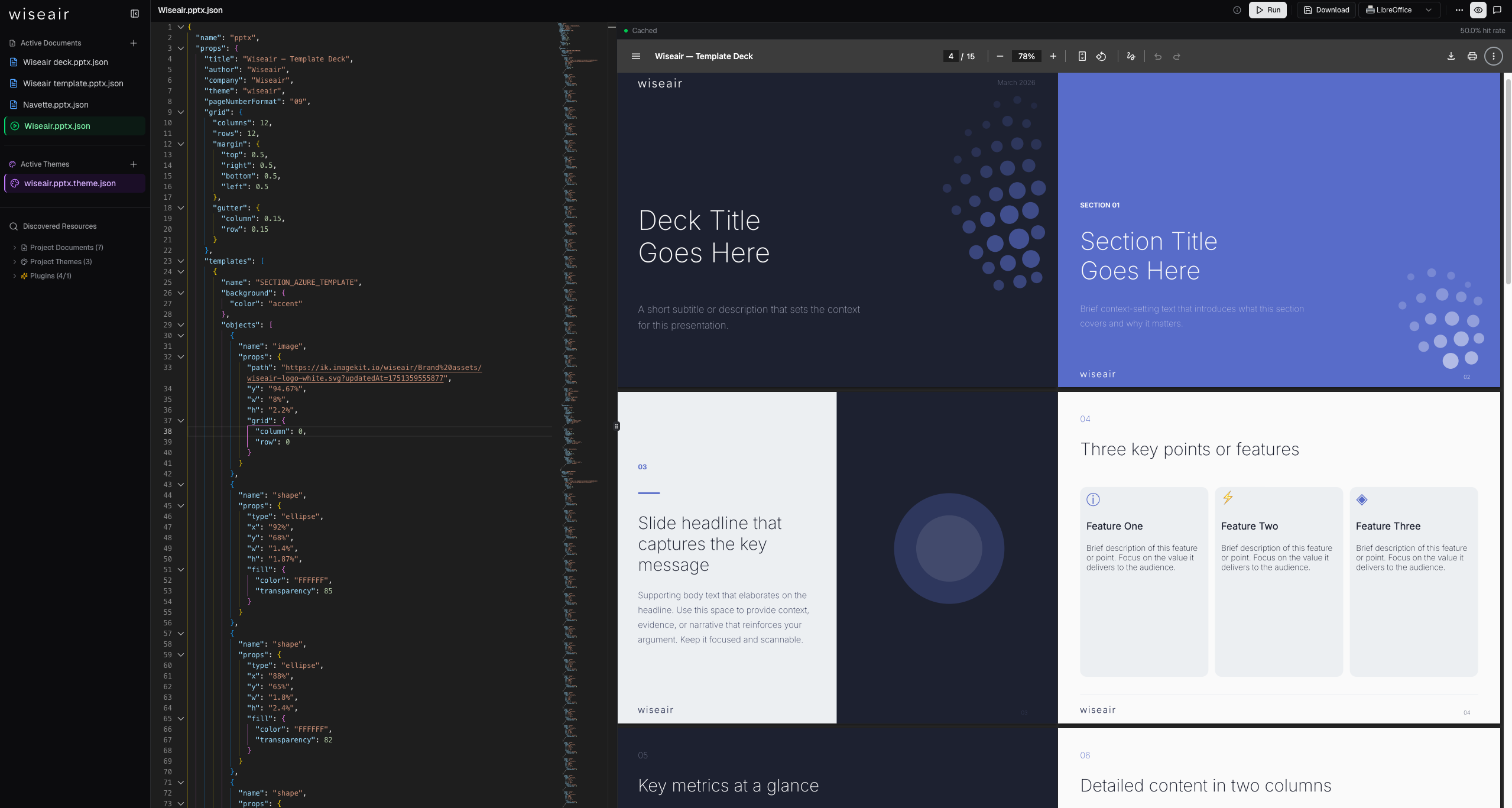
CLI commands
dev: visual playground
jto docx dev
jto pptx dev
Opens a browser-based IDE at localhost:3000 with:
| Feature | Description | | ------------------- | ---------------------------------------------------------------------------------------------------------------------------------------------------- | | Monaco editor | JSON editing with autocomplete, inline validation, syntax highlighting | | Live preview | Rendered document updates as you type | | Built-in templates | Start from example documents (dashboards, sales decks, reports) | | Theme switching | Toggle between built-in themes or load your own | | Schema validation | Real-time error reporting against TypeBox schemas | | AI assistant | Describe a document in plain English, get schema-validated JSON back (requires Claude API key) | | LibreOffice preview | Optional. If LibreOffice (headless) is installed, enables high-fidelity PDF rendering for pixel-accurate output. Not required for live previews. |
generate: render files
jto docx generate ./template.json -o ./report.docx
jto pptx generate ./template.json -o ./deck.pptx
Reads a JSON document definition and writes a .docx or .pptx file. Works in CI/CD pipelines, cron jobs, and scripts.
Part of json-to-office
jto is the CLI companion to the programmatic libraries:
| Package | Use case |
| -------------------------------------------------------------------------------------------- | -------------------------- |
| @json-to-office/json-to-docx | Generate .docx from code |
| @json-to-office/json-to-pptx | Generate .pptx from code |
| @json-to-office/jto | CLI + visual playground |
See the monorepo for full docs, examples, and the schema reference.
License
MIT, Wiseair srl