
@juddroid_raccoon/msw-devtools-core
v0.1.1
Published
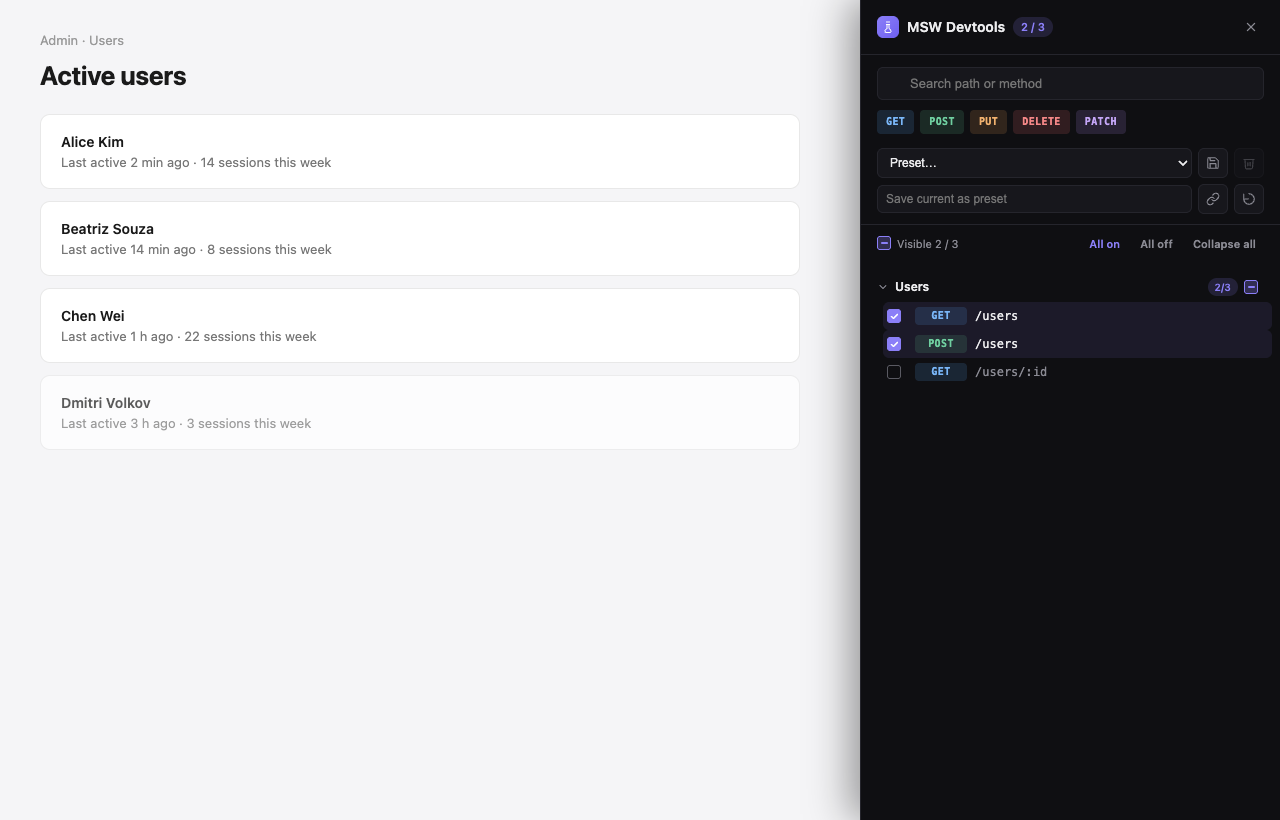
Framework-agnostic visual devtools for toggling MSW handlers at runtime.

Maintainers
 juddroid_raccoon
Readme
@juddroid_raccoon/msw-devtools-core
Framework-agnostic visual devtools for toggling MSW handlers at runtime. Renders its own FAB + drawer UI directly to the DOM — no framework required.
Using React? You probably want @juddroid_raccoon/msw-devtools-react instead.
Install
pnpm add -D @juddroid_raccoon/msw-devtools-core mswYou also need MSW's service worker file in public/:
pnpm dlx msw init public/ --saveQuick start
import { createMswDevtools } from '@juddroid_raccoon/msw-devtools-core';
import { handlers } from './mocks/handlers';

const devtools = createMswDevtools({ handlers });
devtools.mount();
That's it — a FAB appears in the bottom-right corner. Click it to open the drawer and toggle individual handlers.
Features
- Dark-first UI with light/auto themes (
prefers-color-scheme) - Persistent state — your toggled mocks survive page reloads (localStorage)
- URL-shareable presets — copy a link, your teammate gets the same mock set
- Search, method filter, grouping — works for hundreds of handlers
- Unhandled-request toast — when a real request fails and a matching mock is registered but disabled, the devtool suggests enabling it
- Zero impact on your styles — all CSS scoped under
[data-msw-devtools-root], no globals - No global side effects —
dispose()cleans up everything (DOM, listeners, worker, timers)
Common options
createMswDevtools({
  handlers,                                       // required
  baseUrl: 'https://api.example.com',             // strip prefix from displayed paths
  groupBy: (path) =>                              // group label (default: 'Other')
    path.startsWith('/admin') ? 'Admin' : 'User',
  defaultEnabled: ['GET::/me'],                   // first-run enabled mocks
  storageKey: 'my-app-msw',                       // localStorage namespace
  position: 'bottom-right',                       // FAB anchor
  theme: 'auto',                                  // 'light' | 'dark' | 'auto'
  zIndex: 2147483000,
});
Bridging unhandled requests (axios / fetch)
const devtools = createMswDevtools({ handlers });
devtools.mount();

axios.interceptors.response.use(undefined, (err) => {
  devtools.notifyUnhandledRequest({
    method: err.config?.method ?? '',
    url: (err.config?.baseURL ?? '') + (err.config?.url ?? ''),
  });
  return Promise.reject(err);
});
Reacting to mock changes
devtools.on('mock-change', (enabledKeys) => {
  // e.g. refetch your data layer
  queryClient.refetchQueries({ type: 'all' });
});

devtools.on('reset', () => {
  // e.g. reset error boundaries
  window.dispatchEvent(new Event('app:error-boundary-reset'));
});
Production gating
Don't ship the devtool to production users. Either gate the import:
if (import.meta.env.DEV) {
  const { createMswDevtools } = await import('@juddroid_raccoon/msw-devtools-core');
  createMswDevtools({ handlers }).mount();
}
…or simply skip mount() in production.
API
See the GitHub repo for the full API reference, design notes, and runnable examples (vanilla, Vite + React, Next.js App Router).
License
MIT © 2026 Raccoon