
@juddroid_raccoon/msw-devtools-react
v0.1.1
Published
React adapter for @juddroid_raccoon/msw-devtools-core. Provider + hook, SSR-safe, Next.js compatible.

Maintainers
 juddroid_raccoon
Readme
@juddroid_raccoon/msw-devtools-react
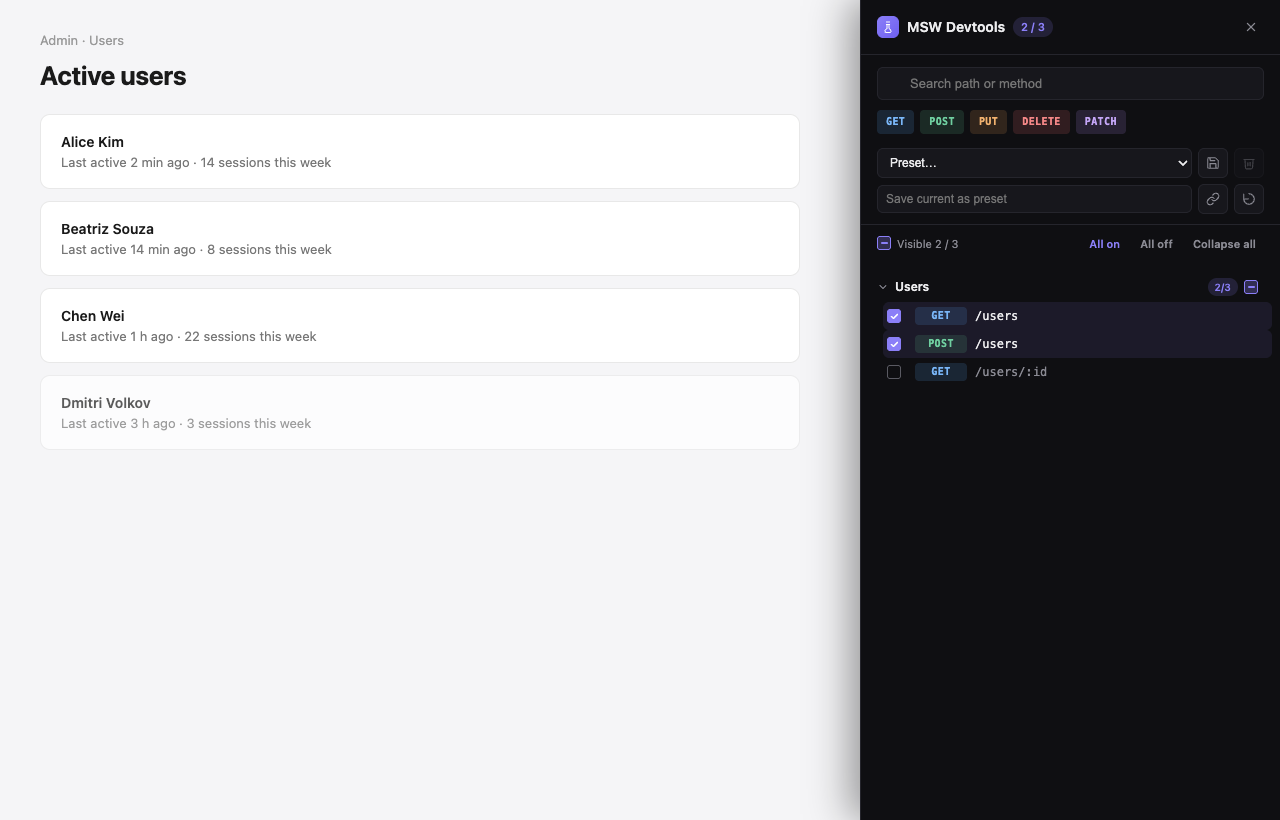
React adapter for @juddroid_raccoon/msw-devtools-core. Visual devtools for toggling MSW handlers at runtime — <MswDevtools> component + useMswDevtools() hook, SSR-safe, 'use client'-tagged for Next.js App Router.
Install
pnpm add -D @juddroid_raccoon/msw-devtools-react mswYou also need MSW's service worker file in public/:
pnpm dlx msw init public/ --saveQuick start
'use client';
import { MswDevtools } from '@juddroid_raccoon/msw-devtools-react';
import { handlers } from './mocks/handlers';

export function Providers({ children }: { children: React.ReactNode }) {
  return (
    <MswDevtools
      handlers={handlers}
      enabled={process.env.NODE_ENV !== 'production'}
    >
      {children}
    </MswDevtools>
  );
}
A FAB appears in the bottom-right corner. Click it to open the drawer and toggle individual handlers.
Features
<MswDevtools>single component — wraps your tree, mounts UI, provides contextenabledprop — flip tofalsein production; component returns its children with zero side effectsuseMswDevtools()hook — reactiveenabledKeys,toggle,isEnabled,notifyUnhandledRequest- Concurrency-safe — uses
useSyncExternalStore(React 18+) - Next.js compatible —
'use client'banner preserved in published bundles, SSR snapshot safe - Dark-first UI + light/auto themes, persistent state, URL-shareable presets, no global side effects
With axios + react-query
'use client';
import { useEffect } from 'react';
import { MswDevtools, useMswDevtools } from '@juddroid_raccoon/msw-devtools-react';
import { QueryClient, QueryClientProvider, useQueryClient } from '@tanstack/react-query';
import axios from 'axios';
import { handlers } from './mocks/handlers';

function AxiosBridge() {
  const { notifyUnhandledRequest } = useMswDevtools();
  useEffect(() => {
    const id = axios.interceptors.response.use(undefined, (err) => {
      notifyUnhandledRequest({
        method: err.config?.method ?? '',
        url: (err.config?.baseURL ?? '') + (err.config?.url ?? ''),
      });
      throw err;
    });
    return () => axios.interceptors.response.eject(id);
  }, [notifyUnhandledRequest]);
  return null;
}

function Inner() {
  const queryClient = useQueryClient();
  return (
    <MswDevtools
      handlers={handlers}
      onMockChange={() => queryClient.refetchQueries({ type: 'all' })}
    >
      <AxiosBridge />
      {/* your app */}
    </MswDevtools>
  );
}

export default function App() {
  const [client] = useState(() => new QueryClient());
  return (
    <QueryClientProvider client={client}>
      <Inner />
    </QueryClientProvider>
  );
}
Next.js App Router
// app/providers.tsx
'use client';
import { MswDevtools } from '@juddroid_raccoon/msw-devtools-react';
import { handlers } from '@/mocks/handlers';

export function Providers({ children }: { children: React.ReactNode }) {
  return (
    <MswDevtools
      handlers={handlers}
      enabled={process.env.NODE_ENV !== 'production'}
    >
      {children}
    </MswDevtools>
  );
}
// app/layout.tsx (server component is fine — Providers is the 'use client' boundary)
import { Providers } from './providers';
export default function RootLayout({ children }: { children: React.ReactNode }) {
return (
<html lang="en">
<body><Providers>{children}</Providers></body>
</html>
);
}Common props
<MswDevtools
  handlers={handlers}                                  // required
  enabled={process.env.NODE_ENV !== 'production'}      // production gate (default true)
  baseUrl="https://api.example.com"
  groupBy={(path) => (path.startsWith('/admin') ? 'Admin' : 'Other')}
  defaultEnabled={['GET::/me']}
  storageKey="my-app-msw"
  position="bottom-right"
  theme="auto"                                          // 'light' | 'dark' | 'auto'
  onMockChange={(keys) => queryClient.refetchQueries({ type: 'all' })}
  onReset={() => window.dispatchEvent(new Event('app:error-boundary-reset'))}
>
  {children}
</MswDevtools>
API
See the GitHub repo for the full API reference, design notes, and runnable examples (vanilla, Vite + React, Next.js App Router).
License
MIT © 2026 Raccoon