
@karan171996/metricflow
v0.15.1
Published
Local performance dashboard: New Relic page metrics and Sentry errors per page, with AI suggestions. Run with one npx command.
Downloads
5,413

Maintainers
 karan171996
Keywords
Readme
MetricFlow
See how your site really performs, without leaving your machine.
Real-user performance from New Relic and errors from Sentry, joined per page, with AI suggestions on what to fix first.


Tour · Get started · Send data · CLI · Troubleshooting
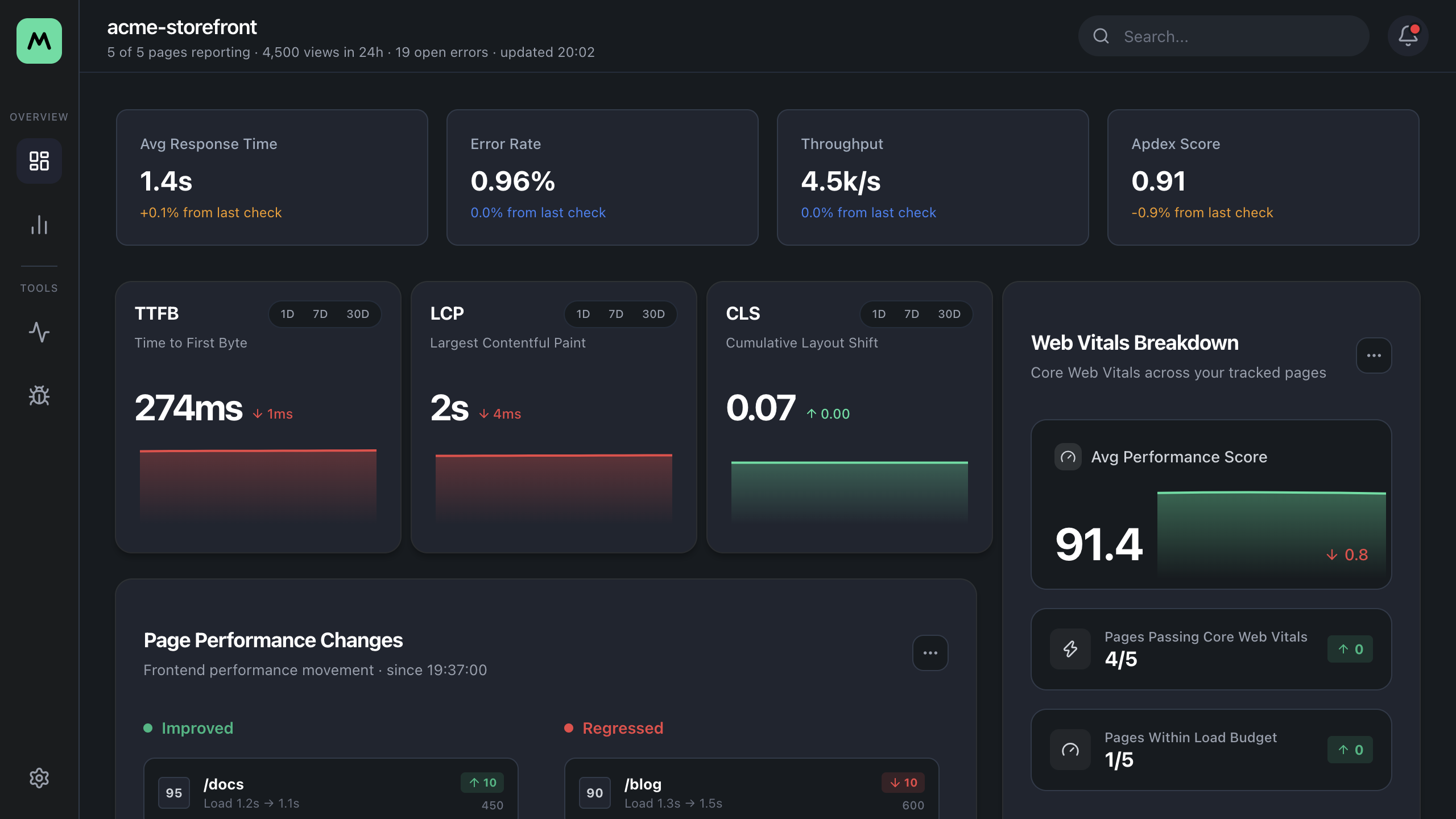
Screenshots use sample data, not real New Relic or Sentry numbers.
Quick start
npx @karan171996/metricflowThe dashboard opens on http://localhost:3000. Paste your keys on the Setup page and you are done.
The free package has no MetricFlow server and no account to create: it runs on your machine, with your keys.
Why MetricFlow
| | | |
| :--- | :--- | :--- |
| 🔒 Yours, locallyKeys stay in a file on your machine. Nothing is sent to us. | 🧩 One tool or bothConnect New Relic, Sentry, or both. You only see what is connected. | ⚡ One call to send dataAdd init() to your site. No vendor SDK to install or configure. |
| 🎯 Honest numbersA value nobody measured is a dash, never a misleading zero. | 🚦 Your thresholdsPages are marked Healthy, Warning or Critical by limits you set. | 🤖 AI suggestionsOptionally ask Gemini, Claude or OpenAI what to fix first. |
What you get
| Page | What it shows |
| --- | --- |
| Dashboard (/) | Average page load time, error rate, page views and Apdex; TTFB, LCP and CLS cards with trends; pages at or above the Apdex minimum from Settings (default 0.9); what moved since the last check; AI suggestions |
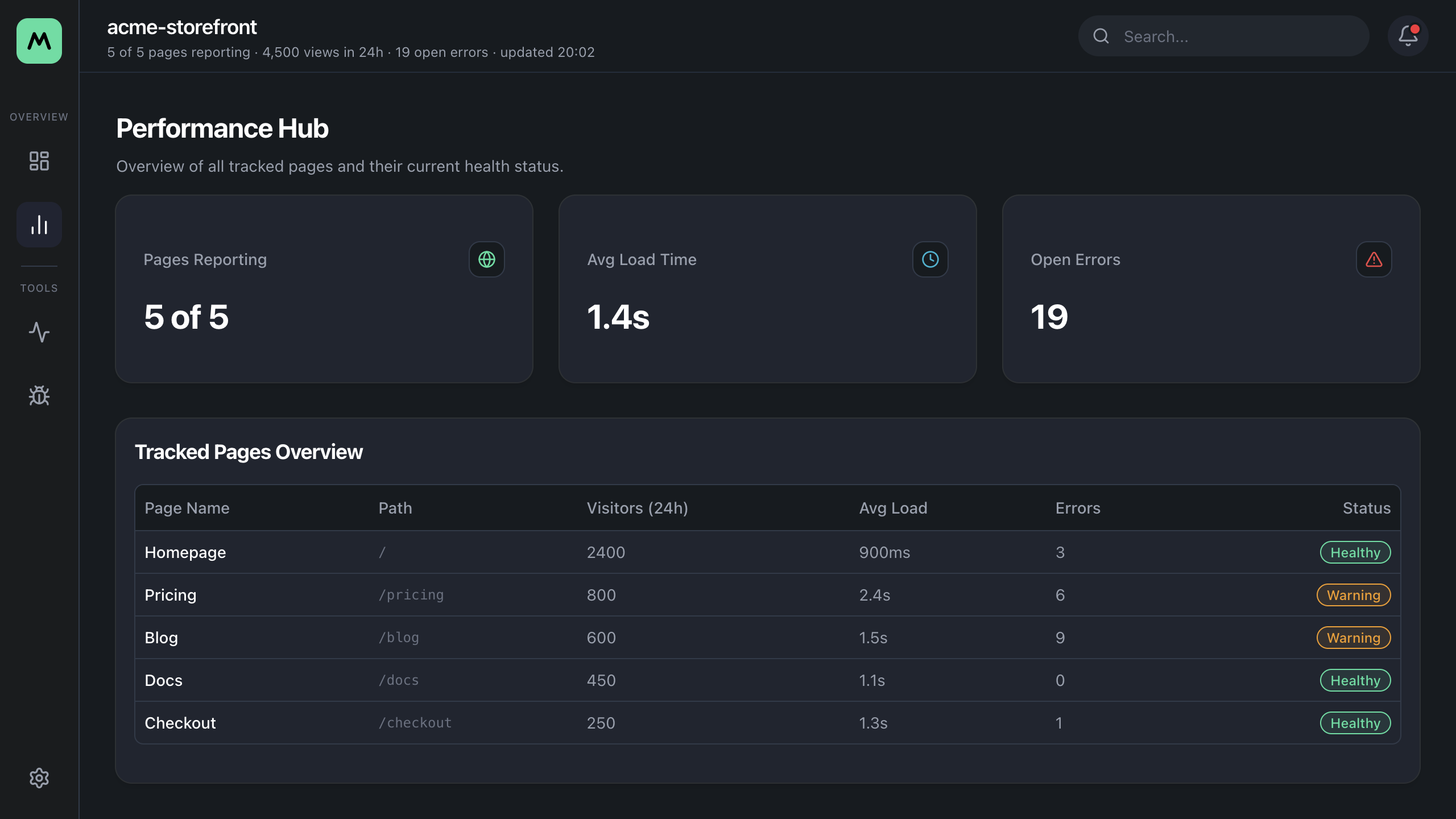
| Performance (/performance) | Every tracked page with its health. Click a row for that page's detail view |
| New Relic (/tools/new-relic) | New Relic numbers only, per page |
| Sentry (/tools/sentry) | Error count, latest error and when it was last seen, per page |
| Settings (/settings) | Warning and critical thresholds used to mark pages Healthy, Warning or Critical |
Send data from your site
MetricFlow reads data, so your site has to send it first. That takes one install and one call:
import { init } from '@karan171996/metricflow/browser';

init({
  sentry: { dsn: 'https://[email protected]/456' },
  'new-relic': { browserKey: 'NRJS-fake0000', applicationId: '123456789', accountId: '1234567' },
});
The Connect page in the dashboard gives you this snippet with your own values filled in. Options, privacy defaults and Content Security Policy hosts are in Sending data from your site.
Documentation
| Page | What it covers |
| :--- | :--- |
| Tour | Every screen of the dashboard, with sample data |
| Getting started | What you need, the keys to add, and how to check that metrics arrive |
| Sending data from your site | The init call, its options, what each tool collects, and CSP |
| Troubleshooting | What to check when the dashboard is empty or a number looks wrong |
| CLI reference | Every option of the performance-dashboard command |
| Configuration | Every environment variable MetricFlow reads |
| Developing MetricFlow | Run from source, run the tests, project structure |
Free vs hosted
- Free (this package, MIT): runs on your machine with no account. Lighthouse, New Relic and Sentry for the site you run on localhost, with the last 24 hours of data.
- Hosted (coming): adds your staging and production sites, history beyond 24 hours, alerts, and Lighthouse runs hosted for you. The hosted service is closed source and not part of this repository.
Status
Early and still changing. Bug reports and feedback are welcome in Issues.
Release channels
| Channel | Install | For |
| --- | --- | --- |
| Stable (default) | npx @karan171996/metricflow | Everyday use. |
| Canary | npx @karan171996/metricflow@canary | Trying what is on main before it is released. It can be broken. |
--version prints the full version, so a canary shows as for example 0.10.1-canary.g4347fdf.
Contributing
Fork, branch, and open a pull request. The steps, the commit format and the PR checklist are in CONTRIBUTING.md.
License
Created and maintained by @karan171996