
@kelceyp/caw
v1.0.41
Published
Unified Web/MCP server with React web app. MD document management, handlebars templating, agent orchestration (aka browser based reskinning of claude code, codex and cursor that allows any of these agents to use any other as subagents) and user stories

Maintainers
 kelceyp
Readme
CAW
CAW helps users build software sustainably using AI by providing agents with Context and Agentic Workflows (CAW). CAW is free to download and runs locally as a unified web and MCP server. It provides document management, templates, stories, search and acts as the orchestration layer for your AI development tools.

Platform support
| Platform | Status | |---|-----------------| | macOS — Apple Silicon | ✅ Supported | | macOS — Intel | ✅ Supported | | Linux | 🛠️ Coming soon | | Windows | 🛠️ Planned |
Quick Start
npm install -g @kelceyp/caw
caw start
Then open http://localhost:2229 in your browser.
Unlock sustainable development
Agents are capable coders but struggle to build software sustainably as the codebase and its complexity grow. Code reveals only so much and agents do not inherently know which parts of it to read or what the underlying intent was. Technical debt, technical mess, architectural mismatch and a host of problems creep in over time to grind progress to a halt.
In the agent era, engineering discipline is still needed. With CAW, it's cheap.
CAW enables users and agents to capture the architecture, intent, decisions and engineering discipline specific to a project as part of its knowledge base. Agents help build that knowledge base and keep it aligned with the codebase as the project grows. Creating content is easy. Creating content that is discoverable when needed is not. This is where CAW shines with useful information topologies and powerful search capabilities.
Using stories, CAW facilitates a thin slice, shift-left philosophy where agents can decompose the work and assist with specification, design and planning before coding. Upstream agents use CAW to provide downstream agents the 'Goldilocks' amount of context for the work they've been given. At each step of the way CAW reduces friction in human-to-agent and agent-to-agent collaboration. This enables humans to seamlessly inject themselves where most needed and get out of the way when not.
When multiple agents collaborate on the same piece of work, hallucinations are more likely to be caught and quality improves. This is true whether it be at the design and planning stage or at the coding and testing stage. CAW works with any agent that supports MCP and has specific integrations for Claude Code, Codex and Cursor CLI that enable agent orchestration. For humans, think of this as a browser-based reskinning of these tools. For agents, this means that any of these three agents can be used by any other as a "sub-agent". And this works recursively to a user configurable depth.
Dual channel
Everything you can do, agents can do too.
CAW combines independently useful capabilities that integrate with each other seamlessly to provide powerful higher-level functions. Every capability is available to humans through a React-based web application and to agents through rich MCP tooling. Go meta and have your agents assist with your project specific context engineering.
Proof point
CAW was used to build CAW recursively, with version N building version N+1. In doing so, CAW was continuously dogfooded, proving the approach on a substantial software system.
Capabilities
Documents
Build your product knowledge base in lock step with your code base.
- Extended MD capabilities including inline mermaid, inline SVG, linking and includes
- Monaco editor and extended marked rendering capabilities for users
- Real time updates using SSE
- Typed metadata including multivalued fields
- Locking, clobber protection and version control
- Image deduping and easy pasting/viewing
- Rich MCP tooling for agents to read and edit documents
- Cartridge, Scratch and Task document subtypes with additional capabilities
Templates
Create powerful templates for documents, prompts and saved searches.
- Handlebars templating with handlebars-helpers enabling
- Substitution
- Conditionals
- Enumeration
- String manipulation
- Arithmetic
- Collection utilities
- Number formatting
- Word inflection
- Expressions
- Type and multivalued enabled
- Subtypes include document, prompt and saved search, all providing different behaviours
- Document templates create documents
- Prompt templates orchestrate locally installed agents (see Agent Orchestration below)
- Saved searches render the query language into a search to return results
- Rich MCP tooling so that agents can assist you with context engineering
Jobs
Orchestrate your locally installed agents.
- Unified browser-based reskinning of Claude Code, Codex and Cursor CLI
- In chat UI wireframing using inline SVG
- In chat mermaid diagramming
- Multi-level cross-vendor subagents
- Capture all prompts and outputs making them easily findable
- Act as the orchestration hub for agents to communicate with one another
- Seamlessly jump between REPLs and web application
- Use the right agent, model and effort level for the job
- Unlock powerful, repeatable and refinable agentic workflow patterns
- Automatic worktree configuration
- Run agents in containers or host or both
- Disabled by default and must be explicitly enabled in Preferences > Agents
Stories
Use a thin slice mentality to build software incrementally.
- Leverage document templates for each stage of the story lifecycle
- Leverage prompt templates to orchestrate agents at each stage of the story lifecycle
- Reduce agent assumptions using acceptance criteria
- Define the various tracks your stories take
- Manage your own cognitive load as the amount of parallel work increases
Search
Find what you and your agents need as the knowledge base grows.
- Metadata-based search with expressions
- Full-text search
- RAG (i.e. semantic) search
- Ancestor walks
- Expressive query language
- Supports all entities
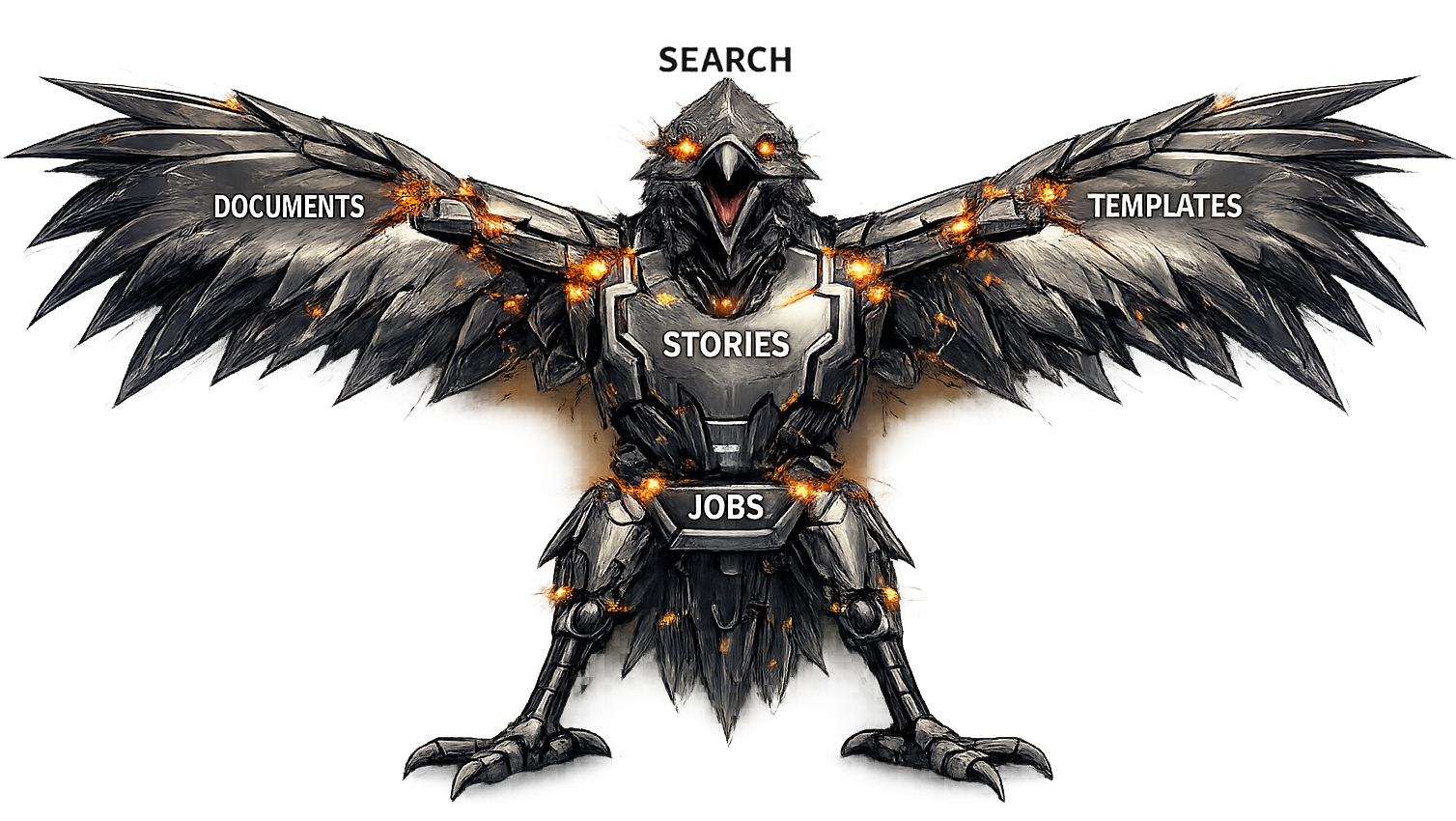
The Voltron Effect
Unlock powerful automation by bringing these capabilities together. Define the visibility of prompt templates for each stage of each story track. Provide detailed and repeatable processes that are specific to your project that enable agents to find what they need and execute with the Goldilocks amount of context to build sustainably.
Commands
caw start       # Start the server
caw stop        # Stop the server
caw status      # Check if the server is running
caw logs        # Tail the server logs
caw upgrade     # Upgrade to the latest version
caw caddy setup # Sets up Caddy for use with CAW
Prerequisites
- Node.js v24+
Optional Integrations
All optional integrations are configured via Preferences > Infrastructure in the web UI. These integrations rely on 3rd party tools that require their own installation and setup outside of CAW. For detailed instructions visit Athena Design or read the fine manual (RTFM) that ships with CAW. Or even better, have agents RTFM for you and follow the instructions provided.
Caddy
Caddy is a browser-only integration. It relieves the ~6 concurrent HTTP/1.1 connections per origin cap that otherwise silently starves the CAW UI and its EventSource streams. MCP clients and the CLI reach CAW over the direct loopback URL and do not need Caddy.
Provisioning is a three-command ordering — caw start must run first so that ~/.caw/config.json exists (that is what caw start bootstraps), then Caddy is installed, then caw caddy setup reads the live port and caddy.domain from that config:
caw start
brew install caddy
caw caddy setup
Run them in that order. On a machine where caw start has never run, caw caddy setup short-circuits in Phase 1 with the envdir-uninitialised outcome (exit 1) and prints a one-line diagnostic naming the resolved missing config.json path — no mutation, no sudo prompt, no TTY probe.
caw caddy setup generates ~/.caw/Caddyfile from the live port and caddy.domain, provisions the com.caw.caddy launchd user agent, adds Caddy's local root to the System keychain (sudo prompt once, on a machine that has never trusted Caddy), and cuts the server over so the browser reaches https://<caddy.domain> with no certificate interstitial. Enables HTTPS and HTTP/2 and gives you caw.localhost in place of localhost:2229.
PM2
- Run CAW under a process manager so it restarts by itself after a crash
- Set
"process_manager": "pm2"in~/.caw/config.json, or use Preferences > Infrastructure - Starting on boot is PM2's own feature rather than something CAW configures. Run
pm2 startuponce, follow the command it prints, thenpm2 savewhile CAW is running
Docker
- Enable agent orchestration within Docker containers
Git
- Enable agent orchestration within worktree branches
GitHub CLI
- Enable PR and other GitHub capabilities
Getting started / tutorial
The quick start described at the top of this page will install CAW and allow you to see the user interface. Then what? CAW provides a lot of capability, but it is content driven. After first installing it, you start with an empty slate (aside from the user manual) and may struggle to see the point.
This section aims to get you started with a project and with the following:
- A CAW project (for an existing project or for a new project)
- A skeleton knowledge base structure (suitable for website or application development) comprising:
- Product section
- Architecture and design
- Developer guide
- Story tracks, prompt templates, document templates and saved searches hooked up to the skeleton knowledge base above
Think of the skeleton knowledge base as the 'context' that agents build and maintain in parallel to the codebase and the tracks and templates as the 'agentic workflows' that enable you to have an automated and repeatable process specific to your project. Note that the tracks, prompts and other templates are based off the same prompts and templates used to build CAW itself.
Step 1 - Get CAW installed and running
As per quick start (and Caddy is highly recommended as well) the following gets you started. These instructions assume MacOS and you have homebrew installed.
npm install -g @kelceyp/caw
caw start
brew install caddy
caw caddy setup
Point your browser at https://caw.localhost (http://localhost:2229 if you don't install caddy) and you should see the CAW landing page.
Step 2 - Enable agents
In the left sidebar you should see 'Preferences' above 'About'. Click preferences and then the agents tab and you should see the following.

Expand the enable the agents you'd like to use with CAW.
Enabling Claude Code, Codex and/or Cursor enables CAW to launch those programs (using either their headless CLI commands or terminal emulation). This enables you to run your locally installed agents via the CAW UI (Jobs tab and also a Story's Jobs tab) and also enables agents to launch other agents this way as well. They need to be logged in and have their permissions configured accordingly.
The prompt templates provided leverage this capability (e.g. have codex supervise claude doing a design etc.).
Step 3 - Create a project
A project points CAW at one codebase. In the left sidebar under PROJECTS, click +.

| Field | What it is | |---|---| | Project Path | The directory on disk. It has to exist already — there's a Browse button. | | Slug | The project's address. It shows up in the web URL, the REST path and the MCP endpoint you'll need in the next step. | | Project Name | What you'll see in the sidebar. |
Name and slug fill themselves in from the path. If the directory is a git repo with an origin remote, the slug takes the last segment of that remote — so a repo cloned to ~/work/frontend from acme/acme-web gives you the name frontend and the slug acme-web. Change either before you submit; the slug can't be changed afterwards.
Each project gets its own store for project-specific content, and is also wired to the one shared store that every project on the installation can read.
For more details see Getting Started → Your First Project in the CAW user manual.
Step 4 - Configure MCP for this project
CAW writes this for you. Go to the project's Settings → MCP.

At the top is the endpoint — a single URL ending /mcp/p/<your-slug>. Below it, a section each for Claude Code, Codex and Cursor. Each one builds the exact snippet that client expects around that URL, with a Copy button. For Claude Code, choose a scope first — Local, Project or User — and the command changes to match.
One thing worth knowing now rather than later: this is per project. The endpoint contains one slug, so a second project needs a second entry. Your agent will carry on working perfectly against the first project and give you no sign that it can't see the second.
For more details see Getting Started → Connecting Your Agents in the CAW user manual.
Step 5 - Import a bundle
A bundle is a zip of content — documents, templates, story tracks — that you import into a store.

The user manual arrives on its own. CAW downloads and installs it into the shared store the first time it starts, which is why the Documents tree isn't completely empty.
For everything else, download from Athena Design and use Import Bundle — in project settings for the project store, or in application preferences for the shared store.
Start with the CAW bundle. It carries the skeleton knowledge base described above, along with the story tracks, prompt templates, document templates and saved searches already wired to it. They're the same ones used to build CAW.
Importing is additive: nothing already in the store is overwritten.
For more details see Getting Started → Finding and Installing Bundles in the CAW user manual.
Step 6 - Run the bootstrap prompt
The CAW bundle ships a bootstrap prompt for each agent — bootstrap using claude, bootstrap using codex, bootstrap using cursor. Render the one matching an agent you enabled in Step 2.
It offers two ways to work:
- Interview — it asks you about the project and writes the first draft of the knowledge base from your answers.
- Walkthrough — it reads the codebase and proposes what it found, for you to correct.
Either way you come out with the product, architecture and developer-guide sections filled in well enough that agents stop guessing, and a north star to aim at. This is the step that turns an empty CAW into your CAW.
For more details see Getting Started → Setting Up Your Knowledge Base in the CAW user manual.
The prompts, templates and knowledge cartridges used to build CAW are also available as a free download from Athena Design. Use the 'Import Bundle' feature in project settings and shared store settings.
Links
License
Proprietary. All rights reserved. Free for personal and commercial use. Closed source.