
@kevincuadros/react-code
v1.3.2
Published
> Pin input component for React

Maintainers
 kevincuadros
Readme
React Pin Code
Pin input component for React
Installation
To get started, install and save in your package.json dependencies, run:
npm i @kevincuadros/react-codeor
yarn add @kevincuadros/react-codeDemo
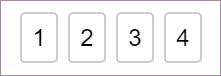
Importing
You can use the following two ways to import module.
import { PinCode } from '@kevincuadros/react-code'Usage
Basic Example
import { PinCode } from '@kevincuadros/react-code';

const App = () => {

  const [value, setValue] = React.useState('');

  return (
    <PinCode
      length={4}
      onChange={setValue}
    />
  );
};
PinCode input length
PinCode expects a number for the length prop. The number of input fields rendered is equal to the length of the array.
Disable focus management
By default, PinCode moves focus automatically to the next input once a field is filled. It also transfers focus to a previous input when Backspace is pressed with focus on an empty input.
AutoFocus
PinCode offers a way let it focus from the start. Simply set autoFocus prop to true to focus the first input upon initial mounting of the component.
Changing the placeholder
By default, PinCode placeholder is (''), you can change that if you want.
Compare value
By default valueToValidate is (''), when all the fields are completed the value will be validated
API
PinCode Props
| Name(required) | Type | Default | Description | | :-------------- | :--- | :------ | :---------- | | length() | number | | Number of rendered elements. | | autoFocus | boolean | false | If true the input will be focused on the first mount. | | valueToValidate | string | "" | Value to compare | | invalidBorderColor | string | rgb(220,53,69) | Let you customize border color when the input is invalid. | validBorderColor | string | rgb(220,53,69) | Let you customize border color when the input is valid. | onChange | Dispatch<React.SetStateAction> | | Called when input value is changed. | | placeholder | string | "" | Displayed when the pin code is not entered yet. | | inputStyle | object | {} | Lets you customize input element. |
License
MIT
