
@kevinwang15/treebox
v0.3.0
Published
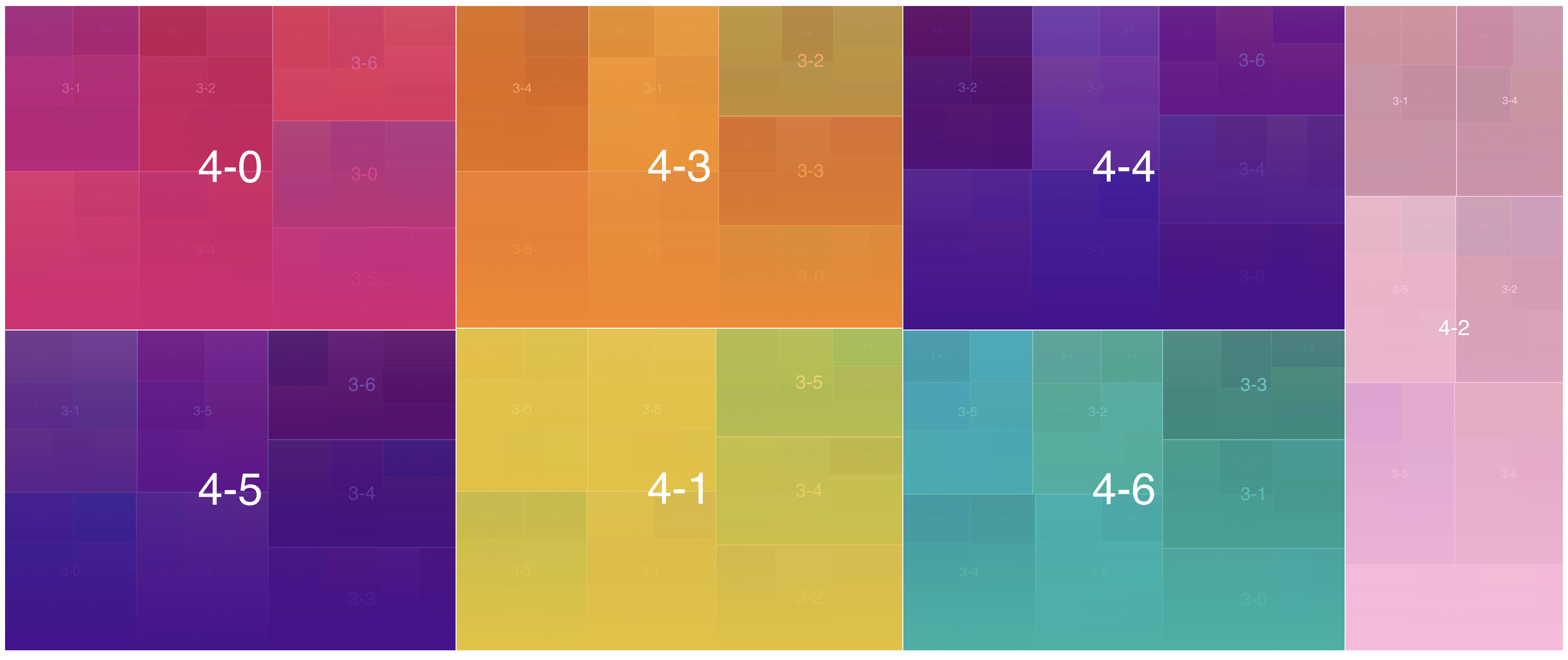
Treebox is an interactive TreeMap visualization

Maintainers
 kevinwang15
Readme
treebox
Treebox is an interactive TreeMap visualization.
- weight-aware multi-level hierarchical treemap layout
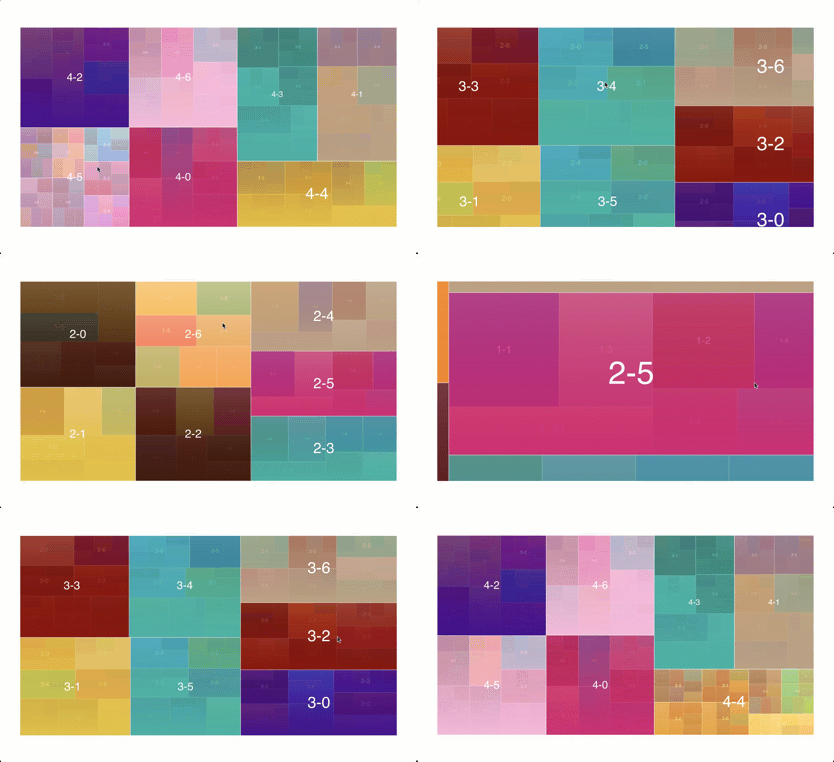
- click on a block to zoom in /
Escor scroll down to zoom out - Ctrl-click (Cmd-click on macOS) or
Shift+Enteron a block fires anopenevent instead of zooming - drag to zoom into a selected area; scroll up to retrace a zoom-out
- keyboard-focusable canvas with arrow,
Enter,Space, andEsccontrols - pointer and touch support, with automatic container resize reflow
- smooth transition
- uses canvas & requestAnimationFrame for performance
- customize text / color / weight, and style gaps, corners, fonts, and labels
- wraps long and multiline labels within their available bounds
- fires events (so you can implement tooltip, etc.)
- no runtime dependencies (about 10kb gzipped)
- MIT license
Demo
Explore the interactive example at kevinwang15.github.io/treebox.
Run the demo locally
git clone https://github.com/KevinWang15/treebox
cd treebox
npm install
npm start
Run the repeatable layout, painting, label, and hit-testing benchmarks with
npm run benchmark.
Install
npm i @kevinwang15/treeboxexport function genData(layers = 4) {
const result = [];
for (let i = 0; i < 7; i++) {
const children = layers - 1 > 0 ? genData(layers - 1) : null;
result.push({
text: `${layers}-${i}`,
color: "red",
children,
weight: children ? null : Math.floor(10 * (1 + 2 * Math.random())),
});
}
return result;
}color accepts a CSS color string or a callback receiving
{ ctx, hovering, item, bounds } when the color needs to be dynamic.
import TreeBox from "@kevinwang15/treebox";

const domElement = document.querySelector("#treemap");
const treebox = new TreeBox({
  pixelRatio: Math.min(window.devicePixelRatio || 1, 2),
  data: genData(),
  domElement,
  eventHandler: (type, payload) => console.log(type, payload),
});

// Hover events receive the active item, then null when hover/focus leaves.
// Zoom events include { node, direction, depth, canZoomOut }; direction is
// "in", "out", "redo", "select" (an area selection), or "to" (zoomTo).
// Open events receive the block that was Ctrl/Cmd-clicked or Shift+Entered.

// Zoom to any item in `data`, or back to the top with null, for example when
// the page's own navigation changes. It animates through the levels between
// (pass { animate: false } to jump), replaces the zoom history with the path to
// the item, and fires a zoom event with direction "to". zoomOut() steps back
// up one level, like Escape.
treebox.zoomTo(data[0].children[2]);

// Keep the backing store sharp after browser zoom or a display change.
treebox.setPixelRatio(Math.min(window.devicePixelRatio || 1, 2));

function destroyTreebox() {
  treebox.destroy();
}

// Call destroyTreebox() when the surrounding view is removed.
Styling
Pass style to the constructor, or call setStyle later (for example when
the page switches theme). Every option is optional, and the defaults keep the
original look. Sizes are CSS pixels.
const treebox = new TreeBox({
  data,
  domElement,
  style: {
    gap: 3,
    cornerRadius: 6,
    fontFamily: "Inter, sans-serif",
    fontWeight: 600,
    textColor: "#ffffff",
    textStroke: null,
    textAlign: "start",
    textPadding: 10,
  },
});

// Merge new values into the current style, or pass null to reset.
treebox.setStyle({ textColor: "#111827" });
| Option | Default | |
| -------------- | ----------------------------------- | ----------------------------------------------------------------------------- |
| gap | 2 | Space between adjacent blocks. |
| cornerRadius | 0 | Block corner radius, capped at half the block. |
| fontFamily | "sans-serif" | Label font family. |
| fontWeight | "normal" | Label font weight: a keyword or 1 to 1000. |
| minFontSize | 6 | Blocks too small for this label size show none. |
| maxFontSize | 160 | Largest label size. Labels otherwise scale with their block. |
| textColor | "white" | A CSS color, or a callback receiving { ctx, hovering, item, bounds }. |
| textStroke | "rgba(9, 14, 25, 0.84)" | Outline behind label text, or null for none. |
| textAlign | "center" | "center", or "start" to anchor labels to the top-left (top-right in RTL). |
| textPadding | 0 | Space between a block's edge and its label. |
| hoverOpacity | 0.6 | Opacity of a hovered or focused block, so the next level shows through. |
| hoverFilter | "brightness(110%) saturate(120%)" | Canvas filter for a hovered block, or "none". |
Unknown options and invalid values throw a TypeError, so typos fail loudly.
CommonJS consumers can use
const TreeBox = require("@kevinwang15/treebox"). Loading treebox.js
directly in a browser exposes the same constructor as window.treebox.
Legacy consumers can continue reading the constructor from .default.
Roadmap
- more customization options
- customizable transition timing