
@knowsuchagency/fulcrum
v5.14.13
Published
Harness Attention. Orchestrate Agents. Ship.
Downloads
2,342


Readme
Project Fulcrum
Harness Attention. Orchestrate Agents. Leverage Your Time Wisely.
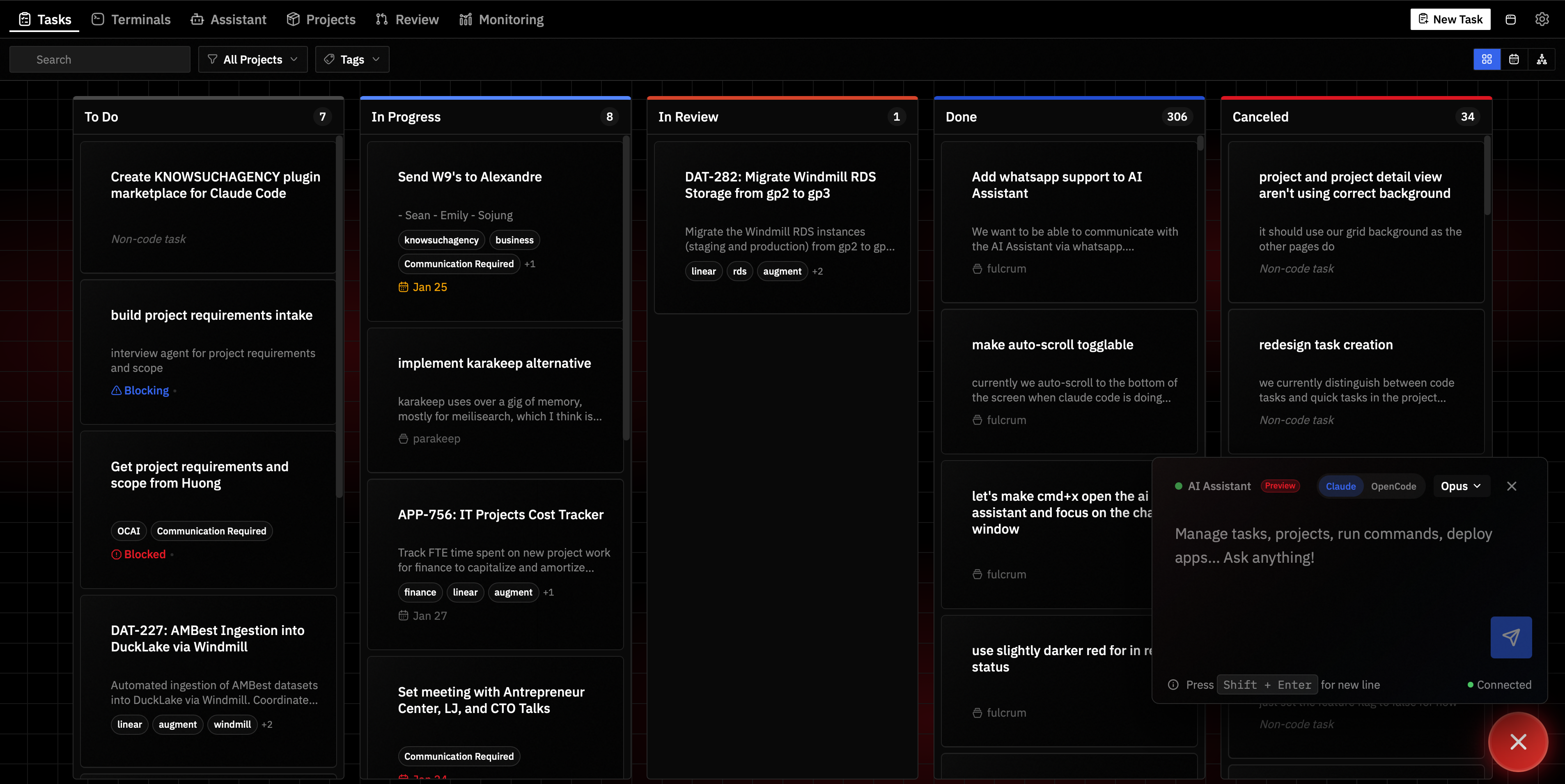
What It Does
Fulcrum is your AI-powered command center for shipping software. Built for technical solopreneurs and CTOs who need to multiply their leverage—not just chase the latest coding trend.
Run Claude Code across multiple tasks in parallel. Choose Git worktrees for isolated code work, Scratch directories for non-git AI agent sessions, or Manual tasks for anything else. Stay connected to your agents via WhatsApp, Email, Discord, Telegram, or Slack. Let your AI assistant monitor messages, filter signal from noise, and send daily briefings—all while you focus on what matters.
Fulcrum doesn't replace your tools—it gives you leverage over them. You configure Claude Code with the integrations you need (Notion, Linear, Stripe, whatever). Fulcrum is your window into Claude Code and a literal fulcrum: a small input that moves mountains.
Six pillars:
- Claude Code Ecosystem — Deep integration with Claude Code. Connect via messaging channels, manage tasks, deploy from one dashboard.
- Proactive AI Concierge — Your assistant monitors messages, stores important observations as memories, creates daily plans, and sends morning/evening briefings automatically.
- Work From Anywhere — Run Fulcrum on a remote server. Close your laptop, agents keep working.
- Project Management — Tasks with dependencies, due dates, time estimates, priority levels, recurrence, labels, and attachments. Visual kanban boards.
- Production Deployment — Docker Compose with automatic Traefik routing and Cloudflare DNS/tunnels.
- Agent Memory — Persistent knowledge store with full-text search. Agents remember across sessions.
- MCP-First Architecture — 100+ tools exposed via Model Context Protocol. Agents discover what they need.
MCP-First Architecture
Everything in Fulcrum is exposed through MCP (Model Context Protocol):
- 100+ MCP tools for tasks, projects, apps, repos, notifications, and remote execution
- Smart tool discovery —
search_toolslets agents find relevant tools without loading everything into context - Integrated assistant — Built-in AI assistant with full context of your tasks, projects, and apps
- External agent support — Connect Claude Desktop, Clawdbot, or any MCP-compatible agent
- No context bloat — Agents discover and use only the tools they need
Whether you use Fulcrum's built-in assistant or an external agent like Claude Desktop, AI has seamless access to your entire workflow.
Proactive Digital Concierge
Fulcrum's AI assistant doesn't just respond—it actively monitors and manages your workflow.
Intelligent Message Handling
When messages arrive via Email, WhatsApp, Discord, Telegram, or Slack:
- Actionable requests (deadlines, meetings, tasks) → Creates Fulcrum tasks and stores as memories with
actionabletag - Casual conversations → Responded to naturally, no tracking overhead
- Spam/newsletters → Silently ignored
Persistent Memory
Important observations are stored as memories with tags like actionable or monitoring—searchable via full-text search, with recency-weighted results so recent items surface first.
Daily Planning
Your assistant creates and reviews daily plans automatically:
- Evening — Creates tomorrow's plan based on pending tasks and events, saves to your documents folder
- Morning — Reviews the plan, compares against current state, sends prioritized briefing
Plans persist as markdown files you can edit or review anytime.
Scheduled Briefings
Configure morning and evening rituals in Settings:
- Morning briefing — Reviews yesterday's plan, prioritizes today's tasks and events
- Evening recap — What got done, what's blocked, creates tomorrow's plan
Briefings are sent to your preferred messaging channel automatically.
Hourly Sweeps
Every hour, your assistant reviews pending events, checks on blocked or overdue tasks, and catches patterns across messages. Nothing slips through the cracks.
Quick Start
npx @knowsuchagency/fulcrum@latest upFulcrum will check for dependencies (bun, dtach, fnox, age, AI agent CLI), offer to install any that are missing, set up encrypted secret storage, and start the server on http://localhost:7777.
Desktop App
| Platform | Download | |----------|----------| | macOS (Apple Silicon) | Download DMG | | Linux | Download AppImage |
The desktop app bundles everything—just install and run.
- Open the DMG and drag Fulcrum to Applications
- On first launch, macOS will block the app
- Open System Settings → Privacy & Security, scroll down, and click Open Anyway
- Confirm by clicking Open Anyway in the dialog
Install Script (Remote Servers)
For remote servers or VPS, use the install script—it auto-installs all dependencies:
curl -fsSL https://raw.githubusercontent.com/knowsuchagency/fulcrum/main/install.sh | bashClaude Code Plugin
Install the plugin for automatic status sync and task management:
claude plugin marketplace add knowsuchagency/fulcrum
claude plugin install fulcrum@fulcrum --scope user
Features
Kanban Board & AI Assistant
Track tasks from planning to done. Set priority levels (high/medium/low), pin important tasks to the top of lists, and set up recurring tasks that auto-create the next occurrence when completed. The built-in AI assistant has full context of everything you're tracking—tasks, projects, apps—and can help with planning, documentation, or running MCP tools.
Task Types
Three task types for different workflows:
| Type | Description | |------|-------------| | Git | Isolated git worktree with AI agent — for code changes with branch isolation | | Scratch | Isolated directory with AI agent — for non-git work (scripts, analysis, experiments) | | Manual | No agent, no directory — for tracking work done outside Fulcrum |
Parallel Agent Orchestration
Run multiple AI coding agents simultaneously across different tasks. Git tasks get isolated worktrees, Scratch tasks get isolated directories. Monitor and interact with all sessions from one screen.
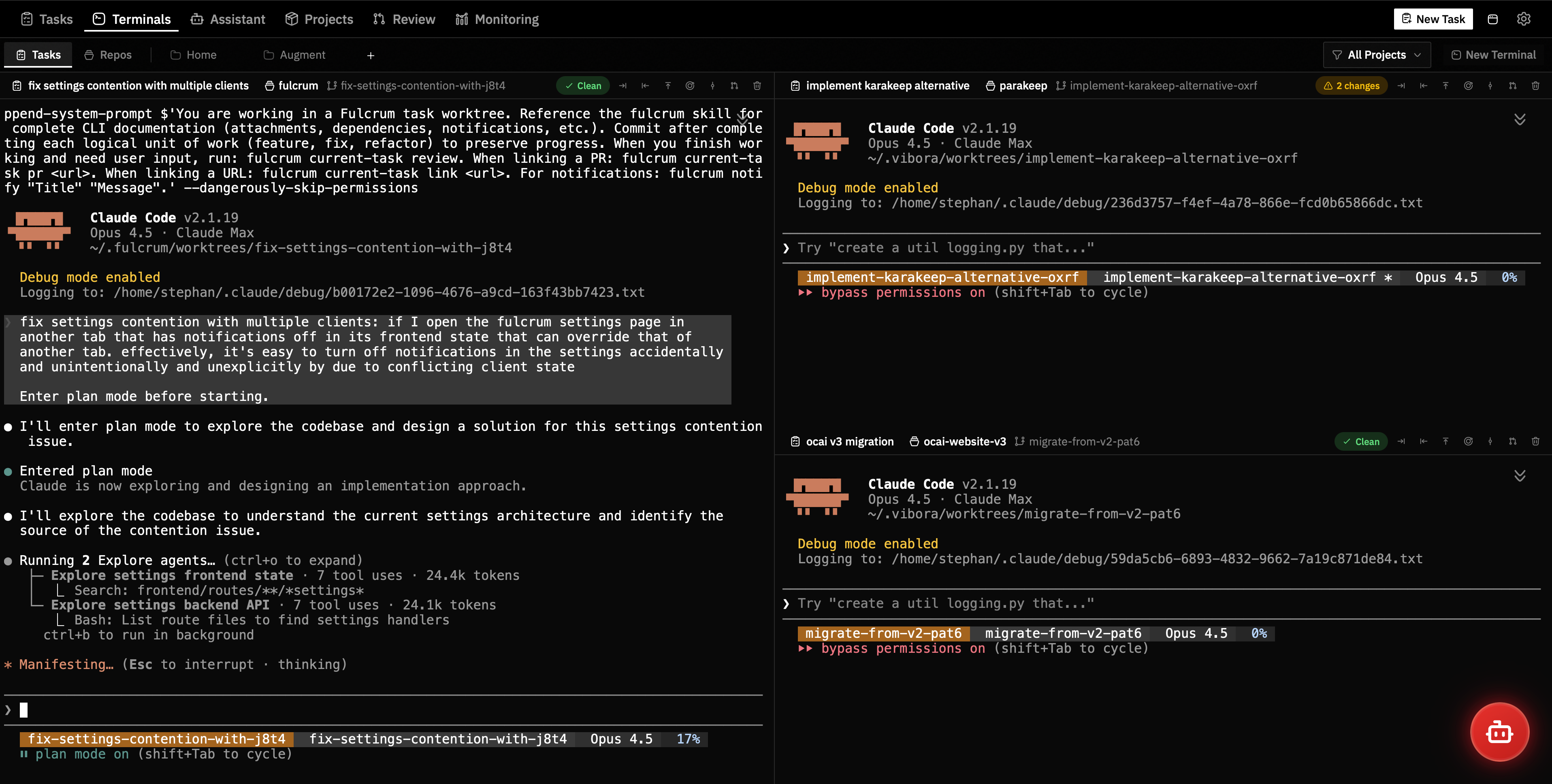
Projects
Unified view of repositories and deployments. Link repos, manage tasks, configure default agents, and see active work at a glance.
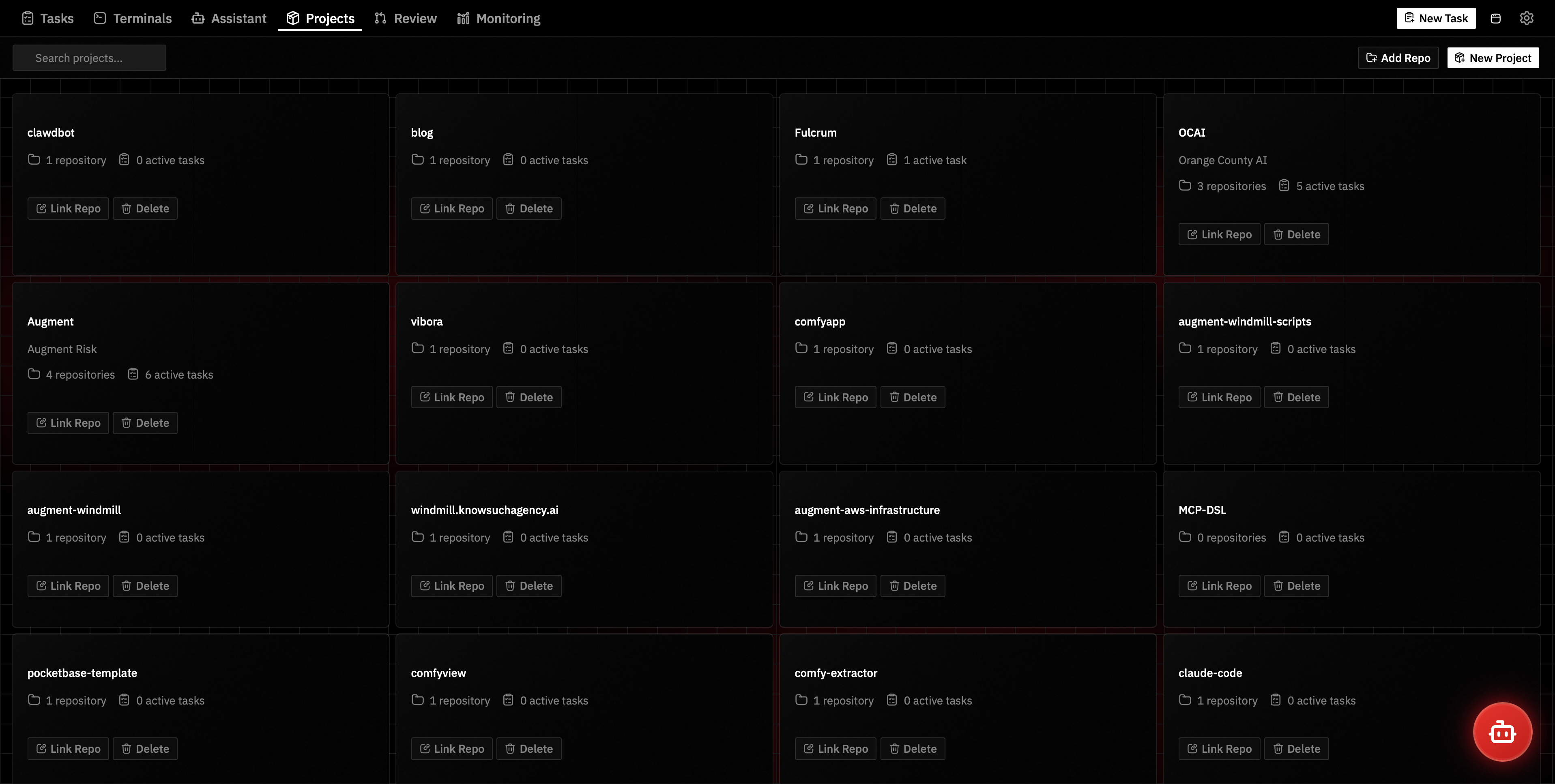
Project Workspace
Terminal with integrated file browser. Direct access to project files alongside your agent sessions.
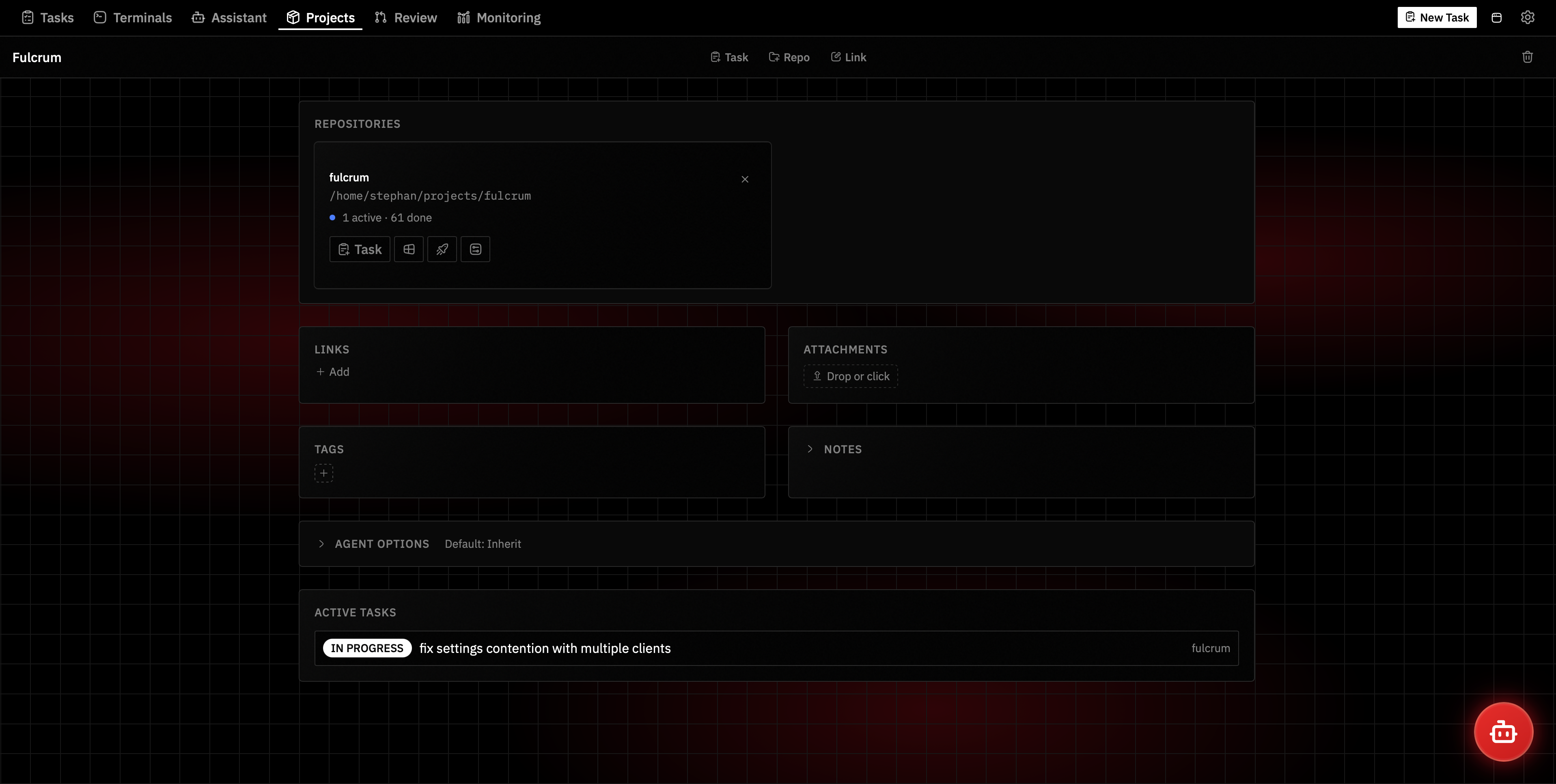
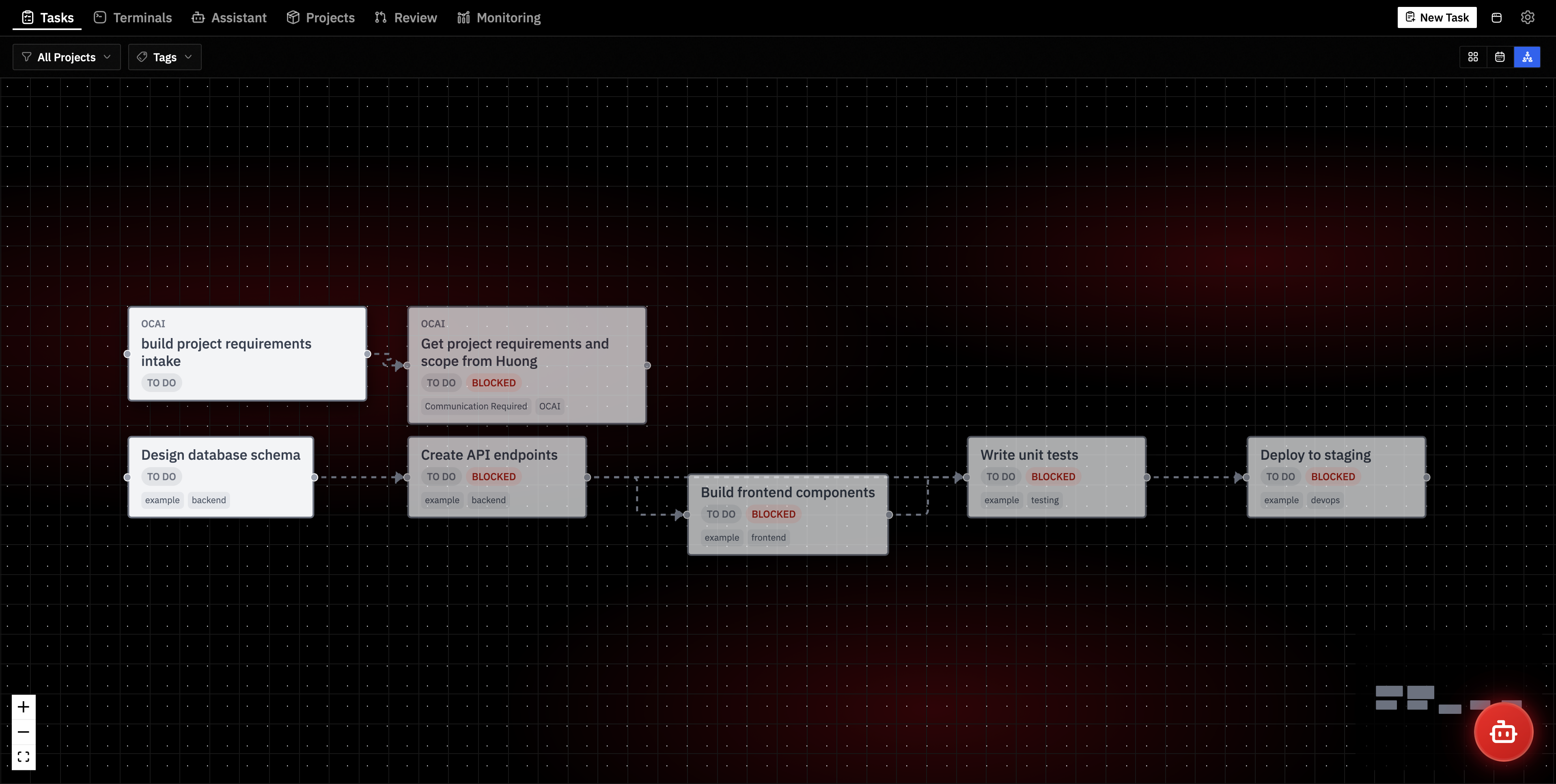
Task Dependencies
Define prerequisite tasks that must complete before others can start. Visualize with an interactive dependency graph.
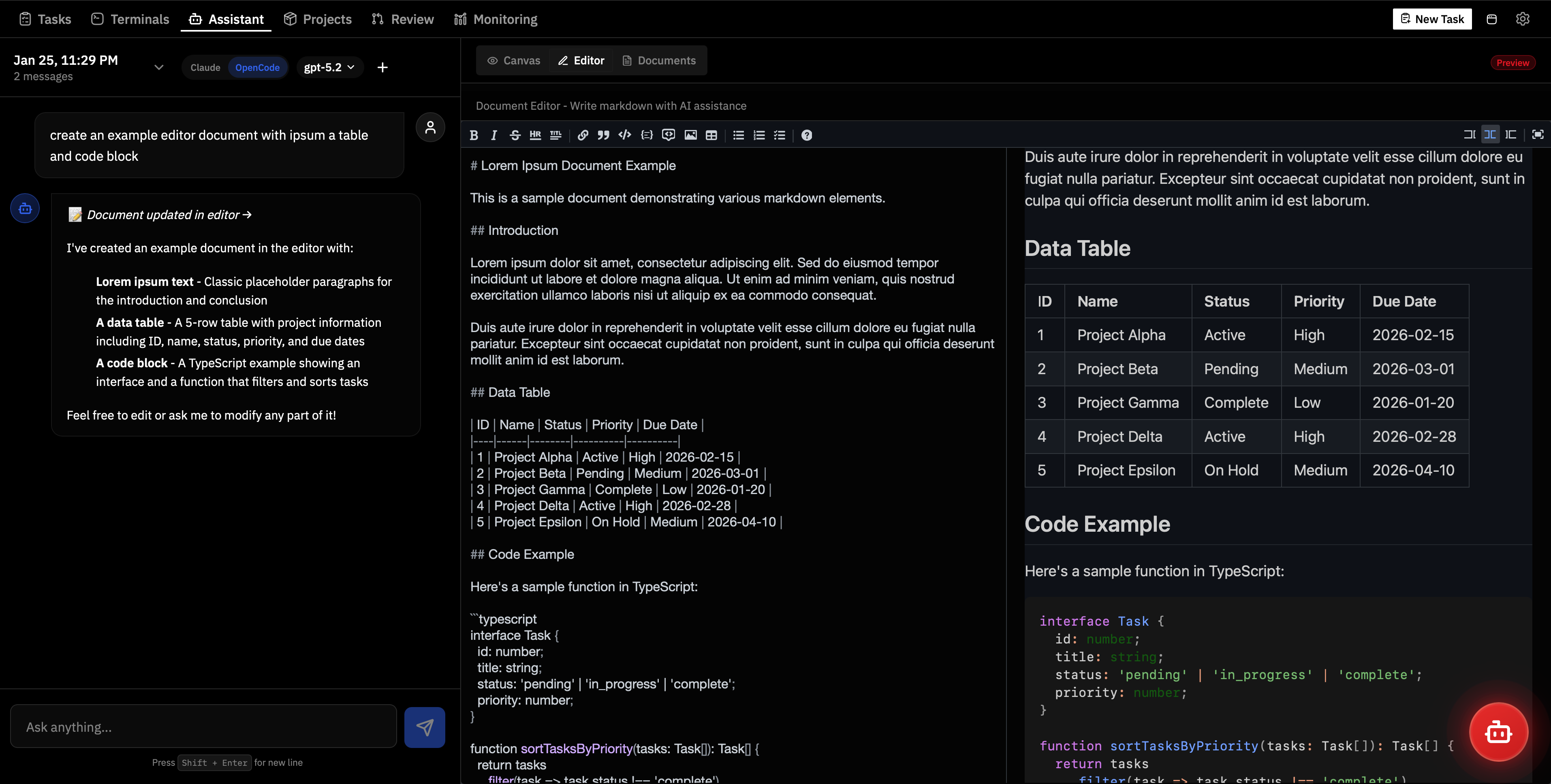
AI Assistant
Create documents with live preview. Generate charts and visualizations. The assistant uses the same MCP tools available to external agents.
Calendar Integration
Connect multiple calendar accounts so the AI assistant knows your schedule. Calendar has its own top-level page (/calendar, Cmd+7) with month and week views, project and tag filters.
- Google Calendar — Direct Google API integration via OAuth2 (recommended)
- Any CalDAV server — Nextcloud, Radicale, Baikal, iCloud
- Multiple accounts — Add as many accounts as you need
- Automatic sync — Each account syncs independently on a configurable interval
- Weekly view — Google Calendar-style week view with time axis, overlapping event layout, and current time indicator
- One-way event copying — Copy events between calendars across accounts via configurable rules
- Due date colors — Red (overdue), orange (today), yellow (tomorrow) visual indicators
- Assistant awareness — The AI assistant uses your calendar context for planning and scheduling
Enable in Settings → Calendar.
Messaging Integrations
Chat with the AI assistant from anywhere via your favorite messaging platform.
| Platform | Auth Method | |----------|-------------| | Email | Gmail API (OAuth2) or IMAP/SMTP credentials; collects all emails, allowlist controls AI responses | | WhatsApp | QR code scan, monitors all messages, replies only to "Message yourself" | | Discord | Bot token from Developer Portal | | Telegram | Bot token from @BotFather | | Slack | Bot + App tokens with Socket Mode | | Gmail | OAuth2, sends emails to your own address |
- User-only messaging — Outbound messages restricted to user's own accounts (no third-party messaging)
- Persistent sessions — Conversation context maintained across messages
- Email threading — Each email thread is a separate conversation
- Observe-first — Email and WhatsApp collect all messages but only respond to authorized senders
- Commands —
/reset(new conversation),/help,/status
Enable in Settings → Email & Messaging and follow the setup instructions for each platform.
Agent Memory
A two-tier memory system gives agents both always-on context and on-demand recall:
Master Memory File (~/.fulcrum/MEMORY.md) — A structured markdown document injected into every system prompt. Use it for user preferences, project context, architecture decisions, and standing instructions. Editable from the Assistant > Memory tab or via MCP tools.
Ephemeral Memories — Individual tagged facts stored in SQLite with FTS5 full-text search. Use for transient observations, action items, and channel-sourced data points.
- Always in context — Memory file content is included in every conversation automatically
- Searchable — Full-text search with boolean operators, phrase matching, and prefix queries
- Tagged — Categorize ephemeral memories with tags (preferences, decisions, architecture, etc.)
- Browsable — View, search, edit, and delete memories from the Monitoring > Memory tab
- MCP tools —
memory_file_read/memory_file_updatefor the master file,memory_storefor ephemeral facts, unifiedsearchfor cross-entity queries
System Monitoring
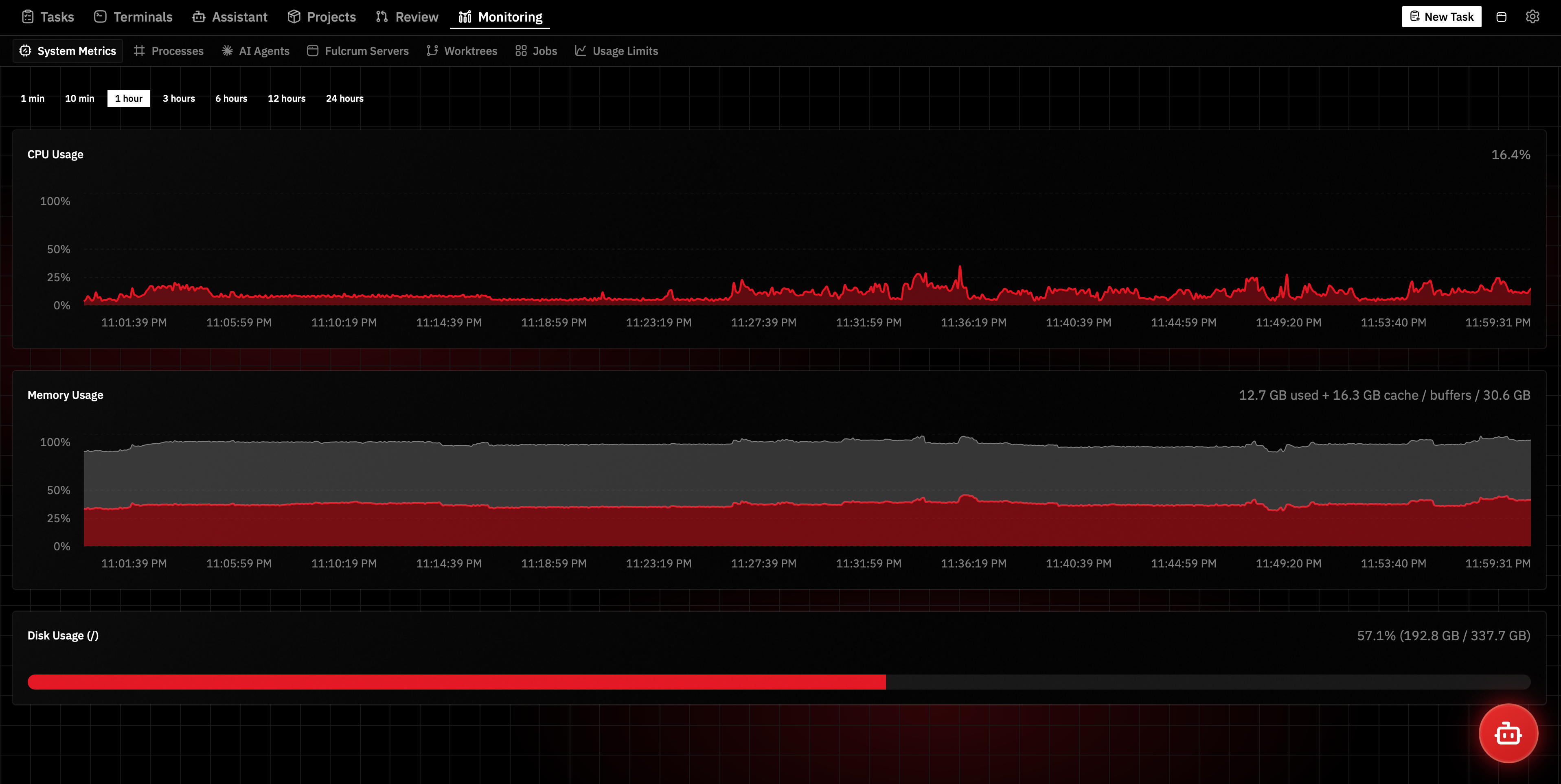
Track CPU, memory, and disk usage while your agents work. Jobs is a top-level page (/jobs, Cmd+6) for managing systemd (Linux) or launchd (macOS) timers. The Messages tab under Monitoring shows all channel messages (WhatsApp, Discord, Telegram, Slack, Email) with filtering by channel and direction. The Observer tab tracks every observe-only message processing attempt with circuit breaker status, aggregate stats, and a filterable invocations list.
Supported Agents
| Agent | Description | |-------|-------------| | Claude Code | Anthropic's CLI coding agent with deep MCP integration | | OpenCode | Open-source coding agent with GPT-4 and other model support |
Configure your default agent globally, per-repository, or per-task.
Claude Code Plugin
The Fulcrum plugin enables seamless integration:
- Automatic Status Sync — Task moves to "In Review" when Claude stops, "In Progress" when you respond
- Session Continuity — Sessions tied to task IDs
- MCP Server — Task management tools available directly to Claude
- Slash Commands —
/review,/pr,/notify,/linear,/task-info
claude plugin marketplace add knowsuchagency/fulcrum
claude plugin install fulcrum@fulcrum --scope user
OpenCode Integration
fulcrum opencode install    # Install plugin + MCP server
fulcrum opencode uninstall  # Remove both
MCP Tools
Both plugins include an MCP server with 100+ tools:
| Category | Description | |----------|-------------| | Tasks | Create, update, move tasks; manage links, labels, attachments, due dates, time estimates, priority, recurrence | | Task Dependencies | Define prerequisite tasks; visualize with dependency graph | | Projects | Manage projects with tags, notes, and file attachments | | Repositories | Add, configure, and link repositories to projects | | Apps | Deploy, stop, and monitor Docker Compose applications | | Filesystem | Browse directories, read/write files on the Fulcrum server | | Execution | Run shell commands with persistent session support | | Notifications | Send notifications to enabled channels (Slack, Discord, Pushover, WhatsApp, Telegram, Gmail) | | Backup & Restore | Snapshot database and settings; auto-safety-backup on restore | | Settings | View and update configuration; manage notification channels | | Search | Unified full-text search across tasks, projects, messages, events, memories, and conversations | | Memory | Read/update master memory file; store ephemeral knowledge with tags | | Calendar | Manage CalDAV accounts, sync calendars, configure event copy rules | | Gmail | List Google accounts, manage Gmail drafts, send emails | | Jobs | List, create, update, delete, enable/disable, and run systemd timers and launchd jobs | | Assistant | Send messages via channels (WhatsApp, Discord, Telegram, Slack, Gmail); query sweep history |
Use search_tools to discover available tools by keyword or category.
For Claude Desktop, add to your claude_desktop_config.json:
{
  "mcpServers": {
    "fulcrum": {
      "command": "fulcrum",
      "args": ["mcp"]
    }
  }
}
Remote Server Setup
Run the backend on a remote server and connect from anywhere. Launch tasks, close your laptop, and your agents keep working.
SSH Port Forwarding (Recommended)
# Forward local port 7777 to remote server's port 7777
ssh -L 7777:localhost:7777 your-server

# Or run in background with keep-alive
ssh -fN -o ServerAliveInterval=30 -o ServerAliveCountMax=3 -L 7777:localhost:7777 your-server
On the remote server:
npx @knowsuchagency/fulcrum@latest upThe desktop app connects through the tunnel automatically. This is secure (no exposed ports), performant (direct SSH), and simple (no extra config).
Browser Access
For browser-only access, use Tailscale or Cloudflare Tunnels to expose your server.
All configuration is managed by fnox — a single config/fnox.toml file inside the fulcrum directory stores both plain and encrypted settings. Sensitive credentials (API keys, tokens, webhook URLs) are encrypted with age; the age key (age.txt) lives in the fulcrum directory root. The config is nested under config/ so fnox's upward directory walk from task worktrees does not merge Fulcrum's recipients into user-invoked fnox commands. Existing settings.json files are automatically migrated to fnox on server start.
The fulcrum directory is resolved in this order:
FULCRUM_DIRenvironment variable.fulcrumin current working directory~/.fulcrum(default)
| Setting | Env Var | Default |
|---------|---------|---------|
| server.port | PORT | 7777 |
| paths.defaultGitReposDir | FULCRUM_GIT_REPOS_DIR | ~ |
| editor.sshPort | FULCRUM_SSH_PORT | 22 |
| integrations.linearApiKey | LINEAR_API_KEY | null |
| integrations.githubPat | GITHUB_PAT | null |
| appearance.language | — | null (auto-detect) |
Notification settings (sound, Slack, Discord, Pushover, WhatsApp, Telegram, Gmail) are configured via Settings UI or CLI.
Linear Integration
Sync task status with Linear tickets. Configure linearApiKey in settings or set LINEAR_API_KEY.
Server Management
fulcrum up                        # Start server daemon
fulcrum up -y                     # Start with auto-install
fulcrum down                      # Stop server
fulcrum status                    # Check server status
fulcrum doctor                    # Check all dependencies
fulcrum mcp                       # Start MCP server (stdio)
Current Task (auto-detected from worktree)
fulcrum current-task info         # Get current task info
fulcrum current-task review       # Mark as IN_REVIEW
fulcrum current-task done         # Mark as DONE
fulcrum current-task cancel       # Mark as CANCELED
fulcrum current-task pr <url>     # Associate a PR
fulcrum current-task link <url>   # Add a reference link
Agent Integration
fulcrum claude install            # Install Claude Code plugin + MCP server
fulcrum claude uninstall          # Remove plugin + MCP server
fulcrum opencode install          # Install OpenCode plugin + MCP server
fulcrum opencode uninstall        # Remove plugin + MCP server
Notifications
fulcrum notifications             # Show notification settings
fulcrum notify <title> [message]  # Send a notification
Internationalization
Available in English and Chinese. Set the language setting or let it auto-detect from your browser.
Development
See DEVELOPMENT.md for development setup, architecture, and contributing guidelines.
License
In plain English:
- ✅ Use Fulcrum for any purpose—personal or commercial
- ✅ Build and sell software using Fulcrum (we have no claim over your work)
- ❌ Resell or redistribute Fulcrum itself for profit
- ⚠️ The software is provided as-is