
@koma-khqr/checkout
v0.1.20
Published
Koma Bakong KHQR Checkout payment integration

Maintainers
 limhai
Readme
@koma-khqr/checkout
Client-side checkout for bakong KHQR. Use the npm package in React or JavaScript projects, or submit the hosted checkout from plain HTML.
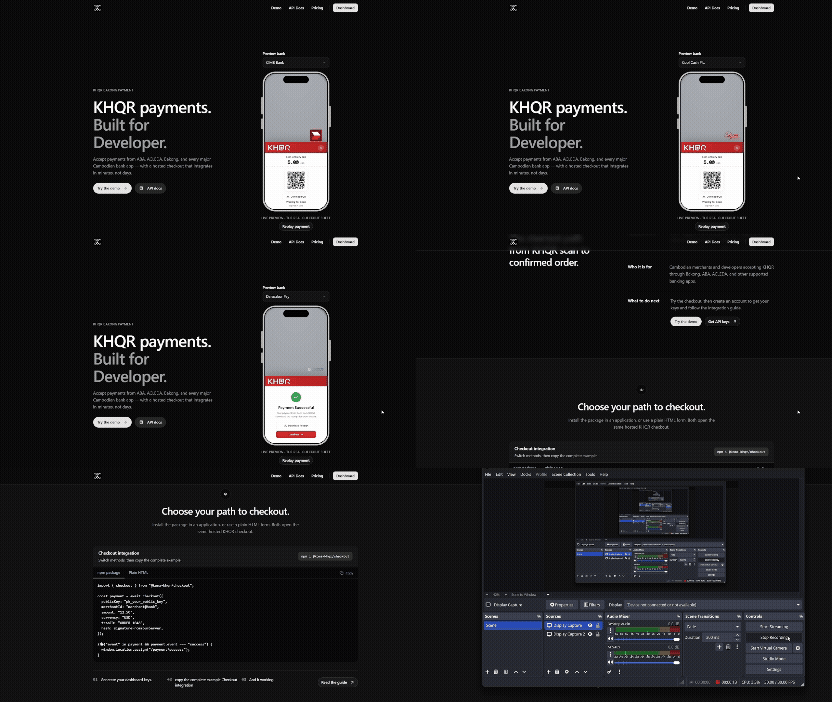
- WEB KHQR checkout modal
- React component
- Webhook when success will return data
- JSON mode for web checkout interfaces
- Server-generated HMAC-SHA512 signatures
- checkPaymentStatus free you can hosting anywhere don't worry about country restriction only cambodia
Before you start
Generate an integration in the Koma dashboard. You receive:
publicKey: identifies your integration and is safe to include in browser code.secretKey: signs checkout requests and must remain on your server.
Every checkout also needs the Bakong merchantId that receives the payment.
Install
npm install @koma-khqr/checkoutReact
import { KomaCheckout } from "@koma-khqr/checkout/react";

export function PaymentButton({ hash }: { hash: string }) {
  return (
    <KomaCheckout
      /* Required */
      publicKey="pk_your_public_key"
      merchantId="merchant@bank"
      amount="5.00"
      hash={hash}

      /* Optional */
      merchantName="My Store"
      tranID="INV-001"
      currency="USD"
      returnURL="https://your-store.example/payment/cancelled"
      continueSuccessURL="https://your-store.example/payment/success"
      actionURL="https://koma.khqr.site/api/payment/checkout"
      buttonText="Pay with KHQR"
      className="pay-button"
      disabled={false}
      onComplete={(result) => console.log(result)}
      onError={(error) => console.error(error)}
    />
  );
}
The component loads Koma's hosted checkout script, renders the payment button, and reports modal events through onComplete.
JavaScript
import { checkout } from "@koma-khqr/checkout";

const result = await checkout({
  // Required
  publicKey: "pk_your_public_key",
  merchantId: "merchant@bank",
  amount: "5.00",
  tranID: "INV-001",
  hash: signatureFromYourServer,

  // Optional
  currency: "USD", // default: "USD"
  continueSuccessURL: "https://your-store.example/payment/success",
  returnURL: "https://your-store.example/payment/cancelled",
  endpoint: "https://koma.khqr.site/api/payment/checkout",
  isJson: false, // default: false; true returns QR data without a modal
});

if ("event" in result && result.event === "success") {
  window.location.assign("/payment/success");
}
JSON mode
Set isJson: true to receive QR data instead of opening the hosted modal:
const response = await checkout({
  // Required
  publicKey: "pk_your_public_key",
  merchantId: "merchant@bank",
  amount: "5.00",
  tranID: "INV-001",
  hash: signatureFromYourServer,

  // Optional
  currency: "USD", // default: "USD"
  returnURL: "https://your-store.example/payment/cancelled",
  continueSuccessURL: "https://your-store.example/payment/success",
  endpoint: "https://koma.khqr.site/api/payment/checkout",
  isJson: true,
});

if (!("event" in response)) {
  console.log(response.data.qrDataUrl, response.data.pollToken);
}
Submit checkout from plain HTML
No npm package or build step is required. Add the public integration key and the server-generated hash as hidden fields, then load the hosted script.
<form
  id="koma_merchant_request"
  method="POST"
  action="https://koma.khqr.site/api/payment/checkout"
  enctype="multipart/form-data"
>
  <!-- Required -->
  <input type="hidden" name="publicKey" value="pk_your_public_key" />
  <input type="hidden" name="merchantId" value="merchant@bank" />
  <input type="hidden" name="amount" value="5.00" />
  <input type="hidden" name="tranID" value="INV-001" />
  <input type="hidden" name="hash" value="HMAC_FROM_YOUR_SERVER" />

  <!-- Optional -->
  <input type="hidden" name="merchantName" value="My Store" />
  <input type="hidden" name="currency" value="USD" />
  <input
    type="hidden"
    name="returnURL"
    value="https://your-store.example/payment/cancelled"
  />
  <input
    type="hidden"
    name="continueSuccessURL"
    value="https://your-store.example/payment/success"
  />
</form>

<button type="button" onclick="KomaCheckout.checkout()">Pay with KHQR</button>

<script src="https://koma.khqr.site/plugins/koma-checkout.js"></script>
koma-checkout.js reads the form with id="koma_merchant_request" when KomaCheckout.checkout() is called.
The demo GIF is published with this package and is also available to bundlers as @koma-khqr/checkout/komo-gif.gif.
Generate the hash on your server
The hash is a base64 HMAC-SHA512 signature over this exact string:
continueSuccessURL + returnURL + currency + tranID + merchantId + amountNever generate the hash in browser code because that would expose your secretKey.
import {
  buildHashString,
  generateHmacSha512Hash,
  verifyCheckoutHash,
} from "@koma-khqr/checkout/server";

const secretKey = process.env.KOMA_SECRET_KEY!;

const data = buildHashString({
  continueSuccessURL: "https://your-store.example/payment/success",
  returnURL: "https://your-store.example/payment/cancelled",
  currency: "USD",
  tranID: "INV-001",
  merchantId: "merchant@bank",
  amount: "5.00",
});

const hash = await generateHmacSha512Hash(data, secretKey);

const valid = await verifyCheckoutHash(hash, secretKey, data);
createHmacHash(data, secretKey) is also exported for synchronous Node.js code. Keep the ./server entry on your server because it uses Node's crypto module.
Check payment status
Use the md5 and pollToken returned by JSON checkout mode:
import { checkPaymentStatus } from "@koma-khqr/checkout/server";

const response = await checkPaymentStatus(md5, pollToken);
console.log(response.data.status); // "pending", "success", or "failed"
Pass a third argument to override the default /api/payment/status URL during local development.
API
KomaCheckout props
| Prop | Type | Required | Default | Description |
| -------------------- | ------------------------ | -------- | ----------------- | -------------------------------------- |
| publicKey | string | yes | — | Public integration key |
| merchantId | string | yes | — | Bakong merchant receiving the payment |
| merchantName | string | no | — | Display name shown on checkout page |
| amount | string \| number | yes | — | Transaction amount |
| hash | string | yes | — | Server-generated HMAC-SHA512 signature |
| tranID | string | no | — | Unique transaction ID |
| currency | "USD" \| "KHR" | no | "USD" | Payment currency |
| returnURL | string | no | — | Error or cancellation return URL |
| continueSuccessURL | string | no | — | Success redirect URL |
| actionURL | string | no | Koma checkout URL | Override the form endpoint |
| onComplete | (result) => void | no | — | Receives checkout events |
| onError | (error: Error) => void | no | — | Receives client errors |
| buttonText | string | no | "Pay with KHQR" | Button label |
| className | string | no | — | CSS classes applied to the button |
| disabled | boolean | no | false | Disables the button |
checkout(options)
| Option | Type | Required | Default | Description |
| -------------------- | ------------------ | -------- | ----------------- | ------------------------------------------- |
| publicKey | string | yes | — | Public integration key |
| merchantId | string | yes | — | Bakong merchant receiving the payment |
| merchantName | string | no | — | Display name shown on checkout page |
| amount | string \| number | yes | — | Transaction amount |
| tranID | string | yes | — | Unique transaction ID |
| hash | string | yes | — | Server-generated HMAC-SHA512 signature |
| currency | "USD" \| "KHR" | no | "USD" | Payment currency |
| returnURL | string | no | — | Error or cancellation return URL |
| continueSuccessURL | string | no | — | Success redirect URL |
| endpoint | string | no | Koma checkout URL | Override the checkout endpoint |
| isJson | boolean | no | false | Return QR data instead of opening the modal |
Result types
Modal mode resolves to:
interface CheckoutResult {
  event: "success" | "closed" | "expired" | "failed";
  data?: unknown;
}
JSON mode returns tranID, qrDataUrl, amount, md5, and pollToken in response.data.
Browser support
Requires ES2017 and a modern browser. The hosted script loads from https://koma.khqr.site/plugins/koma-checkout.js.
License
MIT