
@ktmcp-cli/xero
v1.0.0
Published
Production-ready CLI for Xero API - cloud accounting, invoices, contacts

Maintainers
 killthemcp
Readme
"Six months ago, everyone was talking about MCPs. And I was like, screw MCPs. Every MCP would be better as a CLI."
— Peter Steinberger, Founder of OpenClaw Watch on YouTube (~2:39:00) | Lex Fridman Podcast #491
Xero CLI
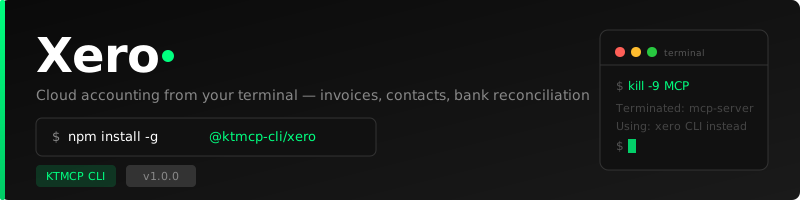
A production-ready command-line interface for the Xero accounting API. Manage invoices, contacts, accounts, bank transactions, and payments directly from your terminal.
Disclaimer: This is an unofficial CLI tool and is not affiliated with, endorsed by, or supported by Xero Limited.
Features
- Invoices — List, get, and create invoices with full line item support
- Contacts — Manage customers and suppliers
- Accounts — Browse your chart of accounts
- Payments — View payment history
- Bank Transactions — Reconcile and view bank transactions
- OAuth 2.0 Auth — Secure authentication with automatic token refresh
- JSON output — All commands support
--jsonfor scripting and piping - Colorized output — Clean, readable terminal output with chalk
Why CLI > MCP
MCP servers are complex, stateful, and require a running server process. A CLI is:
- Simpler — Just a binary you call directly
- Composable — Pipe output to
jq,grep,awk, and other tools - Scriptable — Use in shell scripts, CI/CD pipelines, cron jobs
- Debuggable — See exactly what's happening with
--jsonflag - AI-friendly — AI agents can call CLIs just as easily as MCPs, with less overhead
Installation
npm install -g @ktmcp-cli/xeroAuthentication Setup
Xero uses OAuth 2.0. You'll need to create an app in the Xero Developer Portal.
1. Create a Xero App
- Go to developer.xero.com
- Click New App
- Set redirect URI to
http://localhost:8765/callback - Copy your Client ID and Client Secret
2. Configure the CLI
xero config set --client-id YOUR_CLIENT_ID --client-secret YOUR_CLIENT_SECRET3. Login
xero auth loginThis will open a browser window for OAuth consent. After approving, the CLI will automatically store your tokens and connect to your Xero organisation.
4. Verify
xero auth statusCommands
Configuration
# Set credentials
xero config set --client-id <id> --client-secret <secret>

# Show current config
xero config show
Authentication
# Login via OAuth 2.0
xero auth login

# Check auth status
xero auth status
Invoices
# List all invoices
xero invoices list

# Filter by status
xero invoices list --status DRAFT
xero invoices list --status AUTHORISED
xero invoices list --status PAID

# Limit results
xero invoices list --limit 20

# Get a specific invoice
xero invoices get <invoice-id>

# Create an invoice
xero invoices create \
  --contact <contact-id> \
  --line-items '[{"Description":"Consulting Services","Quantity":10,"UnitAmount":150,"AccountCode":"200"}]' \
  --status DRAFT
Contacts
# List all contacts
xero contacts list

# Search contacts
xero contacts list --search "Acme Corp"

# Get a specific contact
xero contacts get <contact-id>

# Create a contact
xero contacts create --name "Acme Corp" --email "[email protected]"
xero contacts create --name "John Doe" --email "[email protected]" --phone "+1234567890"
Accounts
# List chart of accounts
xero accounts list
Payments
# List payments
xero payments list
Bank Transactions
# List all bank transactions
xero bank-transactions list

# Filter by bank account
xero bank-transactions list --account-id <account-id>
JSON Output
All commands support --json for machine-readable output:
# Get all invoices as JSON
xero invoices list --json

# Pipe to jq for filtering
xero invoices list --json | jq '.[] | select(.Status == "DRAFT") | {id: .InvoiceID, total: .Total}'

# Get contact details
xero contacts get <id> --json | jq '{name: .Name, email: .EmailAddress}'
Examples
Create and track an invoice
# First, find the contact
xero contacts list --search "Acme"

# Create a draft invoice
xero invoices create \
  --contact abc123-def456 \
  --line-items '[
    {"Description":"Web Development","Quantity":40,"UnitAmount":125,"AccountCode":"200"},
    {"Description":"Hosting (monthly)","Quantity":1,"UnitAmount":50,"AccountCode":"200"}
  ]'

# List draft invoices
xero invoices list --status DRAFT
Reconcile bank transactions
# List all bank accounts (from accounts)
xero accounts list --json | jq '.[] | select(.Type == "BANK") | {code: .Code, name: .Name, id: .AccountID}'

# List transactions for a specific account
xero bank-transactions list --account-id <account-id>
Contributing
Issues and pull requests are welcome at github.com/ktmcp-cli/xero.
License
MIT — see LICENSE for details.
Part of the KTMCP CLI project — replacing MCPs with simple, composable CLIs.