
@kunterbunt/teams-integration-enabler
v1.0.3
Published
Enable or disable Microsoft Teams integration on standard and custom Dataverse tables.

Maintainers
 kunterbunt
Readme
TeamsIntegrationEnabler
In the Sales Hub App, App Settings, Chat and Collaborate, you will find the option to Turn on linking of Dynamics 365 records to Microsoft Teams channels. While the 3 switch interface of this section is easy to use, it will only enable this feature for a fixed set of tables.
You can disable these preset tables as well as enable it for custom tables and many OOTB tables with Web API requests. Since this requires extra tools and additional preparation time, this tool shall help you to perform these actions more easily.
Prerequisites
- You need to have the solution
msdynce_OfficeProductivityinstalled in your environment. This solution seems to be preinstalled if either Customer Service, Sales or Marketing apps are installed. - Make sure to turn on Turn on linking of Dynamics 365 records to Microsoft Teams channels, for example in Sales Hub App, App Settings, Chat and Collaborate. This will ensure the feature itself is active as well as enabled the standard set of tables.
Step by step
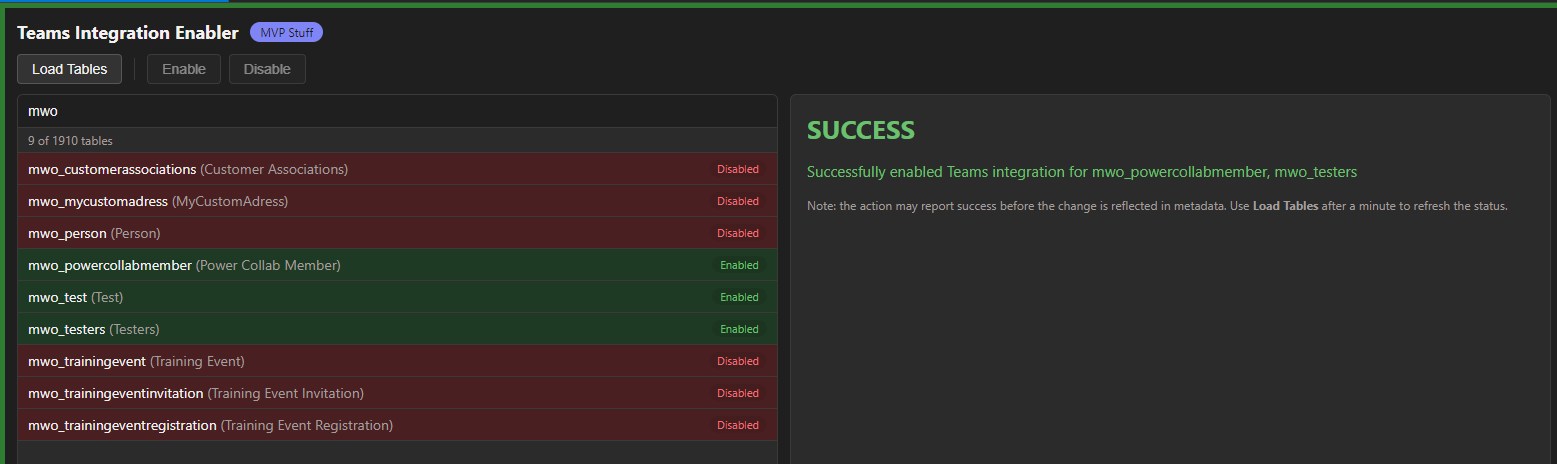
"Teams Integration Enabler" is available for both XrmToolbox and Power Platform Toolbox, screenshots below are for both tools as well.
- Load the tables and find the table you are looking to enable/disable. There is a search box at the top to help you.
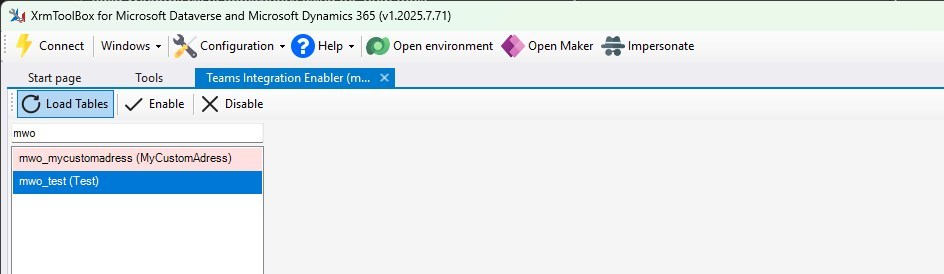
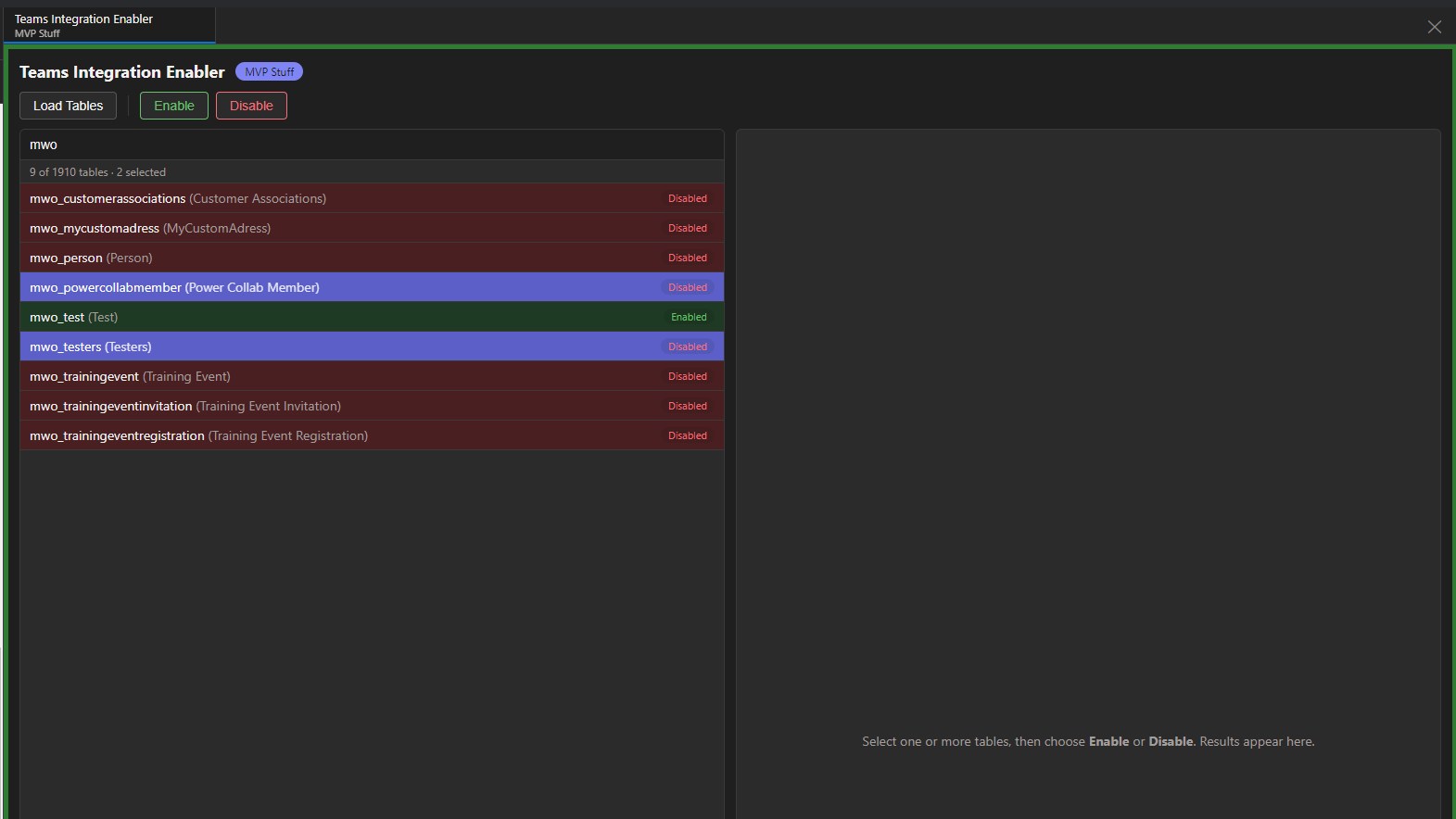
- Now use the Enable/Disable buttons to change the status of the Teams Integration for the given table.
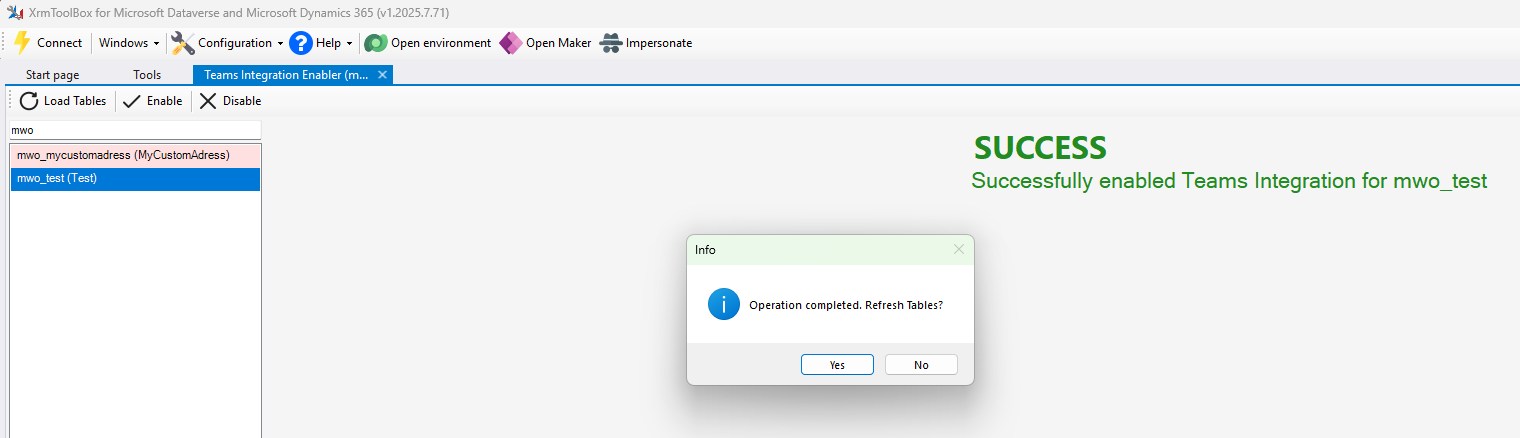
- After reloading, the colorcoding will show you the current status of the feature. (Please check the know issues section!)

- If you chose to enable the Teams Feature for a table and as a whole in Chat and Collaborate you should now find the Collaborate button in the ribbon of a form for existing records of that table. If you don't, make sure to use clear cache refresh, Publish all Customization and Regenerate Ribbon Metadata; as usual the ribbon might be stubborn to update its contents.
- If you have the table in question in a solution with Include table metadata enabled, the status of the Teams Integration will be transported to other environments with the solution.
Known issues
- The
msdyn_SetTeamsDocumentStatusaction reports success before the new status is reflected in metadata, this can lead to tables still showing a wrong status after the refresh. Testing showed that the metadata will correct within one minute, use the Load Tables button to refresh it.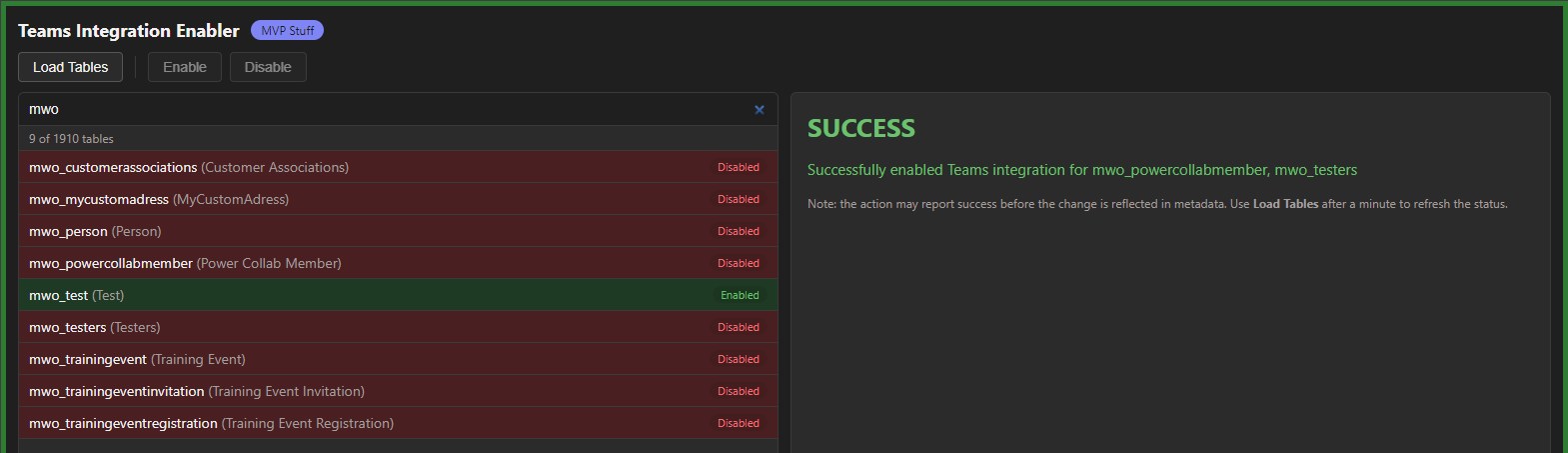
- The
msdyn_SetTeamsDocumentStatusaction reports success for all(?) tables, even for uncustomizable tables likeactivityparty. Since the action reports success, so will this tool, however those tables will never change their teams feature status no matter how often you use Load Tables.