
@levpotapov/react-native-windows-cursor
v1.0.0
Published
Native cursor management for React Native Windows with support for 10 cursor types
Downloads
27

Maintainers
 levpotapov
Readme
@levpotapov/react-native-windows-cursor
🖱️ Native cursor management for React Native Windows applications with support for 10 cursor types. Solves the inability to use CSS cursor properties like cursor: pointer in React Native Windows applications.


Features:
- ✅ 10 cursor types (arrow, pointer, cross, help, ibeam, wait, resize, etc.)
- ✅ TypeScript support
- ✅ Zero dependencies
- ✅ Native Windows implementation
Installation:
Step 1: Install the package
npm install @levpotapov/react-native-windows-cursor
# or
yarn add @levpotapov/react-native-windows-cursor
Step 2: Link native modules (React Native Windows)
npx react-native autolink-windowsStep 3: Rebuild your Windows app
npm run windowsThat's it! The package is ready to use.
API:
useCursor()
Returns an object with cursor control methods.
Methods:
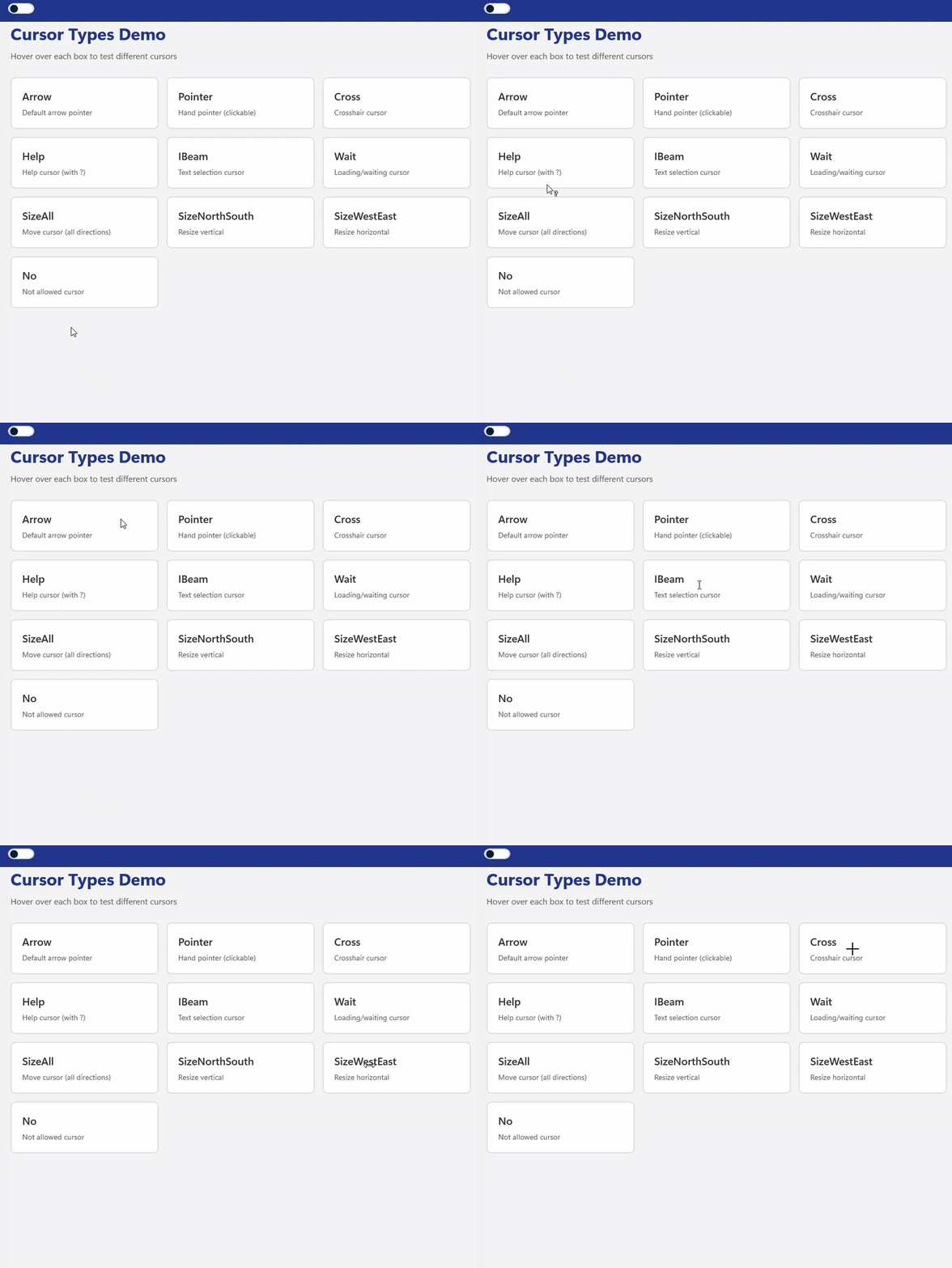
setArrow()- Default arrow cursorsetPointer()- Hand pointer (for clickable elements)setCross()- Crosshair cursorsetHelp()- Help cursor (with question mark)setIBeam()- Text selection cursor (I-beam)setWait()- Loading/waiting cursorsetSizeAll()- Move cursor (all directions)setSizeNorthSouth()- Vertical resize cursorsetSizeWestEast()- Horizontal resize cursorsetNo()- Not allowed cursorsetDefault()- Reset to default (arrow)setCursor(type)- Set cursor by type name
Platform Support:
- ✅ Windows 10/11 (UWP)
- ✅ React Native Windows (UWP template)
Compatibility with React Native Windows:
0.79.x ✅ Tested 0.73.x - 0.78.x ⚠️ Should work (untested) 0.63.x - 0.72.x ⚠️ May work (untested)
Usage Example :
- Copy the code from this file example
- Import CursorTestScreen in your App.tsx
License
MIT © Lev Potapov
Credits
Created for the React Native Windows community.