
@lidtop/opencode-cost
v0.5.0
Published
Persistent OpenCode cost and token usage dashboard

Maintainers
 zackarysantana
Readme
@lidtop/opencode-cost
See where your usage and time go: recorded costs and tokens across projects and models, with daily activity over time, plus how long agents worked, how long they waited on you, and how much ran in parallel. Costs come from OpenCode's provider-reported records, not a separate pricing table.
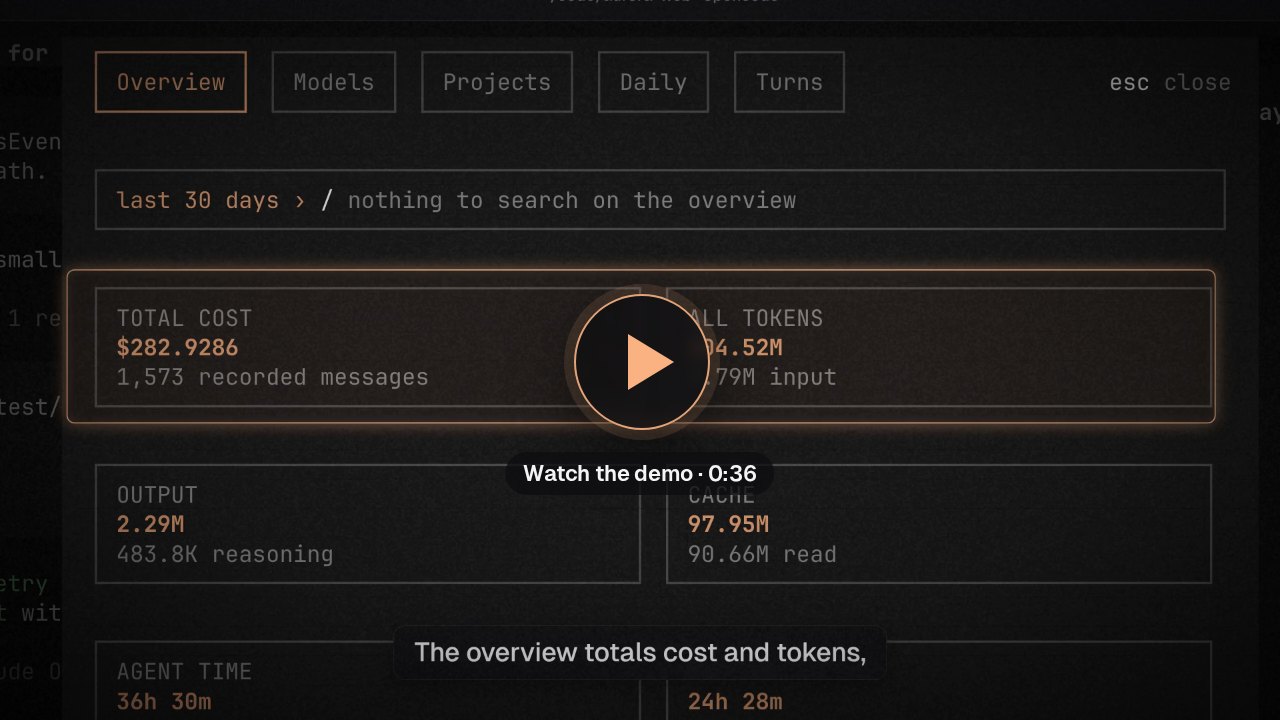
The 36-second demo uses a sample month of usage.
Install
Requires OpenCode 2.2.0 or newer in the 2.x line.
opencode plugin add @lidtop/opencode-costOr add it to plugins in your global ~/.config/opencode/opencode.jsonc (or opencode.json), keeping your existing entries:
{
  "$schema": "https://opencode.ai/config.json",
  "plugins": ["@lidtop/opencode-cost"]
}
Where it runs. Install it globally so the server collector is available across projects. The server records usage and owns the database; the terminal and desktop dashboards query it over plugin RPC (every part uses the ID opcode-cost). A client-only install in cli.json cannot supply that RPC service, so the dashboard needs the server plugin enabled at the connected location. OpenCode Desktop reads plugins only from opencode.json(c).
Use
Run /cost or select Cost in the command palette. It opens a dialog with five tabs:
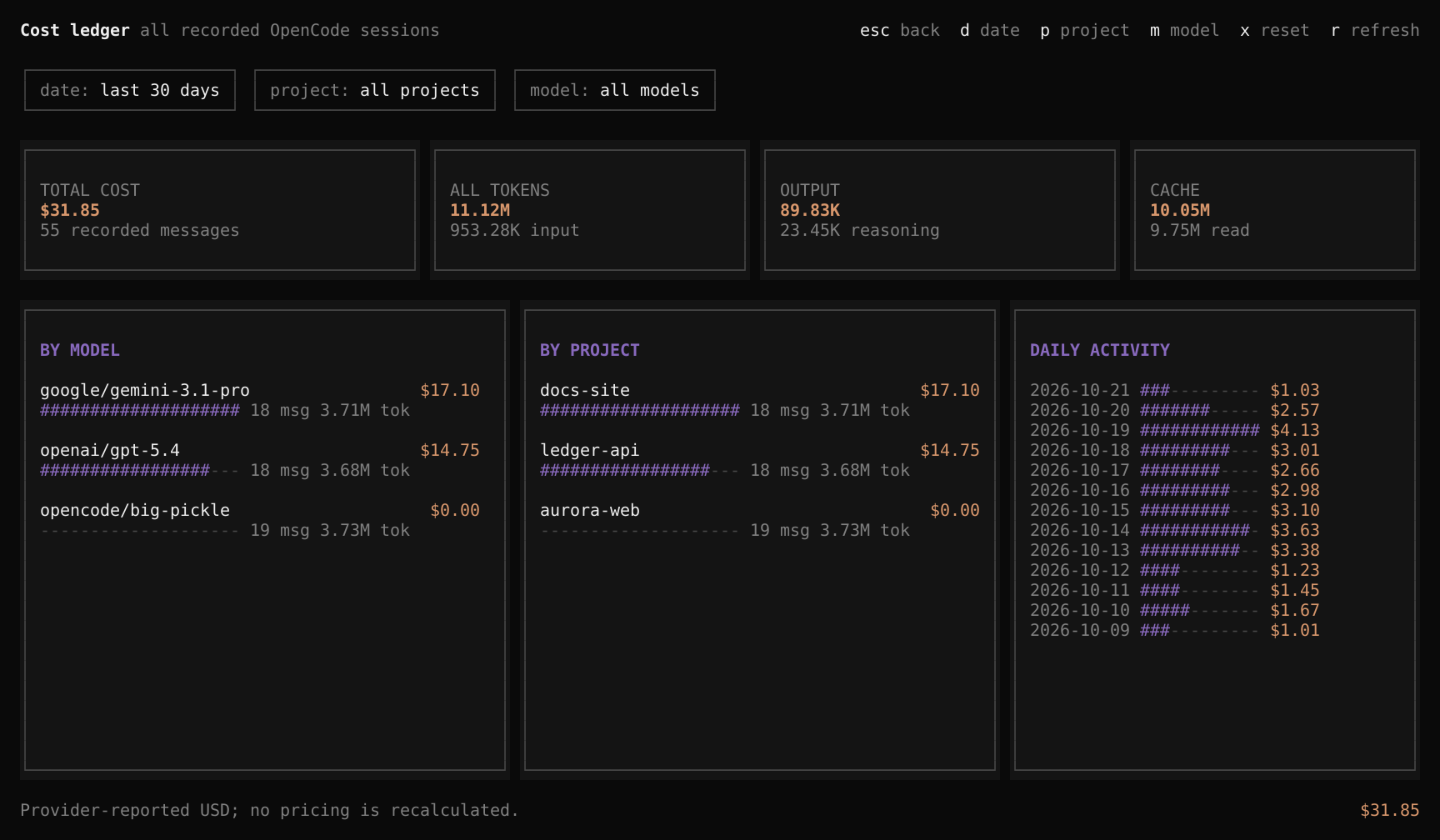
- Overview: the totals. Recorded messages, input, output, reasoning, cache-read, and cache-write tokens, and USD cost when there is any; then agent time and turn count, waiting on you, and parallel time with its peak.
- Models, Projects, and Daily: one row per provider/model and variant, project, or date. Each row shows its usage, with a bar, and its time: agent time, turns, and waiting. Models and projects rank by cost, then tokens, followed by any with time but no usage, by agent time; dates are newest first.
- Turns: the eight longest turns, with title, project, model, start, and duration.
| Key | Action |
| --- | --- |
| tab / shift+tab | Switch tabs (or click a tab) |
| ↑ / ↓, j / k | Select a row; the list scrolls to keep it in view. On the Overview, scroll |
| enter | Turns tab: close the dialog and open the selected turn's session (or click it) |
| d | Date range: today, last 7 days, last 30 days, or all time |
| / | Search the current tab's rows |
| r | Refresh and reconcile the current project's complete history; retry failed imports |
| esc | Leave the search box, clear the search, close the date picker, then close the dialog |
Totals are never narrowed: the search narrows only the rows shown. The date range applies to every tab and is shown before the search box; reopening /cost starts again from the last 30 days. The view rereads the server ledger every five seconds while open and shortly after public usage updates. Date ranges use the server's local calendar, include today, and attribute usage to message creation time and turns to their start. A project is named after its most recently used directory and includes its recorded worktrees.
Tokens, and cost when there is any. Amounts show cost and tokens ($2.00 15 tok), and bars follow cost. With no recorded cost in the range, as on a subscription, the cost card is dropped and everything is shown and sized by tokens. The rule covers the whole dialog, never single rows, so a free model beside paid ones reads $0.00 with an empty bar.
Desktop
In OpenCode Desktop, a titlebar pill shows today's spend on the app's own server (or today's tokens when nothing recorded a cost); click it, select Cost in the command palette, or run /cost to open the dashboard. It has the same sections as the terminal's tabs (Overview, Models, Projects, Daily, and Turns, as tables with bars) and the same date ranges, starting from the last 30 days. Click a turn's title to open its session. The pill and an open dashboard reread shortly after the server records usage (the server emits a throttled updated RPC event) and every minute; Refresh rereads at once.
The desktop app does not import history: only the terminal does (see Collection and history), so usage from before the server plugin was enabled appears once a terminal has opened the project.
Time
"Where did my time go?" Only root sessions are timed; a subagent's work is part of its parent's turn, so it is never counted twice. Sessions an Opcode plugin starts beside yours, such as Review's questions about a diff, aren't timed either, though their usage and cost count.
- Turn (agent time): from the user prompt, or the moment queued input is delivered, until the session goes idle. A prompt steered in while the agent works belongs to the same turn. A turn woken without a prompt, such as by a background subagent finishing, starts at its first recorded step.
- Waiting on you: from a turn going idle until the next user prompt in that session, counting at most 30 minutes per wait so nights away do not count. A turn woken without a prompt leaves no waiting gap. Waits are summed per session, so two sessions waiting at once count twice. A wait belongs to the turn it follows.
- Parallel: time with two or more root sessions in a turn at once, and the most at any moment.
- Model: each turn is attributed to the provider/model and variant whose steps produced the most output and reasoning tokens. Turns with no recorded step show as "no recorded step", a row with time but no usage.
- Dates: a turn belongs to the server's local date on which it started, like usage to message creation.
How times are derived: OpenCode history stores each delivered user prompt as a user message and each finished execution as an idle message, both at the moment of the underlying event. The server records the same moments live from session.inbox.delivered (user input only) and session.execution.succeeded, failed, or interrupted, so live collection and import agree without double counting. Import sends just these timestamps, never prompt text. Step times come from the same assistant records as costs.
Limitations:
- Time waiting on a permission or question prompt inside a turn counts as agent time.
- History has no idle marker for a server shutdown mid-turn (live collection records one). Without it, the turn ends at its last recorded step or prompt if the next prompt arrives more than 30 minutes later; otherwise it runs until the next idle. The same rule splits a turn when you steer in a prompt after more than 30 minutes without a step of its own, for example while a long subagent runs.
- A running turn counts up to its latest recorded step or prompt.
- A fork's history before the fork was created is not timed again.
Collection and history
The server records completed and failed assistant steps, including headless usage, completed compactions with model metadata, and the prompt and idle moments of root sessions. It filters the cross-location event stream against each session's directory, reconnects after the stream ends, and cancels outstanding work on unload.
Historical import runs when the terminal plugin loads or changes location, and on r. A server plugin cannot list message history in OpenCode 2.2.0, so the terminal reads all assistant, compaction, user, and idle pages for every session in the current project, including other worktrees, extracts usage metadata and turn timestamps, and sends validated batches of at most 100 items to the server. The server derives project, session, title, and location identity from its own session lookup. Prompts and summaries are never sent.
- Safe to repeat: imports are cancellable and idempotent, and each batch is atomic. Changing location cancels the previous import; a failure is shown only while its location is current. Retries scan again without double-counting, and old completion markers never permanently skip reconciliation. Projects never opened in a terminal are not imported until opened.
- Live wins: history never overwrites a message collected live. For legacy or historical records, only a later completion timestamp replaces existing values, and incomplete snapshots cannot erase completed usage. Duplicate live updates replace existing values; older live events are ignored. A failed step that reports no usage keeps any usage already recorded for its message.
- Moves and forks: message identity stays stable when OpenCode moves a session between projects, and reconciliation updates its attribution without touching protected costs. Forks can inherit their parent's message IDs; each ID is billed once, stays attributed to the first recorded session, and later duplicates are skipped without blocking the rest of the batch.
Accounting
- Costs come directly from OpenCode records; there is no provider pricing table or price recalculation.
- A recorded message is an assistant step or an eligible completed compaction, not a user turn and not necessarily one provider request. Incomplete or failed steps can be recorded with zero usage. Title and transient generation are not collected separately, so this is not an exhaustive invoice.
- Missing, non-finite, or negative usage values count as zero.
- Public events have no replay: reconnecting alone cannot recover missed usage, so use
rto reconcile. Records deleted from OpenCode before collection or import cannot be recovered. - Recorded usage remains after its session is deleted. There is no pruning, budget alerts, export, or billing integration.
Options
Set a custom database path on the server:
{
  "plugins": [
    { "package": "@lidtop/opencode-cost", "options": { "database": "/absolute/path/cost.sqlite" } }
  ]
}database: where the ledger is stored. Relative paths resolve from the server's OpenCode state directory.:memory:works but is not durable. With a remote server, paths and environment variables belong to that machine. The default is$XDG_STATE_HOME/opencode/opencode-cost/cost.sqlite(or~/.local/state/opencode/opencode-cost/cost.sqlite).
Data and privacy
Only the server opens SQLite. The terminal never reads or writes a local cost database, so a remote dashboard shows the connected server's ledger, and imported remote history stays on that server. Local and remote histories are never mixed.
The database stores IDs, directories, root-session titles, model, variant, and provider IDs, timestamps, costs, and token counts only: no prompts, responses, tool arguments, file contents, or credentials. Full history is fetched transiently for metadata extraction. To clear history, stop OpenCode and remove the database and its SQLite sidecars; there is no delete action in the dashboard.
Replacing opencode-cost
The default database path is the same as opencode-cost's, but the schema is not compatible: stop OpenCode and remove an existing database and its SQLite sidecars before enabling this plugin, then let the import rebuild history. Remove the old plugin too, to avoid competing collectors and /cost commands.
Development
From the repository root:
mise exec -- bun test plugins/cost/test
mise exec -- bun run typecheck
mise run dev cost
The build bundles the private @opcode/core, @opcode/tabs, and @opcode/ui workspaces into the package; OpenCode, OpenTUI, and Solid stay external.