
@linkyfan/pi-web
v0.6.25
Published
Web UI for the pi coding agent


Readme
Pi Web Seeker
pi coding agent 的浏览器界面。它提供会话浏览与流式对话、模型和工具管理、工作区文件预览,以及受控的 SSH / Telnet 远程分析。
快速开始
需要 Node.js 22.19.0 或更高版本。
npx @linkyfan/pi-web也可以全局安装:
npm install -g @linkyfan/pi-web
pi-web
默认监听 0.0.0.0:30141。本机打开 http://localhost:30141,局域网设备使用 http://<局域网 IP>:30141。
pi-web --port 8080
pi-web --hostname 127.0.0.1
PORT=8080 PI_WEB_BIND_HOST=127.0.0.1 pi-web
部署到不完全可信的网络时,请设置访问令牌:
PI_WEB_ACCESS_TOKEN=your-long-random-token pi-web首次通过 http://<host>:30141/?token=... 访问后,服务端会写入 HttpOnly cookie。API 客户端也可以使用 Bearer token 或 x-pi-web-token 请求头。
完整安装、CLI、工作区和 Docker 说明见用户指南。
便携版
不想安装 Node.js 时,可以从 GitHub Releases 下载:
- Windows x64
- macOS Apple Silicon
- macOS Intel
解压后运行包内的 start-pi-web.cmd、start-pi-web.ps1 或 start-pi-web.command。便携包不包含用户数据、API key、会话、.env* 或本地工作区文件。
主要能力
| 场景 | 能力 |
| --- | --- |
| 会话 | 浏览 .jsonl 历史、SSE 流式对话、刷新重连、会话分叉和会话内分支 |
| 输入 | 图片上传与粘贴、提示词片段、输入历史、草稿保留、运行中引导 |
| 模型 | Provider、model、API key、thinking level、工具预设和连通性测试 |
| 上下文 | token、cache、cost、context 使用率、压缩提示和 system prompt 查看 |
| 文件 | 工作区选择、搜索、代码、Markdown、HTML、图片和音频预览 |
| Remote | SSH / Telnet 目标、人工终端、命令审批、输出捕获和本地分析 |
| 扩展 | Skills、Subagent 通知、Plan Mode、AGENTS.md 助手、coms-net / Pi Pi |
| 导入导出 | Markdown / JSON、普通会话导入和脱敏 Debug Bundle |
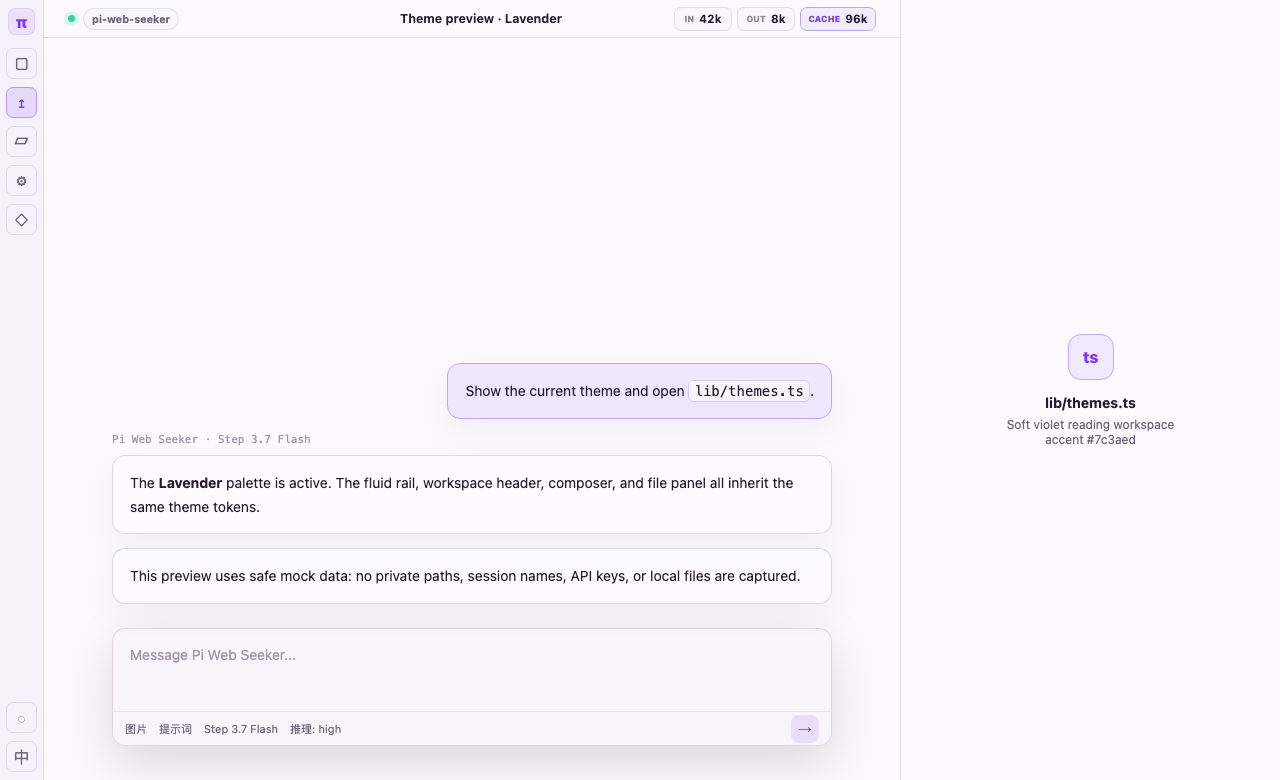
详细功能说明见功能指南。
SSH / Telnet 远程分析
Remote 面板允许正式会话连接用户预先创建的 SSH 或 Telnet 目标。人工终端与 Agent 工具共用会话级连接,命令执行、人工接管、审批、时间线和捕获都在同一面板完成。
- 密码和私钥口令只在连接期间驻留内存,不写入目标配置、终端事件、捕获或会话导出。
- SSH 首次连接需要确认主机指纹;Telnet 每次连接都会显示明文传输警告。
- Linux、FreeBSD、Windows 和 Cisco 使用严格的只读命令策略;未知主机和无法分类的命令默认审批。
Full-auto仅跳过当前连接的命令审批,不跳过指纹、Telnet 风险或捕获导出审批。- Quick Chat 不加载 Remote 工具;Remote 捕获和工具结果不进入普通会话导出或 Debug Bundle。
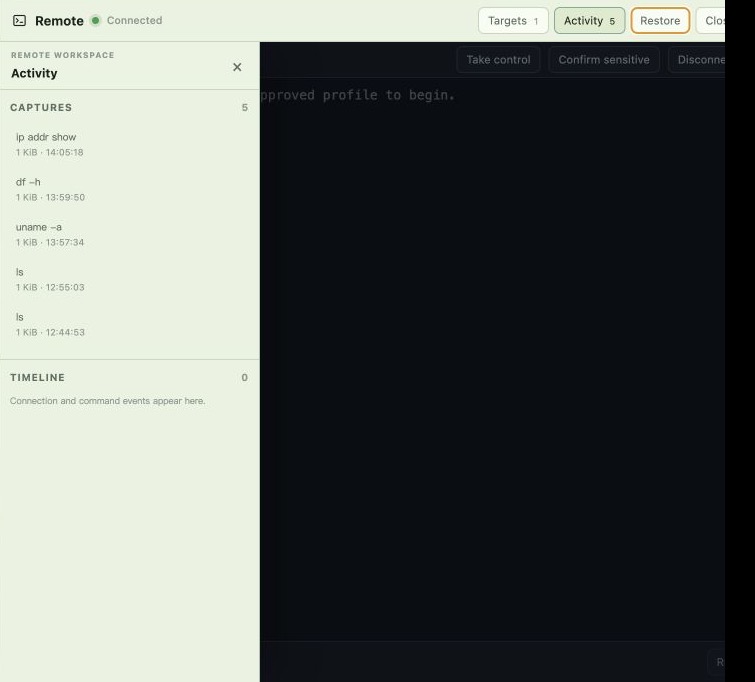
目标配置、控制权、捕获导出和平台策略见功能指南中的 Remote 章节。
Docker
本机个人使用:
docker compose up --buildCompose 默认将用户数据持久化到 .pi-web-data,将 .pi-web-workspace 挂载为 /workspace,并以只读方式挂载 ~/.ssh。内网部署建议同时设置 PI_WEB_ACCESS_TOKEN。
数据目录、工作区、UID/GID 和权限选项见 Docker 配置。
开发
项目自身使用 Node.js 24.18.0:
git clone [email protected]:linky-fan/pi-web-seeker.git
cd pi-web-seeker
npm install
npm run dev
常用检查:
node_modules/.bin/tsc --noEmit
npm run lint
npm run test:remote
node scripts/agents-md.mjs check --path AGENTS.md
正式构建使用 npm run build;普通开发不需要运行 next build。构建器和跨平台说明见用户指南。
文档
安全提示
- 不要把 API key、auth 文件、会话数据、
.env*、Remote 捕获或私有路径提交到仓库或截图中。 - 文件 API 会校验 allowed roots,并阻止通过符号链接读取工作区外文件。
- Debug Bundle 会排除
.git、.pi、.pi-remote、依赖、构建缓存、密钥文件、大文件和 symlink。