
@lmiller1990/snippets
v0.1.4
Published
Easily insert source code into documentation.


Readme
Snippets
Easily insert source code into documentation.
Quick Explanation
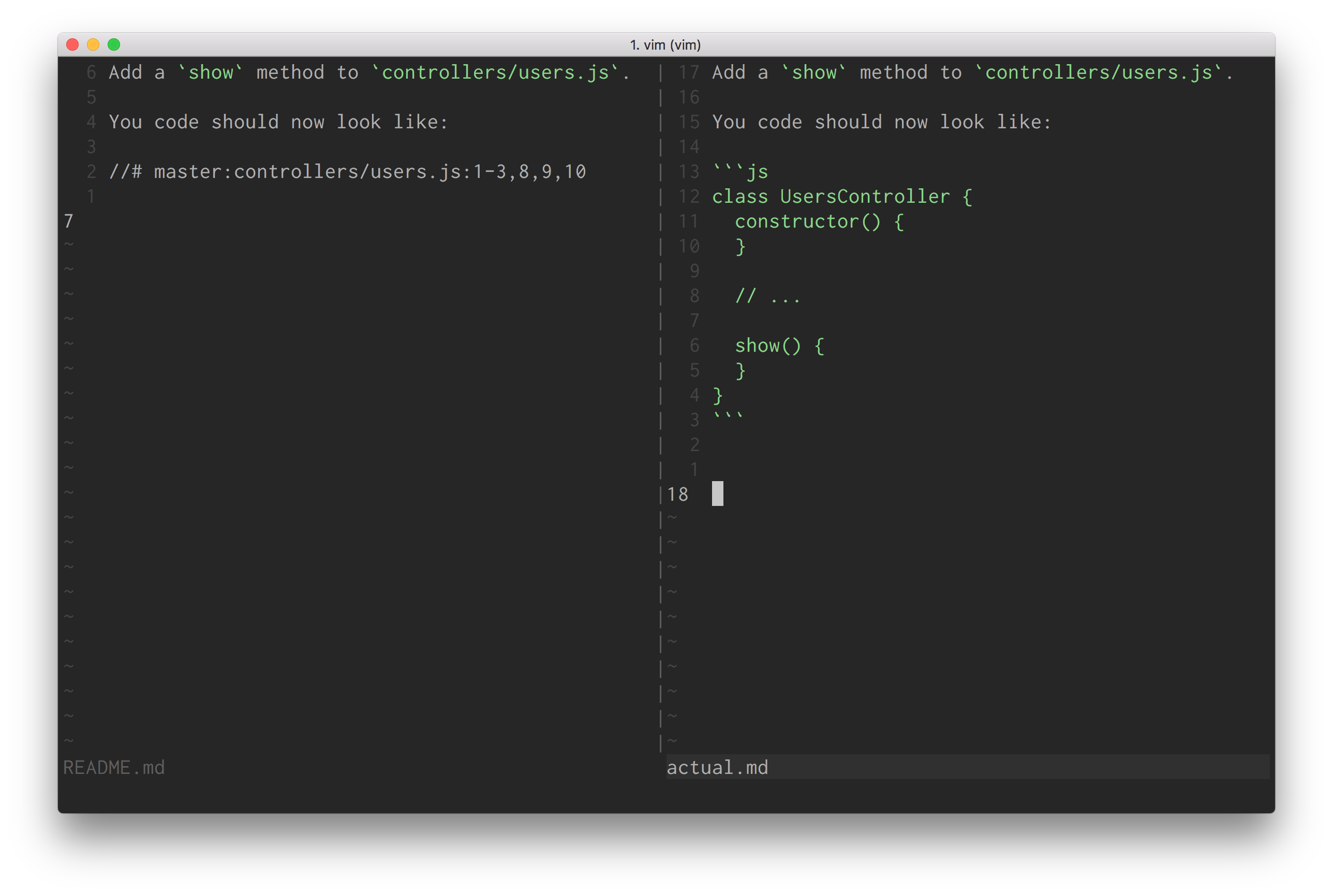
Snippets is a CLI tool to help keep your documentation and blog posts accurate by inserting code snippets from the actual repository.
The left side is what you write. The right side is what is generated automatically:
Installation
npm install -g @lmiller1990/snippetsUsage
Let's say we are writing some documentation about an imaginary Node.js framework. We want to reference our file, controllers/user.js, in our documentation. It looks like this:
class UsersController {
  constructor() {
  }

  index() {
  }
}
We are writing some documentation about how to add new controller actions. Let's teach the user to add a show action.
Using snippets, we can write:
Add a `show` method to `controllers/users.js`.

You code should now look like:

//# master:controllers/users.js:1-3,8,9,10
We commit out changes, and run snippets README.md. This generates:
Add a `show` method to `controllers/users.js`.

You code should now look like:

```js
class UsersController {
  constructor() {
  }

  // ...

  show() {
  }
}
```
Any irrelevant lines are replaced with a // ... comment. Now you can easily and accurately include code samples in your blog post or documentation.
Note, snippets uses git to checkout files, so the code you are referencing needs to be checked into your git repository.
Options
Formally, the full syntax is:
//# [branch]:[file]:[lines]?[commit hash]A full example using all options would look like:
//# master:controllers/users.js:1,2,3-6?ed53d197dac5da4a4a38a65bd7231b32fedaa6b1.
TODO
- [ ] correct comment based on snippet language
- [ ] landing page
- [ ] more examples/better documentation
- [ ] contributing guide
- [ ] simple blogging website with markdown UI, snippets backend