
@lowcoding/create-mock
v1.0.1
Published
“不需要”写代码 的 mock & 代理 工具


Readme
about
“不需要”写代码 的 mock & 代理 工具
install
yarn create @lowcoding/mock
start
yarn start
mock server 默认在本地 3000 端口启动,访问 http://localhost:3000/ 即可。
lowcode-mock默认支持跨域,前端项目中可不必再配置代理,直接请求lowcode-mock起的服务即可。
mock
在 src\routes 目录下新建一个 js 文件,将如下内容复制进去保存即可:
import KoaRouter from 'koa-router'
import proxy from '../middleware/Proxy'
import { delay } from '../lib/util'
let Mock = require('mockjs')
let Random = Mock.Random

const router = new KoaRouter()
router.get('/your-mock-api', (ctx) => {
	ctx.body = '你的第一个mock接口'
})
module.exports = router
使用 vscode 插件 yapi-code ,可直接根据 JSON 数据或者 YAPI 接口定义自动生成 mock 接口以及 mock 数据。
根据 YAPI 生成 mock
复制 YAPI 上接口 id ,比如 https://你的yapi地址/project/869/interface/api/14037 最后面的数字部分
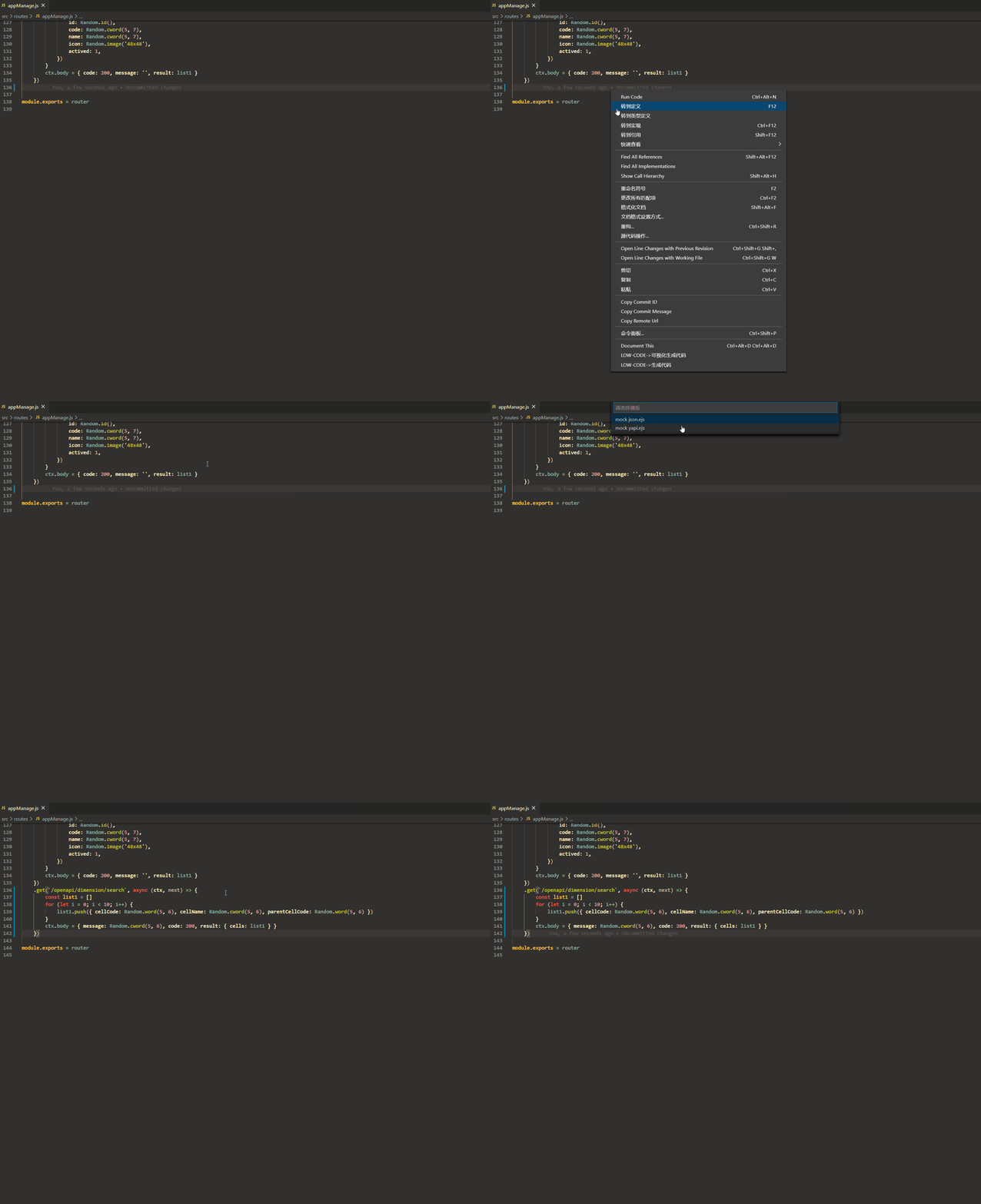
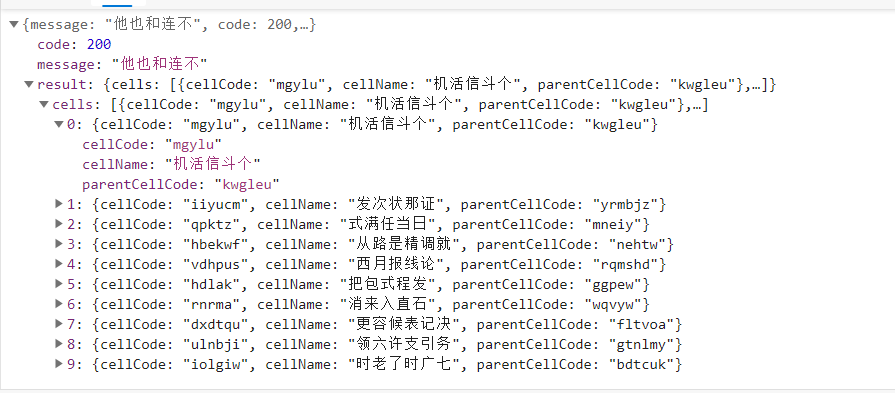
访问创建的 mock 接口,即可拿到随机的 mock 数据:
根据 JSON 生成 mock
复制 JSON 数据,比如:
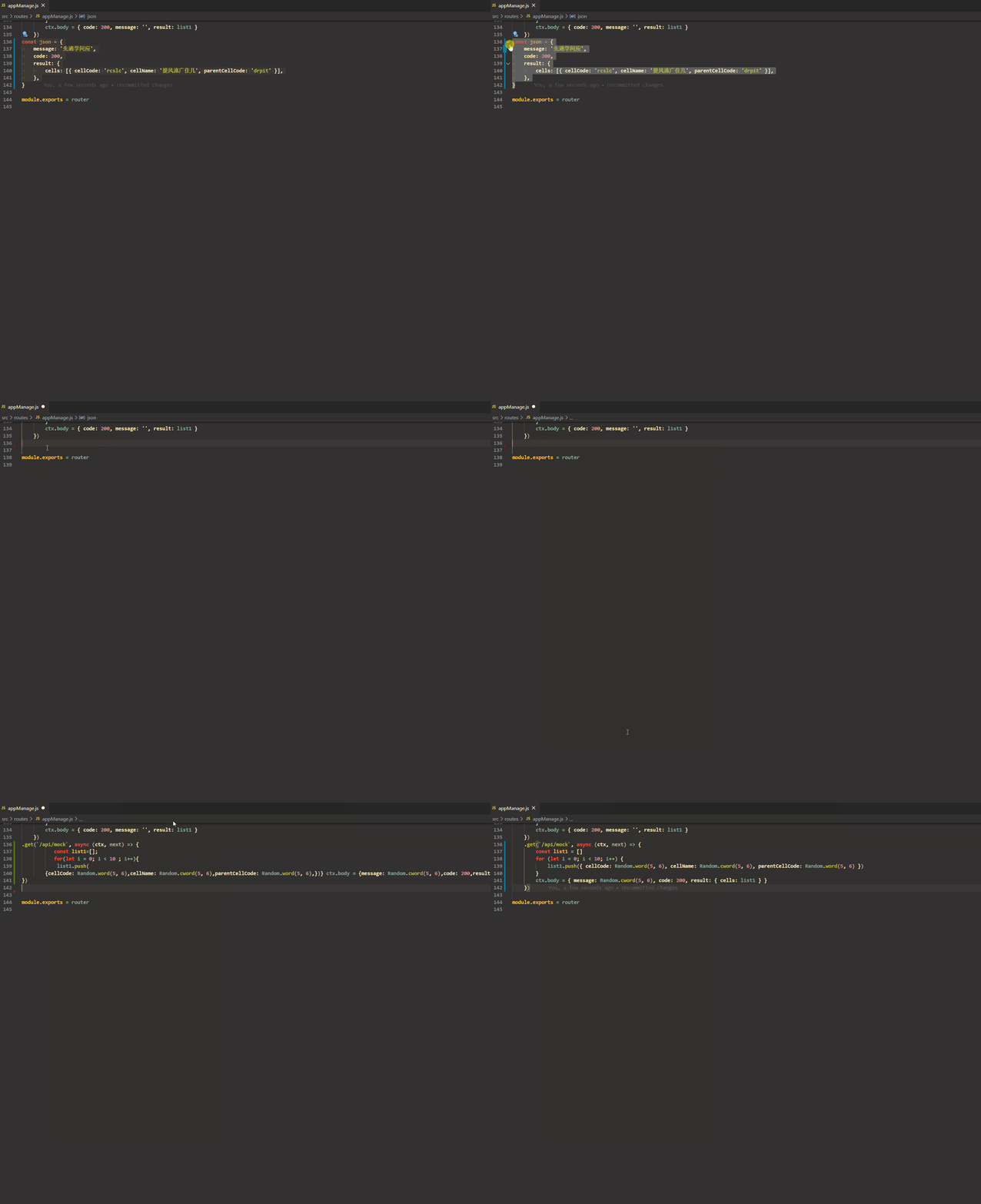
通过 JSON 数据生成的 mock 接口需要手动修改路由地址。
根据字段类型或字段名称生成特定的 mock 数据
配置 yapi-code:
配在 package.json 中即可。
	"yapi-code.mockKeyWordLike": {
		"icon": "Random.image('48x48')",
		"img":"Random.image('48x48')",
		"image":"Random.image('48x48')",
		"code": "200&&number",
		"name":"'模糊匹配后生成的mock'"
	},
	"yapi-code.mockKeyWordEqual": {
		"message": "'这是一条精确的mock'",
		"total": 200,
	},
	"yapi-code.mockString": "Random.cword(5, 6)",
	"yapi-code.mockBoolean": "Random.boolean()",
	"yapi-code.mockNumber": "Random.natural(100,1000)"
根据 json 数据:
const json = {
	code: 100,
	message: '请求成功',
	result: {
		list: [
			{
				code: '注意这是一个字符串的code',
				name: '张三',
				icon: '',
				actived: false,
			},
		],
		total: 0,
	},
}
生成如下代码
.get(`xxxxx`, async (ctx, next) => {
		const list1 = []
		for (let i = 0; i < 3; i++) {
			list1.push({
				code: Random.cword(5, 6),
				name: '模糊匹配后生成的mock',
				icon: Random.image('48x48'),
				actived: Random.boolean(),
			})
		}
		ctx.body = {
			code: 200,
			message: '这是一条精确的mock',
			result: { list: list1, total: 200 },
		}
	})
访问 mock 接口即可拿到如下类似数据:
{
	"code": 200,
	"message": "这是一条精确的mock",
	"result": {
		"list": [
			{
				"code": "八别因教者活",
				"name": "模糊匹配后生成的mock",
				"icon": "http://dummyimage.com/48x48",
				"actived": true
			},
			{
				"code": "毛着何工时白",
				"name": "模糊匹配后生成的mock",
				"icon": "http://dummyimage.com/48x48",
				"actived": false
			},
			{
				"code": "县称县单下外",
				"name": "模糊匹配后生成的mock",
				"icon": "http://dummyimage.com/48x48",
				"actived": true
			}
		],
		"total": 200
	}
}
延时
import KoaRouter from 'koa-router'
import proxy from '../middleware/Proxy'
import { delay } from '../lib/util'
let Mock = require('mockjs')
let Random = Mock.Random

const router = new KoaRouter()
router.get('/delay', (ctx) => {
	delay(3) // 3 秒后返回结果
	ctx.body = 'delay'
})
可用于测 loading 效果。
http 异常状态码
router.get('/httpError', (ctx) => {
	ctx.status = 401
	ctx.body = 'http 401'
})
代理
router.get('/proxy', proxy('https://github.com/wjkang/lowcode-mock'), (ctx) => {
	ctx.body = 'https://github.com/wjkang/lowcode-mock'
})
来自
/proxy的请求转发到https://github.com/wjkang/lowcode-mock/proxy,用于后端接口可联调的时候跳过本地 mock,转发请求到后端接口。
router.all(new RegExp('^/lowcode/mock/(|^$)'), proxy('https://github.com/wjkang/lowcode-mock'))不需要 mock 并且匹配正则的接口直接转发到后端地址。