
@lupeng/codex-insight
v0.1.2
Published
Local Codex usage, token, timing, and quota dashboard.

Maintainers
 lpbird
Readme
Codex Insights
A local-first dashboard for Codex token usage, timing, models, skills, MCP activity, subagents, and OpenTelemetry.
Codex Insights reads your local ~/.codex/sessions files, builds an incremental SQLite index, and opens a private dashboard on 127.0.0.1. It does not upload rollout files, prompts, tool inputs, or tool output.
Preview
The screenshots below use synthetic data only.
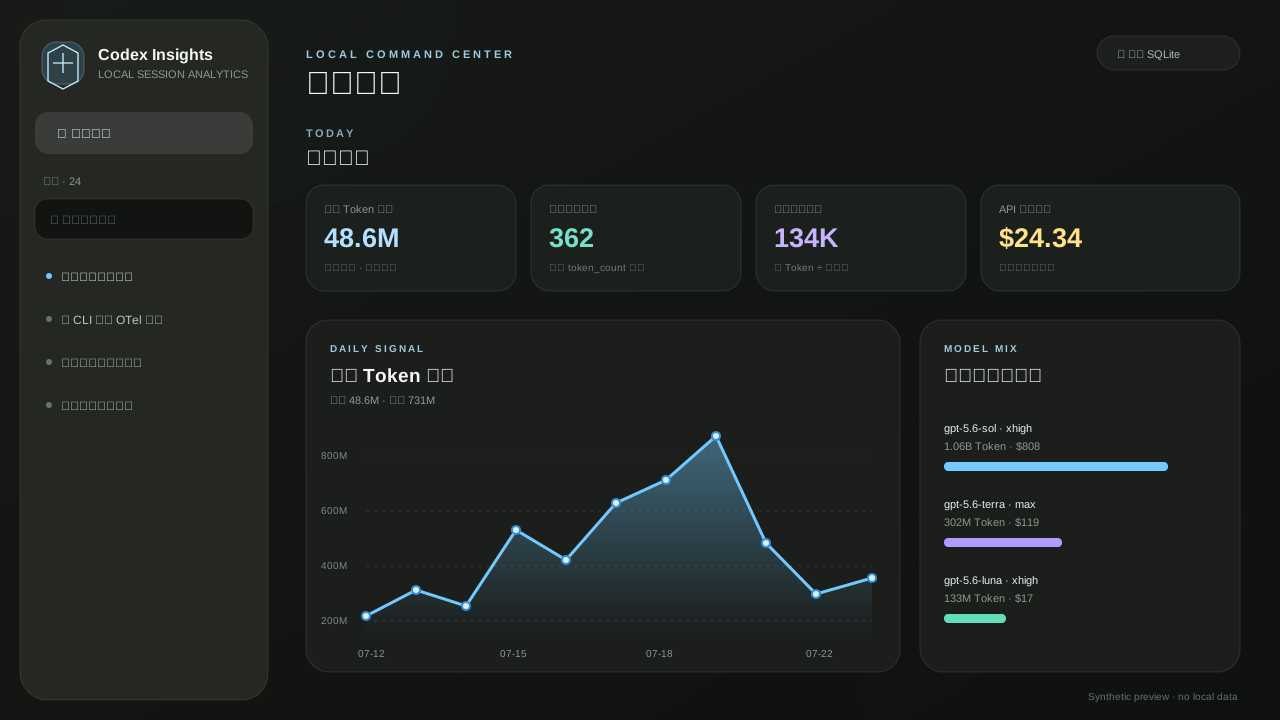
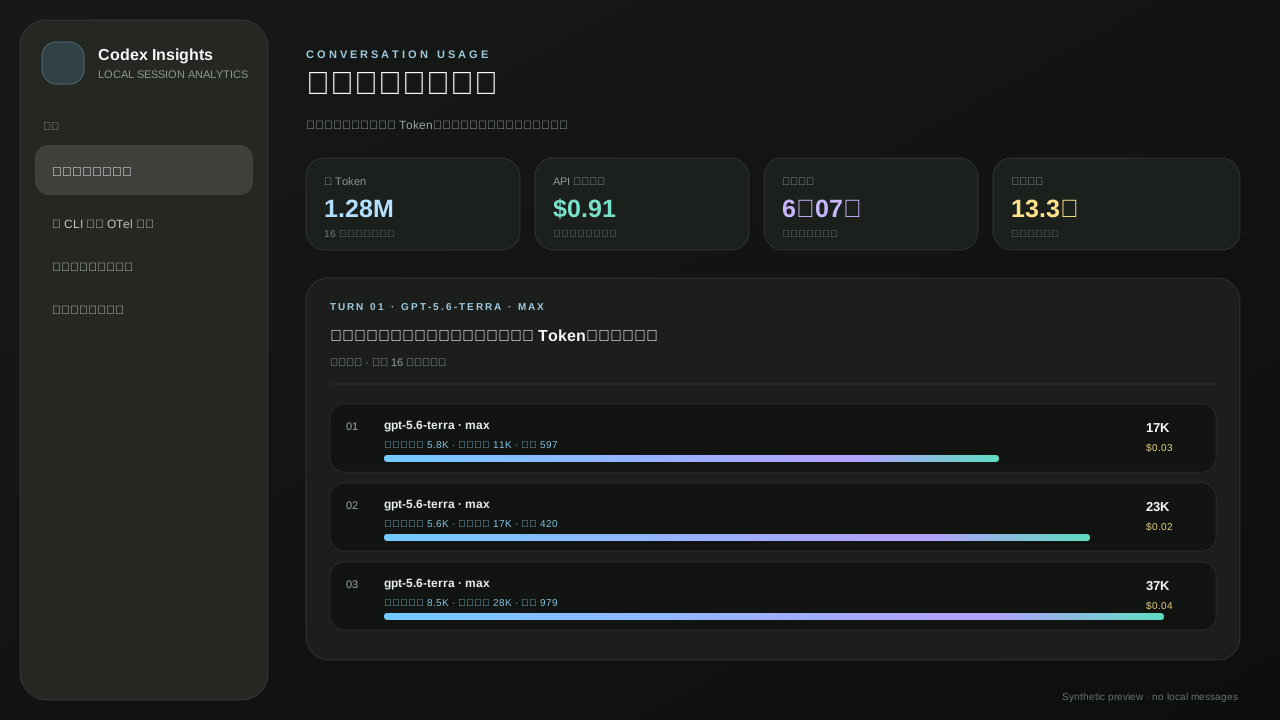
设计原则
- 真实标题优先:侧栏读取
session_index.jsonl,没有标题才回退,不用 ID 或时间污染列表。 - 逐轮归因:一条用户消息直接对应这一轮的总 Token、API 等价成本、任务耗时、工具墙钟与逐请求明细。
- 图表优先:D3 绘制每日 Token 曲线、消耗构成、模型用量/API 等价成本、会话耗时、模型 × 推理深度平均耗时与 MCP 耗时。
- 准确性优先:每条去重
token_count记录按实际发生时间写入 SQLite;缓存命中是输入 Token 的子集,会单独展示而不重复相加;子智能体从主会话总览剔除;Fast 字段不存在即为“未记录”;未知或同一轮多个模型时不会猜测 Token 的模型归属或 API 价格。 - 本地优先:HTTP 只绑定
127.0.0.1;SQLite 不保存提示词正文、工具入参或工具输出。单会话页可临时读取用户消息,以完成逐轮归因。
启动
NPM / npx(跨平台)
发布到 npm 后,无需预先安装 Bun:npm 会为当前 macOS、Linux 或 Windows 平台安装运行时。
npx @lupeng/codex-insight也可全局安装:
npm install -g @lupeng/codex-insight
codex-insight --timezone Asia/Shanghai
默认仅监听 127.0.0.1,浏览器会自动打开本机地址。可用 --no-open 关闭自动打开,或用 --port、--sessions-dir 指定端口和会话目录。
常用命令:
# 默认端口 43123,并自动打开浏览器
npx @lupeng/codex-insight

# 不自动打开浏览器
codex-insight --no-open

# 指定端口、会话目录和日统计时区
codex-insight --port 43125 --sessions-dir ~/.codex/sessions --timezone Asia/Shanghai
从源码运行
bun install
bun run build
bun run start
开发时运行 bun run dev,会启动 API 与 Vite 前端。
可显式指定日统计时区(默认使用本机时区):
bun src/server.ts --port 43123 --timezone Asia/Shanghai当前电脑与账号对账
仪表盘默认就是当前电脑的会话使用情况。它不会反复把每个指标标成“本机”,但数据边界保持明确。账号数据有两层来源:
- 账号实时用量:通过本机已登录的
codex app-server调用account/usage/read,缓存 5 分钟,读取账号级每日 Token 与累计摘要。它与当前电脑的 rollout 完全分开。 - 手动导入后备:读取
~/.codex/timing-report/official-account-usage.json;实时账号源暂不可用时才展示它。 - 本机可归因 Token:本机
非缓存输入 + 输出,仅用于与官方数值的覆盖度比较;主界面统一以总 Token、输入构成、输出和 API 等价成本呈现。 - 本机处理量 / 缓存复用:包含每次命中的缓存上下文,仅用于性能与上下文复用观察,不能与账号账单比较。
如需手动导入,可在 ~/.codex/timing-report/official-account-usage.json 创建以下结构后编辑:
{
  "version": 1,
  "timezone": "Asia/Shanghai",
  "unit": "tokens",
  "source": "Codex 官方账号用量(手动导入)",
  "days": [
    { "day": "2026-07-22", "tokens": 59094000 }
  ]
}
日统计按每条增量记录的时间归属,而不是 rollout 或会话的开始日期;因此跨日会话会被正确拆分。
API 等价估算
仪表盘会为唯一归属到已知模型的 Token 增量提供“API 等价估算”。价格采用 OpenAI API 定价:标准请求按对应的短/长上下文单价计算;rollout 明确记录 Fast(或兼容的 priority)时按 Fast 单价计算;长上下文 + Fast 没有可用组合价时不估价。计费公式为:非缓存输入、缓存读取、缓存写入和输出分别按该模型的每百万 Token 单价累加。
这是为了比较工作量的近似市场价值,不是 ChatGPT/Codex 套餐账单:未知模型、同一轮多模型和缺字段记录不会估价;也不包含工具、搜索、存储或地区附加费。
套餐额度
rollout JSONL 和 SQLite 中没有账号套餐的周额度剩余值,因此仪表盘绝不从本地 Token 反推它。它通过 codex app-server 的 account/rateLimits/read 读取主 Codex 的实际七日窗口、已用百分比和重置时间;同样以 5 分钟缓存保护性能。接口超时或失败时页面会明确显示“暂未读到”,而不会显示过期或猜测值。Codex TUI 的 /usage 和 /status 也可交叉确认该结果。
OTel
先启动本服务并固定端口:
bun src/server.ts --port 43123在用户级 ~/.codex/config.toml 添加或合并:
[otel]
environment = "local"
log_user_prompt = false
exporter = { otlp-http = {
  endpoint = "http://127.0.0.1:43123/v1/logs",
  protocol = "json"
} }
重启 Codex 后,新任务的 API、SSE 与工具结果事件会出现在会话页的 OTel 面板。
数据核验
服务启动后执行:
bun run validate它会核验:侧栏会话数与大盘数、逐条增量与 SQLite/API 的总量和按日聚合、官方导入总量、用户消息过滤、以及一条真实会话的 Token 守恒关系。
Contributing
bun install
bun run check
bun run validate
Before publishing, inspect the exact npm payload:
npm pack --dry-run