
@maffelu/storybook-addon-show-story-code
v0.2.9
Published
Storybook addon that shows the full source of the current story file in a syntax-highlighted panel

Maintainers
 maffelu
Readme
@maffelu/storybook-addon-show-story-code
A Storybook addon that adds a Story Code panel showing the complete, syntax-highlighted source of the current story file — not just the active story, but the entire file.
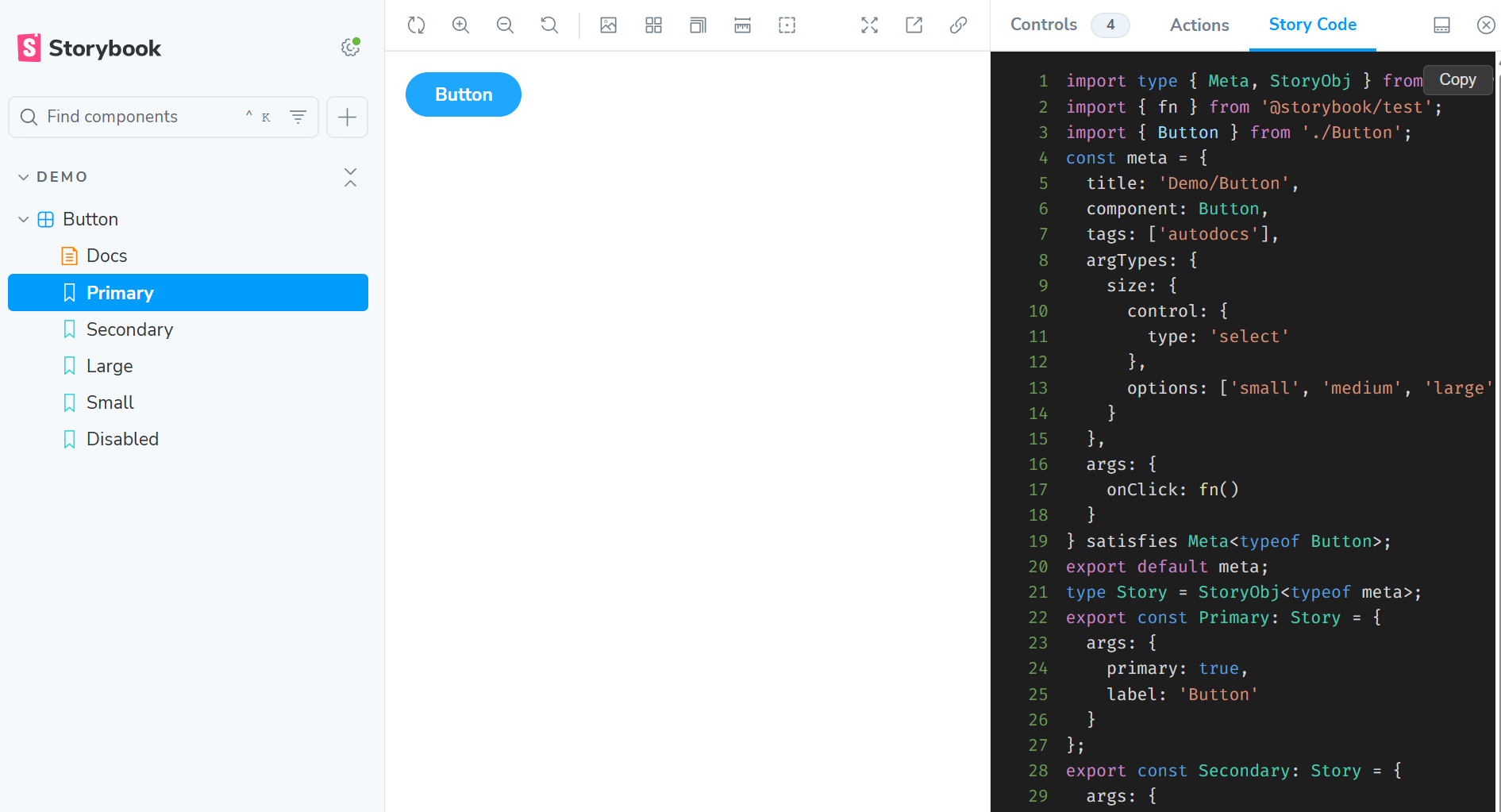
Features
- Shows the full story file source, regardless of which individual story is selected
- Syntax highlighting with line numbers (TypeScript, TSX, JavaScript, JSX)
- Copy to clipboard button
- Configurable panel title — globally or per story file
- Zero runtime overhead — source is injected at build time by a Vite plugin
Requirements
- Storybook 10.0 or later
- Vite-based Storybook (React, Vue, Svelte, etc.)
- Node 18 or later
Installation
npm install -D @maffelu/storybook-addon-show-story-codeSetup
1. Add the addon to your Storybook config
// .storybook/main.ts
import type { StorybookConfig } from '@storybook/react-vite';

const config: StorybookConfig = {
  addons: [
    // ... your other addons
    '@maffelu/storybook-addon-show-story-code',
  ],
  // ...
};

export default config;
The addon's preset automatically applies the Vite plugin that injects story source at build time. No additional viteFinal configuration is needed.
2. That's it
Open any story and click the Story Code tab in the addon panel.
How it works
At build time, a Vite plugin (enforce: 'pre') intercepts every *.stories.(ts|tsx|js|jsx) file and injects the complete file source into the story's parameters.showStoryCode. The panel in the Storybook manager reads this parameter and renders it with syntax highlighting.
Because the injection happens at build time, there is no runtime file-system access and no performance impact on your stories.
Configuration
Showing only the active story's code
By default the panel shows the entire story file. Set showOnlyStoryCode: true to display only the source block for the currently selected story instead.
Globally
// .storybook/preview.ts
const preview: Preview = {
  parameters: {
    showStoryCode: {
      showOnlyStoryCode: true,
    },
  },
};

export default preview;
Per story file (showOnlyStoryCode)
// Button.stories.tsx
const meta = {
  title: 'Components/Button',
  component: Button,
  parameters: {
    showStoryCode: {
      showOnlyStoryCode: true,
    },
  },
} satisfies Meta<typeof Button>;

export default meta;
When showOnlyStoryCode is true and the active story's source cannot be resolved (e.g. the story ID doesn't match any export), the panel falls back to showing the full file source.
Manual Vite plugin setup
The preset wires up the Vite plugin automatically. If for any reason you need to apply it manually (e.g. in a monorepo with a custom preset chain), you can import it directly:
// .storybook/main.ts
import type { StorybookConfig } from '@storybook/react-vite';
import { storybookShowStoryCodePlugin } from '@maffelu/storybook-addon-show-story-code/vite-plugin';

const config: StorybookConfig = {
  addons: ['@maffelu/storybook-addon-show-story-code'],
  viteFinal: (config) => ({
    ...config,
    plugins: [...(config.plugins ?? []), storybookShowStoryCodePlugin()],
  }),
};

export default config;
License
MIT © maffelu