
@mailpeek/preview
v0.1.5
Published
Vue.js email preview component — see how emails render in Gmail and Outlook

Maintainers
 aoifeshannon
Readme
@mailpeek/preview
Vue 3 component for previewing email HTML across Gmail, Outlook, and dark mode — with compatibility scoring and accessibility checking built in.
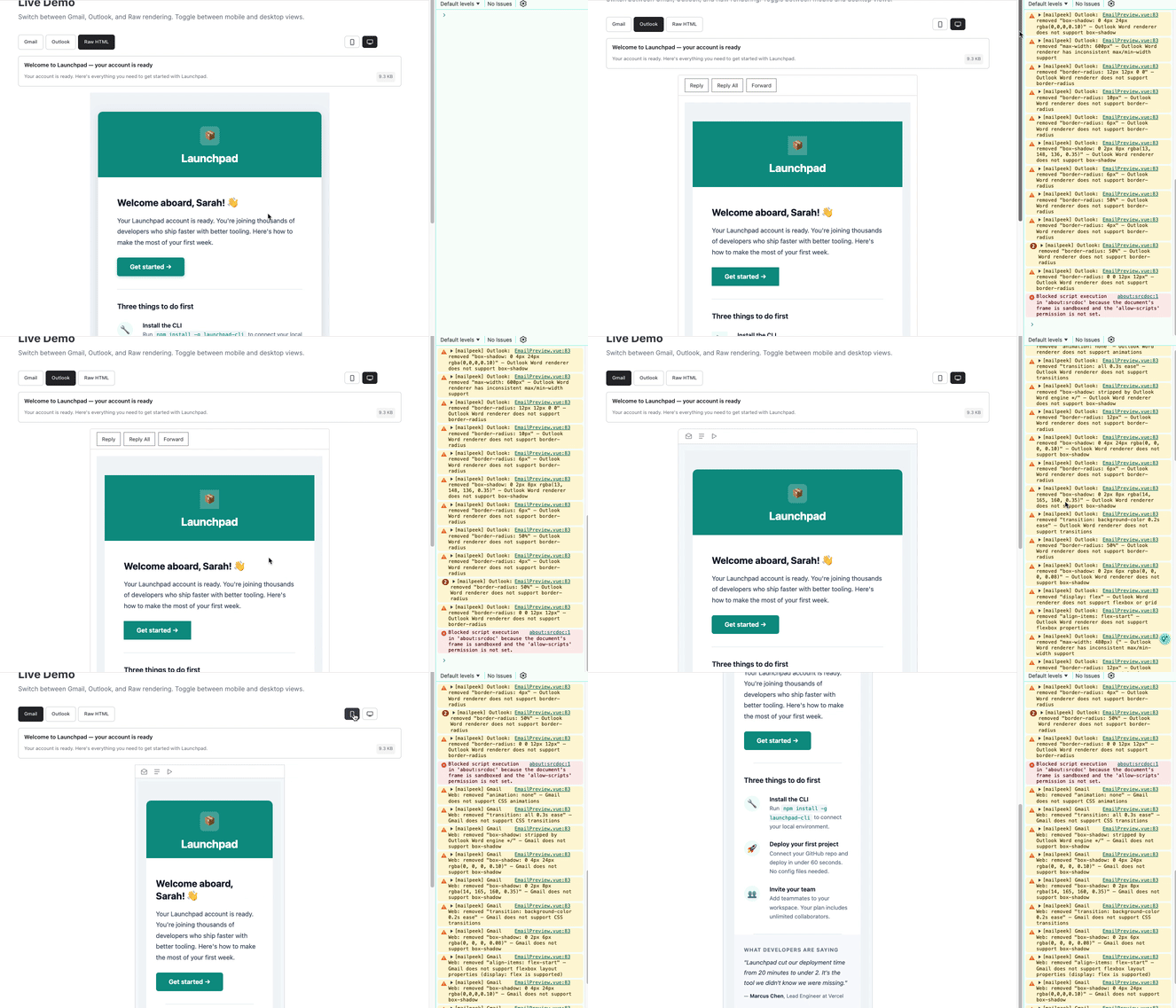
Features
- Gmail & Outlook preview — Per-client CSS filtering strips unsupported properties (
@font-face,@media, positioning, flexbox, grid, and more) - Dark mode — Preview how each client transforms your email in dark mode
- Compatibility scoring — 0-100 score with per-property breakdown of what breaks in each client
- Accessibility checker — 10 WCAG checks for alt text, heading hierarchy, link text, and colour contrast
- Device toggle — Switch between mobile and desktop viewports
- Metadata display — Subject line, preview text, and file size with Gmail 102KB clipping warning
- Zero dependencies — Vue 3 peer dep only, fully typed, SSR compatible with Nuxt 3
Installation
npm install @mailpeek/previewQuick Start
<script setup lang="ts">
import { EmailPreview } from '@mailpeek/preview'
import '@mailpeek/preview/style.css'

const emailHtml = `
  <html>
    <head><title>Welcome to Our Service</title></head>
    <body>
      <h1>Hello!</h1>
      <p>Thanks for signing up.</p>
    </body>
  </html>
`
</script>

<template>
  <EmailPreview :html="emailHtml" />
</template>
Props
| Prop | Type | Default | Description |
|------|------|---------|-------------|
| html | string | undefined | Raw email HTML to preview |
| width | string | '600px' | CSS width for the preview container |
| client | 'gmail' \| 'outlook' \| 'raw' | 'gmail' | Email client to preview |
| mobile | boolean | false | Enable mobile chrome variant |
| deviceWidth | 'mobile' \| 'desktop' | 'desktop' | Device width preset |
| darkMode | boolean | false | Enable dark mode preview |
Events
| Event | Payload | Description |
|-------|---------|-------------|
| loaded | Event | Fired when the iframe finishes loading |
| client-change | 'gmail' \| 'outlook' \| 'raw' | Fired when user switches email client |
| device-change | 'mobile' \| 'desktop' | Fired when user changes device |
| darkmode-change | boolean | Fired when user toggles dark mode |
CSS Filtering
When previewing in Gmail or Outlook mode, mailpeek removes unsupported CSS properties and logs warnings:
[mailpeek] Gmail Web: removed "position: fixed" — Gmail does not support CSS positioning
[mailpeek] Outlook: removed "border-radius: 4px" — Outlook Word renderer does not support border-radius
Gmail strips: position, transform, animation, transition, box-shadow, display: grid, flexbox sub-properties, @font-face, @media queries, and more. Style blocks over 8,192 characters are removed entirely.
Outlook (Word engine, 2016-2021) strips everything Gmail does, plus: border-radius, display: flex, background-size, max-width, min-width, float, and more.
Also Available
@mailpeek/components — 14 Vue components for building cross-client email HTML with server-side rendering.
License
MIT