
@manik1848/react-date-range-picker
v1.2.2
Published
Custom date range picker

Maintainers
 manik1848
Readme
Date Range Picker Component
A customizable and user-friendly Date Range Picker component for React applications. This component allows users to select a date range using either quick select options or advanced date selection with absolute, relative, and "now" tabs.
Installation
To install the package, run the following command:
npm install @manik1848/react-date-range-picker
Usage
To use the DateRangePicker component in your project, follow these steps:
- Import the component and necessary dependencies.
- Use the component in your JSX, passing the required props.
Example Code
import React, { useState } from "react";
import DateRangePicker from "@manik1848/react-date-range-picker";

const App = () => {
  const [startDate, setStartDate] = useState(null);
  const [endDate, setEndDate] = useState(null);

  return (
    <div>
      <DateRangePicker
        startDate={startDate}
        endDate={endDate}
        onStartDateChange={(date) => setStartDate(date)}
        onEndDateChange={(date) => setEndDate(date)}
      />
    </div>
  );
};

export default App;
Props
The DateRangePicker component accepts the following props:
| Prop Name | Type | Description |
| ------------------- | ---------- | ----------------------------------------------------------- |
| startDate | Date | The start date of the range. |
| endDate | Date | The end date of the range. |
| onStartDateChange | Function | Callback function triggered when the start date is changed. |
| onEndDateChange | Function | Callback function triggered when the end date is changed. |
Features
1. Quick Select Modal
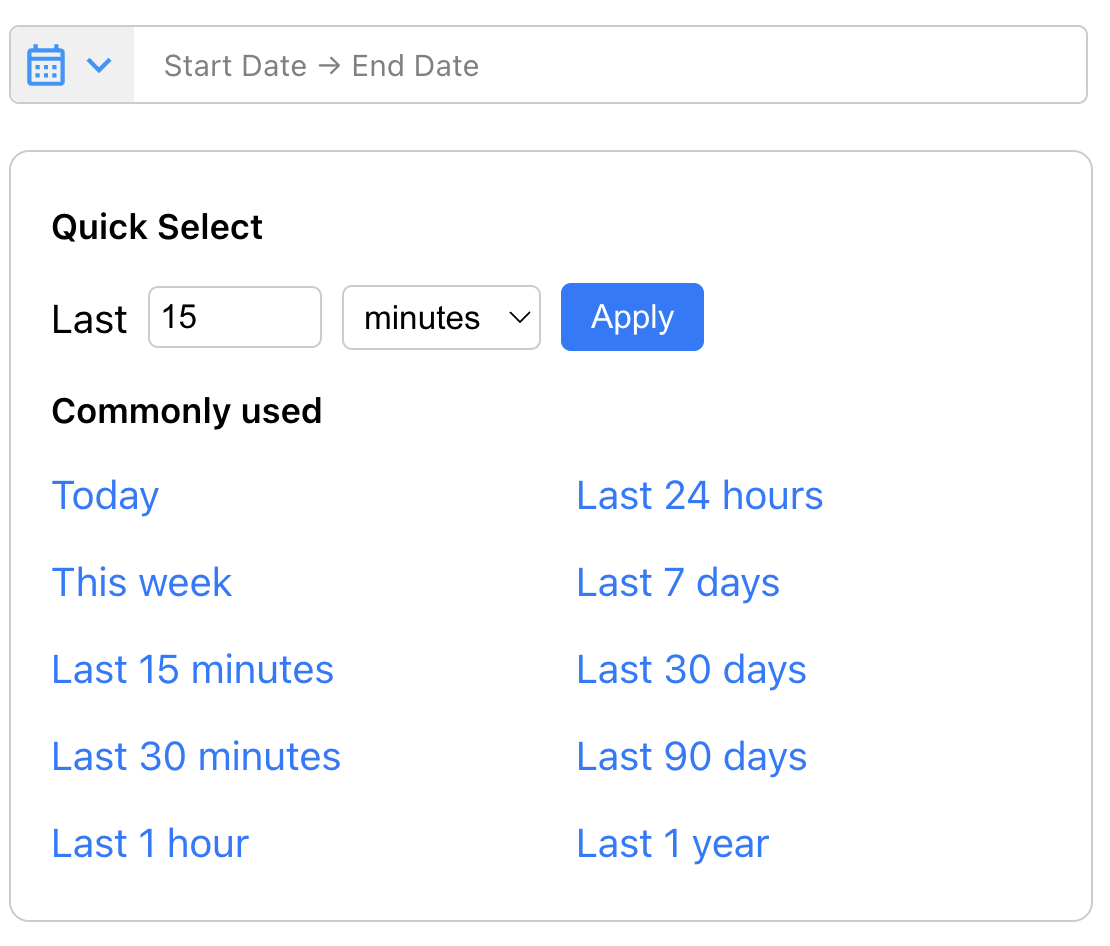
- Common Ranges: Predefined ranges like "Today", "Last 15 minutes", "Last 24 hours", etc.
- Custom Range: Allows users to specify a custom range by entering a value and selecting a unit (seconds, minutes, hours, etc.).
2. Advanced Modal

- Absolute Tab: Select a specific date and time using a calendar and time picker.
- Relative Tab: Set a date relative to the current time (e.g., "1 hour ago").
- Now Tab: Set the date and time to the current moment.
3. Manual Date Input
- Users can manually input dates in the format
MMM D, YYYY @ HH:mm:ss.SSS.
Contributing
Contributions are welcome! Please open an issue or submit a pull request for any improvements or bug fixes.
Support
If you encounter any issues or have questions, feel free to open an issue on the GitHub repository.
Enjoy using the Date Range Picker component! 🎉