
@mappable-world/mappable-cartesian-projection
v0.0.5
Published
Mappable Maps JS API 3.0 example @mappable-world/mappable-cartesian-projection
Downloads
20


Readme
@mappable-world/mappable-cartesian-projection package
Mappable JS API package



This package will project your cartesian dimensions to Mappable JS API world representation (see scheme of work below). Then you can use it as MMap location property, in MMapListener handlers, etc.
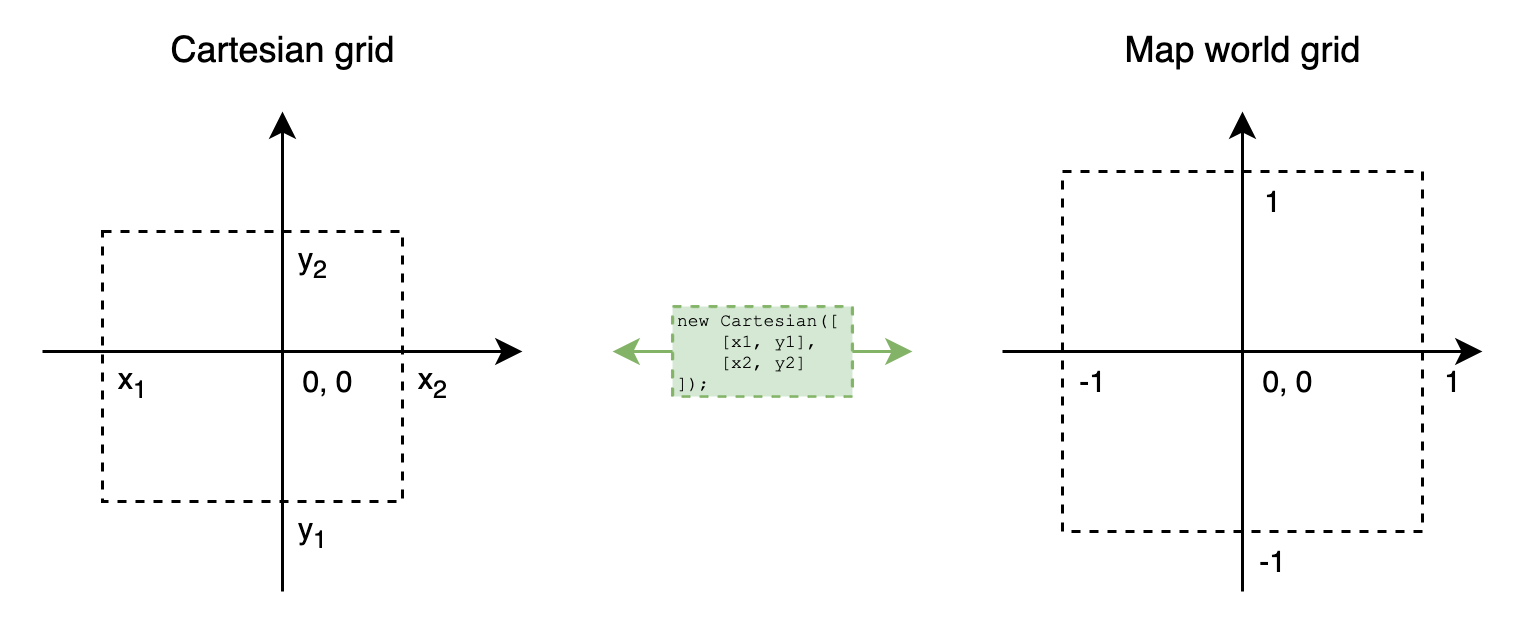
Install
You can install this package via npm:
npm install --save @mappable-world/mappable-cartesian-projectionHow use
To use Cartesian projection, just import it:
import {Cartesian} from '@mappable-world/mappable-cartesian-projection';

const projection = new Cartesian([
    // these boundaries define the limits of the world map in the Cartesian coordinate system.
    [-400, -600],
    [400, 600],
]);

console.log(projection.toWorldCoordinates([-400, 600])) // {x: -1, y: 1}
console.log(projection.toWorldCoordinates([200, 0])) // {x: 0.5, y: 0}
console.log(projection.toWorldCoordinates([0, -75])) // {x: 0, y: -0.125}

console.log(projection.fromWorldCoordinates({x: -1, y: 1})) // [-400, 600]
console.log(projection.fromWorldCoordinates({x: 0.5, y: 0})) // [200, 0]
console.log(projection.fromWorldCoordinates({x: 0, y: -0.125})) // [0, -75]
Usage without npm
You can use some CDN with mappable.import JS API module loading handler on your page:
const pkg = await mappable.import('@mappable-world/mappable-cartesian-projection');NOTE:
By default mappable.import can load self modules, scripts or style.
To make the code above work, you should add a loader:
// Add loader at the beginning of the loader queue
mappable.import.loaders.unshift(async (pkg) => {
    // Process only this package
    if (!pkg.includes('@mappable-world/mappable-cartesian-projection')) return;

    // Load script directly. You can use another CDN
    await mappable.import.script(`https://unpkg.com/${pkg}/dist/index.js`);

    // Return result object
    return window['@mappable-world/mappable-cartesian-projection'];
});