
@marshal/pi-turn-stats
v0.1.11
Published
pi extension: per-exchange duration, token & cost stats for conversations (stream card + status bar + /turnstats command)


Readme
@marshal/pi-turn-stats
A pi extension that automatically tracks per-exchange duration, token usage (input / output / cache read / cache write), and cost after every conversation turn.
Features
- Stats card in conversation stream — After each reply, a stats card is appended to the stream (does not enter LLM context).
- Real-time status bar — The bottom status bar shows the last exchange's duration, throughput, token count, and cost.
/turnstatscommand — Appends a session cumulative stats card (total exchanges, total LLM calls, total tokens, total cost).- Auto i18n — UI labels automatically switch between Chinese and English based on your system locale (
LANG/LC_ALL/Intl).
Demo
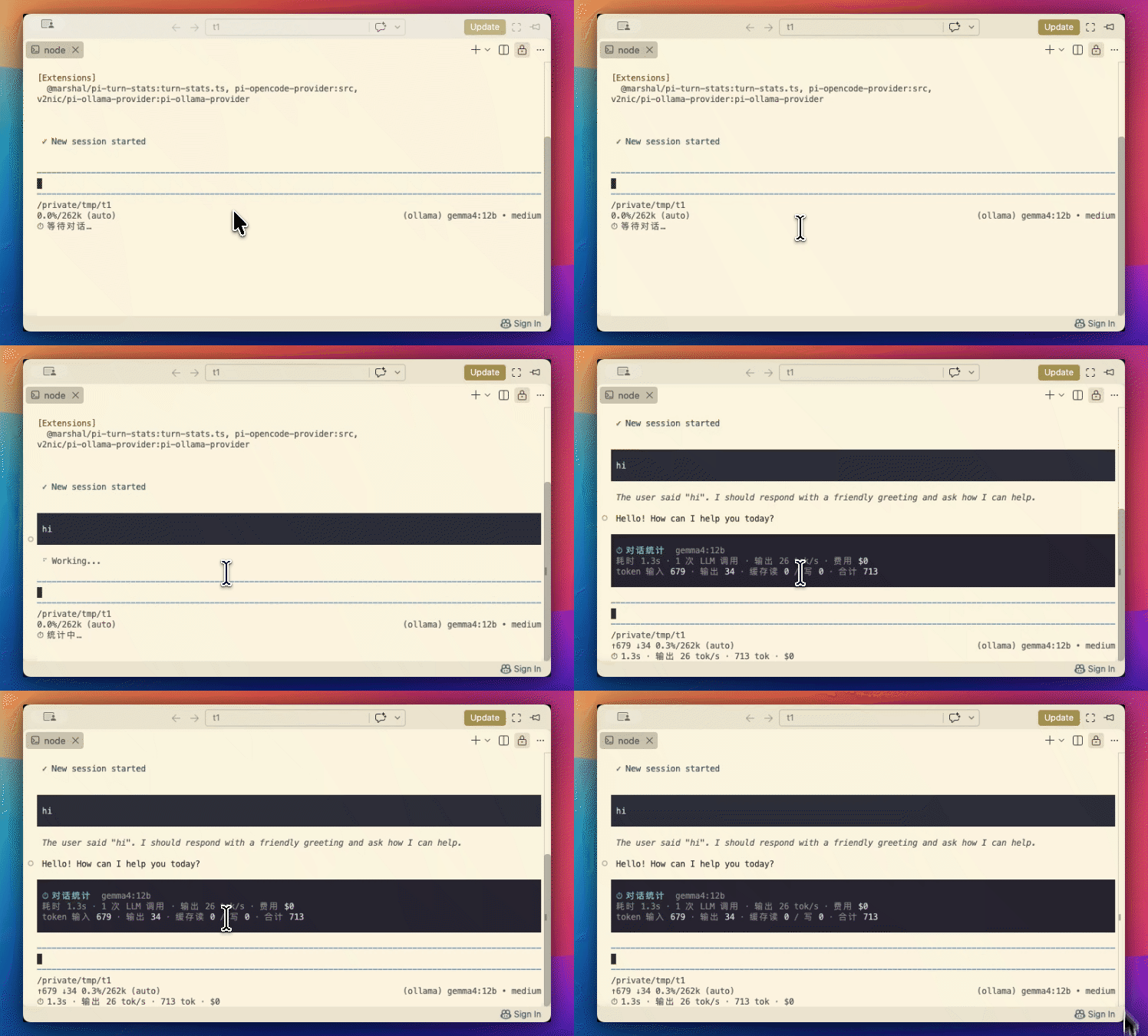
Screenshots
Chinese (default)

English (auto-detected from LANG=en)

Installation
Recommended: Install via npm for stable access and install statistics.
# Install directly with pi
pi install npm:@marshal/pi-turn-stats
Or standard npm install:
npm install -g @marshal/pi-turn-statsNote:
pi install npm:...registers the extension globally. Plainnpm install -gonly downloads the package without registering it as a pi extension.
Alternative: Install from GitHub (for source access or custom modifications).
# Install from GitHub repo (SSH)
pi install git:[email protected]:MarshalW/pi-turn-stats
Users in China are encouraged to use the npm method, as GitHub access may be unreliable.
Notes
Statistics are stored locally only and are not uploaded to any server. Data is read from the running pi process's turn_end events and wall-clock timing.
Development
git clone [email protected]:MarshalW/pi-turn-stats.git
cd pi-turn-stats
pi install ./        # local install for testing
Release Process
git tag vX.Y.Z && git push origin main --tags
# Publish to npm: npm version patch && npm publish --access public
# Consumer install:
#   npm (recommended): pi install npm:@marshal/pi-turn-stats
#   git (fallback):    pi install git:[email protected]:MarshalW/[email protected]