
@mastracode-remote/mastracode-runtime
v0.30.0-remote.1
Published
Pinned MastraCode runtime for mastracode-remote.


Readme
Mastra Code
A coding agent that never compacts. Built with Mastra and pi-tui.
Learn more in the documentation and announcement post.
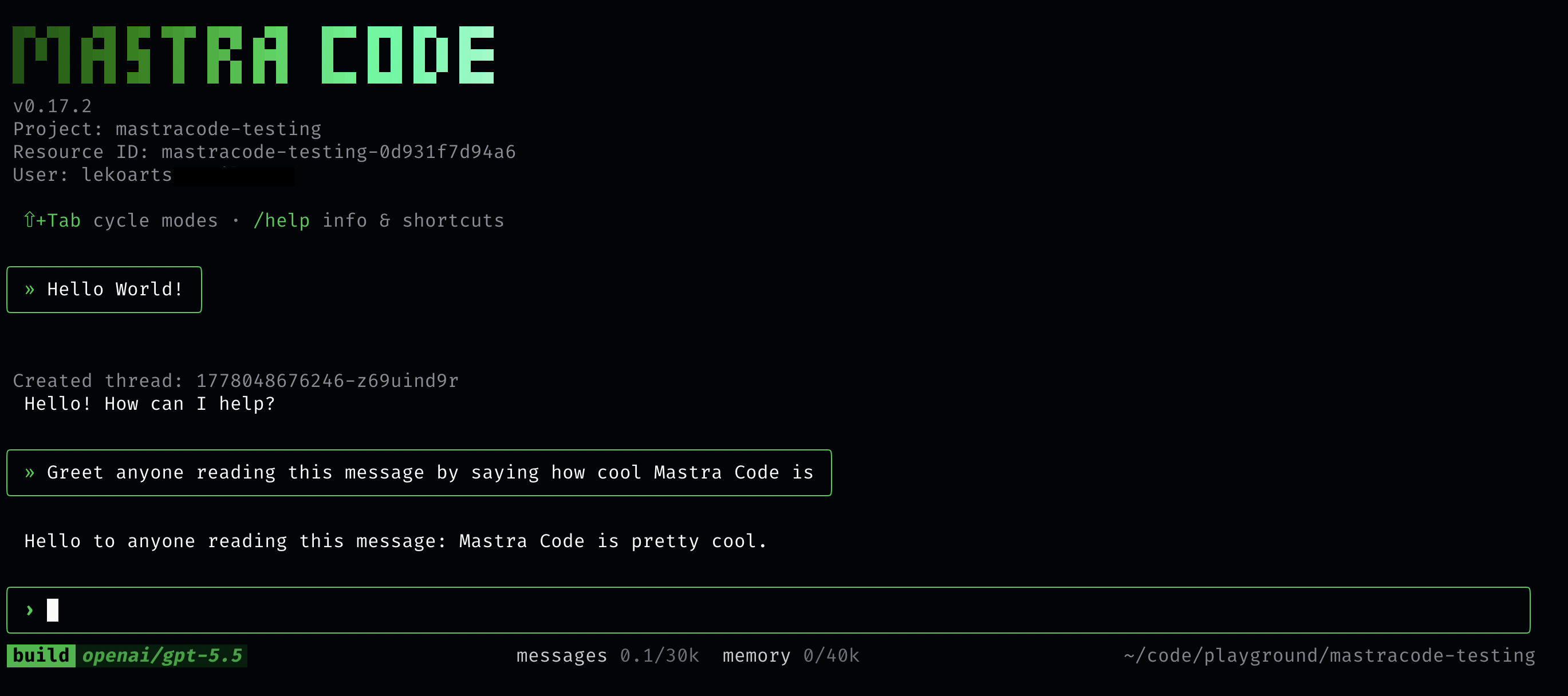
Features
- Observational Memory built-in: Never deal with compaction again. Observational Memory automatically extracts and stores observations from every conversation, then injects relevant context into future requests.
- Multi-model support: Use Claude, GPT, Gemini, and thousands of other models via Mastra's unified model router
- OAuth login: Authenticate with Anthropic (Claude Max) and OpenAI (ChatGPT Plus/Codex)
- Persistent conversations: Threads are saved per-project and resume automatically
- Coding tools: View files, edit code, run shell commands
- Goals: Pursue longer-running objectives with configurable judge models and goal-enabled commands/skills
- Plan persistence: Approved plans are saved as markdown files for future reference
- Token tracking: Monitor usage with persistent token counts per thread
- Beautiful TUI: Polished terminal interface with streaming responses
Installation
Install mastracode globally with your package manager of choice.
npm install -g mastracodeIf you prefer not to install packages globally, you can use npx:
npx mastracodeOn first launch, an interactive onboarding wizard guides you through:
- Authentication: Log in with your AI provider (Anthropic, OpenAI, etc.)
- Model packs: Choose default models for each mode (build / plan / fast)
- Observational Memory: Pick a model for OM (learns about you over time)
- YOLO mode: Auto-approve tool calls, or require manual confirmation
You can re-run setup anytime with /setup.
Prerequisites
Optional: fd for file autocomplete
The @ file autocomplete feature uses fd, a fast file finder that respects .gitignore. Without it, @ autocomplete silently does nothing.
Install with your package manager:
# macOS
brew install fd

# Ubuntu/Debian
sudo apt install fd-find

# Arch
sudo pacman -S fd
On Ubuntu/Debian the binary is called fdfind — mastracode detects both fd and fdfind automatically.
Usage
Starting a conversation
Type your message and press Enter. If the agent is already working, Enter queues your next message and sends it after the current run finishes.
@ file references
Type @ followed by a partial filename to fuzzy-search project files and reference them in your message. This requires fd to be installed (see Prerequisites).
@setup— fuzzy-matches files likesetup.ts,setup.py, etc.@src/tui— scoped search within a directory@"path with spaces"— quoted form for paths containing spaces
Select a suggestion with arrow keys and press Tab to insert it.
Slash commands
| Command | Description |
| ------------------- | --------------------------------------------------------------------------- |
| /new | Start a new conversation thread |
| /threads | List and switch between threads with freshness-checked cached lazy previews |
| /models | Switch/manage model packs (built-in/custom) |
| /custom-providers | Manage custom OpenAI-compatible providers/models |
| /mode | Switch agent mode |
| /subagents | Configure subagent model defaults |
| /om | Configure Observational Memory models |
| /think | Set thinking level (Anthropic) |
| /judge | Configure the default judge model and max attempts for goals |
| /goal | Start or manage an autonomous goal |
| /skills | List available skills |
| /diff | Show modified files or git diff |
| /name | Rename current thread |
| /cost | Show token usage and estimated costs |
| /review | Review a GitHub pull request |
| /hooks | Show/reload configured hooks |
| /mcp | Show/reload MCP server connections |
| /sandbox | Manage allowed paths (add/remove dirs) |
| /permissions | View/manage tool approval permissions |
| /plugins | Install and manage trusted Mastra Code plugins |
| /settings | General settings (notifications, YOLO, etc.) |
| /yolo | Toggle YOLO mode (auto-approve all tools) |
| /resource | Show/switch resource ID (tag for sharing) |
| /thread:tag-dir | Tag current thread with this directory |
| /login | Authenticate with OAuth providers |
| /logout | Log out from a provider |
| /setup | Re-run the interactive setup wizard |
| /help | Show available commands |
| /exit | Exit the TUI |
Plugins
Use /plugins to install and manage trusted local or GitHub plugins. Plugins can add tools, commands, skills, and system instructions. Because plugins execute code inside Mastra Code and their instructions are appended to the agent prompt, only install plugins from sources you trust.
Goals
Use /goal <objective> to have Mastra Code keep working toward an objective across turns. Goals use a judge model to decide whether the goal is complete, should continue, or should wait for an explicit user checkpoint. Configure defaults with /judge.
Goal objectives can span multiple lines:
/goal Fix the failing release checks
and open a PR when everything passes.
When a plan is submitted with submit_plan, the inline approval UI also includes Use as /goal. That saves/approves the plan and starts a goal using the plan text as the objective.
Custom slash commands can opt into goal mode with top-level frontmatter:
---
name: pr-triage
description: Triage open PRs
goal: true
---

Inspect every open PR before pair-reviewing candidates.
Run goal-enabled commands with /goal/<command-name>. The processed command content becomes the goal objective, so $ARGUMENTS and other command template features still apply.
Skills can opt into goal mode with skill metadata:
---
name: review-prs
description: Review pull requests
metadata:
  goal: true
---

Review PRs until all relevant candidates have been categorized.
Run goal-enabled skills with /goal/<skill-name>. Skill instructions become the goal objective; any extra arguments are included as context.
Keyboard shortcuts
| Shortcut | Action |
| ----------- | --------------------------------------------------------------- |
| Ctrl+C | Interrupt current operation or clear input |
| Ctrl+C ×2 | Exit (double-tap) |
| Ctrl+D | Exit (when editor is empty) |
| Ctrl+Z | Suspend process (fg to resume) |
| Alt+Z | Undo last clear |
| Ctrl+T | Toggle thinking blocks visibility |
| Ctrl+E | Expand/collapse all tool outputs |
| Enter | Send a message, or queue a follow-up while the agent is running |
| Ctrl+Y | Toggle YOLO mode |
Configuration
Custom config directory
By default, Mastra Code reads and writes project config from .mastracode/ and global config from ~/.mastracode/ plus ~/.config/mastracode/.
If you embed Mastra Code programmatically, you can override that directory name with createMastraCode({ configDir: '.your-config-dir' }).
This remaps the project-level and global config locations that Mastra Code uses for MCP server configs, hooks, slash commands, agent instructions, skills, and the legacy database.json lookup.
import { createMastraCode } from 'mastracode';

const mastraCode = await createMastraCode({
  configDir: '.acme-code',
});
configDir must be a single directory name. Absolute paths, . / .., and names containing / or \ are rejected.
Project-based threads
Threads are automatically scoped to your project based on:
- Git remote URL (if available)
- Absolute path (fallback)
This means conversations are shared across clones, worktrees, and SSH/HTTPS URLs of the same repository.
Database location
The SQLite database is stored in your system's application data directory:
- macOS:
~/Library/Application Support/mastracode/ - Linux:
~/.local/share/mastracode/ - Windows:
%APPDATA%/mastracode/
Authentication
For Anthropic models, mastracode supports two authentication methods:
- Claude Max OAuth (primary): Use
/loginto authenticate with a Claude Pro/Max subscription. - API key (fallback): Set the
ANTHROPIC_API_KEYenvironment variable for direct API access. This is used when not logged in via OAuth.
When both are available, Claude Max OAuth takes priority.
For other providers (OpenAI, Google, etc.), set the corresponding environment variable (e.g., OPENAI_API_KEY, GOOGLE_GENERATIVE_AI_API_KEY) or use OAuth where supported.
For Amazon Bedrock, mastracode authenticates with AWS SigV4 through the standard AWS credential chain — environment variables (AWS_ACCESS_KEY_ID / AWS_SECRET_ACCESS_KEY / AWS_SESSION_TOKEN), a shared ~/.aws profile (AWS_PROFILE, including SSO), or a container/instance role all work, the same resolution order as the AWS CLI. Set AWS_REGION (defaults to us-east-1) to choose a region. Select Bedrock models with the amazon-bedrock/<modelId> form, where <modelId> is any Bedrock model ID surfaced via /models. To use Bedrock API-key auth instead of SigV4, set AWS_BEARER_TOKEN_BEDROCK.
Credentials are stored alongside the database in auth.json.
Custom providers and models
Use /custom-providers to manage OpenAI-compatible providers with:
- provider
name - provider
url - optional provider
apiKey - one or more custom model IDs per provider
Once saved, provider models appear in existing selectors like /models and /subagents and can be selected like built-in models.
Custom providers are stored in settings.json in the same app data directory. If you save an API key, it is stored locally in plaintext, so use a machine/user profile you trust.
macOS sleep prevention
On macOS, Mastra Code starts the built-in caffeinate utility while the agent is actively running, then stops it as soon as the run completes, errors, aborts, or the TUI exits. Idle sessions do not keep your machine awake.
To disable this behavior, set MASTRACODE_DISABLE_CAFFEINATE=1 before launching Mastra Code:
export MASTRACODE_DISABLE_CAFFEINATE=1Plan persistence
When you approve a plan (via submit_plan) or choose Use as /goal from the inline plan approval UI, it is saved as a markdown file in the app data directory:
- macOS:
~/Library/Application Support/mastracode/plans/<resourceId>/ - Linux:
~/.local/share/mastracode/plans/<resourceId>/ - Windows:
%APPDATA%/mastracode/plans/<resourceId>/
Files are named <timestamp>-<slugified-title>.md and contain the plan title, approval timestamp, and full plan body.
To save plans to a project-local directory instead, set the MASTRA_PLANS_DIR environment variable:
export MASTRA_PLANS_DIR=.mastracode/plansWeb UI: optional auth & GitHub projects
The web UI (mastracode web) supports optional WorkOS authentication and a GitHub App
integration. Both are off by default — when their environment variables are absent the web UI
behaves exactly as before.
WorkOS auth — when WORKOS_API_KEY and WORKOS_CLIENT_ID are set, every route requires a
signed-in user (hosted login + encrypted session):
export WORKOS_API_KEY=...
export WORKOS_CLIENT_ID=...
export WORKOS_REDIRECT_URI=https://your-host/auth/callback   # optional
export WORKOS_COOKIE_PASSWORD=...                            # optional (recommended in prod)
On first authenticated use, a user with no WorkOS organization is automatically given a personal
org (the org is created and the user added as a member), so org-scoped features work without
hand-creating an org in the WorkOS dashboard. The WorkOS API key must be allowed to create
organizations and memberships; if it isn't, bootstrap fails soft (logged) and the user keeps the
organization_required response.
GitHub projects — when the GitHub App variables are set and WorkOS auth is enabled,
signed-in users can install the GitHub App, pick repositories, and turn each repo into a project.
The tenant boundary is the WorkOS organization: the GitHub App installation and the connected
project (repo) are owned by the org, while each user inside the org gets their own isolated
sandbox, worktrees, branches, and PRs against that repo. The same repo can be connected
independently by different orgs without ever seeing each other's projects, sandboxes, or state.
Personal accounts are bootstrapped into a personal org on first use (see above), so they can
connect GitHub projects too; users always get isolated agent state regardless. Repo and project
metadata persist in a separate application Postgres (APP_DATABASE_URL):
export GITHUB_APP_ID=...
export GITHUB_APP_PRIVATE_KEY="-----BEGIN RSA PRIVATE KEY-----\n...\n-----END RSA PRIVATE KEY-----"
export GITHUB_APP_CLIENT_ID=...
export GITHUB_APP_CLIENT_SECRET=...
export GITHUB_APP_SLUG=your-app-slug
export APP_DATABASE_URL=postgres://user:pass@host:5432/db
export GITHUB_APP_REDIRECT_URI=https://your-host/auth/github/callback  # optional
GitHub-backed projects are cloned into an isolated cloud sandbox on open, which requires a sandbox provider. Railway is the first supported backend:
export RAILWAY_API_TOKEN=...
export RAILWAY_ENVIRONMENT_ID=...
export MASTRACODE_SANDBOX_PROVIDER=railway                  # optional (default when a token is set)
export MASTRACODE_SANDBOX_WORKDIR=/workspace                # optional (path inside the sandbox)
export MASTRACODE_SANDBOX_IDLE_MINUTES=30                   # optional (idle teardown window; default 30)
The sandbox template must have git and gh (the GitHub CLI) installed and outbound network
access to github.com. gh is only required to open pull requests; clone/open work without it.
Idle sandboxes are stopped by the provider after MASTRACODE_SANDBOX_IDLE_MINUTES; the next open
detects the stopped VM and re-provisions automatically.
Without a sandbox provider, users can still connect GitHub and pick repos, but opening a repo
project shows a clear "sandbox not configured" error.
Per-(org,user) storage isolation
When WorkOS web auth is enabled, the tenant boundary is the (organization, user) pair: each
user in each org operates against their own dedicated libSQL database for all agent state (threads,
messages, memory, observational memory, recall vectors) — no tenant can read another tenant's data
at the storage layer. Two users in the same org are isolated, and the same user across two orgs is
also isolated. The database location is derived server-side from a hash of (orgId, userId) (no
client-supplied paths); users without an org fall back to a user-only key.
# Local files (default): one isolated DB dir per tenant under this root
export MASTRACODE_TENANT_DB_ROOT=~/.mastracode/web/tenants    # optional

# Or remote libSQL/Turso per tenant ({id} = hashed (orgId, userId)). This mode
# assumes each tenant DB already exists at the templated URL.
export MASTRACODE_TENANT_DB_URL_TEMPLATE=libsql://{id}-org.turso.io        # optional
export MASTRACODE_TENANT_VECTOR_URL_TEMPLATE=libsql://{id}-vec-org.turso.io # optional
export MASTRACODE_TENANT_DB_AUTH_TOKEN=...                                  # optional
export MASTRACODE_TENANT_VECTOR_AUTH_TOKEN=...                              # optional

# Or auto-provision a Turso database per tenant on first access via the Turso
# Platform API (no pre-created DBs needed). Requires APP_DATABASE_URL: the
# stable db-name/hostname mapping is persisted there so replicas converge on
# one DB and cold starts don't re-create it. A scoped token is minted fresh per
# resolution, so no long-lived credential is stored.
export MASTRACODE_TURSO_PLATFORM_TOKEN=...    # optional
export MASTRACODE_TURSO_ORG=my-org            # optional
export MASTRACODE_TURSO_GROUP=default         # optional (default "default")
Resolution priority: explicit MASTRACODE_TENANT_DB_URL_TEMPLATE → Turso
auto-provisioning (when the platform token + org are set) → local libSQL files.
When web auth is disabled the server uses a single shared store, exactly as before.
Multi-replica deployment
The web server keeps each tenant's Mastra stack in an in-memory cache and serializes per-user git write operations. For hosted, multi-replica deployments a few settings make this safe and bounded:
# Replica-stable state signing — REQUIRED across replicas. Without an explicit
# GITHUB_APP_WEBHOOK_SECRET (or WORKOS_COOKIE_PASSWORD) the OAuth/install state
# is signed with a per-process random key and callbacks fail on other replicas.
export GITHUB_APP_WEBHOOK_SECRET=...

# Cross-replica serialization of per-(project,user) git writes via Postgres
# advisory locks (default on, requires APP_DATABASE_URL). Set 0 for local dev.
export MASTRACODE_DISTRIBUTED_LOCK=1

# Persist/share tenant DBs across replicas — fail/warn at startup if no remote
# tenant DB backend (URL template OR Turso auto-provisioning) is configured
# (local-file DBs don't survive restarts or sharing).
export MASTRACODE_REQUIRE_REMOTE_TENANT_DB=1

# Bound in-memory tenant caches as the team grows.
export MASTRACODE_TENANT_IDLE_MINUTES=30    # idle eviction window (0 disables)
export MASTRACODE_TENANT_MAX_APPS=100       # LRU cap on cached stacks (0 disables)

# Per-replica cap on concurrently live sandboxes (0 / unset = unlimited).
export MASTRACODE_MAX_SANDBOXES=50
Architecture
┌─────────────────────────────────────────────────────────────┐
│                          TUI                                │
│  (pi-tui components: Editor, Markdown, Loader, etc.)        │
└─────────────────────────────────────────────────────────────┘
                              │
                              ▼
┌─────────────────────────────────────────────────────────────┐
│                        Harness                              │
│  - Mode management (plan, build, review)                    │
│  - Thread/message persistence                               │
│  - Event system for TUI updates                             │
│  - State management with Zod schemas                        │
└─────────────────────────────────────────────────────────────┘
                              │
                              ▼
┌─────────────────────────────────────────────────────────────┐
│                      Mastra Agent                           │
│  - Dynamic model selection                                  │
│  - Tool execution (view, edit, bash)                        │
│  - Memory integration                                       │
└─────────────────────────────────────────────────────────────┘
                              │
                              ▼
┌─────────────────────────────────────────────────────────────┐
│                      LibSQL Storage                         │
│  - Thread persistence                                       │
│  - Message history                                          │
│  - Token usage tracking                                     │
└─────────────────────────────────────────────────────────────┘
Development
Mastra Code lives inside the mastra monorepo. All commands below assume you have cloned the repo and are in the repository root.
Setup
# Install dependencies (from repo root)
pnpm i

# Build all packages (required before first run)
pnpm build
Running from source
# Run the TUI directly via tsx (from repo root)
pnpx tsx mastracode/src/main.ts
Building
# Build only the mastracode package (and its dependencies)
pnpm build:mastracode

# Build the library bundle (from mastracode/)
pnpm --filter ./mastracode run build:lib
Type checking
# Type-check mastracode
pnpm --filter ./mastracode run check
Linting
# Lint mastracode
pnpm --filter ./mastracode run lint
Testing
# Run unit tests
pnpm --filter ./mastracode test

# Run e2e smoke tests
pnpm --filter ./mastracode run e2e:smoke
Web UI development
# Start the web UI dev server (API + Vite)
pnpm --filter ./mastracode run web:dev

# With GitHub App integration (starts Postgres first)
pnpm --filter ./mastracode run web:dev:github
Credits
License
Apache-2.0