
@mattli/dotmd
v0.1.7
Published
Track changes to AI instruction files (CLAUDE.md, AGENTS.md, memory files)

Maintainers
 mattli
Readme
dotmd
Track changes to your AI instruction files.
If you use Claude Code, Cursor, Codex, or similar tools, you've accumulated markdown files that control how AI behaves: CLAUDE.md, AGENTS.md, memory files, skill configs. These files live in scattered locations, get modified by both you and AI agents, and have no change history.
dotmd watches these files and keeps a local history of every change, with diffs. A web dashboard lets you see what changed, when, and across which projects.
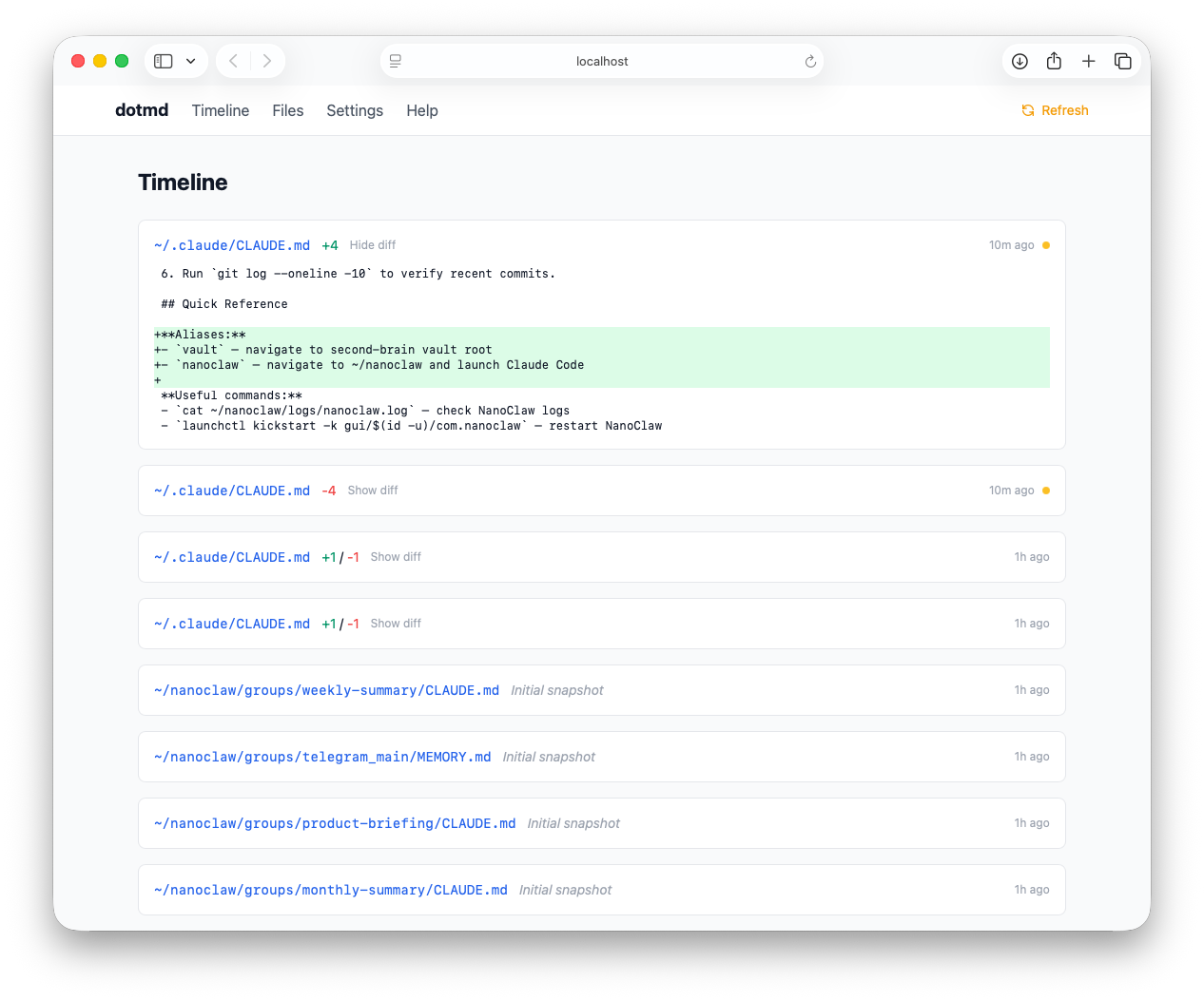
Install
npm install -g @mattli/dotmdRequires Node.js 18+.
Quick Start
dotmd initThis opens a setup wizard in your browser where you pick which folders and file patterns to track. Once you confirm, dotmd takes an initial snapshot of all discovered files.
To view your files and change history:
dotmd serveThis starts a local dashboard at http://localhost:3333.
Commands
| Command | Description |
|---------|-------------|
| dotmd init | Launch the setup wizard |
| dotmd status | Scan for changes and show a summary in the terminal |
| dotmd serve | Start the web dashboard |
What It Tracks
By default, dotmd looks for:
CLAUDE.md(Claude Code)AGENTS.md(Codex)MEMORY.mdSKILL.md(Codex skills).cursorrules(Cursor).windsurfrules(Windsurf)
You can add custom patterns and folders through the setup wizard or the settings page in the dashboard.
How It Works
dotmd scans your configured folders for matching files and stores snapshots in a local SQLite database at ~/.dotmd/history.db. When a file changes, it saves the new version and a diff. The dashboard rescans on every page load, so you always see current data.
All data stays on your machine. Nothing is sent anywhere.
Configuration
Settings are managed through the dashboard's settings page. Config is stored at ~/.dotmd/config.yaml.
Uninstall
npm uninstall -g dotmd
rm -rf ~/.dotmd
Feedback
Questions, suggestions, or bugs? Open an issue.
License
MIT