
@mazli/pi-ask-user-question
v1.3.7
Published
Claude Code-style AskUserQuestion tool for pi.

Maintainers
 mazli
mazliReadme
AskUserQuestion for pi
Claude Code-style AskUserQuestion tool for the pi coding agent.
This package adds a global LLM-callable tool named AskUserQuestion. The tool lets the agent pause mid-task, ask structured questions in your terminal, and continue with your selected answers.
Features
- Ask 1–8 questions in one tool call
- 2–4 options per question
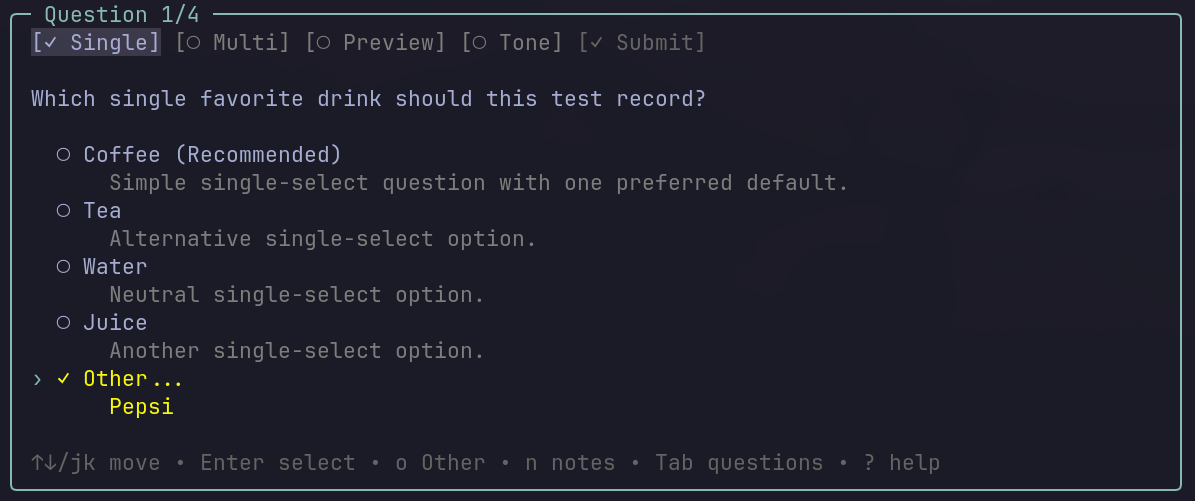
- Single-select radio choices
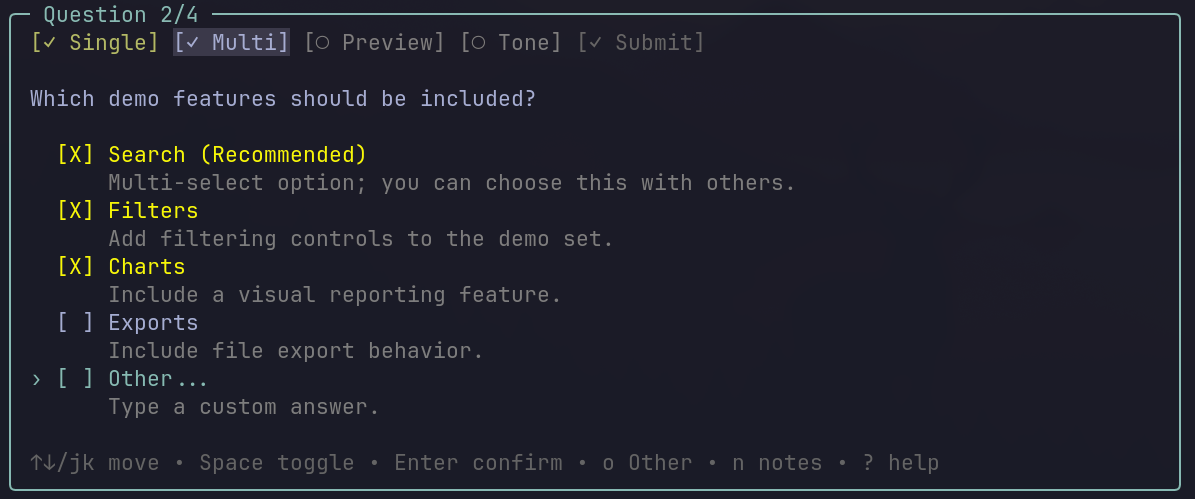
- Multi-select checkbox choices
- Auto-added
Other...custom text input - Optional per-answer notes with
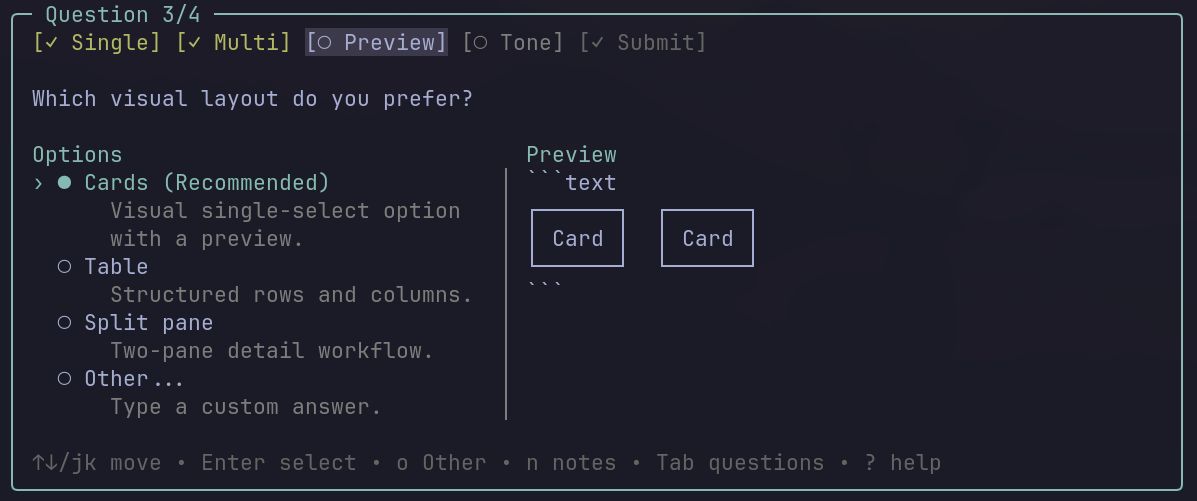
n - Side-by-side preview panel for single-select visual/code comparisons
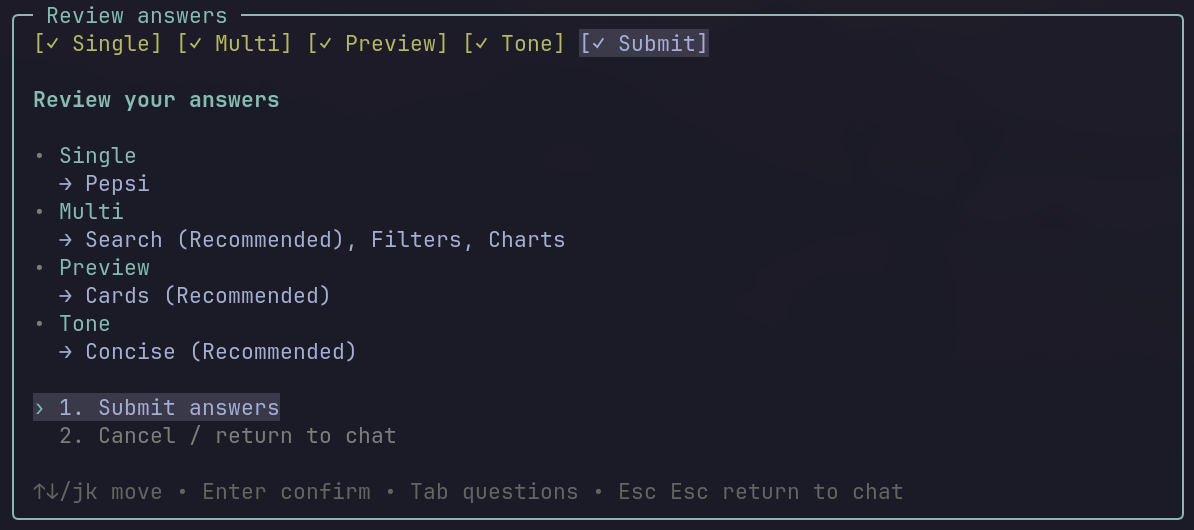
- Dedicated review/submit tab for multi-question dialogs
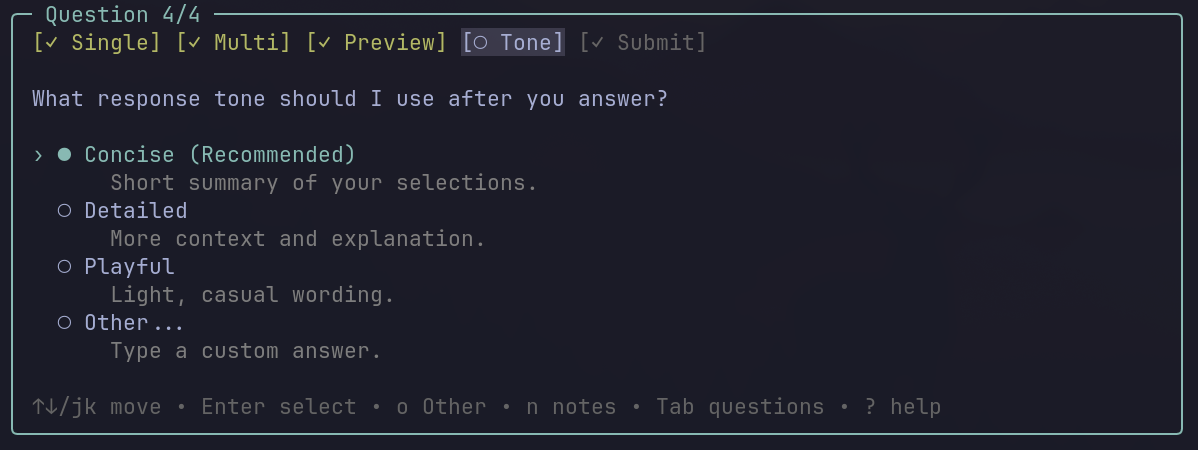
- Richer color states for focus, answered tabs, warnings, and review actions
- Arrow-key navigation, plus
j/k Tab/Shift+Tabbetween questionsEscthenEscdismisses the dialog and returns control to chat- Input validation before rendering
Screenshots
These examples show the full multi-question flow rendered by the tool.
Single-select and custom Other... answers
Multi-select choices
Side-by-side preview panel
Focus and answered-tab states
Review and submit step
Install
From npm:
pi install npm:@mazli/pi-ask-user-questionFrom GitHub:
pi install git:github.com/HamdiMaz/AskUserQuestionPinned to a release tag:
pi install git:github.com/HamdiMaz/[email protected]For a one-off test without installing:
pi -e npm:@mazli/pi-ask-user-questionor:
pi -e git:github.com/HamdiMaz/AskUserQuestionAfter installing, restart pi or run:
/reloadTool name
AskUserQuestionWhat it returns
Normal result:
{
  "cancelled": false,
  "answers": {
    "Which HTTP client should we use?": "fetch (Recommended)",
    "Which resilience features do you want?": "Retry, Timeout"
  }
}
Cancelled or dismissed result:
{
  "cancelled": true
}
When the dialog is dismissed with Esc then Esc, pi returns to the chatbox without an immediate model follow-up so you can steer the conversation.
Agent usage guidance
Use AskUserQuestion when:
- There are 2–4 reasonable paths and the user's preference materially changes the result.
- The task is ambiguous and context is not enough to infer the answer.
- You want to recommend an option while still letting the user steer.
Do not use it for:
- Yes/no confirmation of risky actions. Use pi's permission or confirmation flow instead.
- Plan approval. Use the planning flow instead.
- Questions that can be reasonably inferred from project conventions or prior context.
- More than 8 questions at once. Use sequential calls instead.
Batching guidance:
AskUserQuestioncan ask one question or a batch of related questions in the same call.- Use multiple questions when several independent decisions are needed before continuing.
- Use a single question when only one decision is blocking progress or step-by-step questioning is clearer.
- Batching 2–8 related questions is allowed and often preferred; it is not mandatory.
Authoring rules:
- Ask 1–8 questions per call.
- Provide 2–4 options per question.
- Never include an
Otheroption; the tool adds it automatically. - If recommending an option, place it first and suffix the label with
(Recommended). - Keep
headerat 12 characters or less. - End each question with
?. - Use previews only for single-select visual/code comparisons.
Example tool input
{
  "questions": [
    {
      "question": "Which HTTP client should we use?",
      "header": "HTTP",
      "multiSelect": false,
      "options": [
        {
          "label": "fetch (Recommended)",
          "description": "Built-in and dependency-free."
        },
        {
          "label": "axios",
          "description": "Popular ecosystem and interceptor support."
        },
        {
          "label": "got",
          "description": "Node-focused with retry support."
        }
      ]
    },
    {
      "question": "Which resilience features do you want?",
      "header": "Resilience",
      "multiSelect": true,
      "options": [
        {
          "label": "Retry",
          "description": "Retry transient failures."
        },
        {
          "label": "Timeout",
          "description": "Apply a per-request timeout cap."
        },
        {
          "label": "Cache",
          "description": "Cache responses in memory."
        }
      ]
    }
  ],
  "metadata": {
    "source": "clarify"
  }
}
Local development
Clone this repo, then run pi with the extension directly:
pi -e ./extensions/index.tsOr install the local package:
pi install /absolute/path/to/AskUserQuestionThen restart pi or run /reload.
Security
Pi extensions run with your local user permissions. Review any extension source code before installing it.
License
MIT