
@meeting-ai/cli
v0.1.6
Published
Agent-friendly CLI for Meeting.ai — read meeting notes, search, upload, and manage meetings from the terminal.
Downloads
35


Readme
meeting — CLI for Meeting.ai
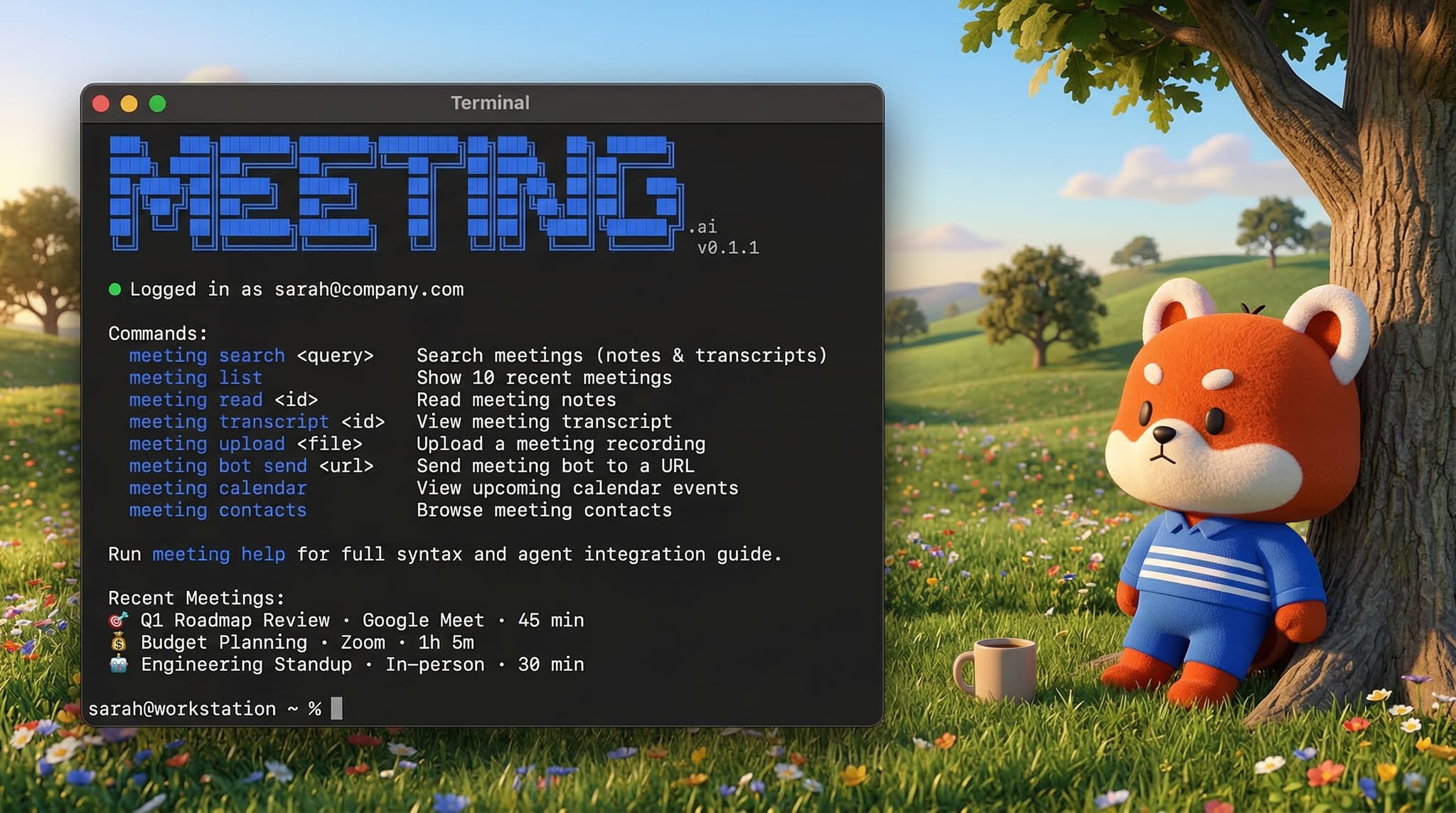
Access your Meeting.ai meetings from the command line. Read meeting notes, search transcripts, pull key quotes, upload recordings, and send bots to live meetings — so you and your AI agents always know what happened.
Install
npm install -g @meeting-ai/cliGet Started
meeting                              # Welcome screen + recent meetings
meeting auth login                   # Log in with email OTP
meeting list                         # Browse your recent meetings
meeting read <id>                    # Read full meeting notes & action items
What You Can Do
📖 Read Meeting Notes & Transcripts
| Command | What it does |
|---------|-------------|
| meeting read <id> | Read notes, summary, speakers, and action items |
| meeting read <url> --pin <pin> | Read a shared meeting (from a Meeting.ai link) |
| meeting search <query> | Search across all your meetings |
| meeting list | List recent meetings with IDs |
| meeting transcript <id> | See speakers + AI-generated summary |
| meeting transcript <id> --full | Full word-by-word transcript with speaker names |
| meeting transcript <id> --search "query" | Find specific moments in a transcript |
🤖 Record Meetings & Upload Recordings
| Command | What it does |
|---------|-------------|
| meeting bot send --url <url> | Send a Meeting.ai bot to join a Google Meet, Zoom, or Teams call |
| meeting bot send --url <url> --wait | Send bot and wait until notes are ready |
| meeting upload recording.mp4 | Upload a local audio/video recording for transcription |
| meeting upload <url> | Upload a recording from a URL |
👥 Contacts & Calendar
| Command | What it does |
|---------|-------------|
| meeting contacts list | Browse contacts you've met with |
| meeting contacts list --search "name" | Find a specific contact |
| meeting calendar events --upcoming | See your upcoming meetings |
🔑 Account
| Command | What it does |
|---------|-------------|
| meeting auth login | Log in with email OTP (supports 2FA) |
| meeting auth whoami | Check who you're logged in as |
| meeting update | Update to the latest version |
Built for AI Agents
This CLI is built to be a tool for AI agents — OpenClaw, Claude Code, Codex, or any AI agent that can run shell commands.
Agents can use the Meeting.ai CLI to:
- Read meeting notes and answer questions about what was discussed
- Pull key quotes and action items from any meeting
- Search across meetings to find relevant context
- Upload recordings and wait for transcription
- Share meeting notes with a link + PIN
meeting help       # Full agent skill guide (SKILL.md format)
meeting schema     # Machine-readable command & parameter schemas
Run meeting help to get a ready-to-use agent skill definition that any AI agent can adopt.
How It Works
- Log in —
meeting auth loginsends a one-time code to your email - Browse —
meeting listshows your recent meetings with IDs - Read —
meeting read <id>pulls the full notes, speakers, summary, and action items - Search —
meeting search "topic"finds meetings across notes and transcripts - Share — Every meeting includes a share URL and PIN in the output
License
Proprietary — © 2026 Meeting.ai. All rights reserved.