
@mgeri1993/claude-task-manager
v1.3.0
Published
Standalone, dockerized, multi-project Kanban task manager and CLI for coordinating Claude Code AI agents (main agent + teammates) across projects — bilingual board, task.sh, and per-project agent wrappers.
Downloads
1,153

Maintainers
 mgeri1993
Keywords
Readme
claude-task-manager







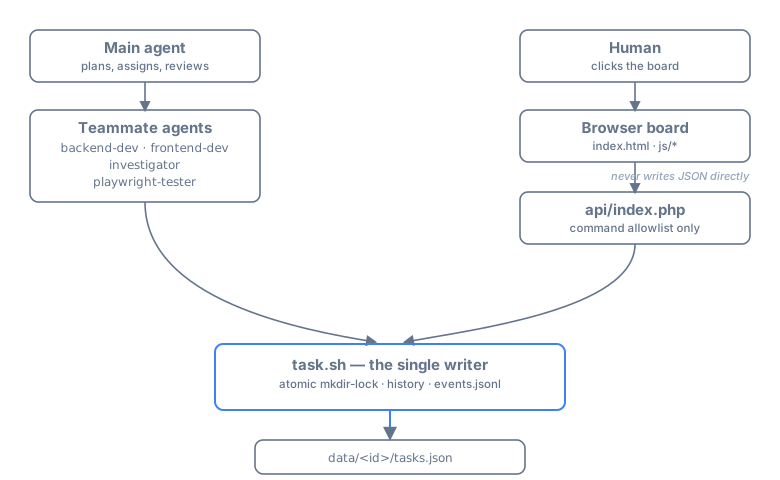
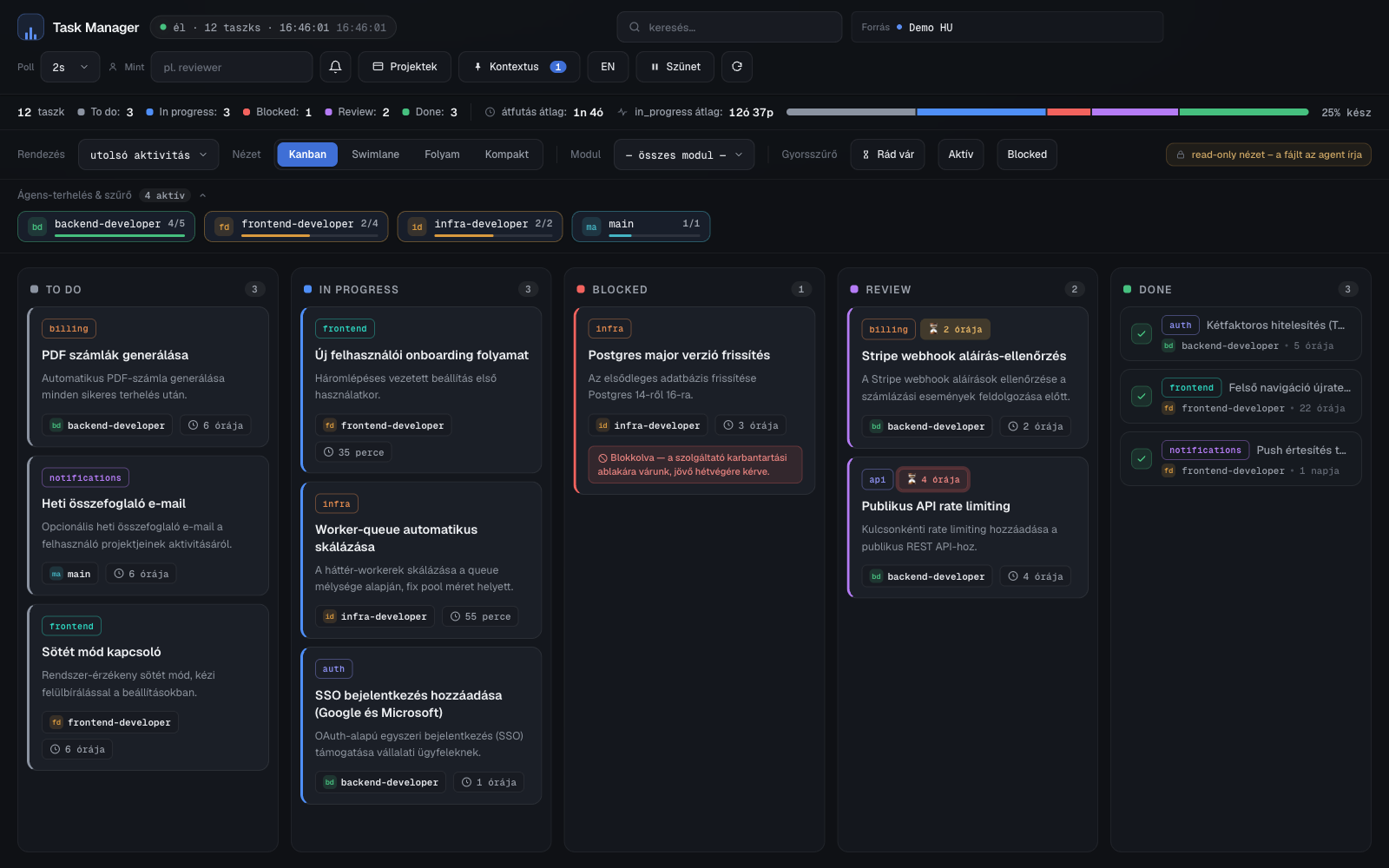
A standalone, dockerized, multi-project Kanban task manager for coordinating Claude Code agents (main agent + teammates) and the humans working alongside them.
Why: run more than one agent — or just a long session — and you lose track of what's
done, what's blocked, who's working on what, and what the goal even was. claude-task-manager
gives agents and humans one persistent, shared source of truth, updated through a
token-efficient CLI (task.sh) instead of re-reading state every time, with a shared
browser board so a human can see it too.
📖 New here? Start with the how-to. A simple, user-facing walkthrough of working with Claude Code on the board — what to type (in plain language), through user stories: Claude Code + ctm: a simple how-to (magyarul).
Screenshots
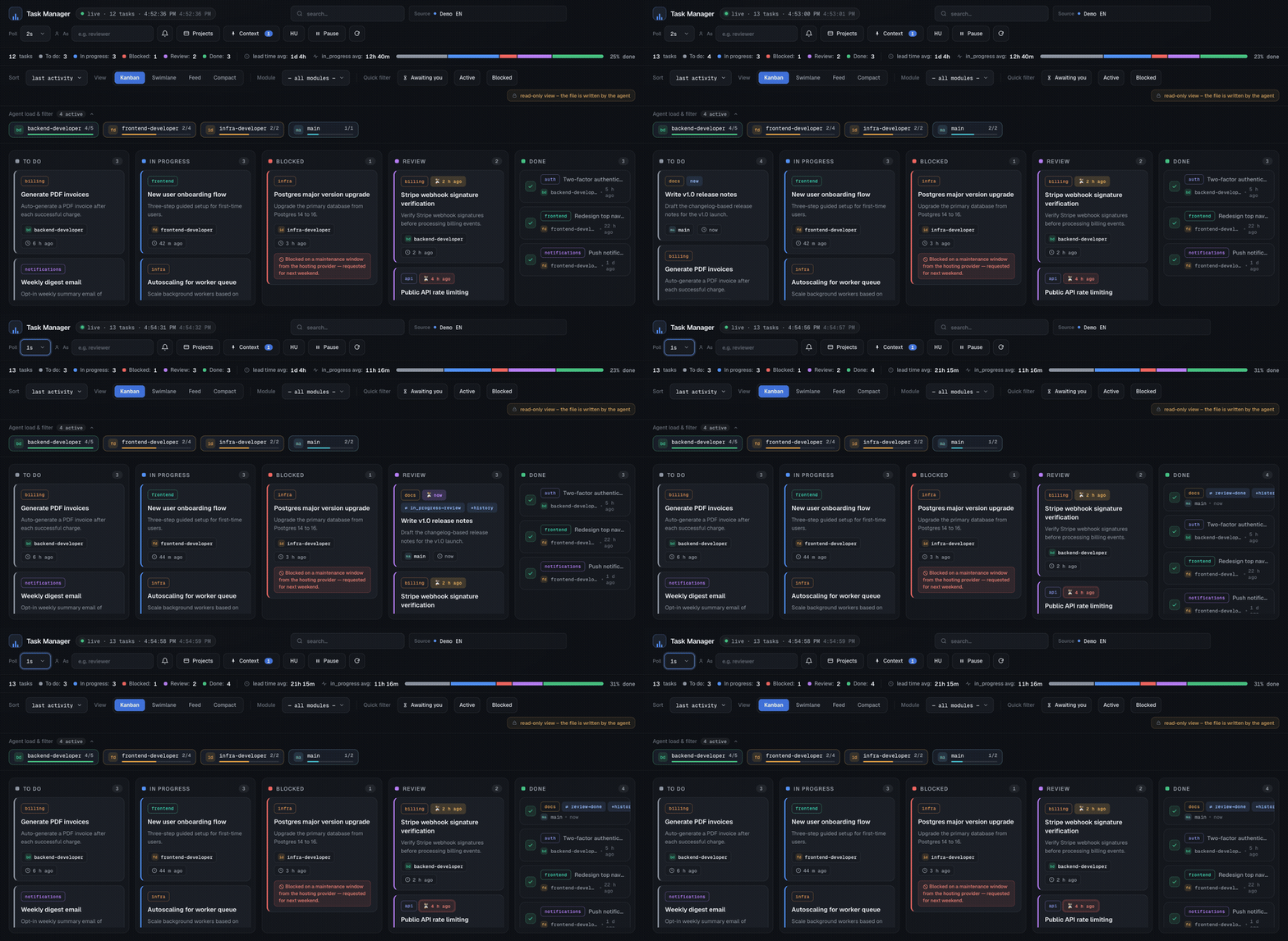
| Kanban board (English) | Task detail (English) |
|---|---|
| 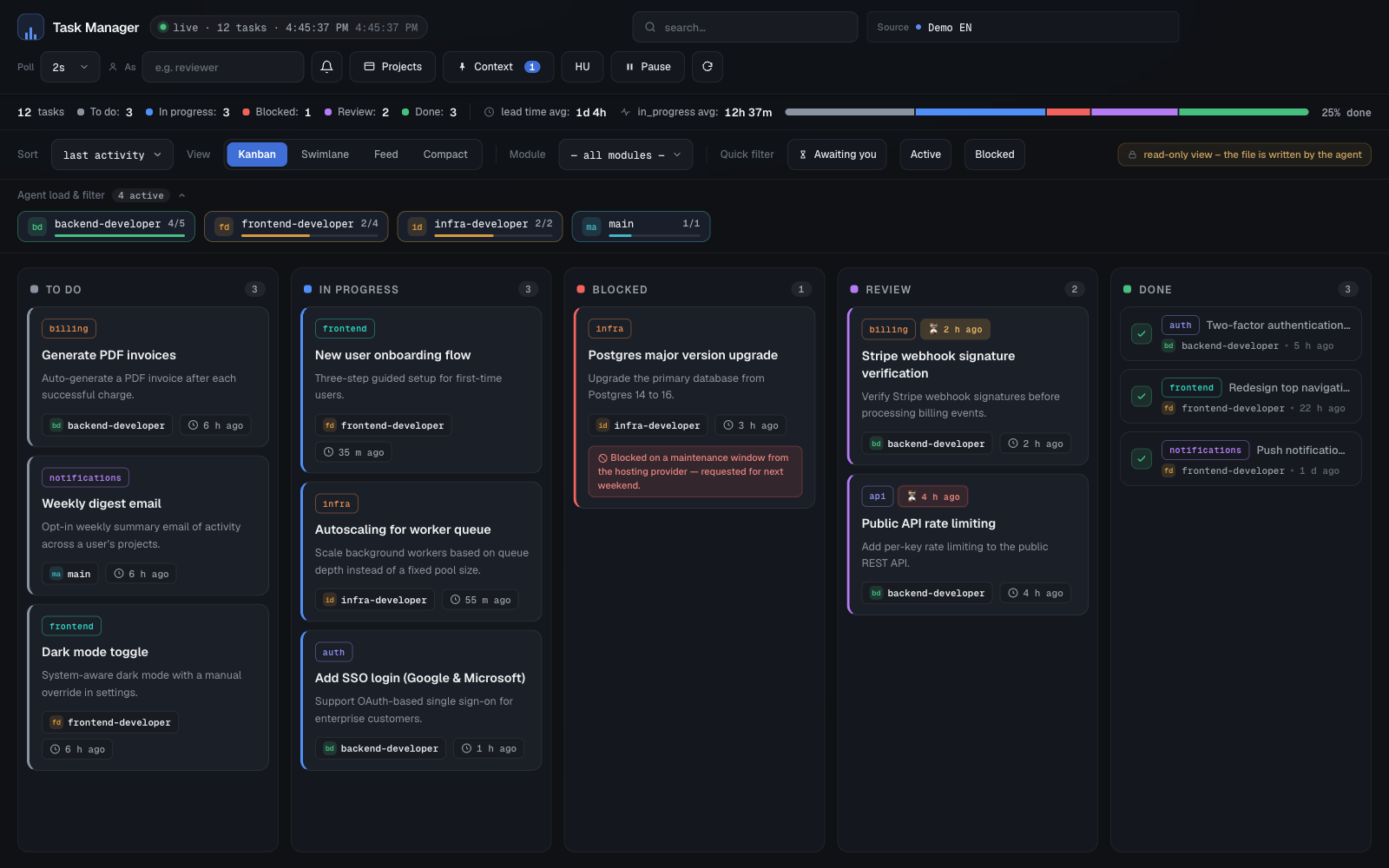 |
| 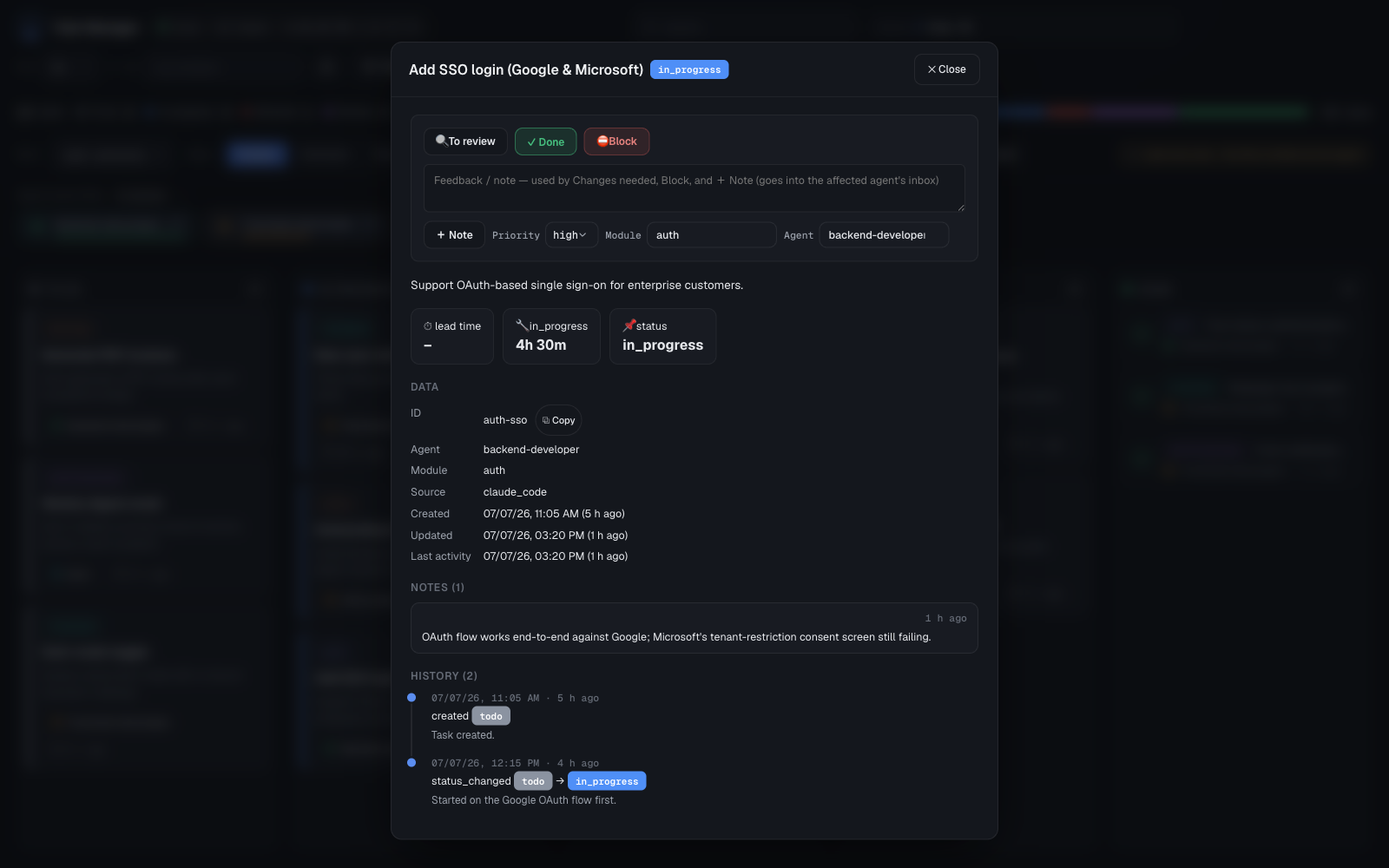 |
|
Install
Requirements: git, bash, jq, docker (with the docker compose plugin) and php
are only needed if you plan to run the browser board — the task.sh CLI itself only
needs bash + jq, no docker.
git clone https://github.com/GeRiY/claude-task-manager.git
cd claude-task-manager
cp .env.example .env        # default: board on port 3333, no autostart
Or, if you just want the ctm command without cloning:
npm install -g @mgeri1993/claude-task-managerThat's it — no build step.
Quick start
1. Register the ctm command
Any install (install.sh / ctm init) registers ctm on PATH automatically. If you've
never run an install yet, register it by hand:
ln -s /path/to/claude-task-manager/bin/ctm ~/.local/bin/ctm
# make sure ~/.local/bin is on your PATH
2. Start the board (docker)
ctm up            # default port: 3333 (see .env: CTM_PORT)
ctm up 4000        # a different port — rewrites .env and restarts the container
ctm up is idempotent. The board is reachable at http://localhost:<port>/ (also
accepts ?project=<id>&lang=<en|hu> for a direct deep link).
3. Install into a project
cd /path/to/some/project
ctm init                          # id/label = the folder name
This writes .claude/skills/task-manager/task.sh (a docker-free wrapper), the installed
SKILL.md, the four base teammate agents (see below), and the Bash-permission hooks that
let those agents call task.sh without a prompt. Re-running ctm init is idempotent and
never touches data/<id>/ or your own custom tm-* agent files.
4. Everyday task.sh examples
task.sh next --claim --as backend-dev            # take the top ready todo, race-safe
task.sh status fix-login in_progress --as backend-dev
task.sh review fix-login main "done, please review" --as backend-dev
task.sh list --module auth --as main
Full command reference (~40 commands): docs/COMMANDS.md.
5. Manage projects
ctm list                  # registered projects (id, label, data directory)
ctm rm <id> [--force]     # deregister a project (data + wrapper) — asks first
Teammates
ctm init installs four base teammate agents — backend-dev, frontend-dev,
investigator, playwright-tester — whose launch name is their task-manager
identity, plus a main coordinator agent that assigns work and reviews results. Work
flows todo → in_progress → review → done; a teammate never closes its own task as
done, it routes to review and main decides. Need a role beyond the base four? ctm
agent add <name> creates a custom tm-* agent.
Full model — roles, the tm-* convention, per-agent tool allow-lists, and how many
teammates to run at once: docs/AGENTS.md.
Language / i18n
The board defaults to English. Click the language button in the header (or add
?lang=hu to the URL) to switch to Hungarian — the choice persists in localStorage
and in the URL, so a board link is shareable in a specific language.
The language is not stored in any task or note — it lives in a small
data/<id>/.board-lang file, and engine/task.sh reads it on every call to remind the
calling agent (via stderr) which language a human was using on the board.
Staying up to date
ctm, install.sh, add-agent.sh, and projects.sh each check (via a lightweight
git ls-remote, not a full fetch) whether origin has commits your checkout is missing,
and print a yellow notice if so. This is not run by engine/task.sh itself — that
would add network latency to a command called on every single task mutation.
Documentation
- docs/ARCHITECTURE.md — the single-writer invariant, components, directory structure,
.envsettings. - docs/COMMANDS.md — the full
task.shcommand reference. - docs/BOARD.md — the browser board: view modes, filtering, the task modal, deep links.
- docs/AGENTS.md — the teammate model in full.
- CONTRIBUTING.md — no build step, running the board locally, the mirrored-files rule, and the English-only convention.
Security
- The board's docker port is bound to
127.0.0.1only — never reachable from the LAN. - The write endpoint (
api/index.php) runs an explicit command allowlist; destructive commands (rm,restore,raw,archive) are never exposed to the browser. - Full posture and how to report a vulnerability: SECURITY.md.
Community & discussions
Questions, ideas, and configs live in
GitHub Discussions —
concrete bugs belong in Issues
instead. Good things to bring: multi-agent setups and the --as <agent> calling
contract, your own teammate configs, feature ideas, and usability friction.
New here? Say hi in the welcome thread — tell us which projects you coordinate agents on and what you're using the tool for.