
@mohayonao/launch-control
v0.5.0
Published
JavaScript utility for novation LAUNCH CONTROL


Readme
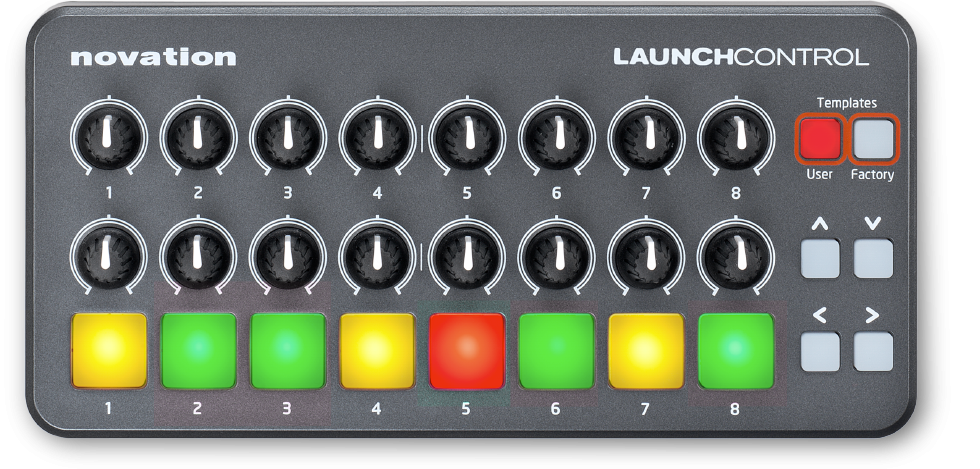
LAUNCH CONTROL



JavaScript utility for novation LAUNCH CONTROL
Installation
Node.js
npm install @mohayonao/launch-controlBrowser
Examples
Online examples (using Web MIDI API)
Run example with Node.js (using node-midi)
node examples/dump.jsAPI
LaunchControl
constructor(deviceName: string = 'Launch Control', opts={})opts.enablePadOffwhen true, enable to receive pad off events
Class methods
requestDeviceNames(): Promise<{ inputs: string[], outputs: string[] }>
Instance methods
Also implements methods from the interface @mohayonao/event-emitter.
open(): Promise<[ input, output ]>close(): Promise<[ input, output ]>send(data: number[]): voidled(track: number|string, color: number|string, [channel: number]): voidtrack0 - 7 or "all", "even", "odd"colorindex or name (see below)
Events
messagedataType: string- knob1
- knob2
- pad
- cursor
value: number0 - 127track: number0 - 7 ( knob1, knob2, pad )direction: string"left", "right", "up" or "down" ( cursor )channel: number0 - 15deviceName: string
Color Code
| color name | color index | |-------------|------------:| | off | 0 | | dark red | 1 | | red | 2 | | light red | 3 | | dark green | 4 | | dark amber | 5 | | green | 8 | | amber | 10 | | light green | 12 | | light amber | 15 |
Usage
Node.js
var LaunchControl = require("@mohayonao/launch-control");Browser
<script src="/path/to/launch-control.js"></script>Common
var ctrl = new LaunchControl();

ctrl.open().then(function() {
  ctrl.led("all", "amber");
});

ctrl.on("message", function(e) {
  console.log("dataType: " + e.dataType);
  console.log("track   : " + e.track);
  console.log("value   : " + e.value);
  console.log("channel : " + e.channel);
});
License
MIT