
@momo_vision/dental-chart
v0.0.8
Published
Interactive dental chart components and utilities for FDI adult tooth selection.


Readme
@momo_vision/dental-chart
Interactive dental chart components and utilities for FDI adult tooth selection.
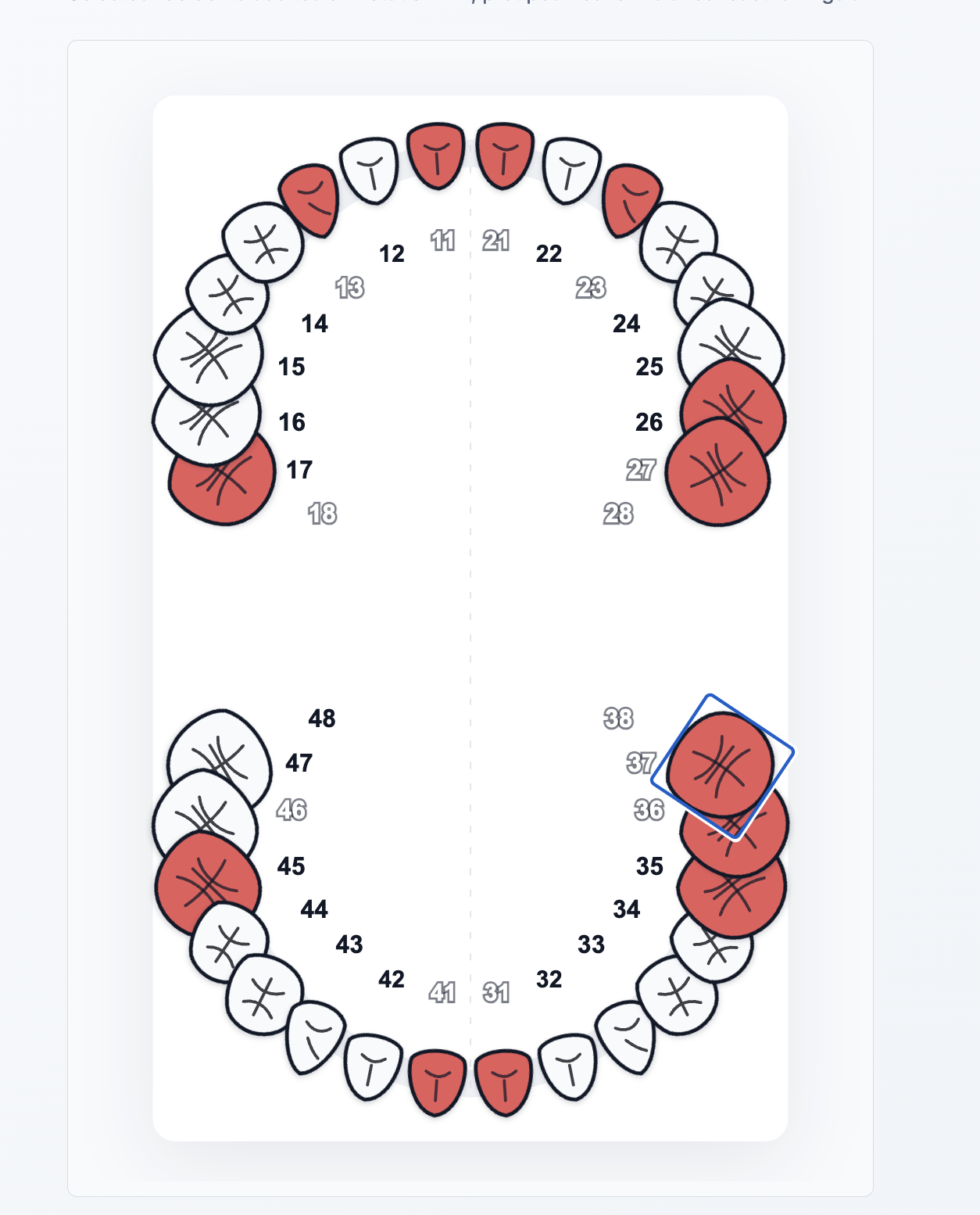
The first release provides:
- A framework-agnostic TypeScript core.
- An Angular standalone component.
- A React controlled component.
- Multi-tooth selection.
- Adult permanent teeth using FDI / ISO 3950 codes.
- Disabled tooth support.
- Reactive Forms integration through
ControlValueAccessor. - CSS variables for visual customization.
Install
npm install @momo_vision/dental-chartDemo
This repository includes two local demos:
# React demo
npx vite apps/react-demo --config apps/react-demo/vite.config.ts --host 127.0.0.1 --port 5173
Open:
http://127.0.0.1:5173/# Angular demo
npm start -- --host 127.0.0.1 --port 4201Open:
http://127.0.0.1:4201/The demos show:
- Adult FDI dental arch rendering.
- Multi-tooth selection.
- Disabled teeth.
- Selected tooth state.
- Angular Reactive Forms integration.
- React controlled component integration.
Angular Usage
For Angular 20+ standalone applications, use:
import { Component } from '@angular/core';
import { FormControl, ReactiveFormsModule } from '@angular/forms';
import { DentalChartComponent } from '@momo_vision/dental-chart/angular';

@Component({
  selector: 'app-dental-act-form',
  imports: [DentalChartComponent, ReactiveFormsModule],
  template: `
    <momo-dental-chart
      [formControl]="dentalTeeth"
      [disabledTeeth]="disabledTeeth"
      ariaLabel="Selection des dents"
    />
  `,
})
export class DentalActFormComponent {
  readonly dentalTeeth = new FormControl<string[]>([], { nonNullable: true });
  readonly disabledTeeth = ['18', '28'];
}
For Angular 10 to 15 applications using classic NgModule, install the legacy package:
npm install @momo_vision/dental-chart-angularimport { MomoDentalChartModule } from '@momo_vision/dental-chart-angular';
@NgModule({
imports: [
ReactiveFormsModule,
MomoDentalChartModule,
],
})
export class DentalActModule {}React Usage
import { useState } from 'react';
import { DentalChart } from '@momo_vision/dental-chart/react';

export function DentalActForm() {
  const [dentalTeeth, setDentalTeeth] = useState<string[]>([]);

  return (
    <DentalChart
      value={dentalTeeth}
      onChange={setDentalTeeth}
      disabledTeeth={['18', '28']}
      ariaLabel="Selection des dents"
    />
  );
}
Core Usage
import { getAdultFdiTeeth, toggleToothSelection } from '@momo_vision/dental-chart/core';

const teeth = getAdultFdiTeeth();
const selectedTeeth = toggleToothSelection(['11'], '12');
Value Model
The Angular component value is a string[] of FDI tooth codes:
['11', '12', '46']Supported Teeth
The MVP supports adult permanent teeth only:
18 17 16 15 14 13 12 11 | 21 22 23 24 25 26 27 28
48 47 46 45 44 43 42 41 | 31 32 33 34 35 36 37 38
Styling
The component ships with default styles and exposes CSS variables:
momo-dental-chart {
  --momo-dental-tooth-selected-fill: #e85b5b;
  --momo-dental-tooth-disabled-fill: #d9d9d9;
  --momo-dental-focus-ring: #16a34a;
}