
@mosetta/ide
v0.0.14
Published
Mosetta IDE: an IDE made of plugins. `npx @mosetta/ide` opens the current folder in your browser.


Readme
Mosetta IDE
@mosetta/ide · An IDE made of plugins — not an IDE with plugins. npx @mosetta/ide opens the current folder in your browser.
What it does
This is the installable IDE: the daemon (@mosetta/ide-server), the built interface, and
every plugin that ships with it. One command starts the daemon on a local port, serves
the interface from the same port, and opens a browser tab on the folder.
npx @mosetta/ide                  # the current folder
npx @mosetta/ide ~/code/my-app    # another folder
npx @mosetta/ide --port 4300      # a port of your own (default: the first free one from 4177)
npx @mosetta/ide --no-open        # print the address instead of opening a browser
npx @mosetta/ide --verbose        # print the daemon's whole log
Or install it once: npm install -g @mosetta/ide, then mosetta-ide.
As a native app, if you would rather have an icon than a terminal tab:
npx @mosetta/ide install          # builds it on your machine and starts it
npx @mosetta/ide start
npx @mosetta/ide uninstall
That hands over to @mosetta/ide-desktop,
which carries Electron; a browser run does not download it.
- Node.js 22 or newer. TypeScript checking works out of the box; git features need
giton yourPATH. - Local only. The daemon listens on
127.0.0.1and accepts pages from local addresses only. - Your settings live in
~/.mosetta/ide/config/settings.json— the same file the desktop app uses;IDE_CONFIG_DIRpoints elsewhere. - Terminals and language servers live in the daemon: reload the tab and they are still there. Stopping the command stops them.
Screenshots and demos
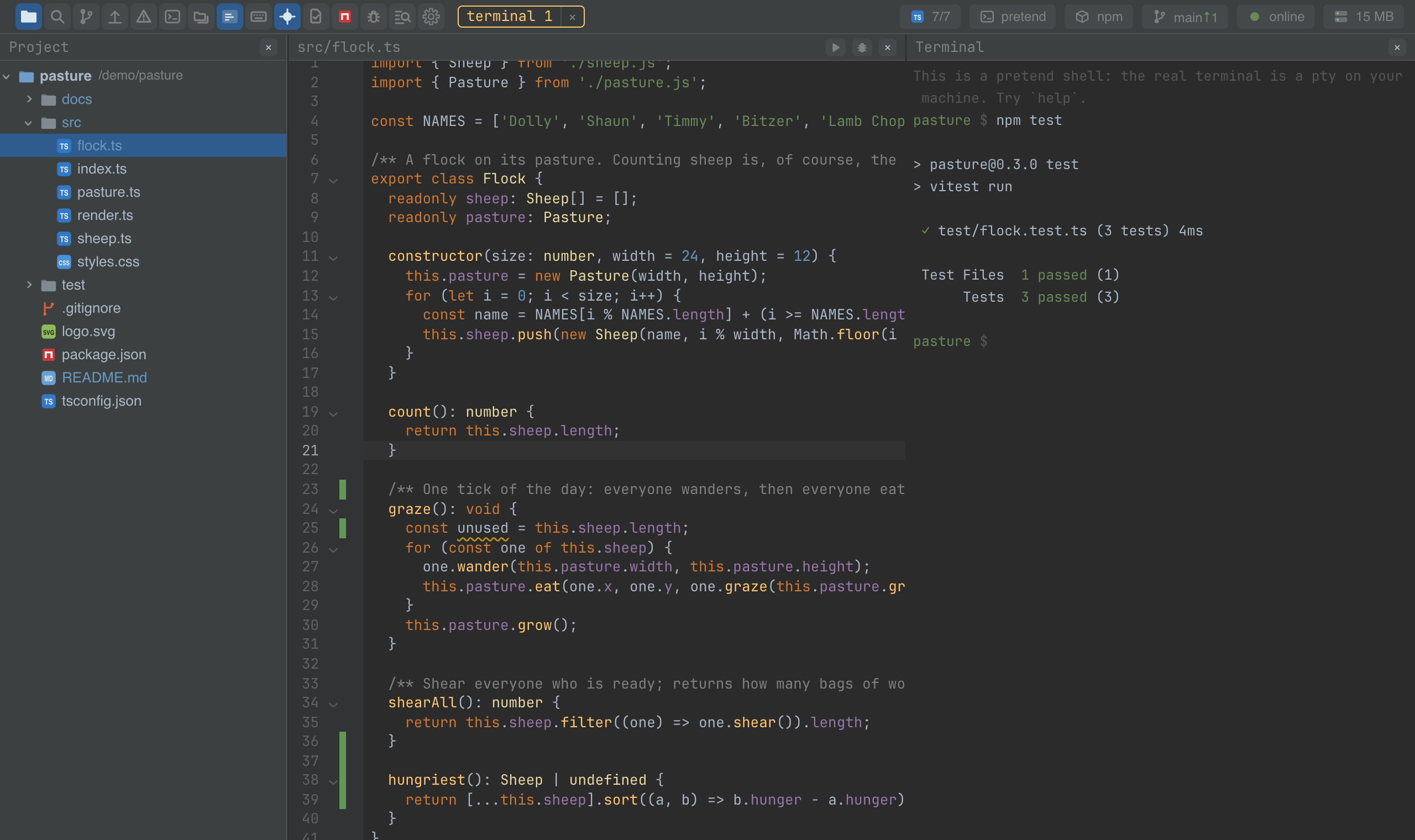
Try it in the browser before installing anything.
Using it from another plugin
The IDE is the plugins listed in its settings, plugins.enabled; each has a README
saying what it does and how to use it from another plugin. Start with the contract,
@mosetta/ide-api. Installing
third-party plugins from npm is on the
roadmap.