
@mosetta/ide-client
v0.0.14
Published
The Mosetta IDE client: the core that brings plugins up, and `mount()` to put the IDE into any element of a page.


Readme
Client
@mosetta/ide-client · The Mosetta IDE client: the core that brings plugins up, and mount() to put the IDE into any element of a page.
What it does
The half of the IDE that runs in the browser — and it is small on purpose. It owns the socket to the daemon, the session, the plugins' home, the registry of declarations, the settings layers, the dictionary and the frame. It has no commands, no panels and not one word about windows: everything visible is brought by plugins.
- Brings plugins up: asks the daemon for the list, fetches each one's built code, constructs it, hands it its services and starts it. One plugin failing is a line in the notifications, not a dead editor.
- Puts the shared libraries on one table: preact, the signals, CodeMirror and the
contract exist in exactly one copy, which is why a plugin can
importthem. - Mounts anywhere:
mount(element)runs the IDE inside an element of somebody else's page — keys, pointer events and styles stay inside it, and the page's title, address and scroll position are left alone.
You do not usually install this by hand: npx @mosetta/ide runs the whole IDE, and the
native app builds this package on your machine.
Screenshots and demos
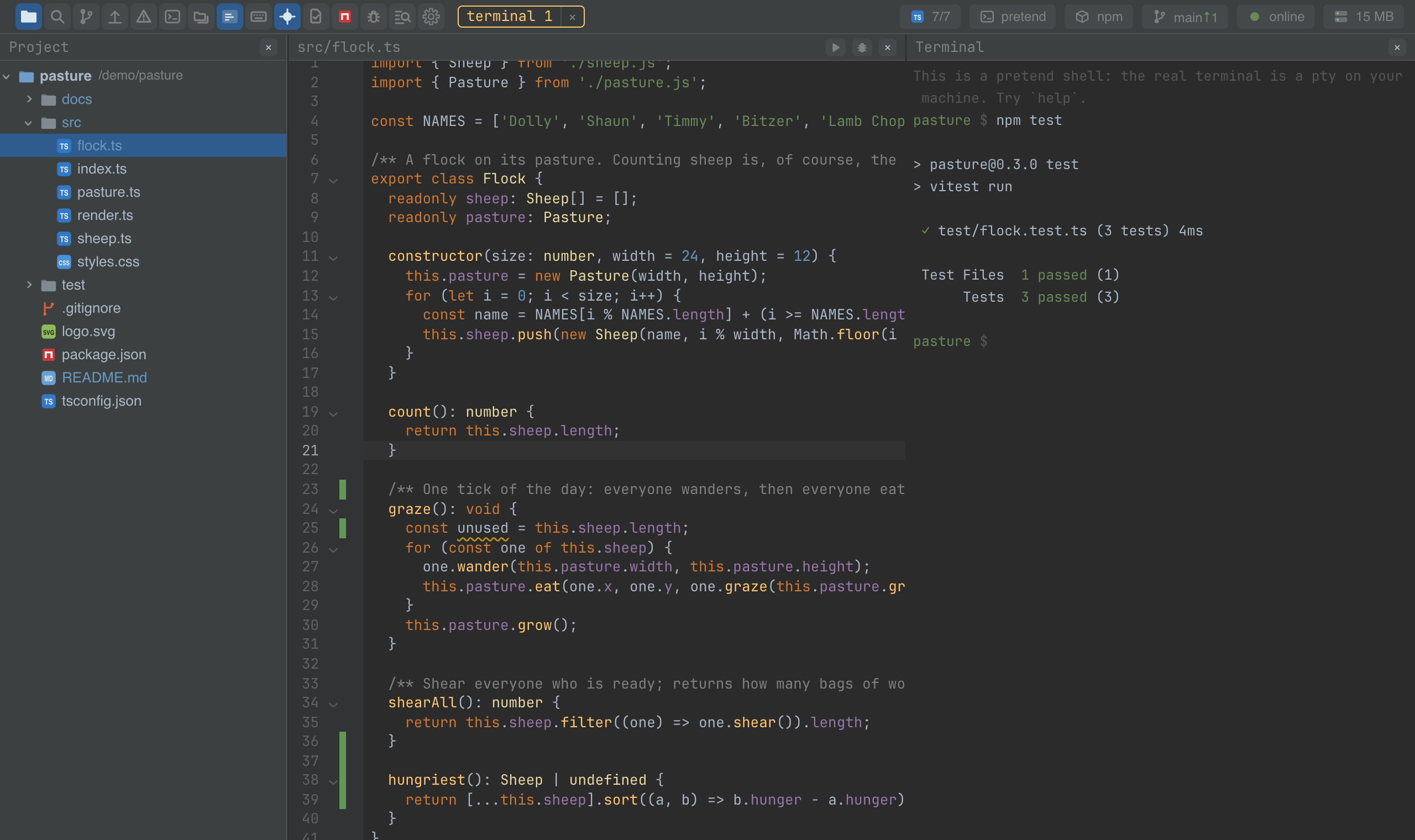
ide.mosetta.org is this client, mounted into a landing page with a daemon the page plays itself.
Using it from another plugin
A plugin never imports the client: it is given what it needs through
@mosetta/ide-api. The client is what
an APPLICATION imports — a page that wants an IDE in it:
import { mount } from '@mosetta/ide-client/embed';

const ide = mount(document.querySelector('#ide')!, {
  // optional: anything shaped like a WebSocket, if the daemon is not the local one
  dial: () => new WebSocket('ws://127.0.0.1:4177/rpc'),
});

ide.commands.run('search.everywhere');
The element decides the size, so give it one. mount returns the core: commands to
run anything by id, session for the open project, plugins for what came up. The
package ships TypeScript sources and is built by the application's own bundler (Vite in
this repository).