
@mosetta/ide-plugin-code
v0.0.14
Published
The one way code is shown: languages, highlighting, line diffs and a read-only code view.

Maintainers
 pre-fabricated
Readme
Code display
@mosetta/ide-plugin-code · The one way code is shown: languages, highlighting, line diffs and a read-only code view.
What it does
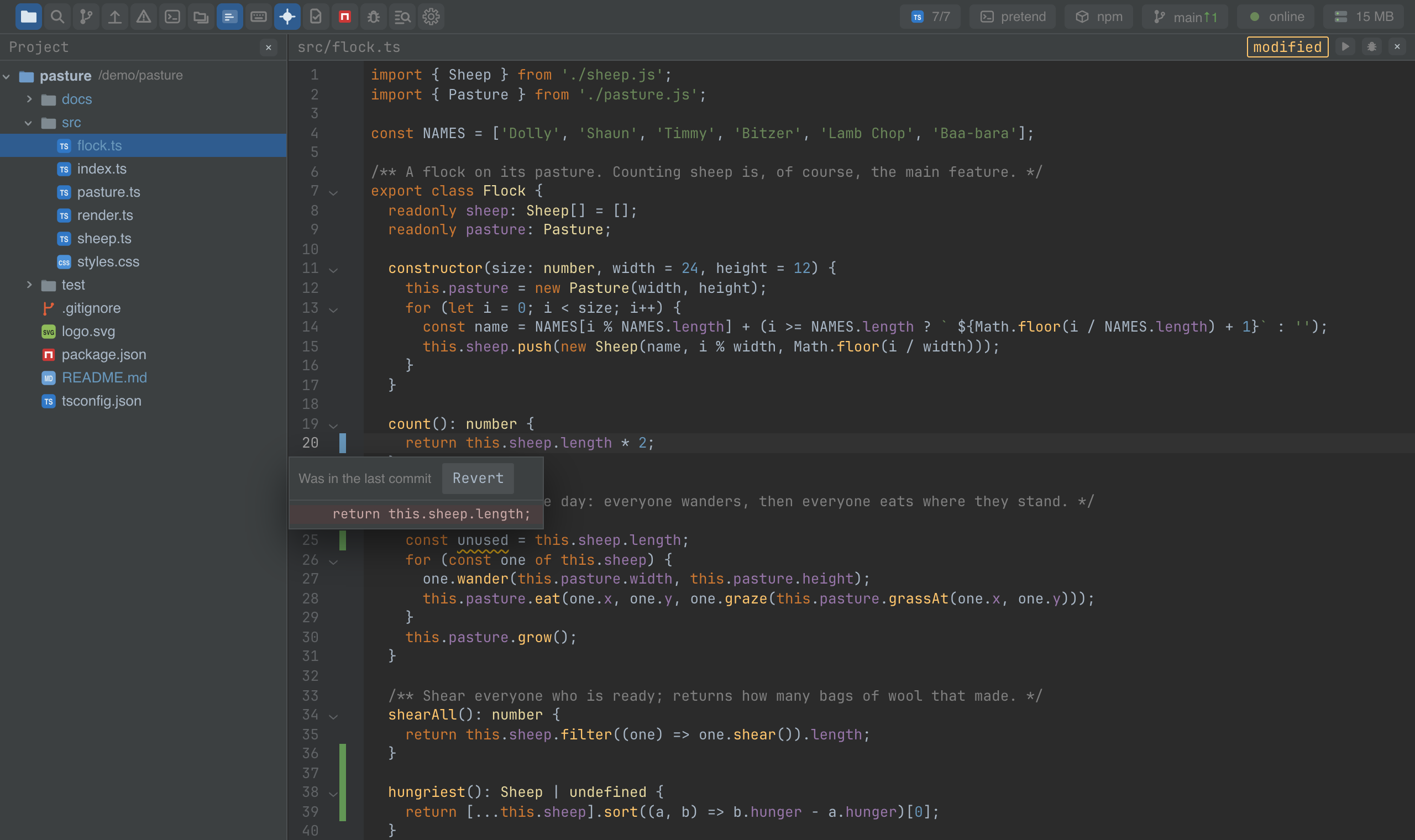
Code appears in many places besides the editor: the preview in search everywhere, the diff over the editor, the merge screen, a hunk popup, the debugger's view of a file outside the project. All of them show code through this plugin, so a file looks the same wherever it turns up — one set of languages, one highlighting, one font, one diff.
- Languages by extension: TypeScript and JavaScript (with JSX), JSON, CSS, HTML and Markdown.
- Highlighting from the theme's palette, so switching the theme recolours every view of code at once.
- A line diff that everyone uses — the git strips, the diff screen and merge all compare lines the same way.
- A read-only code view, scrolled to a line.
The editor's settings (fontFamily, fontSize, tabSize and the rest) are declared
here and shown in the settings window under the Editor.
Screenshots and demos
Using it from another plugin
Take the instance and use its fields; there is nothing to register.
import CodePlugin, { EDITOR_DEFAULTS } from '@mosetta/ide-plugin-code';

const code = this.ide.getPlugin(CodePlugin);

// Show a file read-only, scrolled to a line (zero-based) and in the editor's font.
const settings = this.ide.settingsOf('editor', EDITOR_DEFAULTS).value;
const preview = <code.View path="src/flock.ts" text={text} line={24} settings={settings} />;

// Compare two texts line by line.
const hunks = code.diff.hunks(before, after);
| Field | What it is |
|---|---|
| View | A Preact component that shows code with the IDE's look and languages. |
| languages | of(path): the CodeMirror language for a file, by its extension. |
| diff | The line diff: hunks(before, after), and reverted(text, hunk) to put one hunk back. |
| painter | Paints a line into highlighted chunks — for code drawn outside CodeMirror. |
| input | The shared input mechanics: how keys behave in code, in every view that edits. |
| look | The CodeMirror theme and highlight style, built from the theme's palette. |
The module also exports the editor's settings (EDITOR_DEFAULTS, EDITOR_SCHEMA,
EditorSettings) so that every view of code reads the same font and tab size.