
@mosetta/ide-plugin-completion
v0.0.14
Published
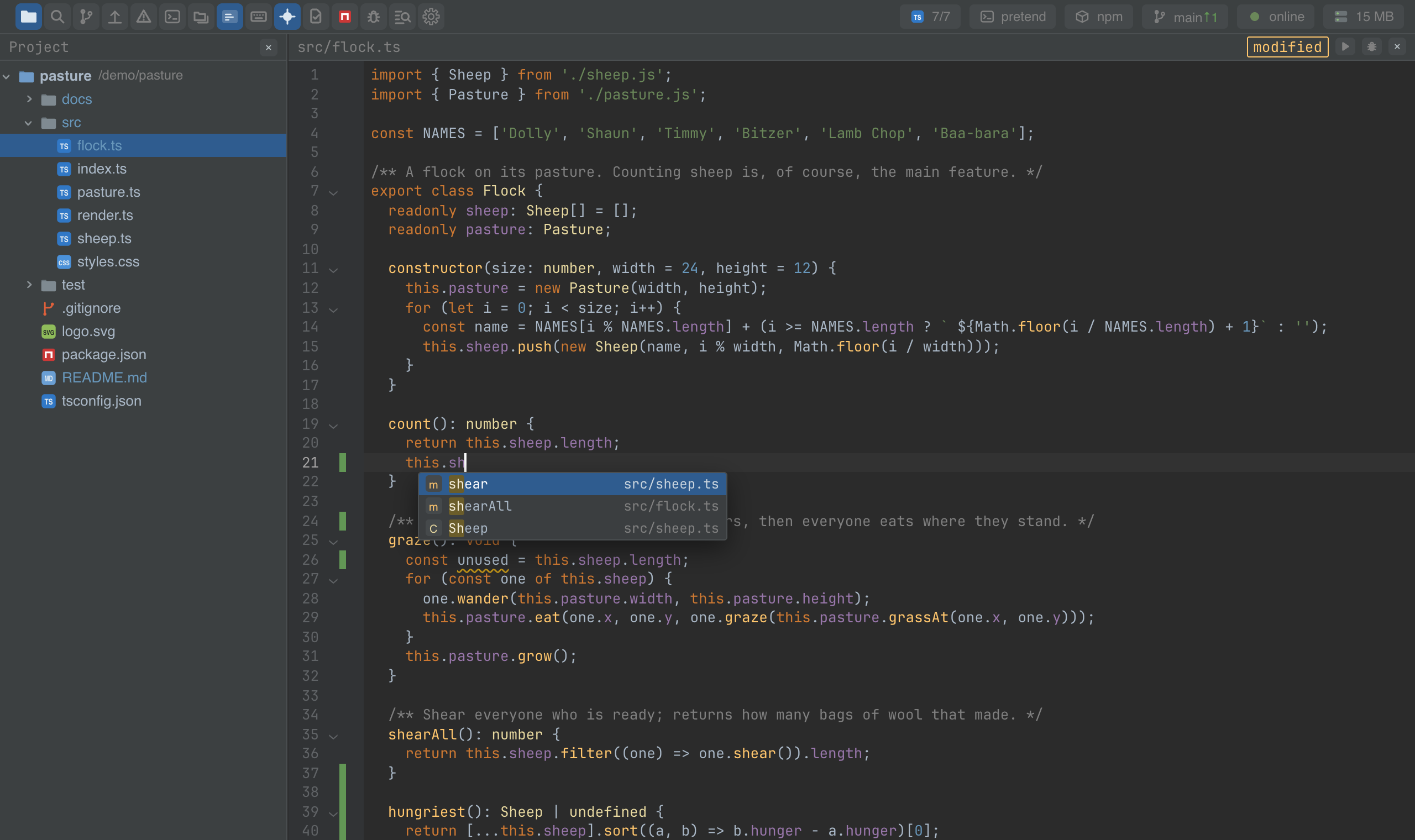
The completion list: the language server, the file's own words and postfix templates, ranked by what you actually pick.

Maintainers
 pre-fabricated
Readme
Completion
@mosetta/ide-plugin-completion · The completion list: the language server, the file's own words and postfix templates, ranked by what you actually pick.
What it does
The list opens by itself on the first letter of a word and after a dot, or on a key. It merges several sources into one ranking:
- the language server — members, variables, imports, with their types and documentation on the side;
- the words of the open file — a safety net where the language server has nothing to say, as in comments, strings and plain text;
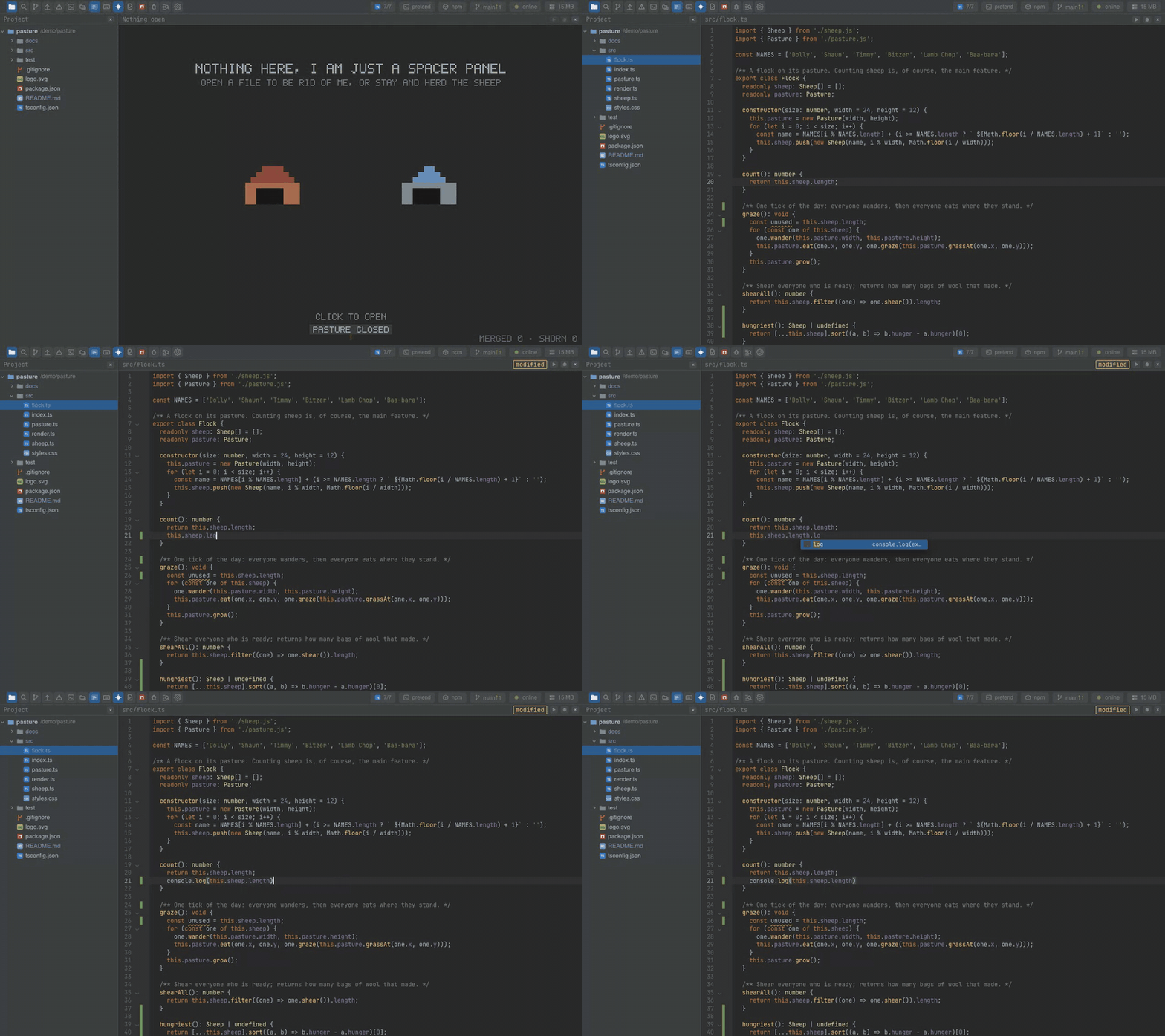
- postfix templates — write the expression first, then what to do with it:
user.name.logbecomesconsole.log(user.name), and there are.if,.not,.return,.const,.for,.awaitand more.
Choices are remembered: an item you pick often floats up the next time, across projects. Enter inserts, Tab replaces the word under the caret.
Keys
| Command | macOS | Windows and Linux |
|---|---|---|
| completion.show | Cmd+Space | Ctrl+Space |
| completion.accept / completion.replace | Enter / Tab | Enter / Tab |
Arrows and Page Up/Down move, Escape closes.
Settings
Section completion in settings.json:
| Key | Default | What it does |
|---|---|---|
| auto | true | Open the list by itself. Off means by key only. |
| words | true | Offer the open file's words. |
| postfix | true | Offer postfix templates. |
Screenshots and demos
Watch the video · Try it in the browser
Using it from another plugin
Sources are entries in the completion.source key, which this plugin declares. The three
built-in ones are registered the same way, so a new source — snippets, an AI model —
arrives as an entry, without a change here.
| Field | What it is |
|---|---|
| id | The source's name; items carry it, so the ranking can tell sources apart. |
| weight | Its standing in the ranking: the language server is 10, postfix -4, the file's words -20. |
| items(ask) | The items for this spot, sync or async. ask has the path, the text, the caret pos, the from of the word being typed, line, character, the trigger character (a dot, or null) and whether the list was asked for explicitly. |
An item needs a label, a kind (function, variable, snippet, …) and its source;
optionally insert (what goes in, if not the label), caret (where the caret lands
inside it), detail, and resolve() for documentation fetched only when the item is
selected.
import type { Ask, Answer, Source } from '@mosetta/ide-plugin-completion';

const snippets: Source = {
  id: 'snippets',
  weight: 0,
  items: (ask: Ask): Answer => {
    if (ask.trigger !== null || !ask.path.endsWith('.test.ts')) return { items: [] };
    return {
      items: [
        { label: 'it', kind: 'snippet', source: 'snippets', insert: "it('', () => {\n  \n});", caret: 4, detail: 'a test' },
      ],
    };
  },
};

this.ide.registry('completion.source').add(snippets);