
@mosetta/ide-plugin-find
v0.0.14
Published
Find and replace in the open file, and across the whole project — unsaved edits included.

Maintainers
 pre-fabricated
Readme
Find
@mosetta/ide-plugin-find · Find and replace in the open file, and across the whole project — unsaved edits included.
What it does
In a file, a bar opens at the top of the editor: case, whole words and regular expressions, a replace field, and a multi-line mode for patterns that span lines. The count of matches is always shown.
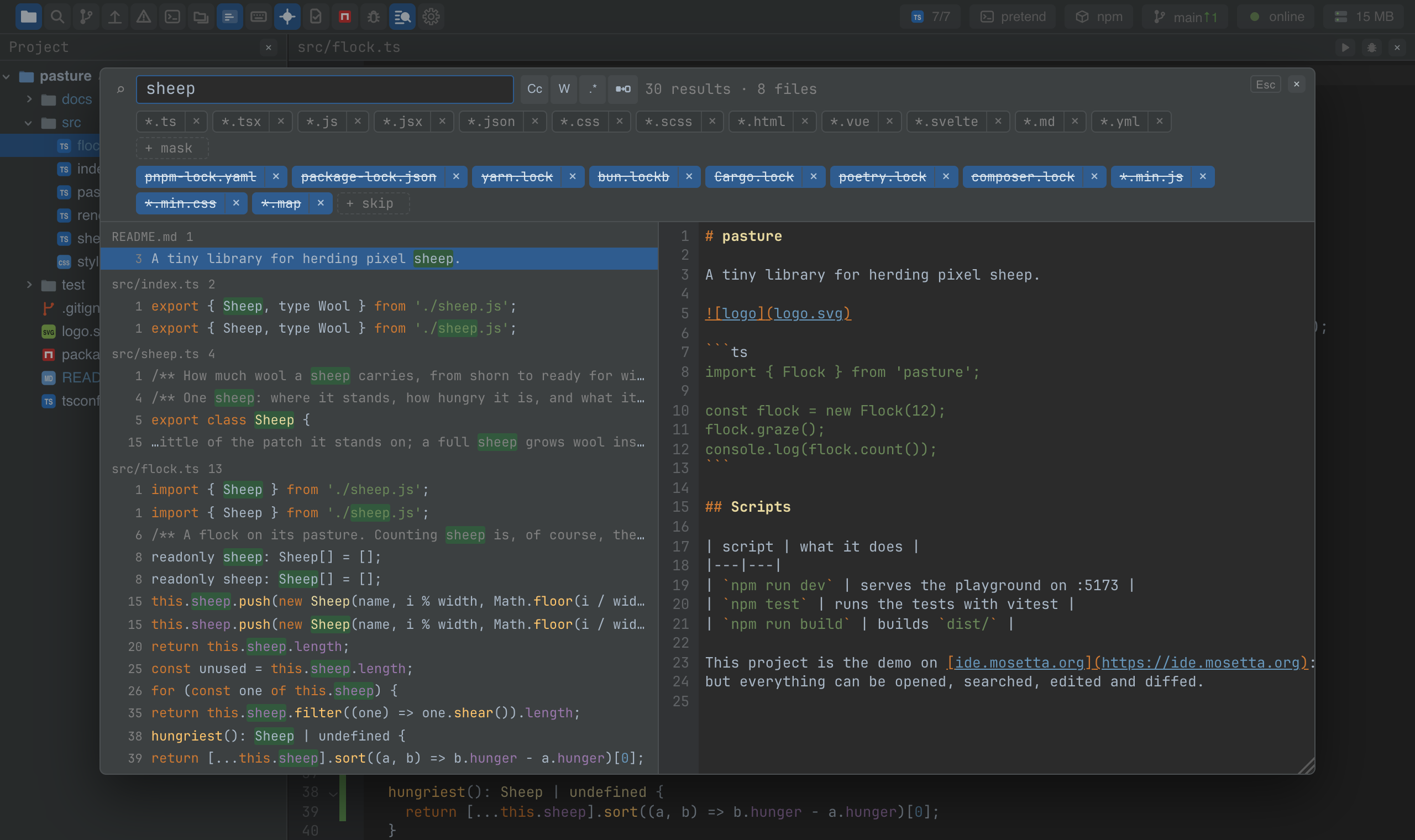
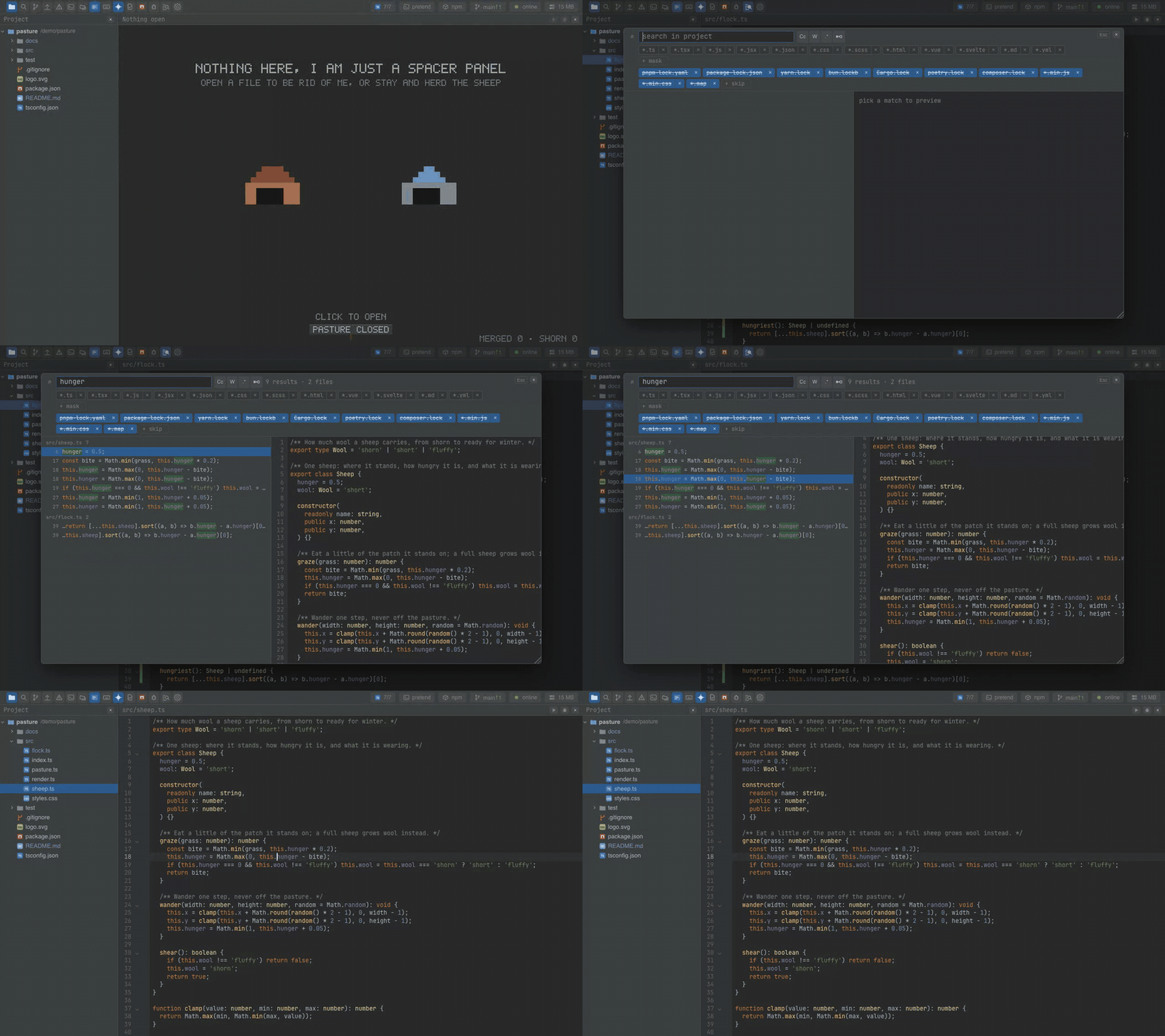
Across the project, a window opens over the panels with the hits grouped by file and
a preview of the selected one. File masks (*.ts, src/**) and exclusions sit above the
results as chips you switch on and off; the lock files and the build output are excluded
out of the box. Replace in one file or in all of them.
The project search runs in the daemon over the files it holds in memory, so it finds what is on your screen, not what was last saved. When the hits hit the ceiling, the window says so.
Keys
| Command | macOS | Windows and Linux |
|---|---|---|
| find.open — find in the file | Cmd+F | Ctrl+F |
| find.replace — replace in the file | Cmd+R | Ctrl+H (browser), Ctrl+R (desktop) |
| find.next / find.prev | Cmd+G, Enter / Shift+Enter | F3, Enter / Shift+F3, Shift+Enter |
| find.files — find in the project | Cmd+Shift+F | Ctrl+Shift+F |
| find.filesReplace — replace in the project | Cmd+Shift+R | Ctrl+Shift+H |
| find.toggleCase / toggleWords / toggleRegex | Cmd+Option+C / W / X | Alt+C / W / X |
| find.replaceAll | Cmd+Option+Enter | Ctrl+Alt+Enter |
Settings
Section find in settings.json:
| Key | Default | What it does |
|---|---|---|
| masks | common source extensions | The mask chips offered above the project search. |
| masksOff | all of them | Which masks are switched off right now: by default the search covers everything. |
| excludes | lock files, minified files, source maps | Files never read by the project search. |
| excludesOff | none | Which exclusions are switched off right now. |
| maxHits | 500 | The ceiling on hits; reaching it is said out loud. |
Screenshots and demos
Watch the video · Try it in the browser
Using it from another plugin
The plugin has no registry keys; it enters the editor through editor.extension like
anyone could. Its project search is available to other plugins:
import FindPlugin from '@mosetta/ide-plugin-find';

const find = this.ide.getPlugin(FindPlugin);
const result = await find.grep({
  query: 'TODO',
  regex: false,
  caseSensitive: true,
  words: true,
  masks: ['*.ts'],
  excludes: [],
});

for (const hit of result.hits) console.log(`${hit.path}:${hit.line + 1}`, hit.text);
if (result.truncated) this.ide.say(this.ide.t('notes.tooMany'));
The answer (GrepResult) has the hits, how many files matched, the total, whether it
was truncated at the ceiling, and how many files were skipped by the exclusions.
replace(ask) takes the same question plus a replacement and optionally the paths to
limit it to, and writes the result to memory and disk together.