
@mosetta/ide-plugin-layout
v0.0.14
Published
Panels in columns — the frame every other plugin draws into.

Maintainers
 pre-fabricated
Readme
Layout
@mosetta/ide-plugin-layout · Panels in columns — the frame every other plugin draws into.
What it does
The interface is made only of panels: no tabs, no sidebars, and never a panel stacked on top of another. Navigation panels (the tree, git) sit on the left, working panels (the terminal, problems, scripts) open on the right, and the editor in the middle takes what is left. Drag a divider to resize a column; the widths are remembered per tab.
The layout is a plugin rather than part of the core on purpose. The core only sets aside a slot and keeps a registry of wishes; it has no idea what a column is. Switch this plugin off and you do not get a blank page — you get an explanation of who was supposed to draw and why they did not.
It also draws two things for its neighbours:
- actions in a panel's header — the debugger's run and debug next to the open file's name come from a neighbour, not from the editor;
- an overlay over the middle — the diff of a file covers the editor for a moment instead of squeezing it into half a column.
Screenshots and demos
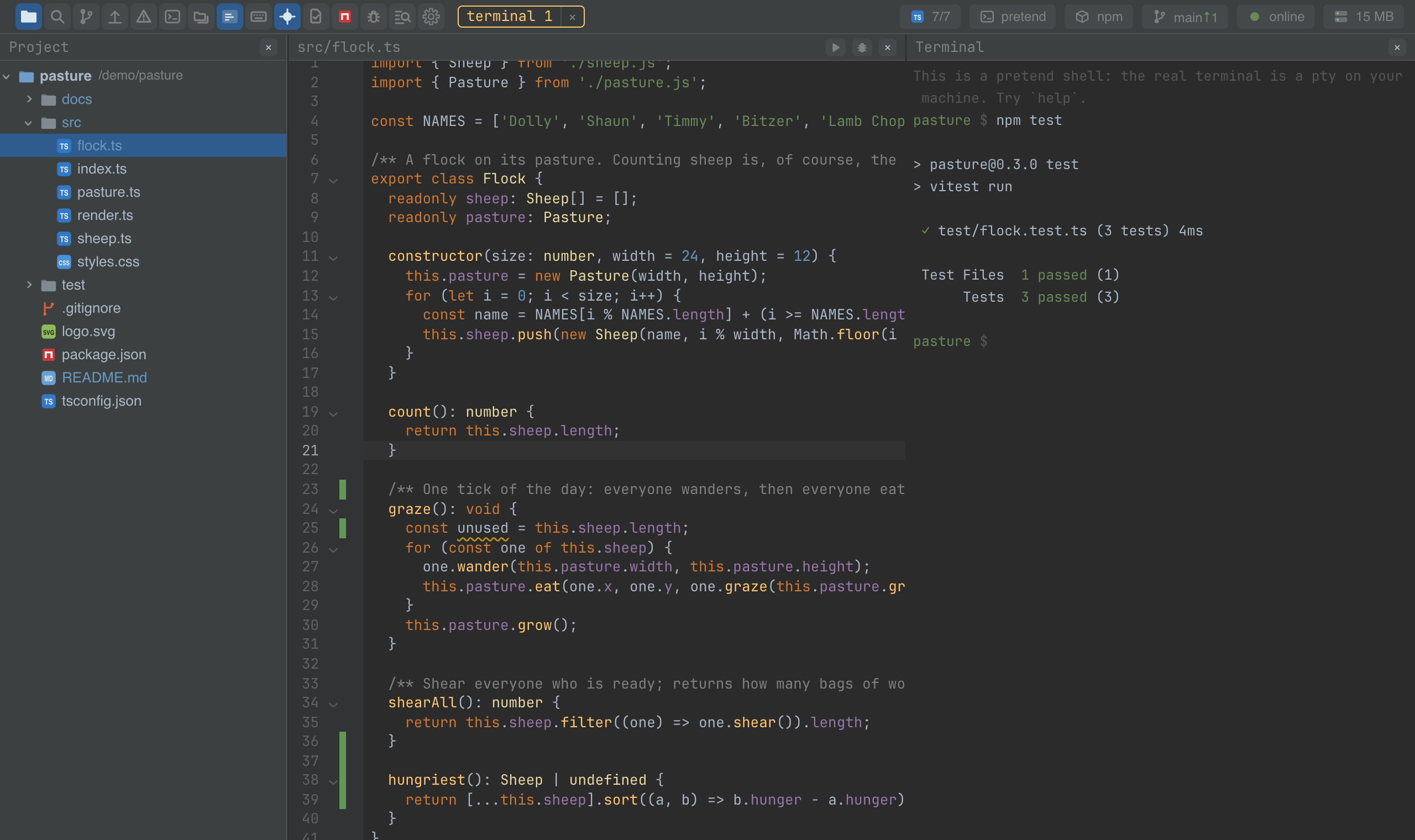
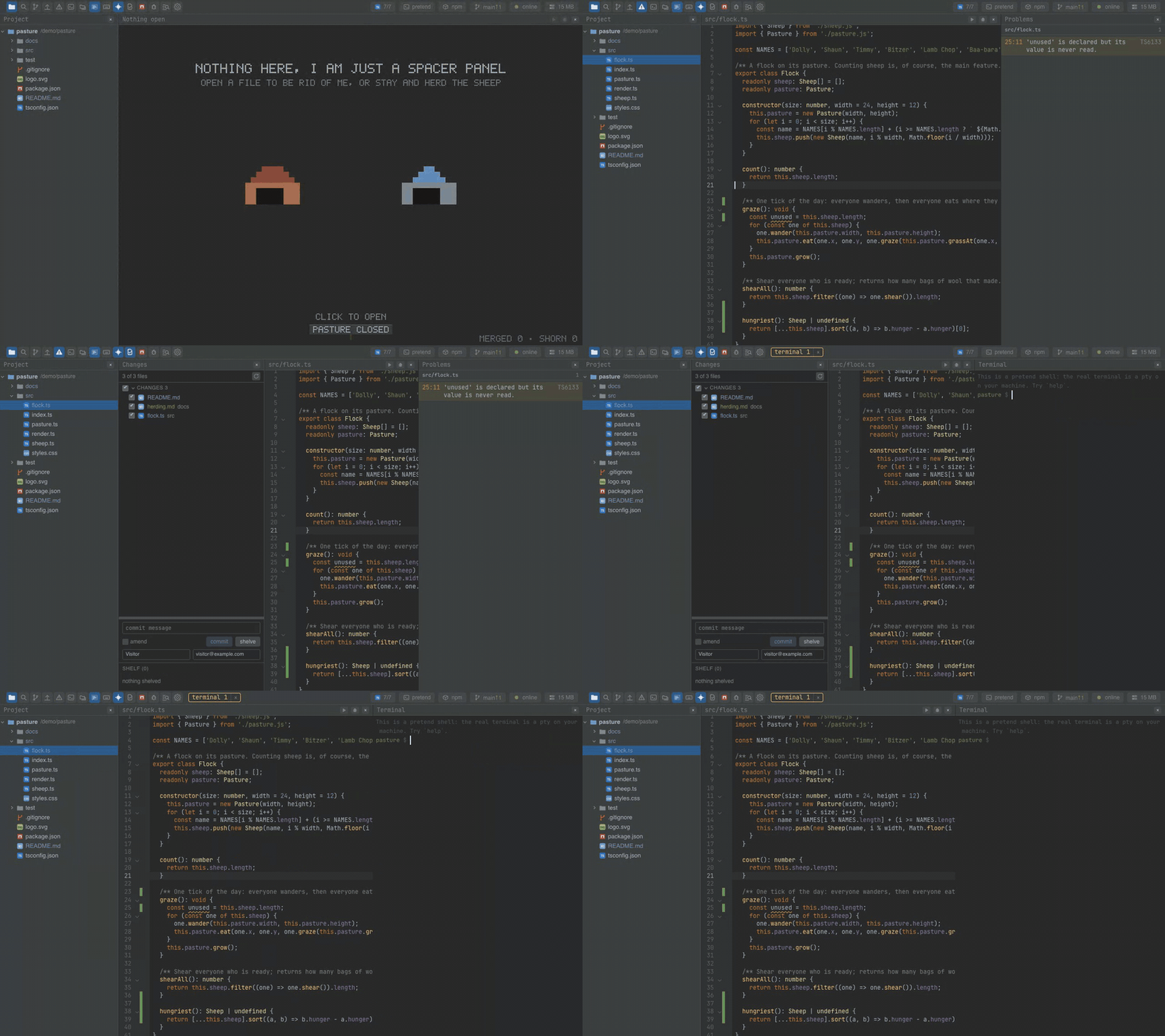
Watch the video · Try it in the browser
Using it from another plugin
Everything goes through three registry keys that the layout declares; nobody imports the layout itself.
| Key | What an entry is |
|---|---|
| panel | A column: id, a dictionary key for the title, a side (left, main or right), an open signal, a view, and optionally heading, badges, close, defaultWidth, minWidth. |
| panel.action | A button in another panel's header: panel (whose header), title, icon, run, and optionally keys and enabled. |
| main.overlay | Something that covers the middle: title, open, view, close, and optionally heading, badges, keys (the key surface it counts as) and takesFocus. |
A panel of your own and a command to toggle it — this is how the Problems plugin does it:
import { activate, command, plugin, type Ide } from '@mosetta/ide-api/client';

@plugin({ title: 'plugin.notes' })
export default class Notes {
  private readonly open: { value: boolean };

  constructor(private readonly ide: Ide) {
    this.open = ide.remember('panel.open', false);
  }

  @command('panel.notes')
  protected toggle(): void {
    this.open.value = !this.open.value;
  }

  @activate() protected start(): void {
    this.ide.registry('panel').add({
      id: 'notes',
      title: 'panel.notes',
      side: 'right',
      open: this.open,
      defaultWidth: 320,
      view: () => <NotesView />,
      close: () => (this.open.value = false),
    });
  }
}
A button in the editor's header:
this.ide.registry('panel.action').add({
  id: 'notes.pin',
  panel: 'editor',
  title: 'notes.pin',
  icon: () => <PinIcon />,
  run: () => this.pin(),
  enabled: () => this.ide.getPlugin(DocPlugin).openDoc.value !== null,
});