
@mosetta/ide-plugin-lsp
v0.0.14
Published
LSP in the daemon: diagnostics for the whole project, hover, definitions, references and completion. TypeScript out of the box.

Maintainers
 pre-fabricated
Readme
Language servers
@mosetta/ide-plugin-lsp · LSP in the daemon: diagnostics for the whole project, hover, definitions, references and completion. TypeScript out of the box.
What it does
Language servers run in the daemon, next to the project, and read files from the daemon's memory — so they see your unsaved edits, and they survive a reload of the tab.
- TypeScript works on a fresh install.
typescript-language-serverships with the editor and starts when a project opens, not when the first file does. - The whole project is checked, not only the open file: after start-up the server sweeps the project in the background, and the problems panel fills with every error. The sweep has a memory budget; when it stops early, the toolbar and the problems panel say how far it got and which setting raises the ceiling.
- Any LSP server can be added in
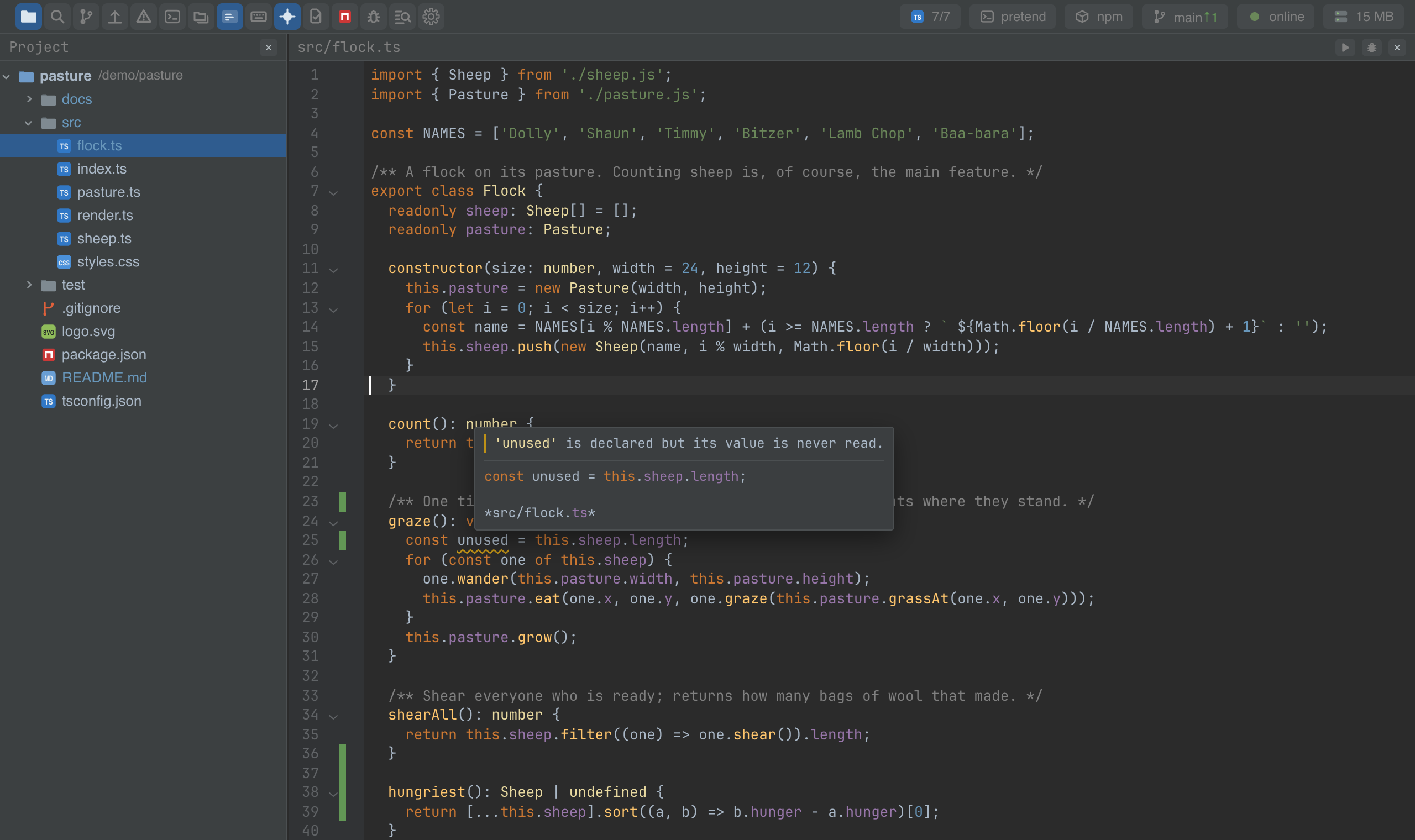
settings.json: a command, its arguments and the file extensions it looks after. - The answers feed the rest of the IDE: squiggles and hovers in the editor, go to definition and usages, completion items, red folders in the tree.
Settings
Section lsp in settings.json:
| Key | Default | What it does |
|---|---|---|
| startOnOpen | true | Start the servers when a project opens. |
| checkProject | true | Sweep the whole project after start-up. |
| memoryBudgetMb | 3072 | How much memory the servers and their children may take while sweeping. |
| sweepIndicator | true | Show the sweep's progress on the toolbar. |
| servers | typescript | The servers by name: enabled, command (empty means the bundled one), args, extensions, and optionally checkExtensions and preferences (the server's own options). |
Adding a server:
{
  "lsp": {
    "servers": {
      "css": {
        "enabled": true,
        "command": "vscode-css-language-server",
        "args": ["--stdio"],
        "extensions": ["css", "scss"]
      }
    }
  }
}
Screenshots and demos
Using it from another plugin
import LspPlugin from '@mosetta/ide-plugin-lsp';

const lsp = this.ide.getPlugin(LspPlugin);

lsp.problems.value;        // every file with diagnostics: [{ path, diagnostics }]
lsp.fileDiagnostics.value; // the diagnostics of the open file
lsp.statuses.value;        // each server's state and sweep progress

const hover = await lsp.hover('src/flock.ts', 24, 10);        // { markdown } or null
const where = await lsp.definition('src/flock.ts', 1, 10);    // [{ path, line, character, preview }]
const uses = await lsp.references('src/sheep.ts', 4, 14);
const items = await lsp.complete('src/flock.ts', 30, 12, '.');
Lines and characters are zero-based, as in LSP itself. serves(path) tells whether any
enabled server looks after a file — completion asks it before offering plain words
after a dot.
The diagnostics are signals: read them inside a view or an effect and your plugin
updates when a server reports.