
@mosetta/ide-plugin-merge
v0.0.14
Published
A three-way merge screen for every argument between two versions of a file — from git, from the shelf, or from the disk.

Maintainers
 pre-fabricated
Readme
Merge
@mosetta/ide-plugin-merge · A three-way merge screen for every argument between two versions of a file — from git, from the shelf, or from the disk.
What it does
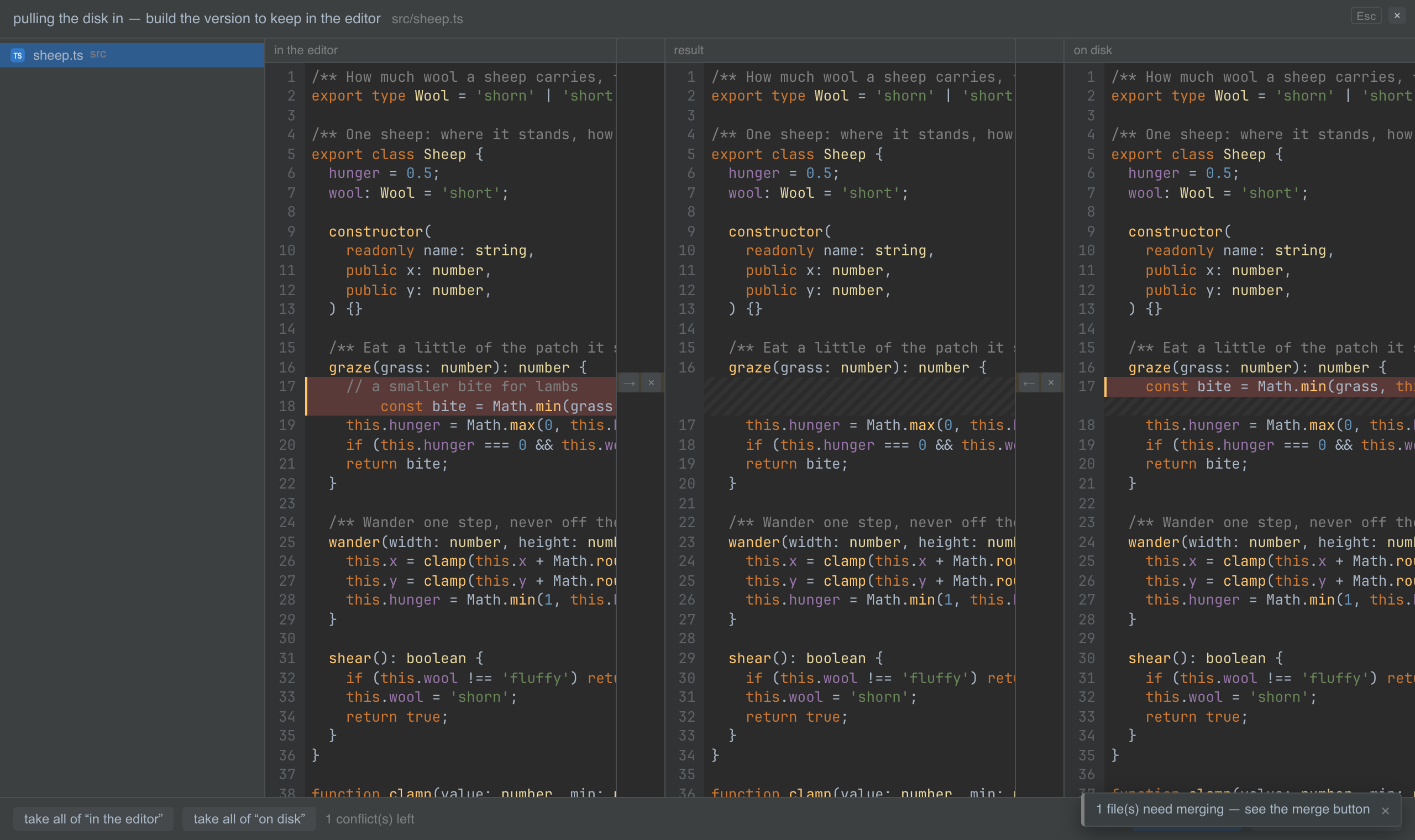
Whenever two versions of a file disagree, you settle it on the same screen: your side on the left, theirs on the right, the result in the middle, and the common ancestor behind it all, so that edits at opposite ends of a file are not mistaken for a conflict.
- From git: conflicts after a merge or a pull.
- From the shelf: a shelved change whose file moved on meanwhile.
- From the disk: a file changed on disk while you had unsaved edits in it.
Walk the conflicts with the arrows, take the left or the right side, or skip it; move between files with Tab. Confirm, and the result is written to memory and disk together. Nothing is decided for you, and nothing is thrown away until you confirm.
Keys
| Command | macOS | Windows and Linux |
|---|---|---|
| merge.show — open the merge screen | Cmd+Shift+G | Ctrl+Shift+G |
| merge.next / merge.prev — the next conflict | ↓ / ↑ | ↓ / ↑ |
| merge.takeLeft / merge.takeRight | ← / → | ← / → |
| merge.skipLeft / merge.skipRight | Shift+← / Shift+→ | Shift+← / Shift+→ |
| merge.nextFile / merge.prevFile | Tab / Shift+Tab | Tab / Shift+Tab |
| merge.confirm | Enter | Enter |
Screenshots and demos
Using it from another plugin
An argument is a merge session: a title, a source, and files, each with the base,
the left and the right text (null meaning "deleted on that side"). Plugins supply
sessions on the daemon's side and the screen opens in every tab of the project:
import MergeServer from '@mosetta/ide-plugin-merge/server';

this.ide.getPlugin(MergeServer).open(project.root, {
  source: 'shelve',
  title: 'Unshelve "wool counter"',
  files: [{ path: 'src/flock.ts', base, left: { label: 'Yours', text: mine }, right: { label: 'Shelved', text: theirs }, done: false }],
  apply: async (path, text) => { /* write the settled text */ },
  finish: async () => { /* everything settled */ },
  cancel: async () => { /* the user walked away */ },
});
On the client side the instance reports and settles the current session:
import MergePlugin from '@mosetta/ide-plugin-merge';

const merge = this.ide.getPlugin(MergePlugin);
merge.onState((session) => console.log(session?.title ?? 'no argument'));
await merge.fromDisk('src/flock.ts'); // argue with the disk about this file