
@mosetta/ide-plugin-projects
v0.0.14
Published
Open a project by path with completion, and switch between recent ones — like changing gloves.

Maintainers
 pre-fabricated
Readme
Projects
@mosetta/ide-plugin-projects · Open a project by path with completion, and switch between recent ones — like changing gloves.
What it does
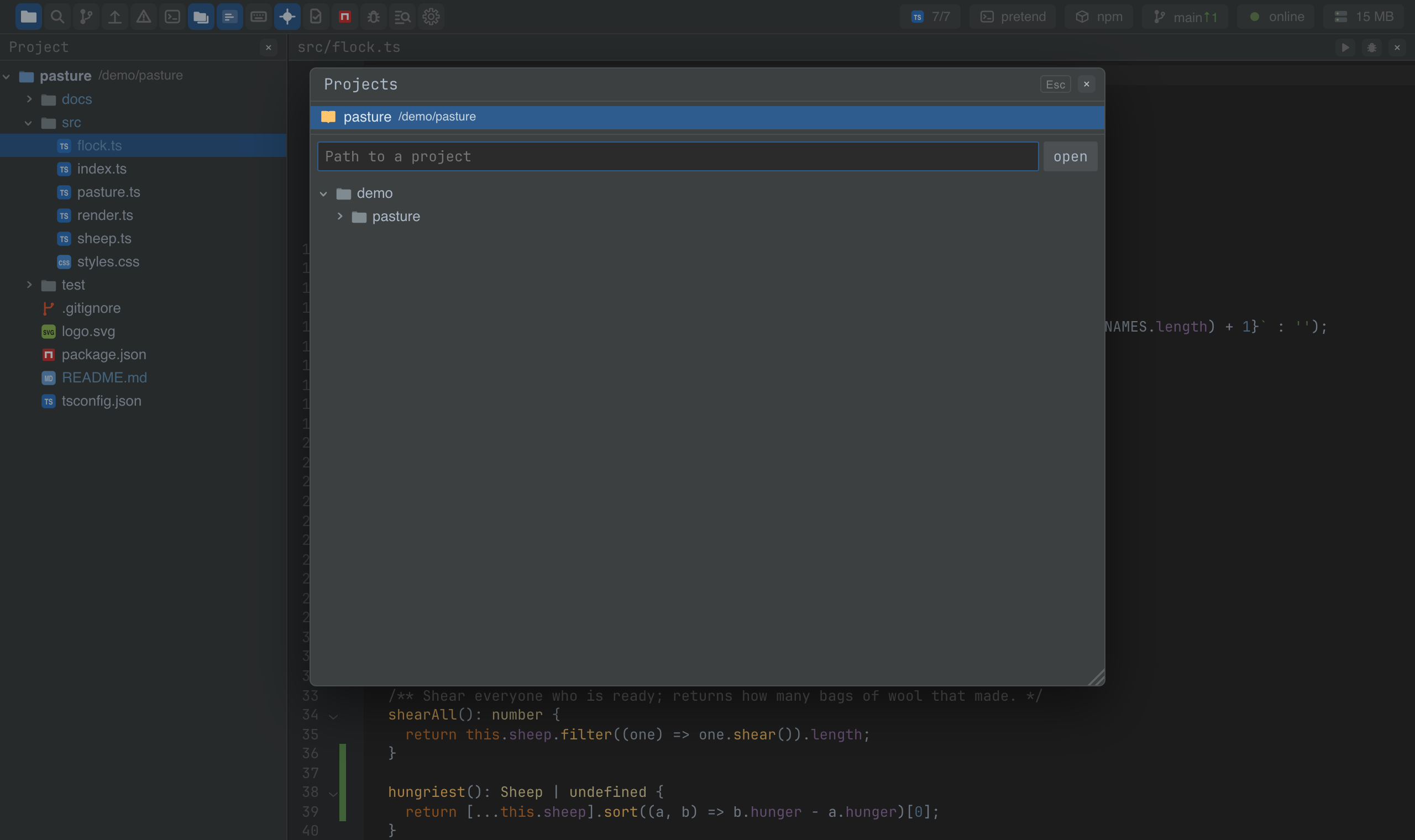
A window for choosing what to work on: the projects you opened recently, a path field that completes directories as you type, and a folder tree to click through. With no project open, the window opens by itself.
- Switching is cheap. A project stays alive in the daemon while any tab holds it, so going back to one is instant, and its terminals and language servers are still running.
- Several projects side by side are simply several tabs; each remembers its project in the address, so a reload comes back to the same one.
- The history is the machine's, not the tab's: every tab and window sees the same recent projects.
Keys
| Command | macOS | Windows and Linux |
|---|---|---|
| projects.show — the project window | Ctrl Ctrl, Cmd+7 | Ctrl Ctrl, Ctrl+Alt+7 (browser), Ctrl+7 (desktop) |
| projects.suggest — suggest directories | Cmd+Shift+Space | Ctrl+Shift+Space |
| projects.complete — complete the path | Tab | Tab |
Screenshots and demos
Using it from another plugin
Opening and switching projects is the core's job, and it is on every plugin's ide:
await this.ide.workspaces.open('/Users/me/code/pasture');  // open, or attach if it is already open
this.ide.workspaces.current.value;                         // { id, root, name, … } or null
this.ide.workspaces.live.value;                            // every project the daemon holds

this.ide.project.value; // the attached project; plugins watch it to reset their state
This plugin adds the window on top, and its state is on the instance:
import ProjectsPlugin from '@mosetta/ide-plugin-projects';

const { projects } = this.ide.getPlugin(ProjectsPlugin);
const recent = await this.ide.getPlugin(ProjectsPlugin).recent(); // [{ root, name, openedAt }]