
@mosetta/ide-plugin-search
v0.0.14
Published
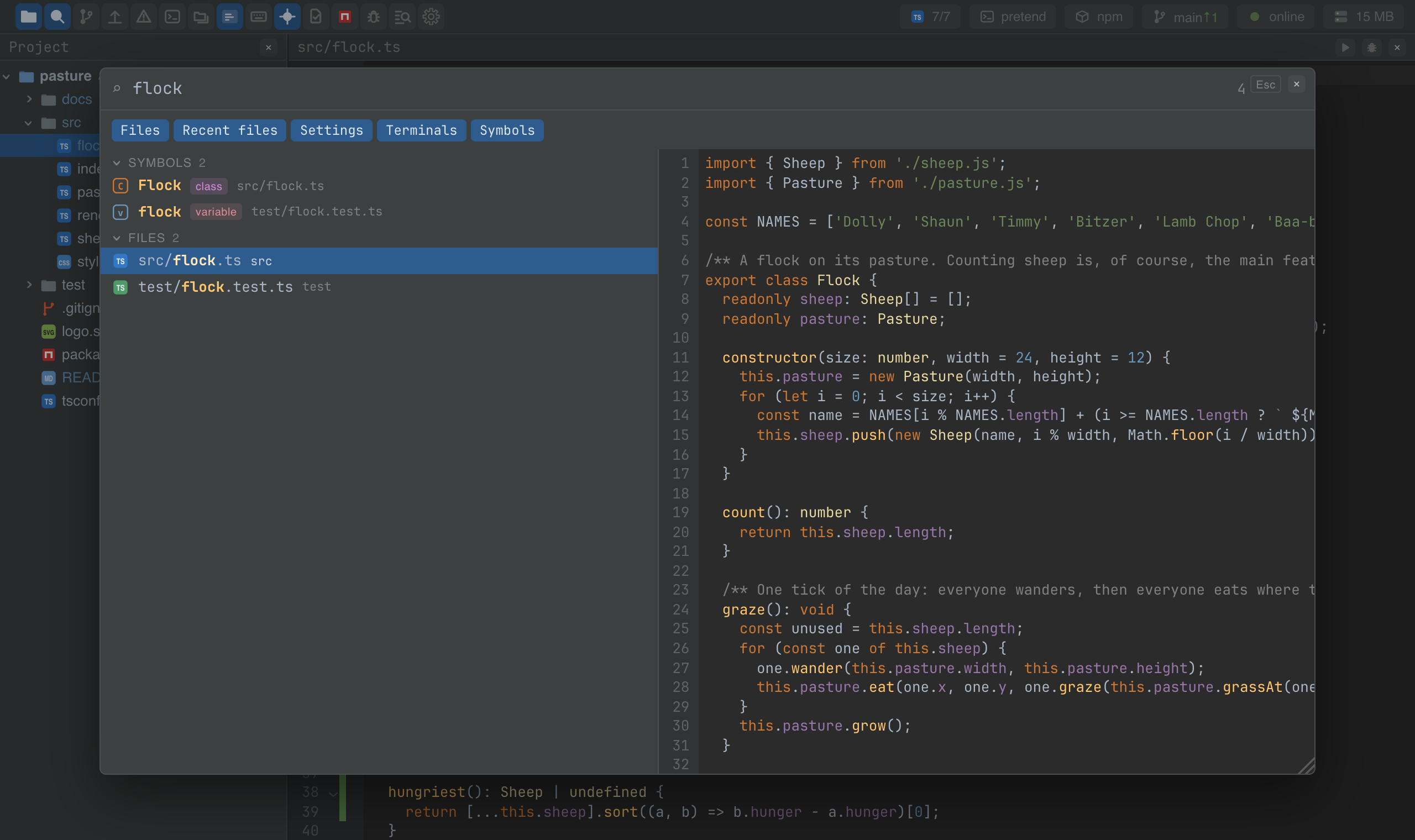
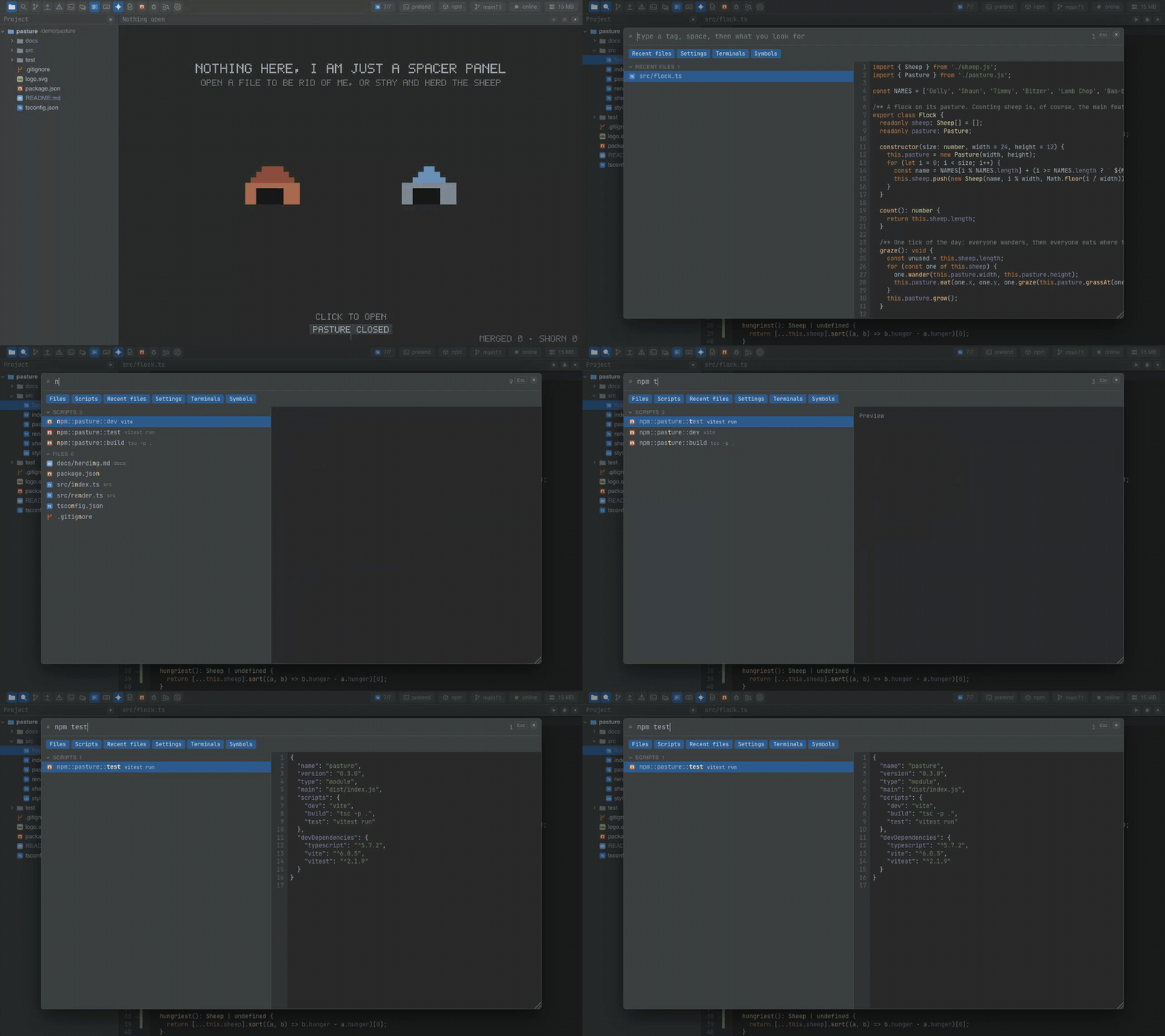
Shift+Shift: one window over files, symbols, scripts, terminals and settings, with a preview and typed tags.

Maintainers
 pre-fabricated
Readme
Search everywhere
@mosetta/ide-plugin-search · Shift+Shift: one window over files, symbols, scripts, terminals and settings, with a preview and typed tags.
What it does
Press Shift twice and a window opens over the panels: a field, the results in sections, and a preview of the selected one. It searches everything the plugins have registered — files and TypeScript symbols from the project index, npm scripts, open terminals, recent files, and every setting.
- Instant. The index lives in the daemon's memory and is kept current by events; a keystroke never waits for the disk.
- Typed tags narrow the search by kind:
ts function fitfinds functions whose name fits fit;npm devfinds scripts; a setting's section is a tag too. - Matches the way you type: a query lands on the starts of words, so
dccffindsDesktopCreditCardForm; and a query typed in the Russian layout by mistake is read in the English one too. - Enter does the obvious thing for each kind: a file opens, a script runs, a terminal comes forward, a setting opens in the settings window.
- Honest about coverage. If the index skipped files — too many, too large — the window says so instead of showing a list that looks complete.
Keys
| Command | macOS | Windows and Linux |
|---|---|---|
| search.everywhere | Shift Shift, Cmd+P, Cmd+2 | Shift Shift, Ctrl+P, Ctrl+Alt+2 (browser), Ctrl+2 (desktop) |
Arrows move, Enter opens, Escape closes.
Settings
Section index in settings.json:
| Key | Default | What it does |
|---|---|---|
| enabled | true | Build the index when a project opens. |
| maxResults | 50 | How many hits to show; the window says when there were more. |
| recentFiles | 15 | How many recent files to offer before anything is typed. |
| symbolsMaxKb | 512 | Files larger than this are not parsed for symbols. |
Screenshots and demos
Watch the video · Try it in the browser
Using it from another plugin
The search window is a commons: it declares three registry keys, and each kind of hit is brought by the plugin that owns it.
| Key | What an entry is |
|---|---|
| search.source | id, a kind, and find({ term, tags, limit }) returning hits (kind, label, path, score, matches, and optionally line, detail, tags, id). Optionally tags() — the tags this source understands — and note(), a line to show under the section. |
| search.opener | kind and open(hit): what Enter does with a hit of that kind. Without one, the hit's file is opened. |
| search.icon | kind and icon(hit): the icon on a row. |
A source of your own, matched the same way everything else is:
import SearchPlugin from '@mosetta/ide-plugin-search';

this.ide.registry('search.source').add({
  id: 'notes',
  kind: 'note',
  find: ({ term, limit }: { term: string; limit: number }) => {
    const search = this.ide.getPlugin(SearchPlugin);
    const folded = search.textIndex.fold(term);
    return this.notes.value
      .map((note) => {
        const hit = search.matcher.match(search.textIndex.of(note.title), folded);
        return hit && { kind: 'note', label: note.title, path: note.file, score: hit.score, matches: hit.positions };
      })
      .filter(Boolean)
      .slice(0, limit);
  },
});

this.ide.registry('search.opener').add({
  kind: 'note',
  open: (hit: { path: string }) => this.show(hit.path),
});
Ask the index directly — the same answer the window gets:
const { hits, total } = await this.ide.getPlugin(SearchPlugin).find('flock', 20, ['file']);Index kinds from the daemon. The server half is extensible too: a plugin's server half
can teach the index a new kind of hit parsed from files, the way the npm scripts plugin
reads package.json:
import SearchServer from '@mosetta/ide-plugin-search/server';

this.ide.getPlugin(SearchServer).find({
  kind: 'npm',
  wants: (path) => path.endsWith('package.json'),
  finds: (path, text) => Object.keys(JSON.parse(text).scripts ?? {}).map((name) => ({ label: name, id: name })),
});