
@mosetta/ide-plugin-settings
v0.0.14
Published
A settings window over the same JSON file you edit by hand.
Downloads
654

Maintainers
 pre-fabricated
Readme
Settings
@mosetta/ide-plugin-settings · A settings window over the same JSON file you edit by hand.
What it does
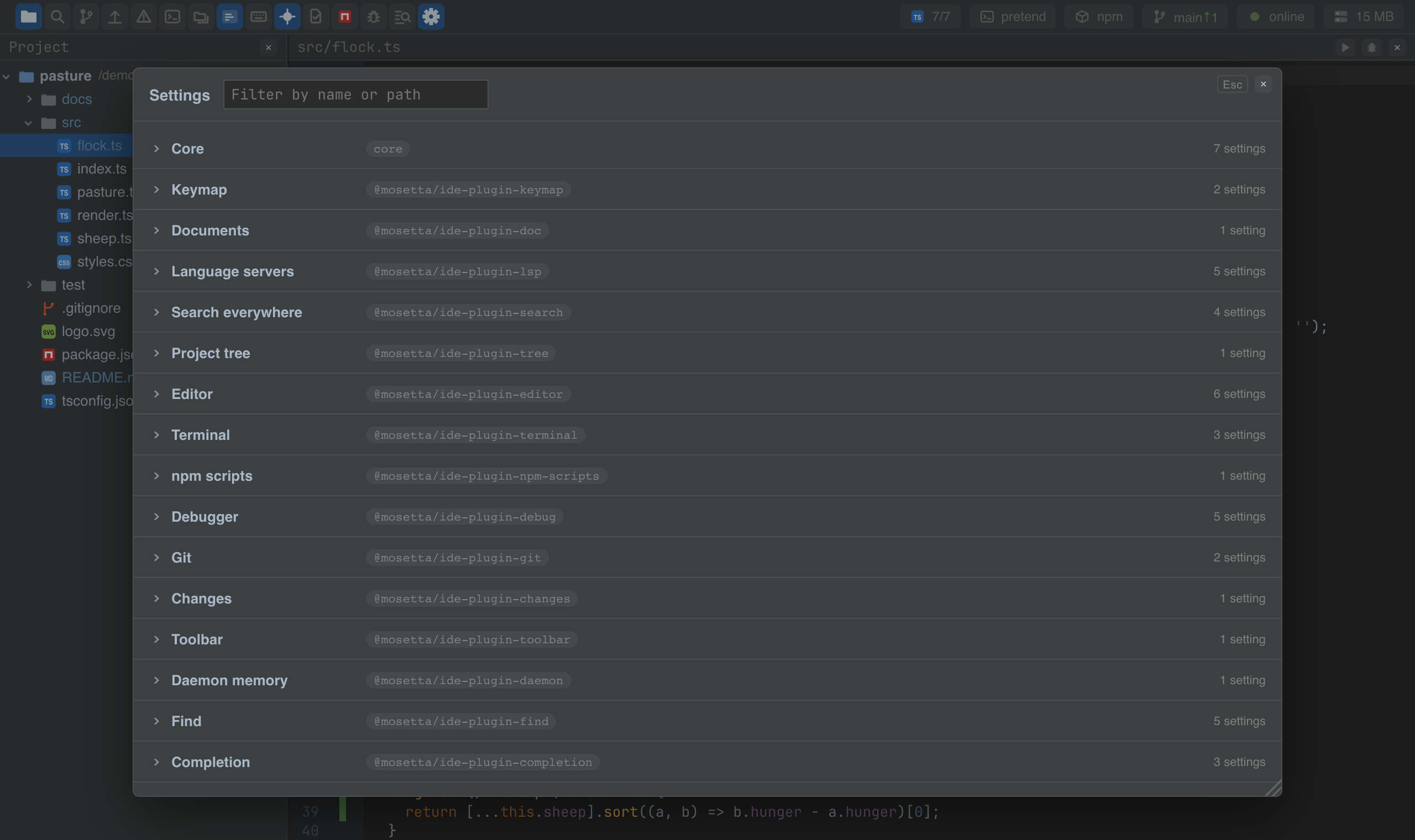
Every setting of every plugin, in one window, generated from what the plugins declare:
each section with its fields, their current values, and which layer a value comes from —
the factory, your settings.json, or the project's .mosetta/settings.json.
- One source of truth. The window writes the same file you edit by hand, one key at a time, keeping your comments and formatting. Edit the file, and the window follows.
- Per machine or per project. A value can be written for you or for the project; resetting removes it from both files, so "factory" means factory.
- Validated. A value of the wrong type is refused with the reason, before it reaches the file.
- Searchable. Filter by a key or a path, and every setting is also a hit in search
everywhere —
editor fontgets you there.
Keys
| Command | macOS | Windows and Linux |
|---|---|---|
| settings.show | Cmd+, | Ctrl+, |
Screenshots and demos
Using it from another plugin
A plugin does not register with the window; it declares a settings section, and the window finds it:
import { configSection, plugin, type Ide } from '@mosetta/ide-api/client';

export interface NotesSettings { folder: string; sort: 'name' | 'date' }
export const NOTES_DEFAULTS: NotesSettings = { folder: 'notes', sort: 'date' };

@configSection({
  section: 'notes',
  defaults: NOTES_DEFAULTS,
  fields: { sort: { options: ['name', 'date'] } },
})
@plugin({ title: 'plugin.notes' })
export default class Notes {
  constructor(private readonly ide: Ide) {}

  private get settings(): NotesSettings {
    return this.ide.settingsOf('notes', NOTES_DEFAULTS).value; // factory, then the user's file, then the project's
  }
}
A section can carry its own editor instead of generated rows — the keymap does — and a
schema (JSON Schema) that every write is checked against.
To send the user to a particular setting, take whoever is registered in
settings.reveal; it is optional on purpose, so your plugin keeps working with the
settings window switched off:
const opener = this.ide.registry<{ reveal(query: string): void }>('settings.reveal').all.value[0];
opener?.reveal('lsp.memoryBudgetMb');
Writing a setting from code goes through the core, with the same checks as the window:
await this.ide.setSetting('notes', 'sort', 'name', 'project').