
@mosetta/ide-plugin-tree
v0.0.14
Published
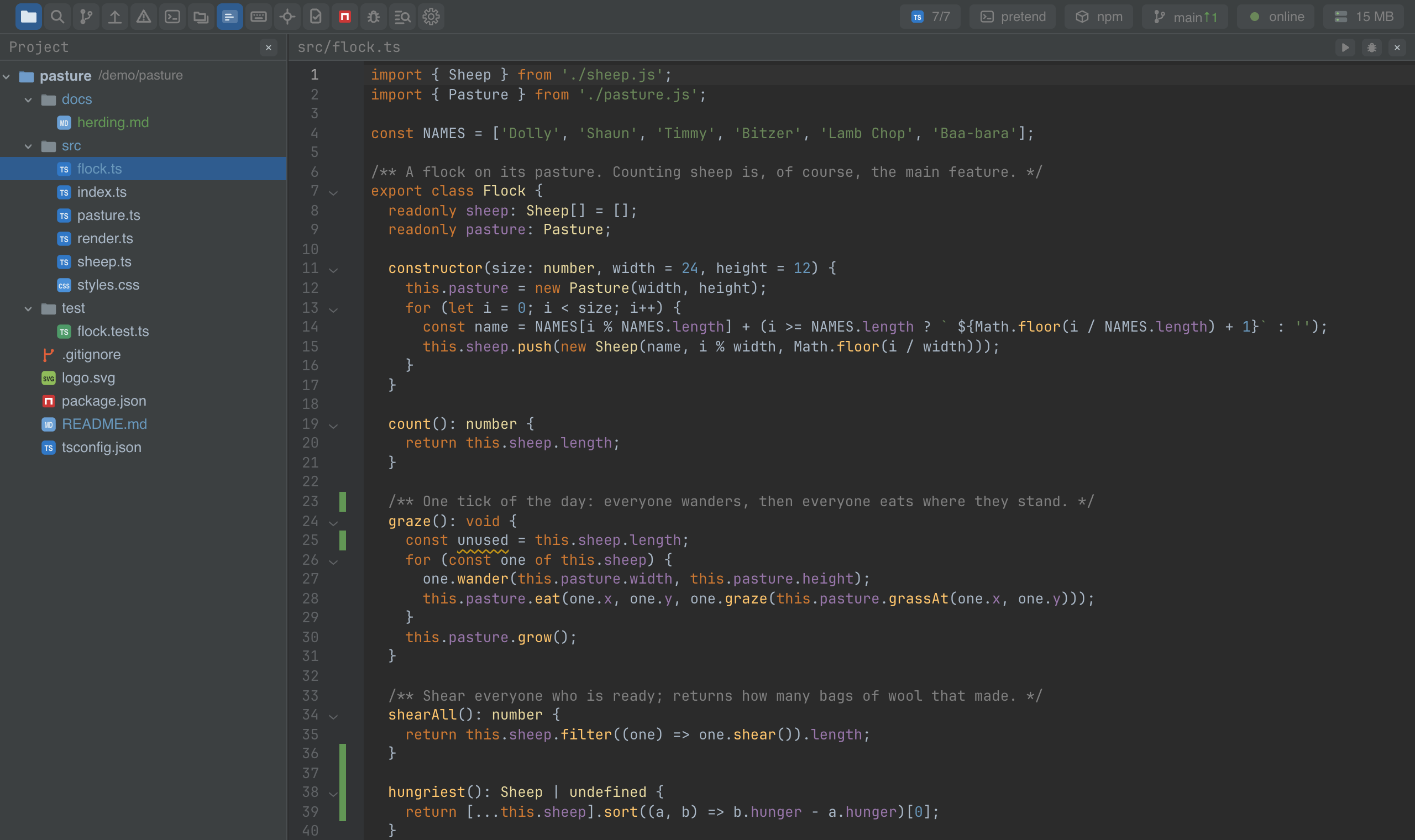
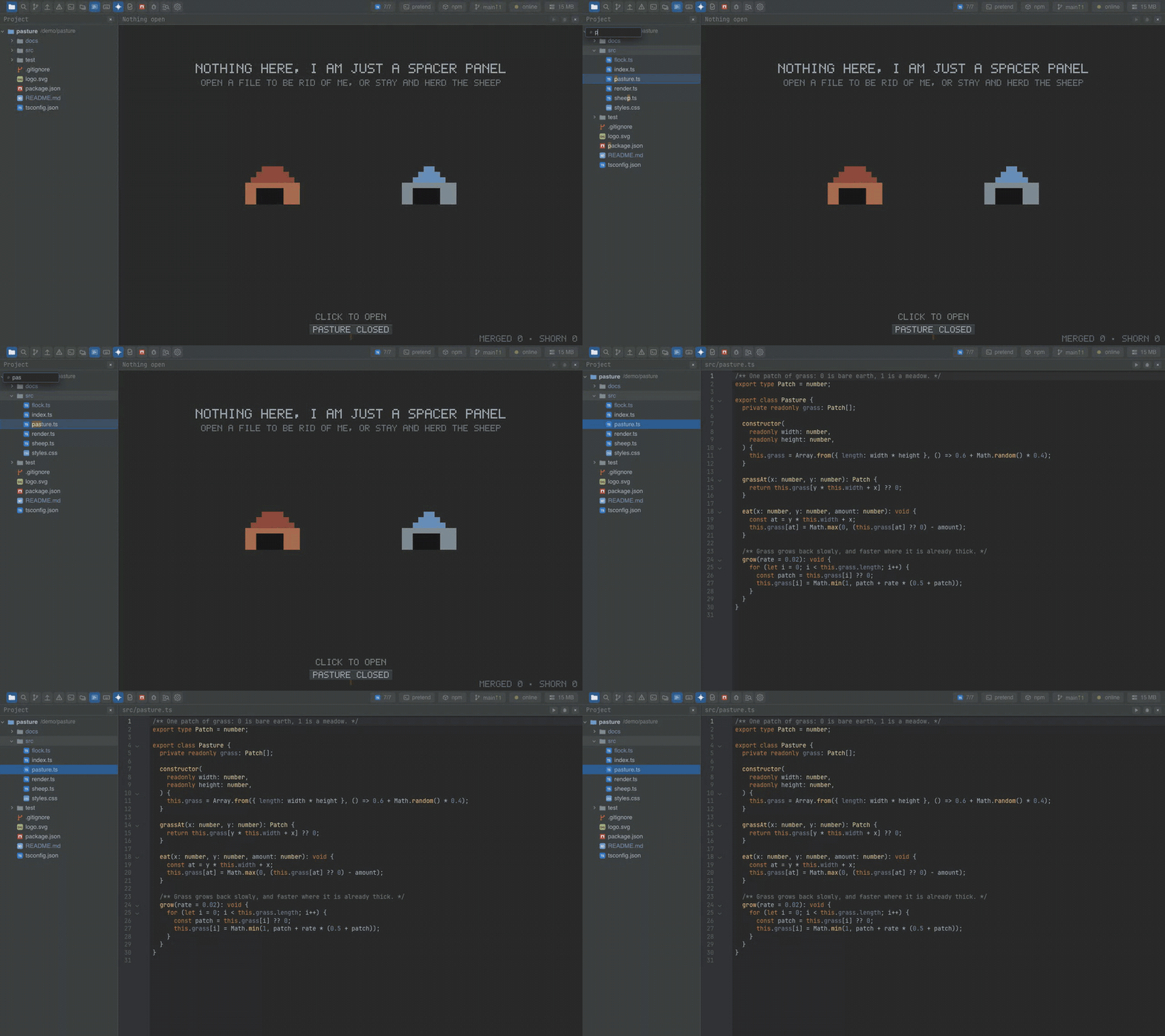
The file tree: type to find, drag to move, copy, paste, rename — with git colours and errors that rise through folders.
Downloads
688

Maintainers
 pre-fabricated
Readme
Project tree
@mosetta/ide-plugin-tree · The file tree: type to find, drag to move, copy, paste, rename — with git colours and errors that rise through folders.
What it does
The tree reads the project from the daemon's memory, never from the disk directly, so it opens instantly on a large project and changes appear the moment they happen — made by you, by git or by a build.
- Type to find. Start typing while the tree has the keyboard and the rows narrow down to what matches — also when the query came out in the Russian layout by mistake.
- File operations: new file, new folder, rename, delete, copy, cut and paste, drag and drop, copy the path, reveal in the system's file manager.
- Colours from neighbours: git paints changed and new files; a folder holding a file with errors is marked all the way up.
- Follows the editor: the file you open is selected and scrolled into view (switch it off if you prefer the tree to stay put).
- The context menu grows with other plugins — Run and Debug on a script come from the debugger.
Keys
| Command | macOS | Windows and Linux |
|---|---|---|
| panel.tree — show the tree, or leave it | Cmd+1 | Ctrl+Alt+1 (browser), Ctrl+1 (desktop) |
| tree.follow — select the open file | Cmd+Option+F, Cmd+0 | Ctrl+Alt+F, Ctrl+Alt+0 (browser), Ctrl+0 (desktop) |
| tree.newFile / tree.newFolder | Option+N / Option+Shift+N (browser), Cmd+N / Cmd+Shift+N (desktop) | Ctrl+Alt+N / Ctrl+Alt+Shift+N (browser), Ctrl+N / Ctrl+Shift+N (desktop) |
| tree.rename | F2 | F2 |
| tree.delete | Backspace | Backspace |
| tree.copy / tree.cut / tree.paste | Cmd+C / X / V | Ctrl+C / X / V |
| tree.copyPath | Cmd+Shift+C | Ctrl+Alt+Shift+C |
Arrows move and fold, Enter opens, Escape clears the filter.
Settings
Section tree in settings.json:
| Key | Default | What it does |
|---|---|---|
| followEditor | true | Select the file that the editor opens. |
Screenshots and demos
Watch the video · Try it in the browser
Using it from another plugin
The tree declares two registry keys.
| Key | What an entry is |
|---|---|
| tree.tint | id and tint: a signal holding a map from a path to modified, added or conflict. Git adds one. |
| tree.action | An item for the tree's context menu: id, a dictionary key for the title, opens(path, isDir) — whether it applies to this row — and run(path). |
Colour the files your plugin cares about:
import { signal } from '@preact/signals';

const marks = signal(new Map<string, 'modified' | 'added' | 'conflict'>());
this.ide.registry('tree.tint').add({ id: 'notes', tint: marks });

marks.value = new Map([['docs/herding.md', 'added']]);
Add a context-menu item for Markdown files:
this.ide.registry('tree.action').add({
  id: 'notes.publish',
  title: 'notes.publish',
  opens: (path: string, isDir: boolean) => !isDir && path.endsWith('.md'),
  run: (path: string) => this.publish(path),
});
The tree also hands out two of its widgets, so lists elsewhere behave like it does:
import TreePlugin from '@mosetta/ide-plugin-tree';

const tree = this.ide.getPlugin(TreePlugin);
tree.prompt;     // the question modal: "New file name?"
tree.typeahead;  // type-to-find over any list