
@mosetta/ide-plugin-ui
v0.0.14
Published
The IDE's windows, lists, menus, chips, tips and icons — shared by every other plugin.

Maintainers
 pre-fabricated
Readme
Widgets
@mosetta/ide-plugin-ui · The IDE's windows, lists, menus, chips, tips and icons — shared by every other plugin.
What it does
Everything that floats over the panels is drawn by this plugin: popup windows that remember their size and position, a filterable list with sections, menus, a question modal, a choice window, tips with keys, chips and tags, a resizer, and the file and folder icons. Other plugins import these components instead of building their own, which is why every window in the IDE moves, resizes, closes on Escape and takes the keyboard the same way.
The windows' state lives here too — which window is on top, which list is active, where a tip points — so the arrows, Enter and Escape reach whatever is in front. The core draws none of it; switch the plugin off and the IDE says that nobody is left to draw windows.
Keys
These keys are shared by every list, menu and window built from these widgets.
| Command | Key |
|---|---|
| popup.close | Escape |
| pick.next / pick.prev / pick.accept / pick.expand | ↓ / ↑ / Enter / → |
| menu.next / menu.prev / menu.accept | ↓ / ↑ / Enter |
| prompt.confirm | Enter |
Screenshots and demos
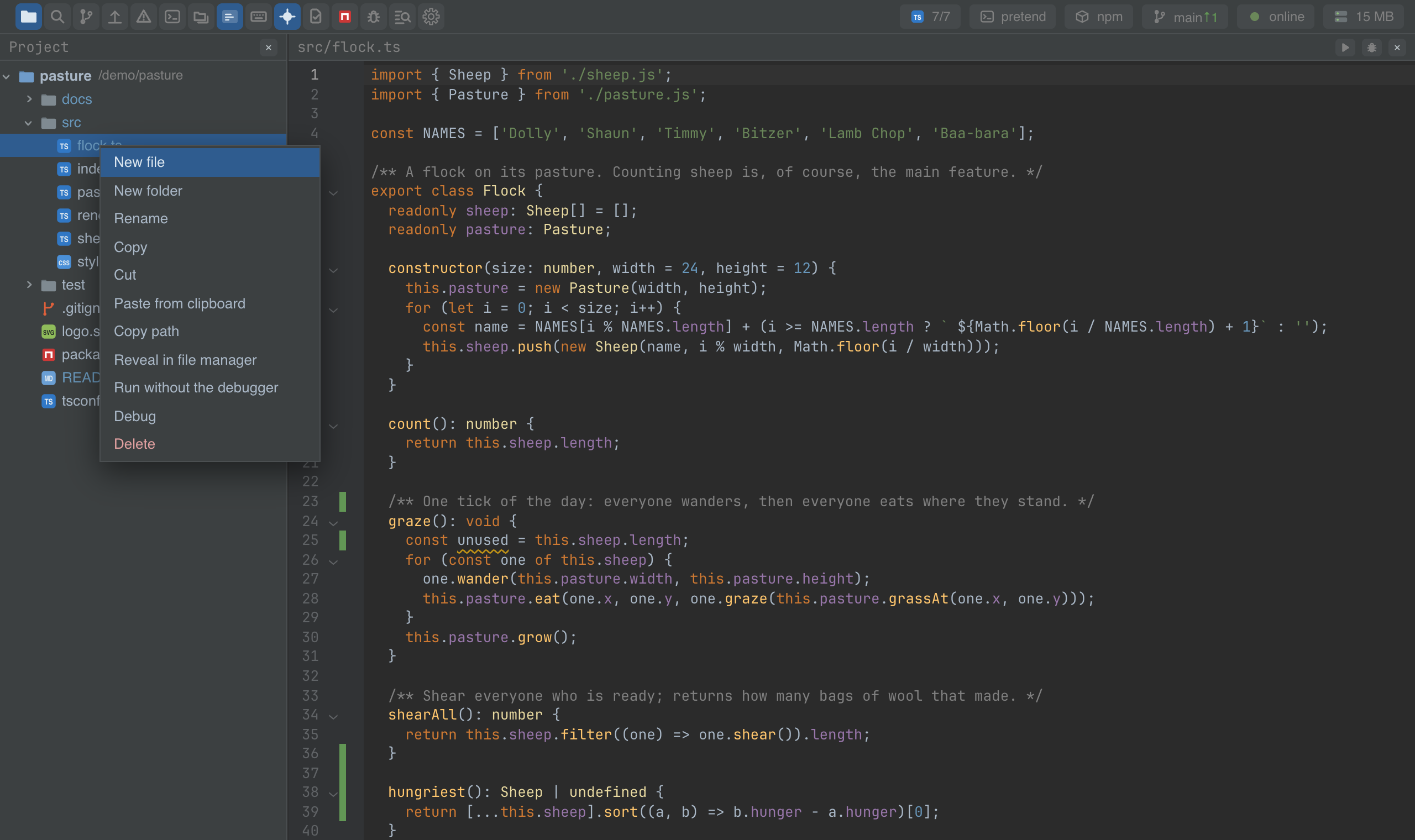
Using it from another plugin
Import the components by the package's name; the IDE gives your plugin the same copy everyone else uses. Pass the window state from the instance:
import UiPlugin, { PickPopup } from '@mosetta/ide-plugin-ui';

const ui = this.ide.getPlugin(UiPlugin);

this.ide.surface(() =>
  this.open.value ? (
    <PickPopup
      windows={ui.windows}
      id="notes"
      title={this.ide.t('notes.title')}
      items={this.notes.value.map((note) => ({ key: note.file, text: note.title, value: note }))}
      placeholder={this.ide.t('notes.filter')}
      empty={this.ide.t('notes.empty')}
      size={{ w: 560, h: 380 }}
      min={{ w: 360, h: 220 }}
      onClose={() => (this.open.value = false)}
      onPick={(note) => this.show(note)}
      row={(note, matches) => <span>{ui.matches.highlight(note.title, matches)}</span>}
    />
  ) : null,
);
| Export | What it is |
|---|---|
| Popup | A movable, resizable window with a title and a close button. |
| PickPopup | A window with a filter field and a list, in sections if you like. |
| ChoicePopup | Pick one of a few options, with explanations. |
| Menu | A context menu. |
| AskPopup, Asking | A question modal and its state. |
| Typeahead | Type-to-find over any list — the tree uses it. |
| ModeSwitch | A segmented switch, as in the Markdown and diff headers. |
| Chip, ChipRow, Tag | Chips and tags. |
| Resizer, Tip | A drag handle; a tip with keys. |
| Icon, FileIcon, DirIcon, RootIcon, Chevron, fileTypes | Icons, and the file type by name. |
ui.fuzzy and ui.matches are the shared fuzzy matcher and its highlighting.
Two registry keys are declared here: ui.captures (id and catches(surface) — whoever
takes keys whole on a surface, so a window does not promise Escape for nothing) and
ui.tips (the tips service, for plugins that show tips of their own).