
@movk/mapbox
v1.3.0
Published
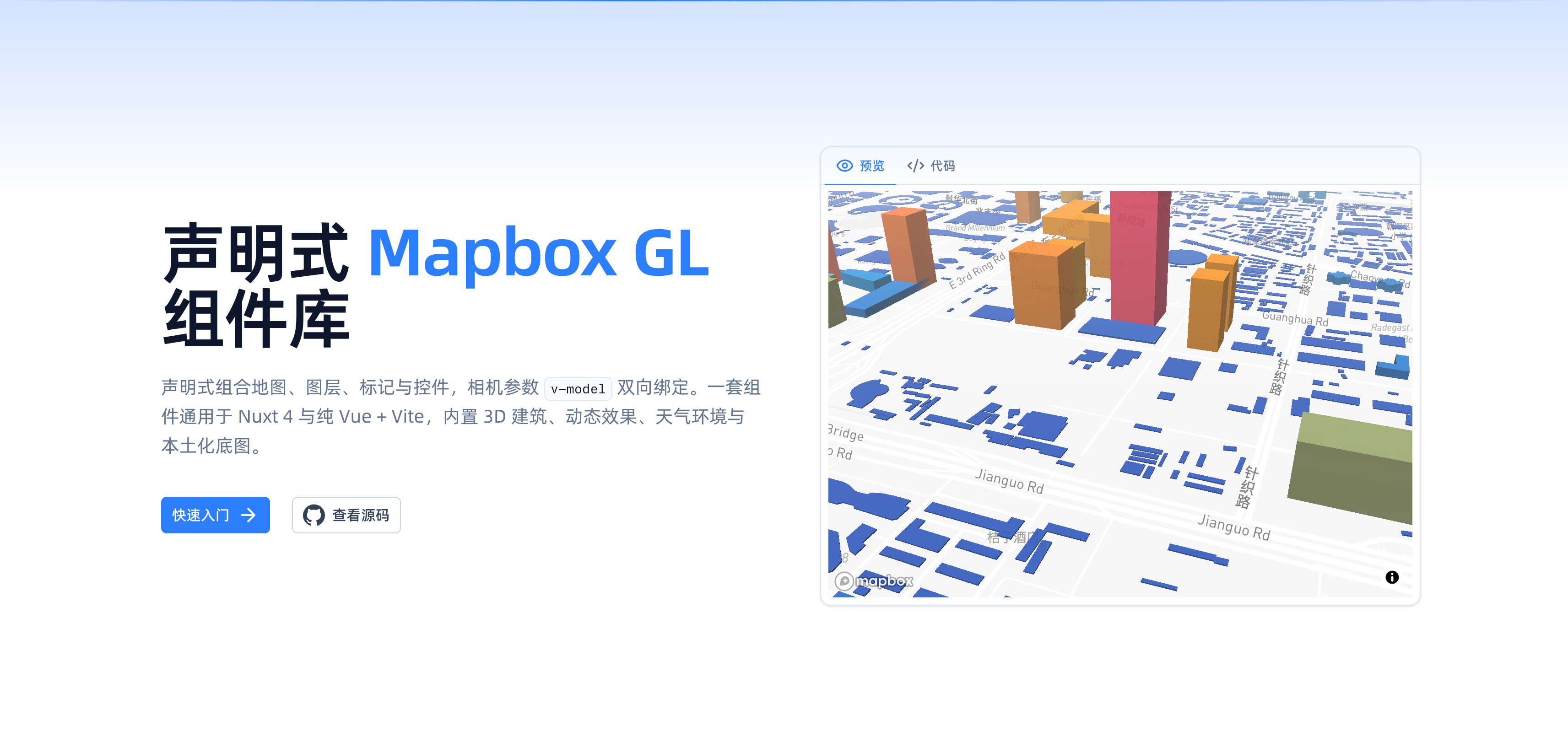
声明式 Mapbox GL v3 封装库:MapboxMap/Source/Layer 等组件与 composables,原生支持 Nuxt 4 模块,并通过 Vite 插件在纯 Vue + Vite 项目中可用。内置 3D 建筑、雷达/扩散/辉光等动态效果,fog/terrain/天气环境,绘制(mapbox-gl-draw)、天地图、WMS/WMTS 与多坐标系本土化支持。

Maintainers
 movk
movkReadme
简体中文 | English
声明式 Mapbox GL v3 封装库 —— 用
MapboxMap/MapboxSource/MapboxLayer等组件与 composables 组合地图。同一套src/runtime既作为 Nuxt 4 模块发布,也经 Vite 插件在纯 Vue + Vite 项目中使用。内置 3D 建筑、雷达 / 扩散 / 辉光等动态效果,fog / terrain / 天气环境,绘制(mapbox-gl-draw)、天地图、WMS / WMTS 与多坐标系本土化支持。







- 📖 在线文档
✨ 特性
- 声明式组合 - 用组件搭建地图、数据源、图层、标记、弹窗、控件,无需命令式管理实例生命周期。
- 上下文注入架构 -
MapboxContext经 provide/inject 下发,子组件用useMap()直接取实例,不靠 id 查表。 - 相机双向绑定 -
v-model:center/zoom/bearing/pitch,支持跨路由持久化(persistent+ keepalive)。 - 丰富图层与效果 - circle / fill / line / symbol / fill-extrusion / heatmap、聚合、建筑、栅格、视频,叠加雷达 / 扩散 / 辉光 / 波纹 / 迁徙 / 轨迹等动态效果。
- 环境与天气 - fog 大气、3D lights、terrain 地形与 temperature / rain / snow。
- 本土化扩展 - 天地图底图、WMS / WMTS 服务、
MapboxDrawControl绘制与 gcoord 多坐标系(WGS84 / GCJ02 / BD09)转换。 - SSR 安全 - 地图实例只在客户端
onMounted创建,组件内已处理,无需<ClientOnly>包裹。 - AI 友好 - 内置 MCP Server 与 llms.txt,组件、composable、文档可被 AI 智能体检索。
同一套组件在 Nuxt 4 与纯 Vue + Vite 下通用,仅绘制能力需可选安装 @mapbox/mapbox-gl-draw。
🚀 快速开始
安装
# pnpm
pnpm add @movk/mapbox mapbox-gl

# yarn
yarn add @movk/mapbox mapbox-gl

# npm
npm install @movk/mapbox mapbox-gl
# 可选:绘制能力
pnpm add @mapbox/mapbox-gl-drawNuxt
在 nuxt.config.ts 中注册模块:
export default defineNuxtConfig({
  modules: ['@movk/mapbox']
})
token 从环境变量读取:
NUXT_PUBLIC_MAPBOX_ACCESS_TOKEN=pk.your_mapbox_access_token
NUXT_PUBLIC_MAPBOX_TIANDITU_TOKEN=your_tianditu_tk
组件与 composables 自动导入,开箱即用。
Vue + Vite
在纯 Vue + Vite 项目中经 Vite 插件 + Vue 插件使用,用法与 Nuxt 完全一致:
// vite.config.ts
import vue from '@vitejs/plugin-vue'
import Mapbox from '@movk/mapbox/vite'

export default defineConfig({
  plugins: [vue(), Mapbox()]
})
// main.ts
import { createApp } from 'vue'
import MapboxPlugin from '@movk/mapbox/vue-plugin'
import '@movk/mapbox/index.css'
import App from './App.vue'
createApp(App)
.use(MapboxPlugin, { accessToken: import.meta.env.VITE_MAPBOX_TOKEN })
.mount('#app')基础示例
地图实例只在客户端 onMounted 创建,组件已做 SSR 安全处理,无需 <ClientOnly> 包裹:
<script setup lang="ts">
const center = ref<[number, number]>([116.397, 39.908])
const zoom = ref(9)
</script>

<template>
  <MapboxMap v-model:center="center" v-model:zoom="zoom" :options="{ style: 'mapbox://styles/mapbox/streets-v12' }">
    <MapboxLayer
      layer-id="points"
      type="circle"
      :source="{ type: 'geojson', data: '/points.geojson' }"
      :paint="{ 'circle-radius': 8, 'circle-color': '#e11d48' }"
    />
    <MapboxNavigationControl position="top-right" />
  </MapboxMap>
</template>
📦 核心功能
声明式组件
组件全局加 Mapbox 前缀(默认前缀可配),按领域分组:
| 分类 | 组件 |
| --- | --- |
| 核心 | MapboxMap MapboxSource MapboxLayer MapboxLayerGroup MapboxCustomLayer MapboxMarker MapboxLottieMarker MapboxPopup MapboxTooltip |
| 图层 | MapboxBuildingLayer MapboxClusterLayer MapboxImageLayer MapboxRasterLayer MapboxVideoLayer |
| 效果 | MapboxRadar MapboxDiffusionCircle MapboxGlowCircle MapboxWaveCircle MapboxGradientBuilding MapboxTextureBuilding MapboxWindowBuilding MapboxFlowBuilding MapboxMigration MapboxTrail MapboxAnimatedImage MapboxSpriteImage |
| 环境与天气 | MapboxFog MapboxLights MapboxTerrain MapboxTemperature MapboxRain MapboxSnow |
| 控件 | MapboxNavigationControl MapboxGeolocateControl MapboxFullscreenControl MapboxScaleControl MapboxAttributionControl |
| 扩展 | MapboxDrawControl MapboxTiandituLayer MapboxWmsLayer MapboxWmtsLayer |
| 缓冲 | MapboxBufferCircle MapboxBufferEllipse MapboxBufferLine MapboxBufferPolygon MapboxBufferSector |
Composables
useMap()— 注入当前地图上下文(map/isLoaded/whenLoaded()/onReady())。useMapbox(id)— 按 id 从注册表获取上下文(跨树 / 跨路由逃生口)。useMapboxCamera()— 读取与控制相机(center / zoom / bearing / pitch)。useMapboxImage()— 地图图像(icon / pattern)的加载与管理。useFrameIcon()— 基于帧序列的动画图标管理。useFeatureState()— 要素状态(hover / active)管理。useMapAnimation()— 逐帧动画驱动与生命周期控制。useMapExport()— 地图画布截图导出。useMeasure()— 距离 / 面积量算。useMapboxDraw(options?)— 获取绘制上下文;传mapId可在组件树外驱动绘制。defineMapboxControl(onAdd, onRemove)— 定义自定义控件。
坐标转换
import { transformPoint, transformGeoJSON } from '@movk/mapbox/utils/coordinate'

transformPoint([116.397, 39.908], 'WGS84', 'GCJ02')
transformGeoJSON(featureCollection, 'GCJ02', 'WGS84')
🏗️ 架构分层
库的全部运行时实现都在 src/runtime,两条分发链共用同一套代码:
- Nuxt 模块 -
src/module.ts注册组件与 composables,把 token 写入runtimeConfig.public.mapbox,并挂#mapbox别名指向 runtime。 - Vite + unplugin -
src/vite.ts/src/vue-plugin.ts/src/unplugin.ts对外暴露插件入口,解析组件与自动导入;运行时配置以globalThis单例共享,使双构建读到同一份 token。 - 运行时 -
src/runtime内地图实例经 provide/inject 下发上下文,onReady()是子组件建 source / layer 的统一入口,并在setStyle后自动重建。 - 基座 - 构建于 Mapbox GL JS v3、@movk/core、Turf.js、gcoord 与 VueUse。
⚡ 技术栈
- Mapbox GL JS v3 - 交互式矢量地图渲染引擎
- Nuxt 4 - The Intuitive Vue Framework
- Vue 3.5 - The Progressive JavaScript Framework
- TypeScript - JavaScript with syntax for types
- Turf.js - 地理空间分析;gcoord - 多坐标系转换
- Vitest - Next Generation Testing Framework