
@movk/nuxt
v1.8.3
Published
An engineering suite built on Nuxt UI: schema-driven AutoForm (Zod v4), a full-featured DataTable, standalone UI components and composables. Get the full capabilities — including API integration with auth & progress — in Nuxt 4, and use its UI, forms, tab

Maintainers
 movk
movkReadme
简体中文 | English
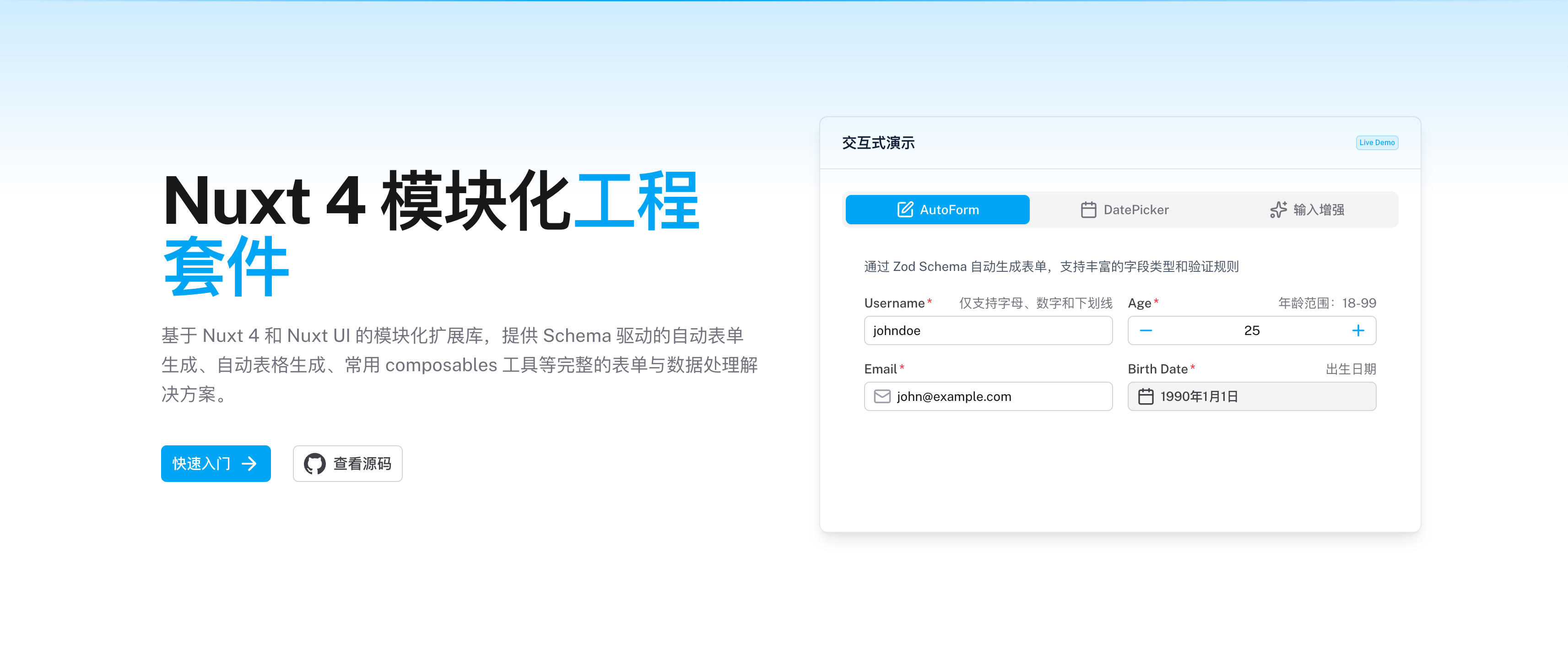
构建在 Nuxt UI 之上的 UI 工程套件 —— Schema 驱动的 AutoForm(Zod v4)、功能完备的 DataTable、独立组件与 Composables。在 Nuxt 4 中获得含认证与进度追踪的 API 集成在内的完整能力;其 UI、表单、表格与主题亦可经 Vite 插件直接用于纯 Vue + Vite 项目(API 集成域仅 Nuxt)。








- 📖 在线文档
✨ 特性
Movk Nuxt 是构建在 Nuxt UI 之上的 UI 工程套件,提供两种使用方式:在 Nuxt 4 中享受含 API 集成的完整能力,或经 Vite 插件在纯 Vue + Vite 项目中使用其 UI 层。各能力的可用框架如下:
- AutoForm — Schema 驱动表单(✅ Nuxt | ✅ Vue + Vite)- 基于 Zod v4 的「定义即渲染」,一份 Schema 同时声明数据结构、验证规则和 UI 配置,自动生成完整表单界面。
- DataTable — 数据表格(✅ Nuxt | ✅ Vue + Vite)- 基于 TanStack Table 封装,覆盖数据列、特殊列(选择/索引/展开/操作)、树形数据、行交互、外观定制、分页与加载更多。
- 独立组件库(✅ Nuxt | ✅ Vue + Vite)- DatePicker、PillGroup、SearchForm、Tree、WithCopy、ThemePicker 等通用 UI 组件,无需依赖 AutoForm 即可独立使用。
- 主题与 Composables(✅ Nuxt | ✅ Vue + Vite)- useTheme(主题读写与导出)、useMessageBox(命令式弹窗)、useDateFormatter(国际化日期)等非服务端组合式函数。
- API 集成系统(✅ Nuxt | ❌ Vue + Vite)- useApiFetch / useLazyApiFetch / useClientApiFetch 三件套 + useUploadWithProgress / useDownloadWithProgress,提供多端点、自动认证、业务状态码检查、数据解包、Toast 提示和进度监控;依赖 Nuxt 服务端运行时,仅 Nuxt 模式可用。
- 类型安全 - 完整的 TypeScript 类型推断,从 Schema 到表单数据,组件 prop 回调与事件处理类型可索引访问派生。
- AI 友好 - 内置 MCP Server 与 llms.txt,组件、composable、文档可被 AI 智能体检索。
🚀 快速开始
安装
# pnpm
pnpm add @movk/nuxt @nuxt/ui zod

# yarn
yarn add @movk/nuxt @nuxt/ui zod

# npm
npm install @movk/nuxt @nuxt/ui zod
Nuxt
在 nuxt.config.ts 中注册模块:
export default defineNuxtConfig({
  modules: ['@movk/nuxt'],
  movk: {
    prefix: 'M' // 组件前缀,默认为 'M'
  }
})
Vue / Vite
在纯 Vue + Vite 项目中,经 Vite 插件 + Vue 插件使用 UI 层(组件、主题、AutoForm、DataTable、非服务端 Composables)。API 集成域在此模式下不可用。
pnpm add @movk/nuxt @nuxt/ui zod tailwindcss vue-router// vite.config.ts
import { defineConfig } from 'vite'
import vue from '@vitejs/plugin-vue'
import movk from '@movk/nuxt/vite'
export default defineConfig({
plugins: [vue(), movk()]
})// src/main.ts
import './assets/css/main.css'
import { createApp } from 'vue'
import { createRouter, createWebHistory } from 'vue-router'
import movk from '@movk/nuxt/vue-plugin'
import App from './App.vue'
const router = createRouter({ routes: [], history: createWebHistory() })
createApp(App).use(router).use(movk).mount('#app')/* src/assets/css/main.css —— 已串联 Tailwind CSS + Nuxt UI + Movk 主题 */
@import "@movk/nuxt";根组件用 <UApp> 包裹(Toast / Tooltip / useMessageBox 必需)。详见在线文档 · Vue / Vite。
基础示例
创建一个简单的用户注册表单:
<script setup lang="ts">
import type { FormSubmitEvent } from '@nuxt/ui'
import type { z } from 'zod'

const { afz } = useAutoForm()

// 定义 Schema
const schema = afz.object({
  username: afz.string().min(3).meta({ label: '用户名' }),
  email: afz.email().meta({ label: '邮箱' }),
  age: afz.number().min(18).meta({ label: '年龄' })
})

// 类型推导
type Schema = z.output<typeof schema>

// 表单状态
const form = ref<Partial<Schema>>({})

// 提交处理
async function onSubmit(event: FormSubmitEvent<Schema>) {
  console.log('提交数据:', event.data)
}
</script>

<template>
  <MAutoForm :schema="schema" :state="form" @submit="onSubmit" />
</template>
📦 核心功能
独立组件
可直接使用的高质量 UI 组件,涵盖输入增强、表单、反馈与高级交互四类。
DataTable - 功能完备的数据表格
基于 TanStack Table 封装的 MDataTable,以声明式列配置驱动:
import type { DataTableColumn } from '@movk/nuxt'

const columns: DataTableColumn<Person>[] = [
  { type: 'selection' }, // 特殊列:行选择
  { accessorKey: 'name', header: '姓名', sortable: true, pinable: true },
  { accessorKey: 'salary', header: '薪资', sortable: true, truncate: true },
  { type: 'actions', actions: row => [{ label: '编辑', onClick: () => edit(row) }] }
]
支持数据列(排序/列固定/列宽拖拽/截断+Tooltip/可见性)、特殊列(选择/索引/展开/操作/分组)、树形数据与级联选择、行交互(点击/展开/右键菜单)、外观定制、客户端/服务端分页与加载更多。
AutoForm - Schema 驱动的表单系统
基于 Zod Schema 的"定义即渲染"表单解决方案:
const { afz } = useAutoForm()

const schema = afz.object({
  // 基础类型
  username: afz.string().min(3),
  age: afz.number().min(18),
  isActive: afz.boolean(),

  // 高级类型
  email: afz.email(),
  birthdate: afz.calendarDate(),
  role: afz.enum(['admin', 'user']),
  avatar: afz.file(),

  // 嵌套对象
  profile: afz.object({
    bio: afz.string(),
    website: afz.url()
  }),

  // 数组
  tags: afz.array(afz.string())
})
Composables
useDateFormatter
强大的日期格式化、解析、范围处理工具:
const { format, parse, isDateValue, formatRange } = useDateFormatter()

// 格式化日期
const formatted = format(new Date(), 'iso') // "2024-01-01"

// 解析日期字符串
const date = parse('2024-01-01', 'iso')

// 格式化日期范围
const range = formatRange({ start: date1, end: date2 }, 'iso')
useAutoForm
AutoForm 的核心逻辑封装:
const { afz, defineControl, getAutoFormMetadata } = useAutoForm()

// 创建 Schema
const schema = afz.object({
  username: afz.string()
})

// 定义自定义控件
const customControl = defineControl({
  component: MyCustomInput,
  controlProps: { class: 'w-full' }
})

// 获取字段元数据
const meta = getAutoFormMetadata(schema)
useApiFetch
基于 Nuxt useFetch 封装的 API 请求:
// 基础用法
const { data, pending, error } = await useApiFetch<User[]>('/users')

// POST 请求
const { data } = await useApiFetch<User>('/users', {
  method: 'POST',
  body: { name: 'test' },
  toast: { successMessage: '创建成功' }
})

// 使用其他端点
const { data } = await useApiFetch('/users', { endpoint: 'v2' })
useUploadWithProgress
带进度监控的文件上传:
const { progress, uploading, upload, abort } = useUploadWithProgress()

// 上传文件
await upload('/api/upload', file, {
  fieldName: 'avatar',
  onSuccess: (response) => console.log('上传成功:', response)
})
useDownloadWithProgress
带进度监控的文件下载:
const { progress, downloading, download, abort } = useDownloadWithProgress()

// 下载文件
await download('/api/export/report', {
  filename: 'report.pdf',
  onSuccess: (filename) => console.log('下载完成:', filename)
})
🏗️ 架构分层
Movk Nuxt 采用清晰的分层架构:
- Core Systems - AutoForm(Schema 驱动表单)、DataTable(数据表格)
- API System - useApiFetch / useLazyApiFetch / useClientApiFetch、useUploadWithProgress、useDownloadWithProgress,提供完整的 API 请求方案
- Standalone Components - DatePicker、PillGroup、SearchForm、Tree、WithCopy、ThemePicker 等独立 UI 组件
- Composables - useDateFormatter、useTheme、useMessageBox、useAutoForm 等通用组合式函数
- Foundation - 基于 Nuxt UI、Zod v4、VueUse、TanStack Table
⚡ 技术栈
- Nuxt 4 - The Intuitive Vue Framework
- Nuxt UI - A UI Library for Modern Web Apps
- Zod v4 - TypeScript-first schema validation
- TypeScript - JavaScript with syntax for types
- VueUse - Collection of Vue Composition Utilities
- Vitest - Next Generation Testing Framework