
@mrclrchtr/supi-debug
v4.6.0
Published
Capture and inspect SuPi debug events
Downloads
3,435

Maintainers
 mrclrchtr
Readme
@mrclrchtr/supi-debug
Adds shared debug-event capture and inspection for SuPi extensions in the pi coding agent.
Install
pi install npm:@mrclrchtr/supi-debugFor local development:
pi install ./packages/supi-debug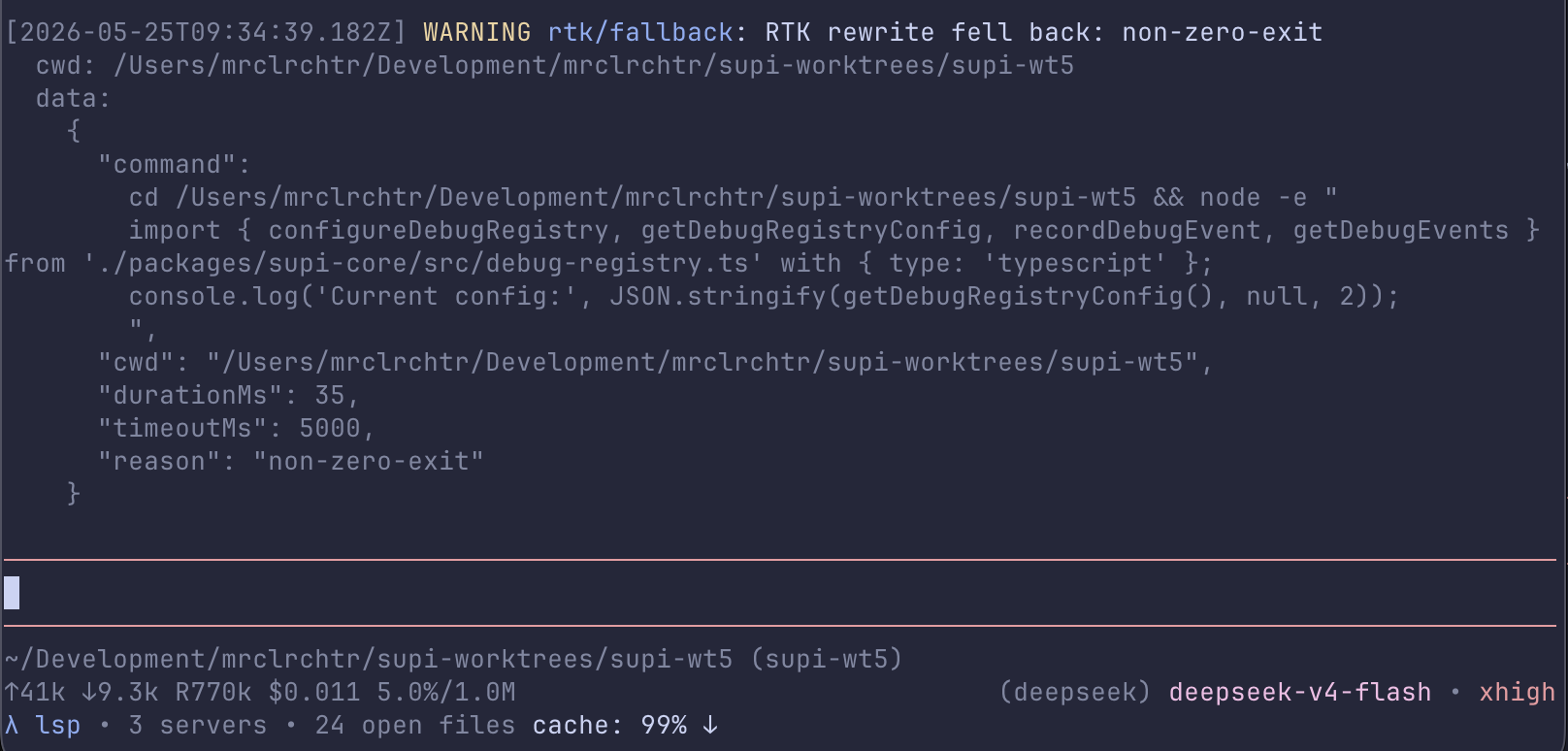
What you get
After install, this package wires the shared debug registry into three user-facing surfaces:
/supi-debug— show recent debug events in a readable TUI reportsupi_debug— let the model query recent debug events during troubleshooting/supi-settingsintegration — configure whether events are captured and how much data is exposed
It also registers a Debug provider section for /supi-context.
Event behavior
- events are session-local
- sanitized events are also persisted in the session JSONL for later inspection
- the event buffer is cleared on
session_start - if debug capture is disabled, no events are retained
- agent-facing access is blocked, sanitized, or raw depending on settings
Rendering
/supi-debug uses a custom TUI message renderer that shows two levels of detail:
Collapsed (default) — a one-line summary:
3 events — lsp/rewrite +2 moreExpanded — full details with timestamp, level, source/category, message, cwd, and data for each event. Click/expand the collapsed message in the TUI to reveal the full output.
Rendered fields per event:
- timestamp
- level
source/category- message
- optional
cwd - optional
data - optional
rawData
Why collapsed by default
Event payloads can be large (full command strings, structured data). Collapsing keeps the conversation focused; expand only when you need the details.
Seeing full details without expanding
The agent-facing supi_debug tool returns the expanded plain-text
representation, subject to PI's standard tool-output truncation limits. This is
useful for automated troubleshooting flows while protecting the model context
from very large event payloads.
Filters
Both /supi-debug and supi_debug support the same basic filters:
sourcelevelcategorylimit
For historical sessions, pass sessionFile to supi_debug, or
sessionFile=<path> to /supi-debug. Historical sessions never retain raw data.
The tool also accepts includeRaw for live-session data when settings allow it.
Settings
This package registers a Debug section in /supi-settings.
Available settings:
enabled— turn session-local event capture on or offagentAccess—off,sanitized, orrawmaxEvents— maximum retained events in memory
Historical inspection works for events captured after this version is loaded. For example, an
agent can call supi_debug with sessionFile set to a PI session JSONL path.
Defaults come from the shared debug registry:
{
  "debug": {
    "enabled": false,
    "agentAccess": "sanitized",
    "maxEvents": 100
  }
}
Extra status logging
If SUPI_LOG_STATUS is enabled in the environment, the package emits a versioned SuPi load-status marker to stderr during resources_discover (after session-start registrations) and appends the same payload as a session entry. The payload uses phase: "resources_discover". Version 2 reports observed tool and command inventory only; external harnesses decide which resources they require.
Source
src/debug.ts— settings, command, tool, and registry wiringsrc/renderer.ts— custom report renderersrc/format.ts— debug payload formattingsrc/status-log.ts— optional load-status logging